
























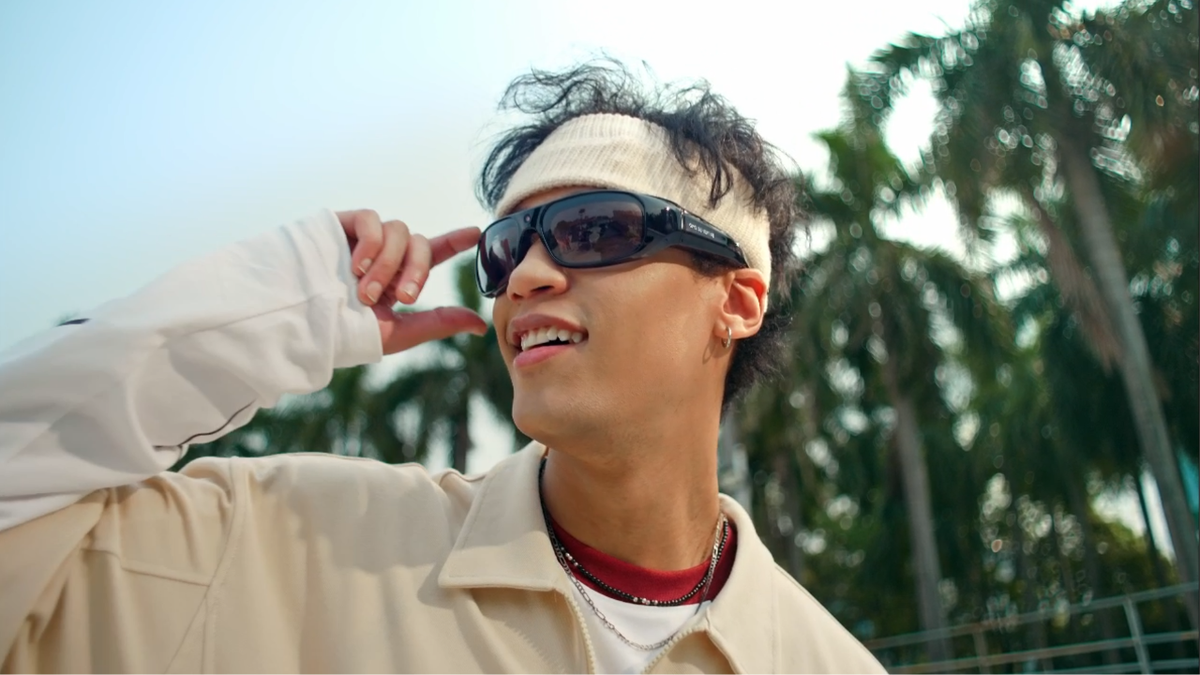
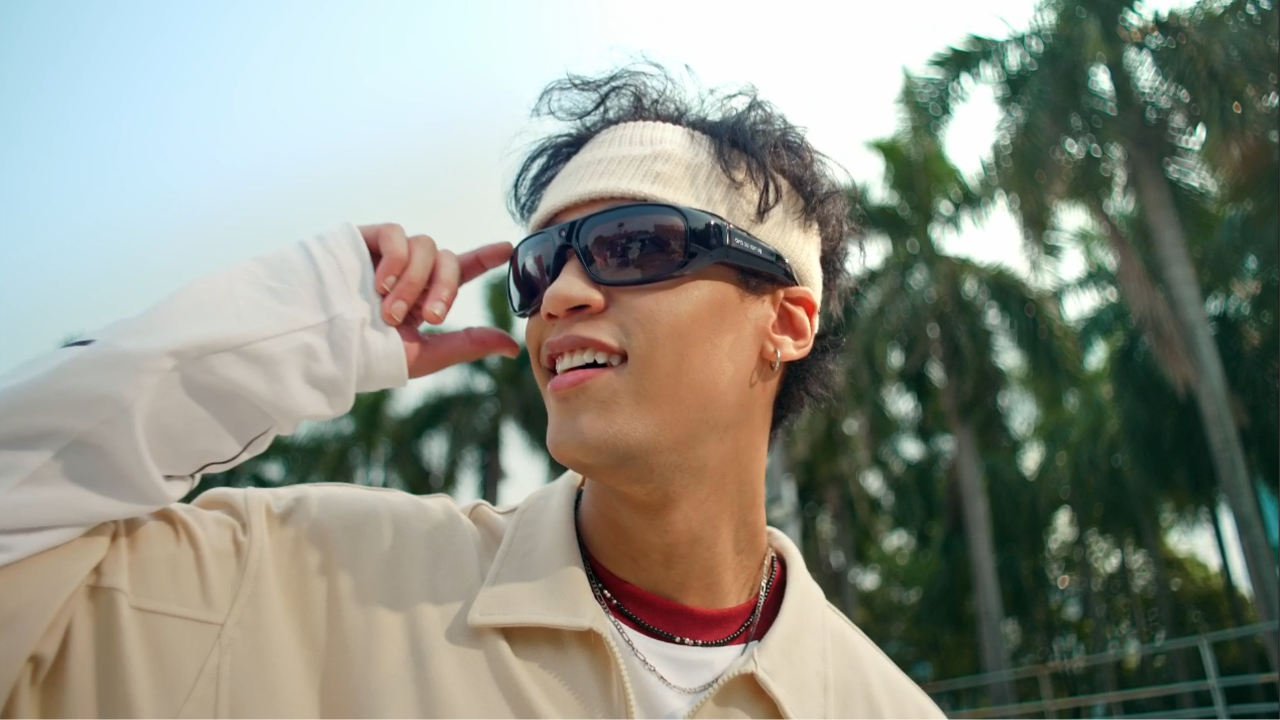
Une promenade, une sortie à vélo, un voyage ou un moment en famille peut passer avant même que vous n'ayez votre téléphone en main. C'est pourquoi les fonctionnalités des lunettes connectées avec caméra attirent de plus en plus l'attention. Elles permettent aux utilisateurs d'enregistrer à hauteur des yeux tout en gardant les deux mains libres. Toutefois, toutes les paires ne sont pas conçues pour le même type de capture. Certaines mettent l'accent sur les fonctionnalités IA du quotidien, tandis que d'autres sont conçues pour offrir des vidéos en caméra subjective plus stables.

Les lunettes caméra et les lunettes IA premium répondent à des besoins d'enregistrement différents
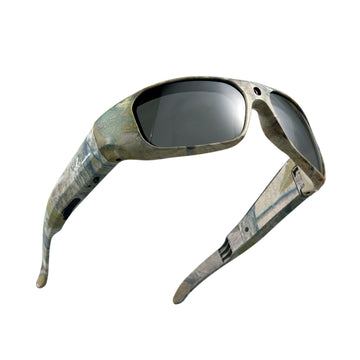
Les lunettes caméra sont des lunettes connectées dotées d'une caméra intégrée pour prendre des photos ou enregistrer des vidéos. De nombreux utilisateurs les choisissent parce qu'ils souhaitent une vue naturelle à la première personne sans tenir un téléphone ni fixer un appareil séparé.
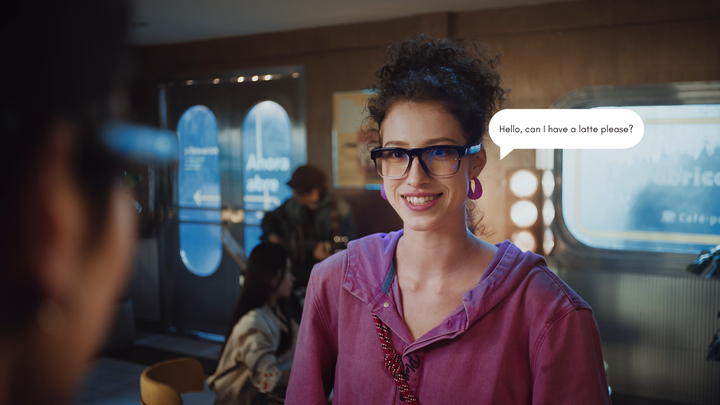
Lunettes connectées IA premium combinent généralement l'enregistrement avec une expérience de vie quotidienne plus large. IA signifie intelligence artificielle, c'est-à-dire un logiciel capable de traiter des informations et de répondre à des commandes vocales ou transmises par une application. Ces lunettes peuvent inclure une assistance vocale, un son à oreilles libres, des appels, le partage sur les réseaux sociaux, la capture de photos et l'enregistrement de courtes vidéos.
La différence essentielle réside dans la priorité.
Les lunettes IA premium mettent souvent l'accent sur une expérience quotidienne soignée. Elles sont utiles pour prendre rapidement des photos, enregistrer des séquences spontanées et profiter de fonctionnalités audio et connectées. Les lunettes connectées axées sur la caméra accordent davantage d'importance aux besoins d'enregistrement, comme la stabilité vidéo, le stockage, la position de la caméra, la durée d'enregistrement et l'utilisation en extérieur.
Les deux catégories peuvent être utiles. Le meilleur choix dépend de la question de savoir si l'enregistrement est une fonctionnalité occasionnelle ou la raison principale pour laquelle vous souhaitez ces lunettes. Pour les acheteurs qui comparent les fonctionnalités de caméra des Ray-Ban Meta aux lunettes connectées axées sur la caméra, la vraie question n'est pas de savoir quel produit est le plus célèbre. Il s'agit de déterminer s'ils ont besoin d'une capture rapide de leur quotidien ou de fonctionnalités davantage axées sur l'enregistrement pour les mouvements, le stockage et les prises de vue en caméra subjective en extérieur.
Ce que les lunettes IA premium offrent pour immortaliser le quotidien
Les lunettes intelligentes premium dotées d’une IA peuvent être séduisantes, car elles associent un design de lunettes familier à des fonctions intelligentes. Elles sont souvent conçues pour les utilisateurs qui recherchent une monture élégante, des commandes vocales, un audio ouvert et un accès rapide aux photos ou aux vidéos au quotidien. Les lunettes Ray-Ban Meta sont un exemple courant de cette catégorie, avec une caméra ultra grand-angle de 12 Mpx pour capturer des photos et des vidéos les mains libres, ainsi que des fonctions d’IA, un audio ouvert et des options de partage connecté.
L’audio ouvert signifie que les haut-parleurs sont placés près des oreilles sans obstruer le conduit auditif. Les utilisateurs peuvent ainsi écouter de la musique, des appels et des instructions tout en restant attentifs aux sons environnants.
Pour capturer des moments du quotidien, les lunettes intelligentes premium dotées d’une IA peuvent être utiles dans des situations telles que :
- Prendre rapidement une photo pendant une promenade
- Capturer un court clip pour les réseaux sociaux
- Enregistrer un simple moment pendant un voyage
- Répondre aux appels tout en se déplaçant
- Utiliser les commandes vocales sans avoir à prendre son téléphone
Ce type de produit convient souvent mieux aux utilisateurs qui souhaitent intégrer l’enregistrement à une expérience plus large avec des lunettes intelligentes. La caméra est utile, mais ce n’est pas forcément l’unique raison de l’achat.
Cela compte, car les acheteurs recherchent souvent des lunettes intelligentes pour enregistrer des vidéos sans savoir quels détails influencent le résultat final. Un clip occasionnel n’a pas les mêmes exigences qu’un itinéraire à vélo, un sentier de randonnée, une tâche en atelier ou une longue vidéo de voyage à la première personne.
Quand les lunettes intelligentes axées sur la caméra sont plus pertinentes
Les lunettes intelligentes axées sur la caméra sont plus pertinentes lorsque l’enregistrement est la principale raison de l’achat. Ces utilisateurs ne cherchent pas seulement à prendre rapidement une photo ou à enregistrer un court clip quotidien. Ils veulent pouvoir documenter des mouvements, une activité en plein air, des étapes de travail, des itinéraires de voyage ou du contenu en point de vue, les mains libres.
Le point de vue, souvent abrégé en POV, signifie que la vidéo est enregistrée du point de vue de la personne qui porte les lunettes. Les lunettes caméra POV peuvent donner aux images un aspect plus naturel, car la caméra suit la direction de la tête et la ligne de regard de l’utilisateur.
C’est dans ce contexte que des marques axées sur la caméra, comme OHO Sunshine, peuvent devenir plus pertinentes. Pour les acheteurs qui privilégient l’enregistrement, certains modèles de lunettes caméra OHO Sunshine mettent l’accent sur l’enregistrement mains libres, la capture en POV en extérieur, des commandes simples, un confort au port et des options de verres pratiques pour les environnements changeants.
Les lunettes intelligentes axées sur la caméra peuvent être utiles pour :
- Sorties à vélo et en trottinette
- Randonnée et camping
- Pêche et navigation de plaisance
- Promenades et visites de villes pendant les voyages
- Projets de bricolage et réparations
- Promenades avec des animaux de compagnie et activités en famille
- Tests de produits en extérieur ou travaux sur le terrain
Pour ces utilisateurs, les détails de l’enregistrement comptent davantage qu’un vaste écosystème d’IA. La résolution vidéo, la stabilisation, le stockage, le transfert de fichiers, l’autonomie de la batterie et l’utilisation à l’aide d’un seul bouton peuvent déterminer si les lunettes sont réellement utiles pendant des activités concrètes.
Les lunettes d’enregistrement mains libres réduisent également les interruptions. Au lieu de s’arrêter pour tenir un téléphone ou régler un autre appareil, les utilisateurs peuvent capturer ce qu’ils voient tout en restant actifs.

Fonctionnalités d’enregistrement à comparer avant l’achat
Une caméra intégrée aux lunettes n’est qu’un point de départ. L’expérience d’enregistrement dépend de la manière dont la caméra, la monture, les commandes, le stockage et la batterie fonctionnent ensemble.
Résolution vidéo et détails de l’image
La résolution vidéo décrit la quantité de détails visuels qu’une vidéo peut capturer. Une résolution plus élevée peut rendre les images plus nettes, notamment lors de la prise de vue de scènes extérieures, de panneaux, de rues ou de sujets en mouvement.
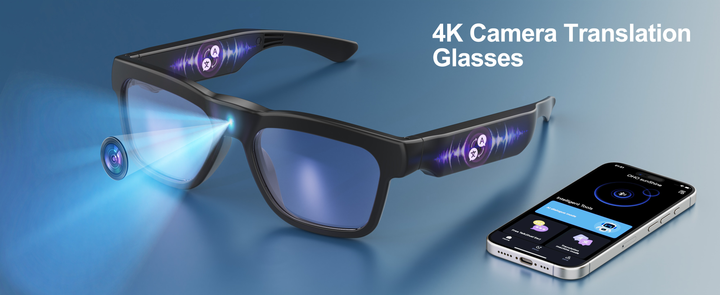
Les lunettes caméra courantes peuvent proposer un enregistrement haute définition, tandis que des lunettes connectées plus avancées dotées de fonctions caméra peuvent proposer des vidéos en 2K ou en 4K. La 2K correspond à une résolution supérieure à la 1080P standard, tandis que la 4K offre encore plus de détails. Les lunettes IA haut de gamme peuvent mettre en avant la facilité d’utilisation de la caméra et le partage simplifié, tandis que les lunettes connectées axées sur la caméra peuvent accorder davantage d’importance aux détails de l’enregistrement, au stockage, à la stabilisation et à la capture prolongée pendant les activités.
Cependant, la résolution n’est pas le seul facteur. L’éclairage, la qualité de l’objectif, l’angle de la caméra, les mouvements et la compression influent également sur le résultat final. Pour de nombreux utilisateurs en extérieur, des vidéos fluides et nettes peuvent compter davantage que le chiffre le plus élevé de la fiche technique.
Positionnement de la caméra et champ de vision
Le positionnement de la caméra influe sur le naturel de la vidéo. Une caméra placée plus près du centre de la monture peut mieux correspondre à la direction du regard du porteur. Cela contribue à créer un effet POV plus naturel.
Le champ de vision, ou FOV, décrit la largeur de la zone que la caméra peut voir. Un FOV plus large peut capturer une plus grande partie de la scène, tandis qu’un FOV plus étroit peut donner une impression plus ciblée.
Pour filmer en extérieur, les acheteurs devraient tenir compte de l’activité. Un angle de vue large peut aider à capturer les routes, les sentiers, les paysages et les environs. Un angle plus centré peut être utile pour les démonstrations, les visites à pied ou les tâches pratiques.
De bonnes lunettes caméra POV devraient donner une impression proche de ce que le porteur a réellement vu.
Stabilisation pour les mouvements et les prises de vue en extérieur
Les mouvements peuvent rendre les vidéos capturées par des lunettes instables. C’est pourquoi la stabilisation est importante pour les lunettes connectées destinées à l’enregistrement vidéo, notamment pendant la marche, le cyclisme, la randonnée et les voyages.
La stabilisation électronique de l’image, ou EIS, est une méthode numérique qui contribue à réduire les tremblements visibles dans les vidéos. Elle peut rendre les séquences d’action plus faciles à regarder, à partager et à revoir. L’EIS ne remplace pas des mouvements maîtrisés, mais elle peut améliorer l’expérience de visionnage lorsque la caméra bouge avec la tête et le corps de la personne qui la porte.
Par exemple, certains modèles de lunettes caméra OHO Sunshine utilisent l’EIS pour permettre des enregistrements en vue subjective plus fluides pendant les activités en extérieur. Cela peut être utile aux utilisateurs qui recherchent des lunettes d’enregistrement mains libres pour les sentiers, les promenades en ville, les trajets à vélo ou les déplacements quotidiens.
Si les séquences sont trop tremblantes, le moment peut être enregistré sans être facilement exploitable. Pour les utilisateurs actifs, la stabilisation peut être tout aussi importante que la résolution vidéo.
Stockage, durée d’enregistrement et transfert de fichiers
Le stockage détermine la quantité de vidéos que les lunettes peuvent contenir. Les sessions d’enregistrement plus longues nécessitent davantage d’espace, en particulier avec une résolution vidéo supérieure.
Les acheteurs devraient comparer :
- Stockage intégré ou prise en charge d’une carte mémoire
- Capacité de stockage maximale prise en charge
- Format des fichiers vidéo
- Durée des segments d’enregistrement
- Méthode de transfert de fichiers
- La prise en charge ou non de l’enregistrement pendant la charge
Le transfert de fichiers compte également. Selon le modèle, il peut s’effectuer au moyen d’un câble informatique, d’un transfert Wi-Fi, d’un adaptateur pour téléphone ou d’un mode de stockage.
Pour les utilisateurs en extérieur, le stockage et le transfert sont des fonctionnalités pratiques. Ils déterminent la facilité avec laquelle les séquences passent des lunettes à un téléphone, un ordinateur ou un dossier de montage.
Commandes, confort et autonomie
Les commandes doivent être simples, car de nombreux moments à enregistrer surviennent rapidement. Une utilisation à un seul bouton peut aider les utilisateurs à démarrer ou à arrêter l’enregistrement sans parcourir les menus.
Le confort compte également. Les lunettes connectées se portent sur le visage : le poids, la forme de la monture, la pression exercée sur les branches et le type de verres influencent tous l’utilisation quotidienne. Des matériaux de monture flexibles peuvent améliorer l’ajustement et rendre les lunettes plus faciles à porter pendant les activités prolongées.
L’autonomie doit être évaluée en fonction de la fonctionnalité utilisée. L’enregistrement vidéo consomme généralement plus d’énergie que la lecture audio ou le mode veille. Les acheteurs devraient comparer l’autonomie prévue en enregistrement, et pas seulement pour un usage général.
Une bonne paire de lunettes pour l’enregistrement doit être facile à porter, facile à contrôler et suffisamment fiable pour l’activité.
Quelles lunettes intelligentes correspondent à votre routine d’enregistrement ?
Les différentes habitudes d’enregistrement nécessitent des fonctionnalités différentes. Le tableau ci-dessous peut aider les acheteurs à associer le type de produit à l’activité principale.
|
Besoin en matière d’enregistrement |
Type de lunettes intelligentes à envisager |
Fonctionnalité à privilégier |
|
Courts clips quotidiens |
Lunettes intelligentes haut de gamme dotées d’IA |
Capture facile et fonctionnalités connectées |
|
Vidéo en extérieur à la première personne |
Lunettes intelligentes axées sur la caméra |
Stabilisation et emplacement de la caméra |
|
Prises de vue à vélo ou en randonnée |
Lunettes avec enregistrement mains libres |
Tenue sûre, stabilisation électronique de l’image et stockage |
|
Vidéos de marche en voyage |
Lunettes-caméras à la première personne |
Angle de vue naturel et autonomie de la batterie |
|
Documentation professionnelle ou bricolage |
Lunettes intelligentes avec caméra |
Commandes simples et images nettes |
|
Audio et enregistrement occasionnel |
Lunettes intelligentes dotées d’IA |
Son à écoute ouverte et accès à la caméra |
Le meilleur choix n’est pas toujours la paire la plus avancée. C’est celle qui correspond au type d’enregistrement que l’acheteur effectuera le plus souvent.
Choisissez des lunettes intelligentes adaptées à votre style d’enregistrement
Les lunettes intelligentes dotées d’une caméra doivent correspondre aux moments que vous souhaitez capturer. Les lunettes haut de gamme dotées d’IA peuvent convenir aux contenus quotidiens rapides et aux fonctionnalités connectées. Les lunettes intelligentes axées sur la caméra peuvent être plus adaptées lorsque l’enregistrement à la première personne, la stabilisation, le stockage, les commandes simples et l’utilisation en extérieur sont prioritaires. Découvrez les lunettes intelligentes OHO Sunshine pour comparer les options d’enregistrement mains libres, d’audio, de verres et de montures adaptées aux besoins d’enregistrement quotidiens et en extérieur.
FAQ
Q1. À quoi servent les lunettes intelligentes avec caméra ?
Les lunettes intelligentes dotées d’une caméra servent à prendre des photos ou à enregistrer des vidéos depuis le point de vue de leur utilisateur. Elles peuvent être utiles pour les voyages, les activités de plein air, les souvenirs du quotidien, la documentation professionnelle et l’enregistrement vidéo mains libres.
Q2. Les lunettes-caméras sont-elles identiques aux lunettes intelligentes dotées d’IA ?
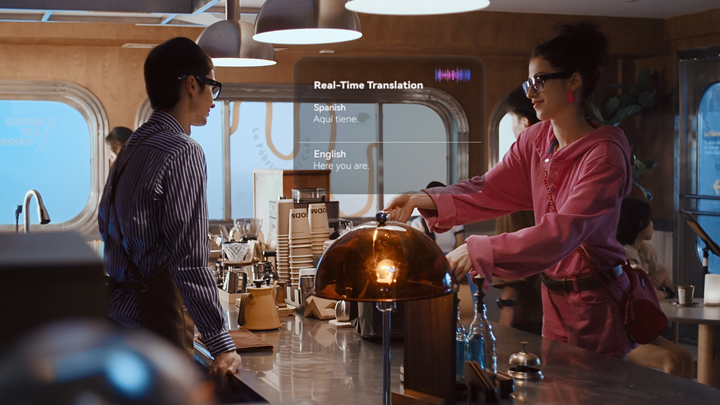
Pas toujours. Les lunettes-caméras sont principalement conçues pour prendre des photos ou enregistrer des vidéos, tandis que les lunettes intelligentes dotées d’IA peuvent inclure des outils vocaux, l’audio, la traduction, les appels ou des fonctionnalités liées à une application. Certaines lunettes intelligentes combinent les deux fonctions dans une même monture.
Q3. Qu’est-ce qui rend les lunettes intelligentes meilleures pour l’enregistrement vidéo ?
Les caractéristiques importantes comprennent la résolution vidéo, l’emplacement de la caméra, la stabilisation, le stockage, l’autonomie de la batterie et des commandes simples. Le confort compte également, car les lunettes doivent rester stables lorsque leur utilisateur bouge.
Q4. Les lunettes avec enregistrement mains libres sont-elles adaptées aux activités de plein air ?
Oui, les lunettes avec enregistrement mains libres peuvent être utiles pour la marche, le vélo, la randonnée, les voyages et la prise de vue occasionnelle en extérieur. Recherchez une tenue sûre, des verres adaptés, un espace de stockage suffisant et une stabilisation si l’activité implique des mouvements.



Laisser un commentaire
Tous les commentaires sont modérés avant leur publication.
Ce site est protégé par hCaptcha, et la Politique de confidentialité et les Conditions de service de hCaptcha s’appliquent.