
























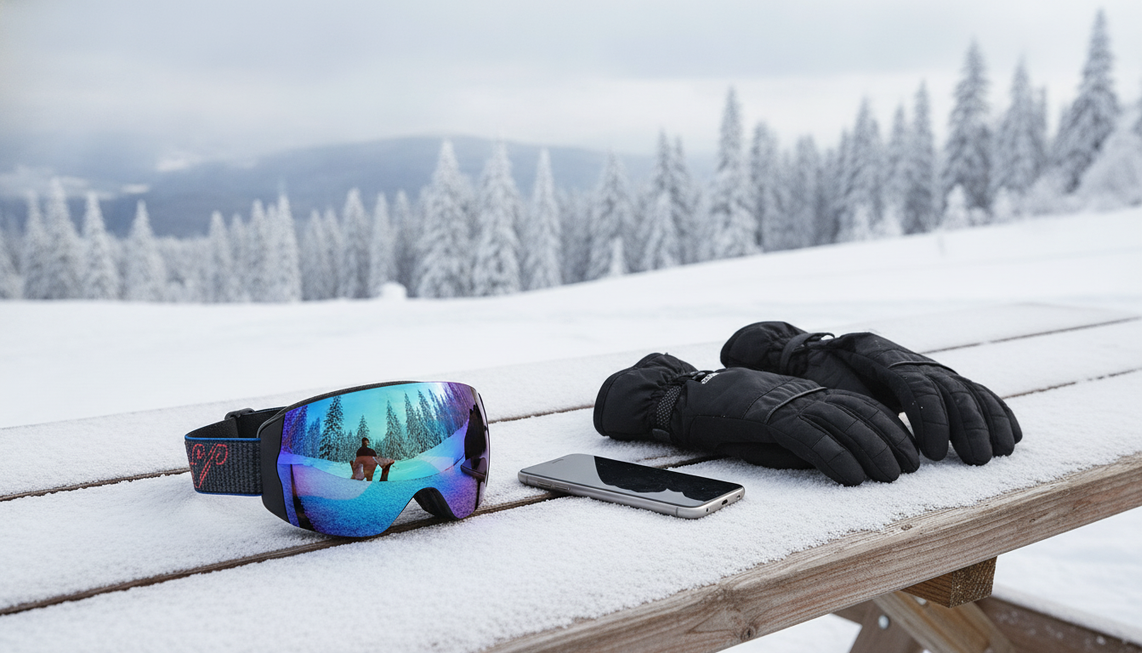
Houd de originele clip privé terwijl je deze controleert. Maak voor een praktische privacycontrole van een ski-POV-video een werkkopie, bekijk de volledige clip met geluid, markeer elke persoon en elk identificerend detail en wacht met openbare publicatie totdat voor elke markering is besloten of deze wordt bewerkt, verwijderd of overgeslagen. Een zorgvuldige bewerking kan onnodige blootstelling beperken, maar kan anonimiteit, toestemming, naleving van de wet of controle over verdere verspreiding niet garanderen.
Wat moet je doen voordat je een ski-POV-clip bewerkt voor privacy?
Begin met het behouden van het onaangeroerde bestand en maak een aparte werkkopie. Houd openbare publicatie tegen totdat elke markering een specifieke actie heeft en een afzonderlijk bewerkt bestand klaarstaat voor de eindcontrole.
- Bekijk de volledige werkkopie. Speel deze af van het eerste tot het laatste beeld met het geluid aan, inclusief pauzes, ritten met de skilift, weerspiegelingen, overgangen en de momenten voor en na de hoofdafdaling.
- Markeer elke blootstelling. Noteer herkenbare skiërs, kinderen, stemmen, namen, borden, voertuigen, details van accommodaties, weerspiegelingen en andere aanwijzingen die een persoon of plaats kunnen identificeren.
- Wijs de volgende actie toe. Schrijf naast elke markering: vervagen, bijsnijden, inkorten, dempen, de audio vervangen, het gedeelte verwijderen of de clip overslaan.

Plan de controle en het onleesbaar maken vóór publicatie, zoals beschreven in de richtlijnen van het DOJ voor het onleesbaar maken van video. Dit is een praktische controle voor het publiceren van recreatieve beelden, geen vereiste voor openbare registers en geen juridische beoordeling van de vraag of een bepaalde skivideo mag worden gepubliceerd.
Wanneer moet je mensen in een ski-POV-clip vervagen, bijsnijden, inkorten of overslaan?
Gebruik vervaging alleen als gecontroleerde optie voor een incidenteel herkenbare volwassene. Als de persoon of de omliggende context herkenbaar blijft, snijd het beeld dan bij, kort het in, verwijder het of sla het segment over. Gebruik een strengere norm van bewerken of overslaan voor een herkenbare minderjarige of mogelijk kwetsbare persoon.
- Vervagen: Gebruik dit alleen voor een incidentele volwassene wanneer je de dekking gedurende het hele bewegende segment kunt controleren en de persoon, de omgeving en de audio die persoon niet alsnog herkenbaar maken.
- Bijsnijden of inkorten: Kies dit wanneer de persoon aan de rand van het beeld staat of de ski-actie nog steeds werkt zonder dat moment. Het verwijderen van beelden die de ontvanger niet nodig heeft, is de doelgerichte optie die in deze bewerkingsrichtlijn wordt beschreven.
- Verwijderen of overslaan: Kies deze aanpak wanneer de persoon herkenbaar blijft, centraal in de clip staat, opvallende uitrusting heeft die onthullend blijft, of een minderjarige of mogelijk kwetsbare persoon is die niet nodig is voor de beelden. Als geen enkele bewerking de blootstelling betrouwbaar wegneemt, deel de clip dan niet openbaar.
Bewegende personen, helmen, skibrillen, ongebruikelijke hoeken, kleding, uitrusting, metgezellen, weerspiegelingen, stemmen en locatiecontext kunnen onthullend blijven, zelfs na het vervagen van een gezicht. Vervaging kan het herkenningsrisico verkleinen zonder anonimiteit te garanderen. Controleer het resultaat daarom handmatig, zoals beschreven in de richtlijn voor handmatig onleesbaar maken.

Als een minderjarige of mogelijk kwetsbare persoon herkenbaar blijft en niet nodig is voor de clip, verwijder het segment dan of maak de persoon onherkenbaar voordat je een bredere verspreiding overweegt. Als je dat niet betrouwbaar kunt doen, sla het plaatsen van de clip dan over. Dit is voorzichtige privacyrichtlijn, geen universele wettelijke of toestemmingsregel.
Wat moet je uit de audio en achtergrond verwijderen?
Controleer audio en achtergronddetails als samenhangende bronnen van blootstelling, niet als afzonderlijke vakjes die je moet afvinken. Namen, gesprekken, adressen, herkenbare stemmen, borden, kentekens, weerspiegelingen en accommodaties kunnen meer onthullen dan een visueel onherkenbaar gezicht.
Luister met het geluid aan naar namen, gesprekken, adressen en herkenbare stemmen. Demp of vervang de audio wanneer de ontvanger deze niet nodig heeft en kort het betreffende gedeelte in als het geluid niet netjes kan worden gescheiden.
Controleer vervolgens pisteborden, markeringen, kaarten, liftgebieden, kentekens van voertuigen, accommodaties, weerspiegelingen, schermen en tekst op de achtergrond. Kleding of uitrusting kan belangrijk zijn in combinatie met een locatie- of groepsdetail. Ook technische details die met het bestand meegaan, waaronder metadata, verdienen aandacht. Deze controle op identificerende gegevens in gedeelde video omvat gezichten, stemmen, kentekens, weerspiegelingen, borden en metadata, zonder te beweren dat de lijst volledig is.
Let op combinaties van zwakke aanwijzingen. Een pistenaam naast een liftgebied, een weerspiegeling van een lodge, een bekende route en een uitgesproken naam kunnen samen meer onthullen dan elk afzonderlijk detail. Snijd de achtergrond bij, kort het gedeelte in, demp of vervang de audio, verwijder het segment of sla de clip over wanneer de ontvanger die informatie niet nodig heeft.
Het verwijderen van één bord of kenteken maakt niet de hele video vrij van privacyrisico's. De privacycontrole vóór het delen van ski-POV-beelden moet de visuele scène, het geluid, de weerspiegelingen en de bestandsdetails gezamenlijk omvatten. Specifieke juridische vragen over audio hangen af van de feiten en de toepasselijke lokale regels.
Hoe moet je de bewerkte export controleren voordat je deze deelt?
Exporteer een afzonderlijk controlebestand waarin de bewerkingen zijn toegepast en beoordeel dat bestand in plaats van alleen de bewerkingstijdlijn. Bekijk en beluister de video vanaf het openingsbeeld tot en met het laatste beeld en kies vervolgens voor openbare, beperkte of geen verspreiding op basis van de resterende blootstelling.
Pauzeer bij overgangen, weerspiegelingen, bewegende personen, gedempte of vervaagde gedeelten en het slotmoment. De richtlijn voor controle van een afzonderlijke export ondersteunt het controleren van de afgeleide versie die daadwerkelijk wordt gedeeld, in plaats van ervan uit te gaan dat het voorbeeld bewijst dat het resultaat schoon is.
De onderstaande tabel toont alleen de volgorde van de workflow. Het is geen privacyscore, wettelijke drempel of garantie van anonimiteit.
| Wat je in het geëxporteerde bestand aantreft | Volgende actie |
|---|---|
| Herkenbare personen en onnodige aanwijzingen zijn verwijderd of aanvaardbaar afgeschermd | Ga door naar de keuze van het publiek. |
| Een gezichtsvervaging biedt niet overal dekking of een uitsnede laat identificerende context staan | Bewerk opnieuw, kort in of verwijder het segment en exporteer opnieuw. |
| Er blijft spraak hoorbaar in een gedempt gedeelte | Vervang de audio of knip het gedeelte weg en exporteer opnieuw. |
| Een openings-, slot- of overgangsbeeld onthult een persoon of aanwijzing over de locatie | Bewerk dat moment en maak een nieuwe export. |
| De clip blijft afhankelijk van het blootstellen van iemand anders of een gevoelige plaats | Deel de clip niet. |
| De resterende context past bij het beoogde publiek | Kies de meest beperkte geschikte manier van delen. Plaats de video alleen openbaar wanneer bredere blootstelling noodzakelijk en aanvaardbaar is. |
Kies het publiek pas nadat de export de controle heeft doorstaan. Beperkt delen verkleint het bereik doorgaans ten opzichte van een openbare plaatsing, maar ontvangers kunnen het bestand nog steeds opslaan, doorsturen of verder verspreiden. De richtlijn voor publieksbereik beschouwt de omvang van het publiek als een vermindering van blootstelling, niet als een privacygarantie.
Veelgestelde vragen
Verdwijnt blootstelling van de locatie als ik een gezicht verwijder?
Nee. Een gezicht kan verdwenen zijn terwijl een pistebord, liftgebied, weerspiegeling van een lodge, kenteken, uitgesproken naam of combinatie van zwakkere aanwijzingen nog steeds identificerend is. Beoordeel het doel van het delen en verwijder onnodige context die nog steeds een persoon of gevoelige plaats blootstelt.
Wat als een minderjarige slechts kort op de achtergrond verschijnt?
Een korte verschijning is niet irrelevant als de minderjarige herkenbaar blijft. Als het kind niet nodig is voor de clip, verwijder het segment dan of maak de persoon onherkenbaar. Als dat niet betrouwbaar kan, sla de plaatsing dan over.
Wanneer is niet delen de juiste keuze?
Kies ervoor om niet te delen wanneer de clip nog steeds afhankelijk is van het blootstellen van iemand anders of een gevoelige plaats en geen enkele bewerking die blootstelling wegneemt zonder het doel van de beelden teniet te doen. Bewerkingswerk is geen reden om een resultaat te publiceren dat nog steeds onnodige blootstelling met zich meebrengt.
Houd de clip vóór publicatie tegen als een markering niet goed is afgehandeld, exporteer na elke aanpassing opnieuw en kies het meest beperkte geschikte publiek. Gebruik een privacycontrole voor ski-POV-video's of sla het delen over wanneer blootstelling noodzakelijk blijft voor de clip.


Laat een reactie achter
Deze site wordt beschermd door hCaptcha en het privacybeleid en de servicevoorwaarden van hCaptcha zijn van toepassing.