
























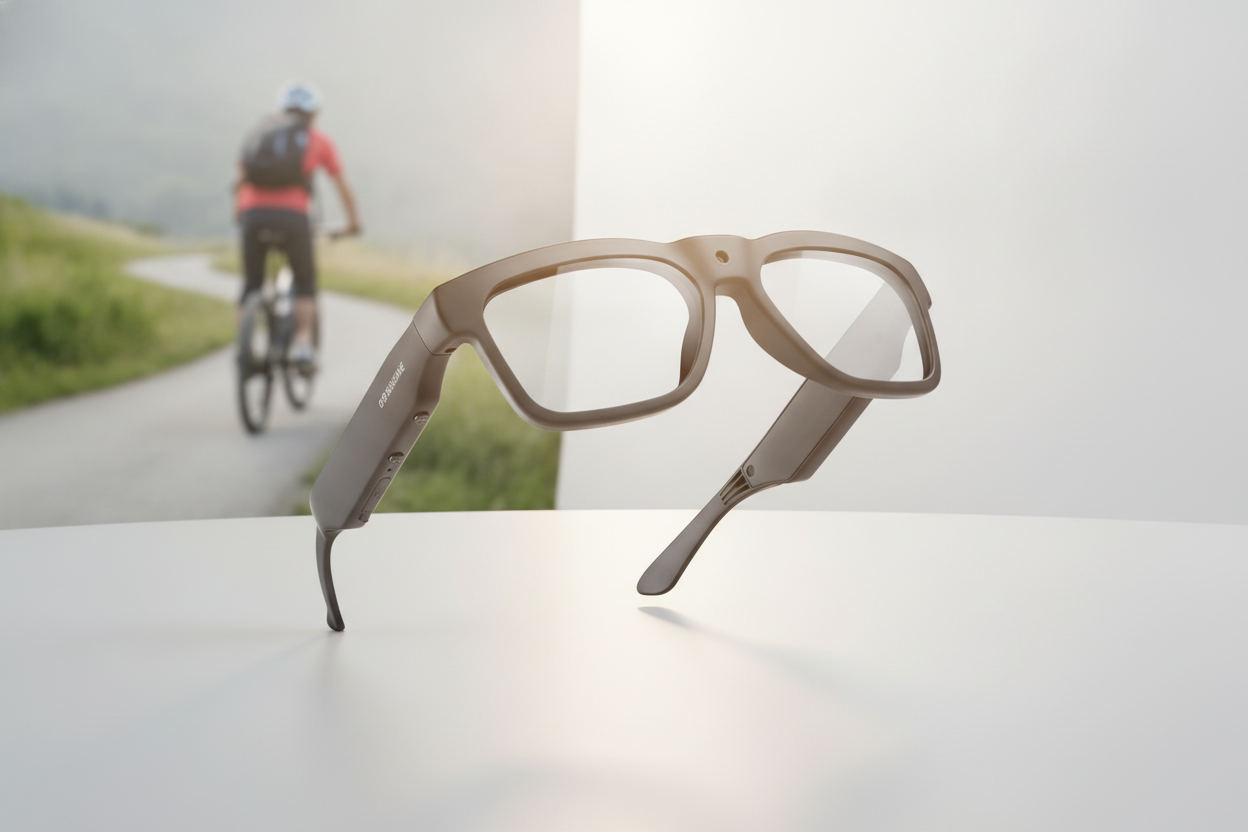
Les meilleures lunettes caméra 4K ne se définissent pas uniquement par leur résolution. Avant d’ajouter une paire à votre panier, adaptez le mode vidéo exact à votre scène, vérifiez la stabilisation et le champ de vision, puis contrôlez l’autonomie, la chaleur, l’audio, le stockage, le transfert des fichiers, l’ajustement, les besoins en matière de verres, la garantie et les retours. Une fiche produit qui mentionne « 4K » sans préciser clairement ces éléments n’a pas encore répondu à la question essentielle de l’achat.

Utilisez la liste de contrôle ci-dessous pour comparer ces lunettes en fonction de votre usage réel de l’enregistrement, que vous fassiez du vélo, du ski, du vlogging, que vous achetiez un cadeau ou que vous capturiez occasionnellement des séquences mains libres.
Ne vous arrêtez pas à l’étiquette 4K
La 4K décrit la résolution vidéo, et non la qualité globale ou l’utilisabilité des séquences. Vérifiez ensemble les modes vidéo réels, la fréquence d’images, le champ de vision, les détails de l’objectif, les conditions d’éclairage prévues et l’utilisation prévue des fichiers. Vérifiez également si une valeur distincte de résolution photo concerne les images fixes plutôt que la vidéo.
Commencez par repérer dans le tableau des caractéristiques l’entrée correspondant exactement au mode 4K que vous prévoyez d’utiliser. Vérifiez sa fréquence d’images et son champ de vision au lieu de supposer que tous les modes étiquetés 4K offrent les mêmes performances. Les instructions d’utilisation Sony traitent la fréquence d’images et l’angle de vue comme des réglages distincts ; gardez-les donc comme des critères séparés lors de la comparaison des produits.

Adaptez ensuite le champ de vision à la scène. Une perspective large à la première personne peut être utile si vous voulez montrer votre environnement et vos mains dans le plan, tandis qu’un champ plus étroit peut mieux convenir à un sujet situé directement devant vous. Utilisez des exemples de séquences lorsqu’ils sont disponibles, surtout si vous souhaitez évaluer la proximité apparente des objets sur les bords du cadre ou la façon dont la caméra gère les scènes en intérieur et en soirée. La 4K seule ne garantit pas une bonne qualité d’image en faible luminosité.
Tenez également compte de ce qui se passe après l’enregistrement. Un mode 4K peut nécessiter davantage de stockage et d’énergie, mais son impact dépend du modèle et du mode d’enregistrement. Si votre téléphone, votre ordinateur, votre espace de stockage ou votre méthode de montage ne peut pas gérer confortablement les fichiers, un mode à résolution inférieure peut être plus pratique, lorsqu’il est disponible. Pour une comparaison plus large, consultez ces compromis entre la 4K et la 2K.
Adapter la stabilisation et les réglages de capture à vos séquences
Choisissez la stabilisation, la fréquence d’images et le champ de vision en fonction du mouvement et du point de vue prévus, et non parce que la page du produit utilise le terme « 4K ». Le point essentiel est de vérifier que la combinaison souhaitée est documentée pour le même mode d’enregistrement que celui que vous comptez utiliser.
Vérifier la stabilisation en mouvement
Pour la marche, le vélo, le ski ou tout autre mouvement, considérez la stabilisation comme un critère d’utilisation propre à chaque modèle. Vérifiez le type exact de stabilisation, notamment s’il s’agit d’une stabilisation électronique ou d’une autre méthode, ainsi que les modes dans lesquels elle fonctionne. Ne supposez pas que les séquences 4K seront fluides.
Si la fiche produit ne précise pas la stabilisation ou ne fournit pas de séquences d’exemple pertinentes, considérez cette fonctionnalité comme non vérifiée. La technique de prise de vue peut réduire les mouvements indésirables, mais elle ne peut pas prouver qu’une paire de lunettes donnée fournit un résultat précis. Si des séquences stables en vue subjective sont votre priorité, consultez ces conseils pour filmer des vidéos POV stables en parallèle des spécifications du produit.
Vérifier la fréquence d’images et le champ de vision
Les réglages de fréquence d’images disponibles peuvent dépendre du format ou du mode d’enregistrement sélectionné. Vérifiez donc la combinaison exacte de résolution et de fréquence d’images au lieu de vous limiter à la valeur maximale mise en avant. Les spécifications du Sony FX2 montrent pourquoi les modes indiqués pour un appareil photo doivent être vérifiés individuellement ; elles ne définissent pas les réglages de ces lunettes. Le champ de vision est un choix de perspective distinct.
| Paramètre | Ce que cela change dans les séquences | Vérification pour l’acheteur |
|---|---|---|
| Fréquence d’images | La manière dont les mouvements sont capturés et l’adéquation du mode d’enregistrement avec les mouvements prévus | Vérifiez que la fréquence d’images souhaitée est disponible à la résolution que vous utiliserez |
| Champ de vision | La part de la scène qui entre dans le cadre et la manière dont le point de vue est perçu | Vérifiez les spécifications indiquées ou les séquences d’exemple pour votre activité |
Pour une scène extérieure en mouvement, comparez la combinaison de stabilisation et de fréquence d’images indiquée avec le champ de vision du produit. Si un élément de cette combinaison manque, ne comblez pas cette lacune en vous fiant à la mention 4K.
Vérifier l’autonomie, la chaleur et la charge
Évaluez l’autonomie en fonction de la durée réelle de vos sessions d’enregistrement. Comparez l’autonomie indiquée dans le mode 4K et à la fréquence d’images prévus, puis vérifiez la charge, les indicateurs, le comportement thermique et l’adéquation des lunettes à votre routine entre les sessions.
N’appliquez pas une promesse d’autonomie générique à chaque paire. Les performances de la batterie peuvent varier selon la résolution, la fréquence d’images, le type d’enregistrement, les fonctions sans fil, la température et la gestion de la chaleur. Une page produit qui indique une autonomie sans en préciser les conditions laisse une partie importante de la comparaison sans réponse.
Posez ces questions pratiques sur la page produit actuelle :
- L’autonomie indiquée correspond-elle à un enregistrement 4K continu ou à un autre mode d’utilisation ?
- Comment les lunettes se rechargent-elles et pouvez-vous savoir quand la charge ou l’enregistrement est terminé ?
- Aurez-vous accès à un chargeur ou à une source d’alimentation entre vos activités ?
- La page explique-t-elle ce qui se passe lorsque les lunettes chauffent pendant une session plus longue ?
Les produits listés montrent pourquoi cette vérification est importante : les spécifications indiquent des autonomies sensiblement différentes pour Edge Pro, Skyshot et Brave. Considérez-les comme des informations propres à chaque modèle, et non comme une promesse pour toute la collection, puis vérifiez toute valeur contradictoire sur la page en ligne avant de commander. Pour préparer votre utilisation, consultez ce guide sur la batterie et le stockage des lunettes caméra.
Vérifiez l’audio, le stockage et le transfert des fichiers
Une caméra n’est utile que si elle capture le son dont vous avez besoin, stocke les fichiers et permet à votre téléphone ou à votre ordinateur d’y accéder. Vérifiez l’intégralité du parcours, du microphone et du mode d’enregistrement au stockage, à la méthode de connexion, à l’accès aux fichiers et au montage, et pas seulement la présence du Bluetooth, du Wi-Fi ou d’une caméra.
Vérifiez la capture et le contrôle audio
Vérifiez que l’enregistrement audio fonctionne dans le mode vidéo que vous comptez utiliser. Les utilisateurs en extérieur doivent également vérifier ce qu’indique la fiche produit sur l’exposition au vent et sur les éventuelles commandes audio ; ces vérifications ne garantissent pas la qualité sonore.
- Vérifiez qu’un microphone est intégré ou pris en charge d’une autre manière.
- Vérifiez que l’audio est enregistré dans les modes vidéo souhaités.
- Vérifiez si la fiche produit traite de l’exposition au vent à vélo, à ski ou lors de promenades en extérieur.
- Recherchez les indications concernant le monitoring pendant la lecture, la mise en sourdine ou d’autres commandes et limites audio.
Ne confondez pas les fonctionnalités audio à écoute ouverte avec l’audio enregistré. Une paire peut offrir l’une sans prouver l’autre.
Vérifiez le stockage et le transfert avant l’achat
| Étape du flux de travail | Spécification à vérifier | Pourquoi c’est important |
|---|---|---|
| Stockage | Stockage intégré, amovible ou autre méthode de stockage ; capacité indiquée et détails sur l’espace utilisable | Détermine la quantité d’enregistrements que vous pouvez conserver avant de déplacer les fichiers |
| Transfert | Application, câble, connexion sans fil ou autre méthode d’accès requis | Indique comment les séquences quittent les lunettes et parviennent à votre téléphone ou à votre ordinateur |
| Accès aux fichiers | Appareils compatibles, emplacement des fichiers et flux de montage | Évite un achat qui enregistre correctement, mais ne s’intègre pas à votre routine |
Si la fiche produit n’indique pas le stockage, la méthode de transfert, l’application ou le câble requis, ni la compatibilité avec les appareils, considérez le flux de travail comme non vérifié. Les tailles exactes des fichiers et les vitesses de transfert doivent provenir de la documentation produit actuelle plutôt que de suppositions liées à la 4K. Planifiez le transfert avant l’achat : enregistrez, connectez-vous, localisez les fichiers, transférez-les vers l’appareil sur lequel vous effectuez le montage et vérifiez que votre logiciel habituel peut les ouvrir.
Choisissez des lunettes caméra 4K adaptées à votre façon d’enregistrer
Commencez par l’activité, les conditions de port et le flux de travail dont vous avez besoin, puis utilisez la collection de lunettes caméra 4K comme point de départ. La collection ne prouve pas que tous les modèles partagent les mêmes conditions de stabilisation, d’autonomie, d’audio, de stockage, de verres, de garantie ou de retour.
Adaptez l’ajustement et les options de verres à la scène
Le confort et la compatibilité des verres peuvent déterminer si vous utiliserez les lunettes après leur achat. Vérifiez l’ajustement de la monture, la durée de port prévue, la compatibilité avec des verres correcteurs, les inserts ou options de remplacement des verres, la teinte ou la polarisation, ainsi que les conditions de visibilité pour la scène.
- Vérifiez si la monture convient à la personne à qui elle est destinée ou à son porteur pendant la durée d’une sortie typique.
- Demandez si ce modèle prend en charge les verres correcteurs, les inserts ou les verres interchangeables.
- Adaptez les détails relatifs à la teinte ou à la polarisation à l’environnement, sans considérer l’intitulé des verres comme une preuve des performances de la caméra.
- Vérifiez comment les lunettes sont censées fonctionner dans des conditions de luminosité forte et variable, en intérieur ou avec une forte réflexion de la neige.
Si la page produit ne répond pas clairement à une question concernant les verres correcteurs ou les verres de remplacement, contactez le vendeur avant de commander. Ne supposez pas qu’une forme de monture familière accepte des verres de remplacement.
Comparez les options indiquées selon l’usage
Utilisez les exemples ci-dessous pour déterminer quelle page produit mérite un examen plus attentif. Il s’agit d’options non classées, et non de la preuve qu’un modèle a passé la liste de contrôle complète.
| Situation de l’acheteur | Option pertinente indiquée | Motif pertinent justifiant une vérification |
|---|---|---|
| Sports de plein air ou cyclisme | Edge Pro | Présentées pour l’enregistrement en extérieur ; examinez les informations actuelles sur la vidéo, la batterie, le stockage, l’audio et les verres |
| Sports de plein air ou cyclisme | Brave | Présentées pour une utilisation en caméra subjective en extérieur ; examinez les informations actuelles sur l’autonomie, le stockage, la monture, les verres et la résistance aux intempéries |
| Ski ou snowboard | Skyshot | Présentées comme adaptées au ski et au snowboard, avec des détails sur le grand angle, l’anti-buée, le Wi-Fi et l’USB-C ; vérifiez la page actuelle |
Pour chaque option, vérifiez séparément la stabilisation, le mode d’enregistrement exact, le processus de stockage et de transfert, le confort, la compatibilité avec les verres correcteurs, la garantie et les retours. Si les sections de la page produit se contredisent - par exemple au sujet du champ de vision ou de l’autonomie - interrompez votre démarche jusqu’à ce que les spécifications actuelles soient claires.
Vérifiez la protection de l’achat avant de finaliser la commande
Lisez la garantie et la politique de retour actuellement en vigueur avant de commander, en particulier lorsque le confort, l’adaptation des verres ou la compatibilité avec votre flux de travail sont incertains. Vérifiez que la protection couvre le problème qui vous préoccupe le plus et que le délai, l’état requis, les exclusions, la responsabilité des frais d’expédition et la procédure de signalement conviennent à votre situation.
Lisez les conditions de garantie
Vérifiez la durée de couverture, les composants couverts, les exclusions et la procédure de réclamation pour les problèmes liés à la caméra, à la monture, à la batterie ou aux accessoires. La seule durée de garantie indiquée n’explique pas ce qui se passe si le produit est inconfortable, incompatible avec vos verres ou impossible à intégrer à votre flux de travail. Enregistrez l’annonce produit et la page de politique utilisées pour prendre votre décision.
Si le texte actuellement en vigueur ne traite pas clairement le problème probable, considérez la prise en charge comme non vérifiée et contactez-nous avant de finaliser la commande. Nous pouvons clarifier les informations d’assistance actuelles plutôt que de vous demander de vous fier à une supposition générale concernant le commerce en ligne.
Vérifiez les conditions de retour avant de commander
Vérifiez le délai de retour, l’état requis, les exclusions, les éventuelles autorisations ou pièces justificatives nécessaires, ainsi que la partie responsable des frais de retour. Cela est particulièrement important pour les cadeaux, les questions liées aux verres correcteurs, les problèmes de confort et les produits dont vous ne pouvez pas tester le processus de transfert avant la livraison.
Conservez une copie de l’annonce, des détails de la commande et du texte de la politique. À la réception des lunettes, comparez le modèle livré et les fonctionnalités indiquées aux informations qui ont orienté votre achat. Les conditions exactes de retour peuvent changer : consultez donc la page de politique actuelle plutôt que de vous fier à un résumé figurant dans une annonce produit.
Exécutez la dernière liste de contrôle avant achat
Suivez cette séquence avant d’ajouter une paire à votre panier. Si une spécification ou une politique essentielle est manquante, arrêtez-vous et vérifiez-la plutôt que de considérer l’indication de résolution comme la preuve que le produit vous convient.
- Définissez la scène d’enregistrement. Notez si vous filmerez du cyclisme, du ski, des événements en intérieur, des vlogs, des cadeaux ou des moments du quotidien, ainsi que les mouvements et le point de vue importants.
- Vérifiez la combinaison de capture. Confirmez le mode 4K, la fréquence d’images disponible, le champ de vision et la stabilisation pour ce mode précis.
- Vérifiez les conditions d’autonomie. Comparez l’autonomie indiquée, le mode de recharge, le comportement thermique, les conditions de température ou de session, ainsi que votre accès à une recharge.
- Définissez le processus de gestion des fichiers. Confirmez l’enregistrement audio, le stockage, la méthode de transfert, l’application ou le câble requis, le téléphone ou l’ordinateur pris en charge et l’accès aux fichiers.
- Confirmez l’ajustement et les besoins en matière de verres. Vérifiez le confort, la durée de port, la compatibilité avec des verres correcteurs ou de remplacement, la teinte, la polarisation et les exigences de visibilité.
- Examinez les protections liées à l’achat. Lisez les conditions actuelles de garantie et de retour, notamment la couverture, les délais, l’état requis, les exclusions, l’expédition et les étapes à suivre pour signaler un problème.
- Comparez la page choisie avec la collection. Après avoir identifié vos critères indispensables, parcourez la collection et ouvrez la page du produit concerné. N’achetez que lorsque les détails propres au modèle ont été suffisamment vérifiés.
FAQ
Utilisez ces réponses pour résoudre les questions d’achat courantes, sans considérer une indication de résolution comme une preuve d’adéquation, de performances, de compatibilité ou de valeur. Lorsqu’une spécification ou une politique est manquante, vérifiez-la sur la page actuelle du produit ou du magasin avant de commander.
Quand la 4K vaut-elle le stockage et la consommation de batterie supplémentaires ?
La 4K peut être pertinente si vous avez besoin de plus de détails ou de recadrage et si votre processus de stockage, de transfert, de montage et d’autonomie prend en charge le mode choisi. Sinon, une option de résolution inférieure peut être plus pratique lorsqu’elle est disponible.
Ces lunettes fonctionnent-elles bien pour filmer en intérieur ou en basse lumière ?
N’utilisez pas la 4K comme preuve de bonnes performances en basse lumière. Recherchez des séquences d’exemple propres au modèle ou des informations indiquées dans des conditions similaires, et vérifiez les modalités de retour si les preuves sont limitées.
Peut-on utiliser des verres correcteurs ?
La compatibilité varie selon la monture et la conception des verres. Vérifiez la compatibilité avec des inserts, des verres de remplacement ou une autre option prise en charge sur la page du produit ou auprès du vendeur ; ne déduisez pas cette compatibilité de l’apparence.
Aurais-je besoin d’un téléphone ou d’une application pour transférer les vidéos ?
Les exigences varient. Confirmez l’application exacte, le câble ou le type de connexion, les appareils pris en charge, l’emplacement des fichiers et le processus de montage ; le Wi-Fi ou le Bluetooth seuls ne prouvent pas que les vidéos peuvent être récupérées.
Que doivent confirmer les acheteurs de cadeaux ?
Vérifiez l’activité du destinataire, le confort de la monture, les besoins en matière de verres, les appareils de transfert et l’environnement d’enregistrement. Si ces préférences sont inconnues, examinez les délais de retour, l’état requis, les exclusions et la responsabilité des frais d’expédition avant de commander.


Laisser un commentaire
Ce site est protégé par hCaptcha, et la Politique de confidentialité et les Conditions de service de hCaptcha s’appliquent.