
























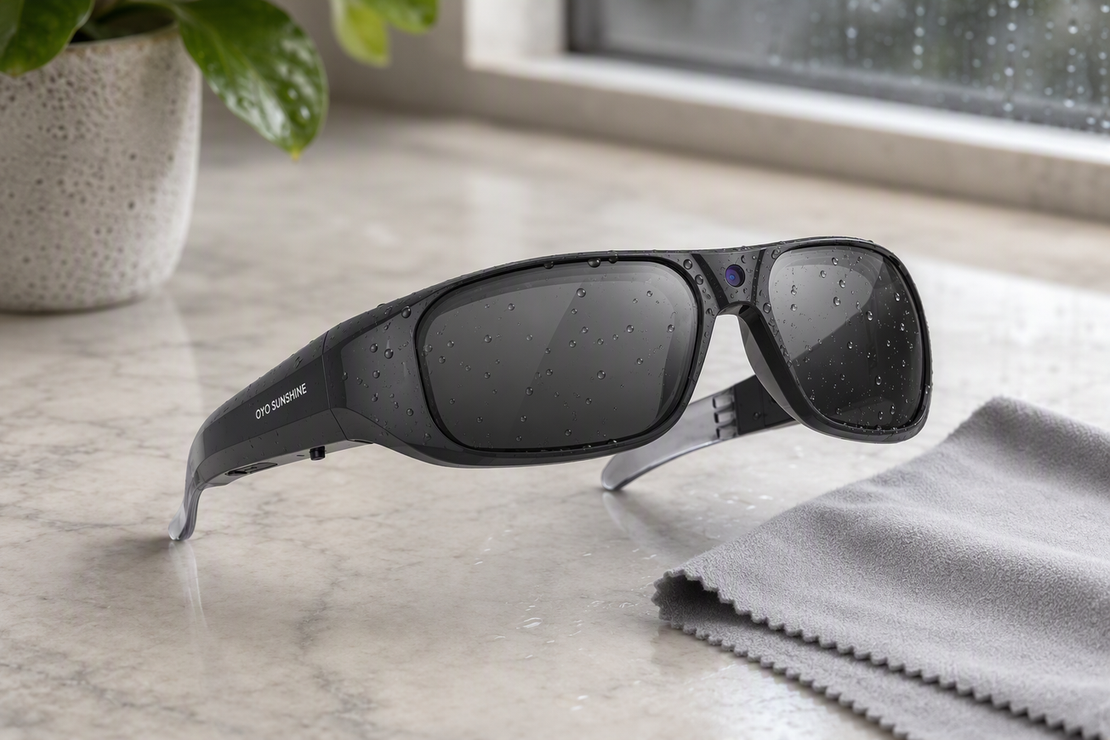
Camera glasses collect sweat, dust, and rain just like any other wearable device, but they also carry a lens, a camera opening, and a charging port that ordinary eyewear does not have. Cleaning them the wrong way risks scratches, fogging, or port damage. This guide walks through identifying what kind of exposure you are dealing with, cleaning the lens and frame safely, protecting camera openings and charging ports, drying the glasses properly after rain, and knowing when a cleaning question becomes a support or replacement question instead.
What to Do First After Sweat, Dust, or Rain
The first move depends on what actually reached the glasses, not on a single universal cleaning step. Whether you wear smart camera glasses for hobby video, video camera glasses for commuting, or AI translation glasses for travel, moisture care starts the same way: identify the exposure, then pick the matching first action.
- Sweat or skin oils on the lens and frame — treat this as exterior contamination. Move straight to a conservative surface-cleaning pass.
- Loose dust, sand, or grit — do not wipe yet. Remove or lift the particles first so nothing gets dragged across the lens.
- Rain, drizzle, or any water near a camera opening, control, or charging port — stop. This branch changes the task from cleaning to disconnecting and drying before anything gets plugged in again.
If you are unsure which branch applies, because moisture might have reached an opening or port, default to the drying-and-stop branch. Rinsing, soaking, or charging on a guess is never the safe fallback.

How to Clean Camera-Glasses Lenses and Frames Without Scratching Them
Once you know the exposure is exterior only, treat the lens and frame like sensitive electronics rather than ordinary sunglasses. The right technique still depends on whether you are dealing with sweat, loose grit, or leftover residue.

Sweat, Skin Oil, and Fingerprints
- Power down or disconnect the glasses before you start cleaning.
- Wipe the lens and frame with a soft, slightly damp lint-free cloth for exterior surfaces, which is a conservative baseline for exterior electronics care, and keep the camera opening and charging contacts dry.
- Finish with a separate clean section of the cloth for any remaining residue instead of reusing the same damp spot.
Loose Dust or Grit
- Treat visible particles as grit, not as an ordinary smudge.
- Lift or brush the particles off first, using a soft brush or a gentle shake rather than a wipe.
- Never drag sand or dust across the lens with a dry cloth. That motion is how fine scratches happen.
Residue That Remains After a Gentle Pass
- If a light wipe does not clear the spot, repeat the same gentle pass instead of pressing harder.
- Skip household glass cleaner, alcohol, solvents, and disinfecting wipes unless your camera glasses' exact instructions approve them.
- Stop cleaning if the lens looks scratched, hazy, or otherwise damaged. That is a replacement question, not a reason to keep wiping.
How to Protect Camera Openings and Charging Ports
Camera openings and charging ports are electronics, not eyewear surfaces you can wipe the same way as a lens. Treat them as a boundary you protect rather than a spot you clean.
- Clean only the outer rim of the camera opening with a dry section of cloth. Never flood, rinse, or spray liquid toward the opening.
- If sweat or rain may have reached the charging port, disconnect the cable right away and do not plug it back in just to test whether it still works.
- Do not insert cotton swabs, paper towels, or any other object into the port, and do not aim compressed air or a hair dryer at it.
- If moisture may be sitting inside a port or opening, stop charging until the entire area is completely dry. Complete dryness is the priority before reconnecting the charger.
How to Dry Camera Glasses After Rain Before Charging or Storing
After rain, drying comes before charging or storage, not after. Work through this sequence before you plug the glasses back in or drop them into a case.
- Disconnect the cable when moisture may be present, even if it is already connected, since charging with possible moisture at the port risks the connector.
- Wipe visible water off the frame and lens edges with a soft, dry cloth.
- Set the glasses in a dry area with normal airflow, such as a room with a fan or an open window. Skip hair dryers, heaters, and compressed air, which can push moisture deeper into the port instead of removing it.
- Wait until the frame, lens edges, and connector area feel completely dry, not just dry on a quick touch.
- Check for fogging, dimming, or unusual behavior before you charge. If anything looks off, hold off on charging.
If the glasses still feel damp after a few hours, or something seems off once they are dry, do not charge them on a guess. Check the exact model instructions or contact support before reconnecting.
When to Stop Cleaning and Get Model-Specific Help
Most sweat, dust, and light rain exposure ends with ordinary care. A few situations call for the manual, support, or a replacement part instead of another cleaning pass.
- Continue with regular exterior cleaning when the contamination was surface-level, the glasses are fully dry, and everything powers on and functions normally.
- Check the exact model instructions before using water or a cleaner if you are not sure it is approved. A water-resistance rating is model-specific and can decrease with normal wear, so treat it as a limit rather than a washing permission.
- Contact support if moisture might be trapped inside, the lenses fog up, the glasses behave oddly, or they will not charge even after the outside is completely dry.
- If a lens is visibly scratched, cracked, or clouded, that is a replacement question, not a cleaning question. Pushing harder or reaching for a stronger chemical will not undo the damage. Browsing the replacement parts collection can point you toward a model-matched lens, though exact fit still depends on confirming your specific model.
A Simple Camera-Glasses Cleaning Schedule
Camera glasses do not need a fixed cleaning calendar. Let exposure set the schedule instead of the clock.
Check the lenses and frame after exercise, a commute, or any dusty outing, and wipe them only when you actually see sweat, oil, or grit on the surface. Skip the dry rubbing when nothing is there; repeated wiping without residue just adds wear for no benefit. After rain, always run through the drying steps above before charging or storing the glasses, whether they are compact smart camera glasses or a heavier video camera glasses model. Before every charge or case storage, take a few seconds to confirm the frame and connector area feel completely dry. Check that dryness before charging or storing.
FAQs
Can You Clean Camera Glasses With Water?
Not by rinsing, soaking, or holding them under a faucet. A soft cloth with only slight dampness is the conservative option, and only when your specific model's instructions allow it.
How Do You Remove Sweat From Smart Glasses?
Power down or disconnect the glasses, then wipe the lens and frame with a soft, lint-free cloth. Keep moisture away from the camera opening and charging contacts, and use a cleaner only if your model's instructions specifically approve one.
What Should You Do if Camera Glasses Get Wet in the Rain?
Disconnect the cable if it is plugged in, dry the glasses in a spot with normal airflow, and do not charge them again until the frame and connector feel completely dry. If drying does not resolve it, check the model manual or contact support before reconnecting.
Can You Use Lens Cleaner on Camera Glasses?
Not automatically. Ordinary eyeglass cleaner, alcohol, solvents, and disinfecting wipes are not safe assumptions for every lens coating. Use a cleaner only when your camera glasses' exact instructions list it as approved.
Are Camera Glasses Waterproof?
No, not as a general rule. Water resistance is model-specific, can decrease with wear, and does not mean the glasses are safe to rinse or charge while wet.
How Often Should You Clean Camera Glasses?
As often as exposure calls for, not on a fixed schedule. Clean the lens and frame when you see sweat, oil, or grit, run the drying steps after rain, and check for dryness before every charge.


Laisser un commentaire
Ce site est protégé par hCaptcha, et la Politique de confidentialité et les Conditions de service de hCaptcha s’appliquent.