
























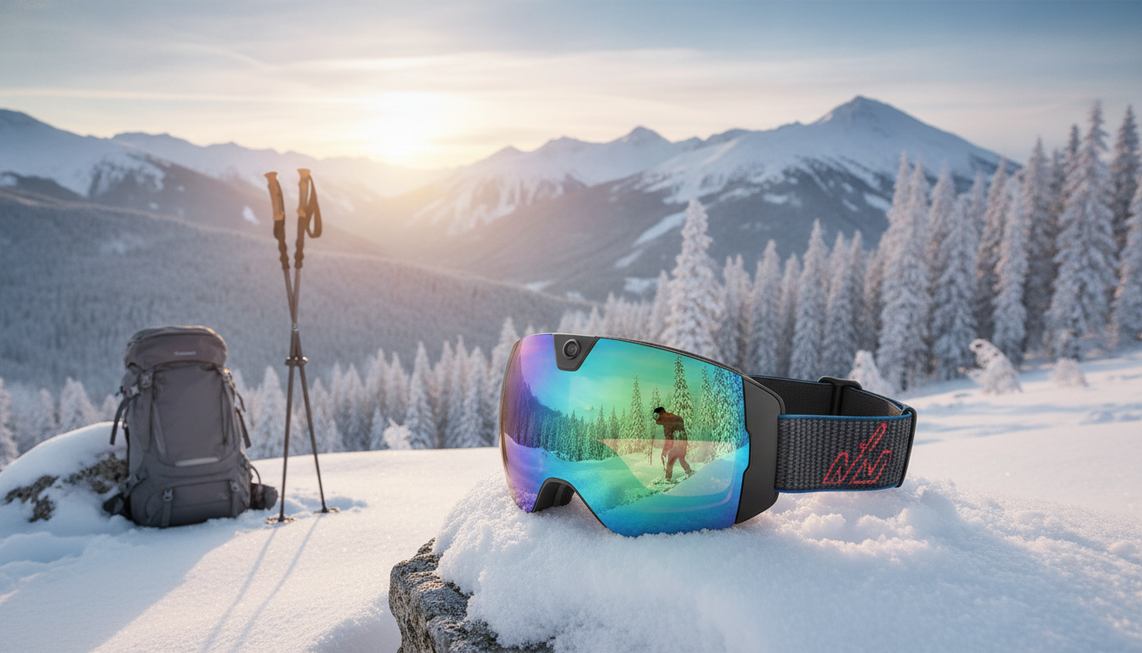
Una jornada completa en la montaña es más realista para clips cortos e intencionados que para grabar sin parar desde el primer remonte hasta el último descenso. Planifica la duración de la batería de las gafas de esquí con cámara según los minutos que realmente esperas grabar, no según las horas que pasas esquiando. Compara ese total con la autonomía indicada para el modelo exacto y prepara una opción de carga o una cámara de respaldo si el plan no encaja.
¿Pueden durar las gafas de esquí con cámara toda una jornada en la montaña?
Una jornada completa en la montaña puede funcionar para momentos destacados grabados de forma intermitente, pero no es una promesa general de grabación ininterrumpida. El tiempo que pasas en la montaña es diferente del tiempo de grabación, así que compara tus clips prioritarios con la autonomía indicada para el modelo antes de confiar en las gafas.
Utiliza este selector antes de salir:

Minutos de captura previstos = duración prevista del clip × cantidad de clips + tu propio margen para la configuración, las repeticiones y las grabaciones accidentales.
Por ejemplo, si planeas 12 clips de 2 minutos cada uno, tu tiempo de captura previsto es de 24 minutos antes de añadir cualquier margen. Esos 24 minutos son tu supuesto de planificación, no una capacidad del producto. Compáralos con la autonomía indicada para el modelo exacto con la resolución y la velocidad de fotogramas que hayas elegido. Si el plan no encaja, acorta el plan de clips prioritarios, utiliza una opción de carga adecuada para el dispositivo o elige otra configuración de cámara.
La ficha de Skyshot indica una duración de batería de 90 minutos con vídeo 4K/30 fps. Considera esa cifra como un dato del producto, no como una garantía para todo el día, y utiliza los detalles actuales del producto y el manual para decidir si cubre tus clips prioritarios.
¿Qué factores cambian la duración de la batería de las gafas de esquí con cámara en la montaña?
La captura útil depende de la frecuencia con la que grabes, los ajustes que elijas y las condiciones especificadas para el dispositivo. Considera el tiempo de grabación de las gafas de esquí con cámara como un dato de planificación específico del modelo, no como una cifra fija para cada descenso. Esa es la forma práctica de evaluar la duración de la batería de las gafas de esquí con cámara.
¿Cómo cambia tu patrón de grabación el tiempo de captura útil?
Calcula los intervalos de grabación, no todo el tiempo que pasas esquiando o haciendo snowboard. Una cámara que permanece encendida durante una jornada larga puede no grabar de forma continua, mientras que grabar cada descenso requiere un plan de captura diferente al de grabar solo descensos seleccionados.
Antes de salir del refugio, clasifica los momentos más importantes. Puedes dar prioridad a la primera bajada, una travesía panorámica, una línea de saltos o un clip familiar. Iniciar y detener la grabación, revisar el metraje, volver a conectar el teléfono y las grabaciones accidentales también pueden consumir tiempo o batería cuando esas funciones se utilizan. Incluye solo el margen que corresponda a tu uso previsto, en lugar de añadir una reserva universal.

Para obtener una explicación más amplia sobre cómo la resolución, la frecuencia de fotogramas, el calor y el almacenamiento afectan a los planes generales de grabación, consulta los factores del tiempo de grabación. Esa guía sirve como información general, no como una cifra de autonomía para un par específico de gafas de esquí.
¿Qué ajustes y datos de la batería afectan a la estimación?
Usa la resolución, la frecuencia de fotogramas, el formato de archivo y las funciones conectadas previstas para tus clips. Los ajustes de mayor calidad, las conexiones con el teléfono y otras funciones activas pueden cambiar las condiciones de funcionamiento indicadas, pero el efecto varía según el modelo. No restes de la autonomía un número inventado.
La antigüedad de la batería, los ciclos de alimentación repetidos y el uso fuera de las indicaciones del fabricante también pueden cambiar el resultado. Mantén separadas estas cuatro comprobaciones: autonomía de grabación, capacidad de almacenamiento, acceso a la carga y metraje utilizable. Es posible que tus minutos previstos quepan en la batería, mientras que el almacenamiento o la logística de carga sigan limitando el día.
¿Cómo planificas los clips, la carga y el almacenamiento para un día completo de esquí?
Usa esta hoja de trabajo para convertir los recorridos del día en minutos de grabación previstos y, después, comprueba por separado la autonomía, la carga, el almacenamiento y el manejo en frío. Etiqueta cada número como una estimación propia o como un dato indicado para el producto exacto.
- Anota las ventanas de grabación. Enumera los recorridos previstos, las paradas panorámicas u otros momentos en los que podrías grabar.
- Asigna una duración a cada clip. Introduce los minutos previstos para cada ventana de grabación. Es una estimación del usuario, no la autonomía del producto.
- Calcula los minutos de grabación previstos. Multiplica la duración de cada clip por la cantidad de clips y, después, añade el margen para la configuración, las repeticiones y las grabaciones accidentales. Mantén ese margen visible en lugar de tratarlo como una reserva universal.
- Selecciona los ajustes. Registra la resolución, la velocidad de fotogramas, el formato de archivo y las funciones conectadas previstos.
- Compara el resultado con la autonomía indicada. Usa la autonomía del modelo exacto con esos ajustes. No apliques una corrección inventada para climas fríos ni sustituyas los datos propios del producto por una cifra de una página de recopilación.
- Marca las oportunidades de carga. Confirma el cable, el cargador o el método de alimentación de respaldo aprobado, el lugar de carga y cualquier restricción antes de contar con una recarga a mediodía. Un puerto USB-C por sí solo no demuestra que vaya a funcionar una batería portátil concreta ni un plan de carga simultánea.
- Comprueba el almacenamiento por separado. Estima la demanda de almacenamiento a partir de los minutos de clips previstos y los ajustes seleccionados; después, compárala con la capacidad confirmada del producto, los límites de los archivos y las opciones de transferencia o eliminación. No des por hecho que una afirmación genérica sobre tarjetas de memoria se aplica al modelo.
- Aplica la regla para climas fríos. Sigue las instrucciones del modelo sobre funcionamiento, almacenamiento, carga, humedad y transiciones antes de considerar fiable el plan.
- Prioriza los clips. Si la energía o el almacenamiento se vuelven limitados, graba los momentos que más importan en lugar de confiar en una promesa de todo el día.
Esta hoja de trabajo te ofrece un resultado práctico de continuar o no continuar sin inventar cifras de autonomía, almacenamiento, tiempo de carga o temperatura. Si no hay un dato clave del producto, mantén el plan como provisional y organiza una alternativa adecuada para el dispositivo.
¿Cómo debes manejar las baterías de las gafas con cámara cuando hace frío?
Considera el frío, el viento, la humedad, la niebla y los cambios de temperatura motivos para seguir las instrucciones específicas del modelo y evitar depender de un ajuste de autonomía no confirmado. El comportamiento en climas fríos no es un porcentaje universal que puedas restar de cualquier cifra de batería.
Antes de un día en la montaña, busca cinco detalles en las instrucciones del producto: indicaciones de funcionamiento, indicaciones de almacenamiento, restricciones de carga, gestión de la humedad y tipo de batería. Determina también si la batería está integrada o es extraíble y si el fabricante describe algún método compatible de alimentación de respaldo. Un puerto de carga por sí solo no demuestra que se apruebe la recarga al aire libre.
Gestiona las transiciones del frío al calor, la condensación y el cuidado de las lentes según esas instrucciones. Consulta los cuidados para climas fríos como contexto general de planificación, pero utiliza las instrucciones del propio modelo para tomar decisiones sobre el funcionamiento y la carga.
Si las instrucciones no abordan las condiciones de montaña relevantes, reduce el papel de la configuración en las grabaciones prioritarias. Da prioridad a menos clips, utiliza un método de respaldo que sepas que funcionará o elige una configuración de cámara mejor documentada en lugar de asumir un rendimiento normal.
¿Qué es mejor para tus descensos: unas gafas de esquí con cámara o una cámara de acción independiente?
Las gafas de nieve con cámara integrada son adecuadas para quienes quieren clips manos libres desde un punto de vista fijo y con menos equipo independiente. Una cámara de acción separada es adecuada para quienes necesitan flexibilidad de montaje y encuadre y pueden gestionar otro dispositivo. En ambos casos, la autonomía, el almacenamiento, la carga, el ajuste y el plan para climas fríos deben ser adecuados para ese día.
| Configuración | Mejor opción | Principal contrapartida |
|---|---|---|
| Gafas de esquí con cámara integrada | Clips manos libres desde un punto de vista fijo con menos dispositivos independientes | Dependencia de la alimentación, el almacenamiento, el ajuste y la asistencia para el cuidado de las lentes de las gafas |
| Cámara de acción independiente | Compradores que necesitan soportes intercambiables, distintas posiciones de encuadre o un sistema compatible de accesorios y alimentación de repuesto | Requiere llevar, montar, cargar y gestionar otro dispositivo |
| Cualquiera de las dos configuraciones con un plan de respaldo compatible | Días con acceso limitado a la carga cuando el método de respaldo se adapta a la configuración | Añade carga de planificación y equipo |
Elige unas gafas de esquí integradas cuando la captura manos libres sea más importante que la flexibilidad de montaje y el plan de las gafas cubra tus clips prioritarios. Elige una cámara de acción independiente cuando sean más importantes las opciones de encuadre o una configuración de alimentación compatible. Compara las dos configuraciones antes de decidir y explora las cámaras para gafas de nieve como categoría, no como prueba de una autonomía exacta.
¿Cómo puedes verificar un par específico antes de depender de él?
Completa la hoja de trabajo a partir de la página exacta del producto y del manual, y después decide si seguir adelante o no con los clips prioritarios que realmente piensas grabar. Los campos clave son la autonomía con la configuración prevista, el diseño y los límites del almacenamiento, el método de carga, las opciones de batería o respaldo, las indicaciones para climas fríos y el ajuste al casco o al rostro.
Las gafas de esquí con cámara integrada son adecuadas para quienes quieren llevar la grabación incorporada en las gafas en lugar de utilizar un dispositivo separado. Para ese caso de uso, consulta las gafas Skyshot como ejemplo compatible: la ficha indica vídeo 4K/30 fps, una cámara gran angular de 140°, capacidad fotográfica de 24 M, lentes antivaho y polarizadas, protección UV400 y Wi-Fi. Estas características responden a las prioridades de compra relacionadas con la captura POV manos libres y las lentes, mientras que el formato integrado evita llevar una cámara aparte para obtener la misma perspectiva.
La ficha de Skyshot indica 90 minutos de autonomía con vídeo 4K/30 fps, pero los materiales disponibles del producto no confirman una autonomía para todo el día, un plan de almacenamiento, una configuración de carga ni una regla de funcionamiento en climas fríos. No combines una afirmación independiente sobre la autonomía de toda la colección ni sobre la tarjeta de memoria con la ficha de Skyshot. Utiliza únicamente los datos actuales y específicos del modelo al completar tu hoja de trabajo.
Antes de comprar o salir, introduce únicamente los datos confirmados del producto y tus propias suposiciones sobre los clips. Elige Skyshot si esos datos respaldan el plan de clips prioritarios. Si no lo hacen, utiliza una configuración de carga adecuada para el dispositivo o elige una configuración independiente de cámara de acción. Consulta el manual exacto para conocer los detalles de funcionamiento, carga, almacenamiento y uso en climas fríos que la ficha del producto no aclara.
Preguntas frecuentes
¿Cuánto tiempo pueden grabar las gafas de esquí con cámara?
No existe un tiempo de grabación universal. Compara la autonomía indicada para el modelo con la configuración seleccionada y los minutos de captura previstos, y distingue entre clips intermitentes y grabación continua antes de decidir si tus recorridos prioritarios caben.
¿El frío agota las baterías de las gafas de esquí con cámara?
El comportamiento en climas fríos puede hacer que la captura sea menos predecible, y las reglas prácticas de uso dependen del dispositivo. Sigue sus instrucciones de funcionamiento, almacenamiento, carga y protección contra la humedad, y conserva un plan alternativo para las imágenes prioritarias.
¿Cuánto almacenamiento necesitan los vídeos de esquí?
Calcula el almacenamiento a partir de los minutos de clips previstos y de la resolución, la frecuencia de fotogramas y la configuración de archivos seleccionadas. Compara ese cálculo con la capacidad y los límites de archivos confirmados del producto, en lugar de basarte en una estimación genérica en gigabytes o en una afirmación no confirmada sobre la tarjeta de memoria.
¿Puedo cargar unas gafas de esquí con cámara durante un día de esquí?
Cuenta con una carga al mediodía solo después de confirmar que el cable, el cargador o el método de alimentación de respaldo del modelo, el lugar de carga y las restricciones relacionadas con el frío o la humedad permitan ese plan. El USB-C por sí solo no confirma que funcionará una configuración con batería portátil.


Deja un comentario
Este sitio está protegido por hCaptcha y se aplican la Política de privacidad de hCaptcha y los Términos del servicio.