
























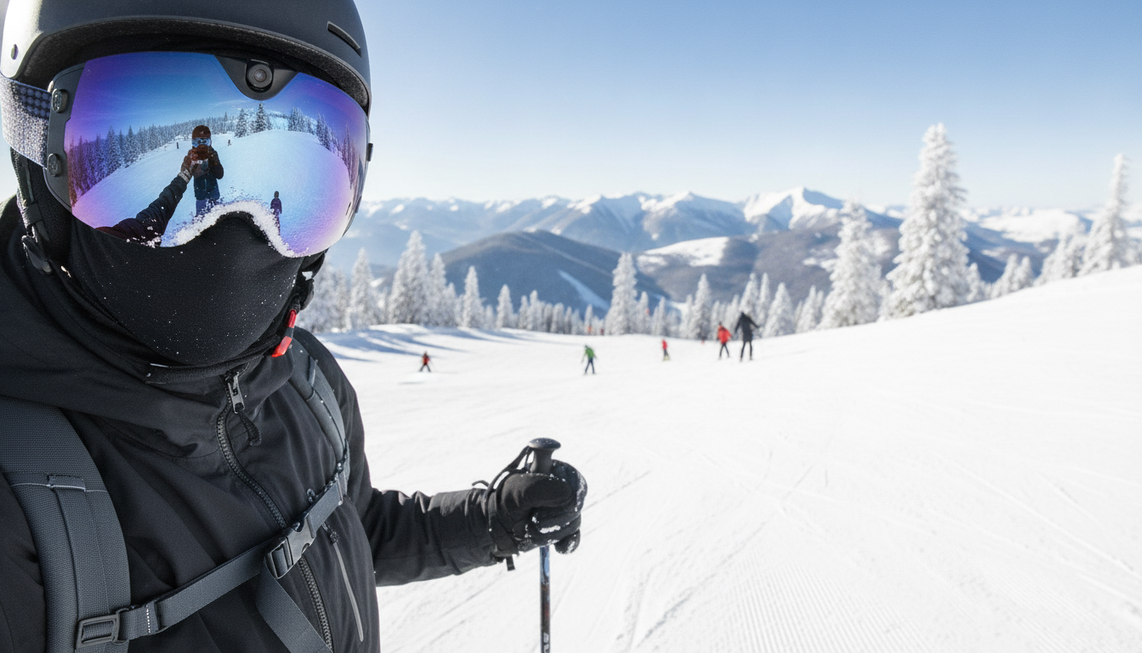
Integrated camera goggles fit casual riders who want hands-free recording without carrying a separate camera. A separate action camera is the better match when you want helmet, chest, handheld, or other supported viewpoints and more editing control. For the best setup for recording ski runs, prioritize fit, clear vision, mounting, cold-weather power planning, storage, and your phone workflow before comparing resolution labels.
Which Setup Fits the Way You Record Ski Runs?
Choose integrated camera goggles when you want the shortest path from putting on your goggles to recording and do not need to change the camera angle. Choose a separate action camera when selectable viewpoints, accessories, or hands-on editing matter more than an all-in-one setup. Neither option is a universal winner because the complete run-day workflow determines whether the gear works for you.
Choose Integrated Camera Goggles for Simpler Hands-Free Recording
Integrated camera goggles are a practical fit for casual resort riders, trip memories, and social clips. They combine eyewear and camera hardware, so there is less separate equipment to mount or carry. The tradeoff is a fixed camera position, which limits reframing compared with a separate camera system.
They make sense when you are comfortable with the built-in viewpoint and can confirm that the goggles provide clear vision, a comfortable fit, suitable anti-fog care, and workable helmet integration. This goggles-first setup can also suit shoppers looking for snow goggles with camera because recording is part of the eyewear rather than an extra device to attach.

Choose a Separate Action Camera for Flexible Capture
A separate action camera is the stronger fit for riders who want to choose among supported helmet, chest, handheld, pole, or other mounting positions. Changing the mount changes the perspective, giving frequent creators and multi-angle riders more control over the final edit. A separate system also adds decisions about mounts, charging, storage, and file management.
This is the better direction for a rider comparing camera ski goggles with an action camera who already has compatible accessories or plans to build a repeatable editing workflow. The exact camera, mount, helmet, goggles, and riding conditions still need to work together before a full day on the mountain.
How Do Framing and Mounting Change Your Footage?
Camera goggles provide a built-in first-person viewpoint with fewer mounting decisions. Separate action cameras generally offer more mounting variety when the exact equipment is compatible, but that flexibility adds setup and adjustment work. A camera's field of view describes what its lens captures. It does not show whether the camera follows every eye movement or automatically produces better footage.
| Decision point | Integrated camera goggles | Separate action camera |
|---|---|---|
| Viewpoint | Installed first-person position | Selectable position based on the mount |
| Hands-free use | Recording stays part of the eyewear setup | Hands-free after a supported mount is installed |
| Mounting flexibility | Limited by the built-in camera location | More options, subject to exact compatibility |
| Helmet integration | Eyewear fit and helmet space must work together | Camera, mount, helmet, and goggles must work together |
| Pre-run adjustment | Fewer camera adjustments, fixed framing | More angle choices and more setup to manage |
Ski-specific mounts can create different angles, but a mount made for one action-camera system does not prove compatibility with every camera. Before a full run, put on the actual helmet and goggles with the camera installed. Check facial pressure, helmet interference when you turn your head, the goggle seal, the viewing angle, and stability. This is a practical fit check, not a guarantee of performance in every riding situation.

For a broader hands-free camera comparison, compare the complete installed setup rather than the camera body alone. Less equipment is useful only when it stays comfortable and does not interfere with clear vision or normal helmet use.
What Will Run-Day Power, Weather, Storage, and Phone Sharing Require?
The practical winner is the system whose visibility care, power needs, storage plan, and transfer route match your habits. Cold conditions can affect battery behavior, so follow the exact device guidance and leave power margin instead of planning around a maximum rating.
Keep the Eyewear and Camera Usable in Snow
Treat clear vision and a comfortable fit as prerequisites to recording convenience. Before riding, follow the product's documented guidance for fog, moisture, lens cleaning, and operating conditions. A camera's weather information does not automatically cover the goggle lens, mount, charging port, or complete helmet setup.
Keep lens-care supplies and charging equipment organized, protect electronics from unnecessary moisture during transitions, and avoid making camera adjustments while riding. The cold-weather goggle care guide covers related fog, battery, moisture, and lens-care planning in more detail.
Plan Power, Storage, and the Path to Your Phone
Use this sequence before a full day of recording:
- Estimate how many runs, clips, and minutes of recording you expect. Include longer runs or extra takes rather than planning for the shortest possible day.
- Prepare power and storage margin for cold conditions and an outing that runs longer than planned. Cold can reduce battery performance, so the exact device guidance matters more than a category-wide runtime assumption.
- Identify the actual file route to your phone or computer. It may use an app, Wi-Fi, a cable, a memory card, or a computer-first workflow.
Wi-Fi or USB-C can provide a transfer route, but either capability alone does not establish transfer speed or guarantee that a clip will be ready between runs. Choose a simpler documented phone workflow when quick sharing matters. Choose a more deliberate file workflow when you plan to edit later. The best setup for recording ski runs is the one you can power, store, and offload without turning the process into a distraction.
What Should You Verify Before Buying Camera Ski Goggles?
Treat camera goggles as a complete eyewear-and-recording purchase, not just a camera specification. The integrated path is worth considering when hands-free convenience outweighs reduced mounting flexibility and the eyewear passes your fit, vision, care, and workflow checks.
Use this buyer checklist before choosing ski goggles with built-in camera hardware:
- Fit and vision: Make sure the eyewear sits comfortably with the helmet you actually use and keeps your view clear.
- Fog and lens care: Read the documented anti-fog and moisture-care instructions. An anti-fog label does not replace a workable care routine.
- Camera position: Decide whether the installed viewpoint suits your run footage, since you will not have the same reframing options as a separate camera.
- Controls and gloves: Confirm that recording can be started, stopped, or managed in the way you expect while wearing winter gloves.
- Power and storage: Match the listed battery figure, charging method, and storage arrangement to your planned runs. Leave margin for cold and longer days.
- Phone workflow: Identify whether preview or file transfer uses Wi-Fi, an app, USB-C, a memory card, or a computer, and distinguish that route from a promised transfer speed.
- Total setup cost: Compare the goggles, any needed accessories, charging equipment, storage, and the separate-camera setup you would otherwise buy.
For a convenience-first rider, the OHO SUNSHINE 4K Camera Smart Ski Goggles with WiFi, 24M Photo, Anti-Fog - Skyshot are one example of the integrated path. The product listing specifies 4K video at 30 frames per second, a 140° wide-angle camera, an anti-fog lens, Wi-Fi preview and wireless file transfer, USB-C charging, built-in memory, and a listed 90-minute battery figure. You can compare the Skyshot camera ski goggles when those features match your priority for fewer separate devices, but the listed features do not establish superior footage, cold-weather runtime, transfer speed, or universal helmet compatibility.
If you need changing viewpoints, a larger accessory system, or an established editing workflow, a separate action camera remains the better fit. Compare the exact documentation and complete setup cost with the workflow you will actually use before adding either option to your cart.
FAQs
Are camera ski goggles better than a GoPro for recording ski runs?
Camera ski goggles are better for a rider who values fewer devices and a built-in hands-free setup. A separate action camera is better when you need selectable mounting positions or more deliberate control over the edit. The right choice is the one that fits your mounting, comfort, and file-handling routine.
What is the best setup for recording a ski run?
Start with integrated goggles if you want the shortest gear-up-to-record path and accept the installed viewpoint. Start with a separate action camera if you already know which supported viewpoint you want, such as helmet or chest mounting. Test the complete setup before the trip so the camera, helmet, and goggles work together comfortably.
Do camera goggles record exactly what you see?
No. They record from the camera's installed position, which can feel first-person without matching every eye movement. Compare the camera position and field of view with the footage you want, and remember that a wide field of view does not by itself prove better image quality.
Can you use an action camera in cold weather?
Cold-weather use depends on the exact camera, battery behavior, moisture protection, mount, and manufacturer guidance. Plan conservatively, leave power margin, and keep backup power according to the device instructions. Do not apply one camera's temperature or battery behavior to every action camera.
Are snow goggles with a built-in camera worth it?
They can be worth it when hands-free convenience and fewer separate devices matter more than changing the viewpoint. The value depends on clear vision, comfortable fit, documented care, usable power and storage, and a phone workflow that suits your day. If flexible mounting or editing control is the priority, choose the separate-camera path instead.



Leave a comment
This site is protected by hCaptcha and the hCaptcha Privacy Policy and Terms of Service apply.