
























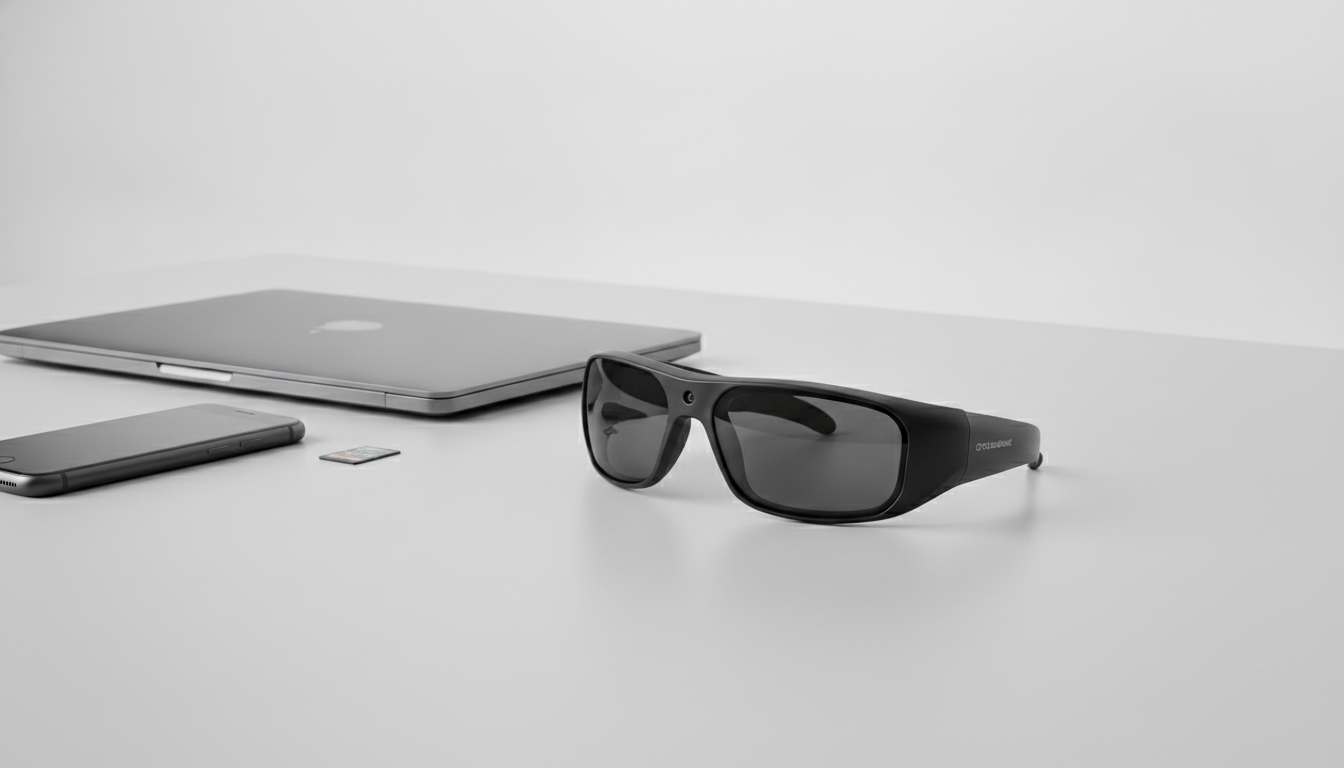
En cuanto al almacenamiento de las gafas con cámara, ni la memoria integrada ni la microSD extraíble son universalmente mejores. Elige memoria integrada cuando la capacidad fija y el método de transferencia se ajusten a tu rutina. Elige microSD solo cuando el modelo exacto admita explícitamente una tarjeta extraíble y sus límites coincidan con tus necesidades.
Como ejemplo de planificación, supón tres sesiones de 20 minutos antes de la próxima transferencia. Eso da 3 × 20 = 60 minutos de grabación previstos. Si no puedes transferir archivos entre sesiones, elige un modelo cuyo espacio utilizable documentado, con los ajustes seleccionados, cubra los 60 minutos completos. Si el modelo permite transferir archivos entre sesiones, su proceso de transferencia documentado puede hacer viable el mismo plan sin almacenar los 60 minutos de una sola vez. Este es un método de planificación ilustrativo, no una estimación universal del almacenamiento ni del tiempo de grabación.
¿Memoria integrada o microSD? Adapta el almacenamiento de las gafas con cámara a tu plan de grabación
La memoria integrada es adecuada para un flujo de trabajo sencillo con menos accesorios cuando su capacidad y método de transferencia se ajustan a tu forma de grabar. Una microSD extraíble puede permitir intercambiar o ampliar tarjetas, pero solo cuando el modelo indique explícitamente que admite tarjetas extraíbles y sus límites sean adecuados para ti.
| Condición del comprador | Enfoque que probablemente se adapte mejor | Punto que debes confirmar |
|---|---|---|
| Clips cortos ocasionales con transferencias periódicas | La memoria integrada puede ser más sencilla | Espacio utilizable y método de transferencia |
| Grabación frecuente o más prolongada antes de transferir los archivos | La microSD extraíble puede ofrecer más flexibilidad | Compatibilidad con tarjetas, límites y una rutina de copia de seguridad viable |
| Configuración más sencilla con menos accesorios | Memoria integrada | Capacidad fija para las sesiones previstas |
| El intercambio o la ampliación de tarjetas es importante | microSD, pero solo si es compatible | Tipo de tarjeta, capacidad máxima, formato, requisito de velocidad e inclusión |
| Grabaciones importantes de viajes o eventos | Cualquiera de las dos arquitecturas puede funcionar | Finalización de la transferencia y una copia independiente |

El almacenamiento integrado no significa automáticamente que el acceso a los archivos sea difícil. Uno de los pares de gafas con cámara analizados utiliza memoria integrada con acceso a archivos mediante USB-C, lo que permite copiar las grabaciones a otro dispositivo, como se describe en este análisis de gafas con cámara. Ese es un ejemplo concreto, no una característica compartida por todos los modelos. La ubicación del almacenamiento y el método de transferencia son especificaciones independientes.
Si estás comparando gafas con cámara por modelo, usa la colección solo para explorar. La ficha individual y la documentación actual del modelo determinan la arquitectura de almacenamiento del par que estás considerando.

Planifica el almacenamiento según tu patrón de grabación y tu rutina de transferencia
Tu plan de almacenamiento para las gafas con cámara debe comparar los minutos que esperas grabar antes de transferir los archivos con el espacio utilizable indicado para el modelo y los ajustes seleccionados. El espacio libre disponible, la resolución, la frecuencia de fotogramas y el momento de la siguiente transferencia influyen en el resultado práctico, por lo que una conversión genérica de GB a horas no es una forma fiable de elegir un modelo.
Para clips cortos ocasionales
Para salidas intermitentes, la memoria integrada de las gafas con cámara puede resultar práctica cuando puedes transferir las grabaciones entre sesiones. Basa tu elección en el espacio disponible con los ajustes seleccionados y en si el método de transferencia funciona con el teléfono o el ordenador previstos. Si la ficha del producto no identifica la arquitectura de almacenamiento, no consideres la omisión como prueba de que se trate de almacenamiento integrado o extraíble.
Para el ejemplo de tres sesiones anterior, compara los minutos totales que necesitas antes de la siguiente transferencia con el espacio utilizable del modelo. Si planeas borrar los archivos entre sesiones, el método de transferencia debe estar disponible en ese momento y dejar la copia transferida accesible antes de reutilizar el almacenamiento de la cámara.
También puedes planificar conjuntamente el tiempo de grabación y el almacenamiento, pero utiliza esa guía relacionada para la planificación general, no como sustituto de la información sobre el espacio utilizable del modelo seleccionado.
Para grabaciones frecuentes o más largas
Las sesiones repetidas o más largas hacen que la ampliación, el cambio de tarjeta o la transferencia inmediata resulten más valiosos. Eso no demuestra que una combinación concreta sea compatible con microSD; identifica la función del flujo de trabajo que importa cuando la cámara puede llenarse antes del siguiente bloque de grabación.
Una capacidad indicada mayor no es automáticamente la mejor opción si el proceso de transferencia resulta incómodo o no se especifica el espacio utilizable. Un flujo de trabajo con memoria fija más pequeña puede funcionar cuando puedes transferir los archivos de forma fiable antes del siguiente bloque. Para grabaciones importantes, utiliza un proceso que te permita copiar los archivos a otra ubicación antes de eliminar o reutilizar el almacenamiento original.
Cómo afecta el tipo de almacenamiento a la transferencia y la copia de seguridad de archivos
Elige la arquitectura de almacenamiento cuyo método de transferencia funcione con el teléfono o el ordenador que planeas usar y conserva después una copia independiente antes de eliminar o formatear cualquier elemento. La memoria integrada puede reducir la manipulación de tarjetas, pero quizá requiera transferencias periódicas; el almacenamiento extraíble puede facilitar el intercambio, aunque añade otro elemento que debes proteger y transferir por completo.
El método de transferencia puede ser una aplicación, Wi-Fi, USB, OTG u otra opción indicada para el modelo. Un puerto de carga, una función Bluetooth, una conexión inalámbrica o un adaptador incluido por sí solos no demuestran que los archivos de vídeo puedan transferirse a otro dispositivo. Comprueba los requisitos del dispositivo previsto y la carpeta de destino; después, abre o valida de algún otro modo las grabaciones copiadas antes de eliminar las originales.
Otra plataforma de gafas inteligentes combina el almacenamiento integrado con la transferencia mediante una aplicación o Wi-Fi, lo que demuestra por qué el almacenamiento y la transferencia deben evaluarse por separado. Ese ejemplo específico de una plataforma no demuestra que todos los pares de gafas con cámara incluyan una aplicación, Wi-Fi o el mismo flujo de trabajo, como muestra este ejemplo de transferencia de gafas inteligentes.
Para consultar una referencia relacionada sobre la conexión, utiliza la guía de requisitos del teléfono y la conexión para orientarte, no como prueba de compatibilidad con un modelo específico. Para grabaciones importantes de viajes, eventos o actividades, conserva una copia adicional antes de borrar la memoria interna o reutilizar una tarjeta.
Qué debes confirmar antes de comprar un modelo compatible con microSD
Compra una tarjeta solo después de que el modelo exacto de gafas con cámara confirme la compatibilidad con microSD extraíble. Después, comprueba el tipo de tarjeta, la capacidad máxima compatible, el formato requerido, el requisito de velocidad y la inclusión en el paquete. Si falta algún dato necesario o la ficha contradice el manual, detén la compra.
La terminología del estándar y la capacidad de la tarjeta proporciona contexto, pero no significa que las gafas puedan aceptar cualquier tarjeta. La terminología SDHC y SDXC distingue la capacidad y las familias de sistemas de archivos del estándar SD. El dispositivo seleccionado sigue determinando el tipo y el límite permitidos, así que sigue la documentación de su modelo en lugar de elegir una tarjeta basándote únicamente en una etiqueta de mayor capacidad.
La velocidad es otro requisito del dispositivo anfitrión. Si el manual especifica una clase de velocidad, ajusta la clase de velocidad de la tarjeta al requisito del dispositivo anfitrión, utilizando la misma clase compatible o una superior y la interfaz correspondiente solo cuando la documentación lo permita. No conviertas esta regla en una recomendación universal de Class 10, U1, V30, una marca o una velocidad anunciada.
También debes confirmar si la tarjeta está incluida, se vende por separado o no está incluida. Las fotos del producto, el texto genérico de la categoría, los puertos, los accesorios OTG y frases como «tarjeta SD integrada» no demuestran que las gafas tengan una ranura microSD extraíble.
Haz una copia de seguridad de las grabaciones importantes antes de eliminar, reutilizar o formatear una tarjeta. Las recomendaciones del formateador de tarjetas de memoria SD hacen hincapié en confirmar la compatibilidad del dispositivo antes de formatear. Consulta el manual de las gafas seleccionadas para conocer el formato y el procedimiento requeridos, y nunca formatees una tarjeta que contenga la única copia de grabaciones importantes.
Verifica la ficha exacta de las gafas con cámara antes de hacer el pedido
Usa una secuencia de verificación específica del modelo justo antes de realizar el pedido. La ficha del producto y la documentación actual deben coincidir en cuanto al comportamiento del almacenamiento, los requisitos de la tarjeta, la transferencia y el contenido del paquete.
- Identifica la arquitectura de almacenamiento. Determina si el modelo usa memoria integrada, almacenamiento microSD extraíble u otra configuración indicada. No deduzcas la respuesta por el nombre del producto, la resolución de la cámara, el puerto, el accesorio o la imagen.
- Registra la información sobre la capacidad. Anota la capacidad indicada y, cuando se proporcione, el espacio utilizable o el comportamiento del almacenamiento. Compárala con los minutos que necesitas antes de la siguiente transferencia.
- Registra todos los datos de la microSD, si corresponde. Comprueba la compatibilidad con tarjetas extraíbles, el tipo de tarjeta, la capacidad máxima, el formato requerido, el requisito de velocidad y si se incluye una tarjeta.
- Confirma el método de transferencia. Comprueba si los archivos se transfieren mediante una aplicación, Wi-Fi, USB, OTG u otro método indicado. Asegúrate de que el teléfono o la computadora previstos puedan usar ese método y de saber dónde se guardan los archivos.
- Compara la ficha del producto con la documentación actual. Puedes consultar el manual del modelo y explorar las preguntas frecuentes como rutas de navegación, pero ninguna de las dos páginas sustituye los detalles de compatibilidad específicos del modelo.
- Detente si falta un campo obligatorio o hay información contradictoria. Solicita aclaraciones en lugar de asumir la capacidad, la compatibilidad de la tarjeta, el formato, el contenido del paquete o el funcionamiento de la transferencia.
- Toma la decisión sobre el modelo. Añade el modelo al carrito solo cuando el flujo de trabajo indicado cubra tu plan de grabación, rutina de transferencia, configuración del teléfono o computadora y necesidades de respaldo. Después de transferir los archivos, valida la copia independiente antes de eliminar o formatear las grabaciones originales.
Preguntas frecuentes
¿Las gafas con cámara usan una tarjeta SD?
Algunas gafas con cámara usan memoria integrada, mientras que otras admiten explícitamente almacenamiento microSD extraíble. La arquitectura de almacenamiento es específica del modelo, por lo que la ficha del producto y la documentación actual determinan si la tarjeta forma parte de la configuración.
¿Cuánto almacenamiento tienen las gafas con cámara?
La capacidad varía según el modelo, la arquitectura de almacenamiento, la configuración de grabación y el espacio libre disponible. Compara el espacio utilizable indicado para la configuración seleccionada con la duración de la sesión que necesitas antes de transferir los archivos, en lugar de basarte en una estimación universal de grabación.
¿Qué tarjeta de memoria funciona con las gafas con cámara?
Usa únicamente el tipo de tarjeta, la capacidad máxima, el formato y el requisito de velocidad indicados para el modelo exacto. Una tarjeta que funciona en otra cámara o teléfono no es automáticamente compatible con estas gafas, y el contenido del paquete puede variar.
¿Puedo transferir videos de las gafas con cámara a mi teléfono?
El modelo puede usar una aplicación, Wi-Fi, USB, OTG u otro método indicado. Confirma los requisitos del teléfono, el destino de los archivos guardados y que la copia se haya realizado correctamente antes de eliminar las grabaciones originales.


Deja un comentario
Este sitio está protegido por hCaptcha y se aplican la Política de privacidad de hCaptcha y los Términos del servicio.