
























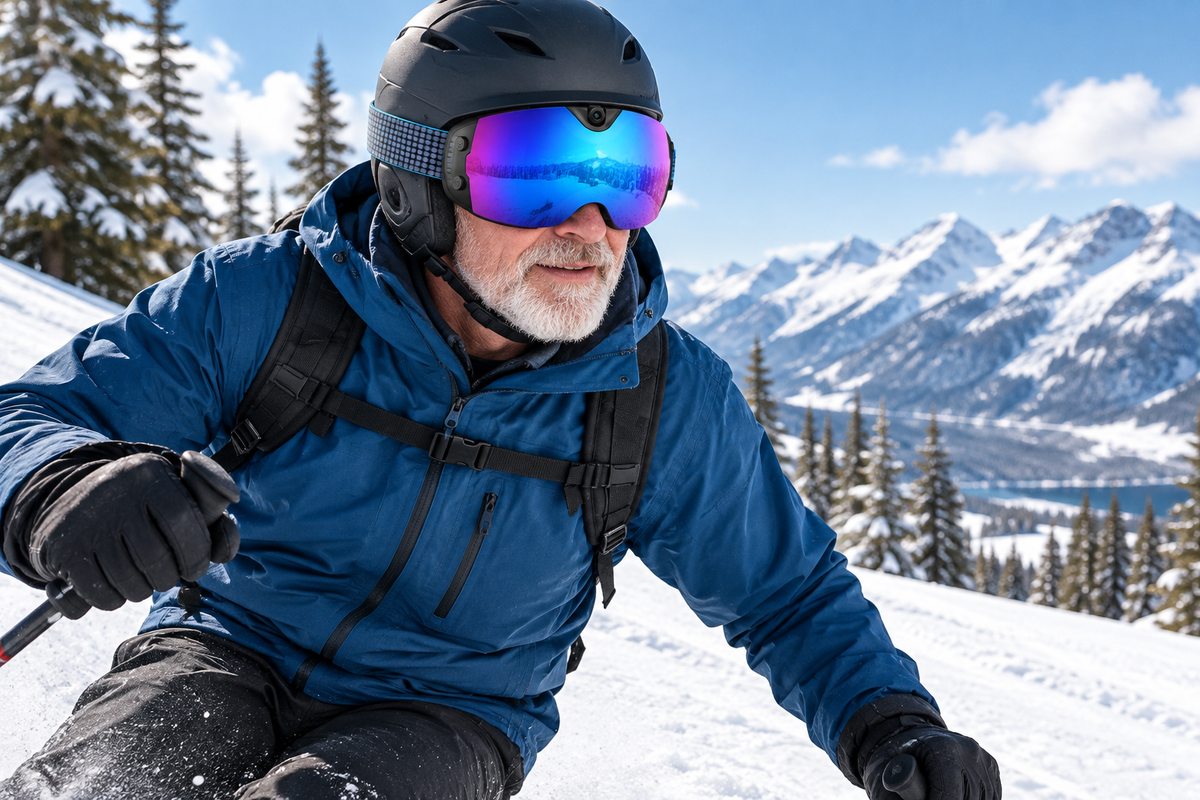
Choosing camera ski goggles for a senior recreational skier comes down to four checks: documented lens tint and light transmission, a confirmed fit with the skier's helmet and any glasses, a control you can actually operate with gloves on, and camera specs that match the length of the sessions you plan to record. Skip any listing that leaves these unanswered, no matter how good the camera sounds.
Check Camera Goggle Criteria Before You Compare Products
Before comparing camera ski goggles online, screen every listing against the same four questions: what light conditions does the lens handle, does the frame fit the skier's face and helmet, can the control be used with gloves, and what does the camera actually record. Answering these first turns a marketing comparison into a real buying decision.

Confirm Lens Tint, VLT, and Contrast Needs
Start with the skier's usual conditions: bright sun, overcast resort days, or flat, shadowless light. According to REI's goggle buying guide, amber and other lighter lens tints can transmit more light and work well on cloudy or low-visibility days, and visible light transmission, or VLT, is the specification to check against those conditions. A polarized or UV-protected lens does not automatically mean it handles flat light well.
- Match the listing's stated VLT or lens color to the skier's most common conditions, not the best-case sunny day.
- Treat "amber" or "high contrast" as marketing language until the product page states a tint or VLT range.
- If the listing gives neither, mark the lens criterion unresolved and ask the seller before ordering.
Match the Frame to Your Face, Helmet, and Glasses
Fit is the hardest thing to fix after an online order arrives, so verify it before you buy rather than after. The same REI guide recommends a snug, not tight, fit with no gap between the goggle and the helmet, and an OTG (over-the-glasses) design for anyone who skis in prescription glasses.
- Compare the listing's frame width and face-size guidance with the skier's measurements or a goggle they already own.
- Check whether the helmet and goggle are described as compatible, and confirm how helmets and goggles should interface so the helmet sits flush against the top edge without a gap or downward pressure.
- If the skier wears prescription glasses, look for an explicit OTG claim rather than assuming any "adult" goggle will clear the frames.
- When the listing doesn't answer these, use the seller's return policy as your fallback fit check rather than guessing.
Test Control Simplicity and Session Comfort on Paper
A camera goggle needs a way to start and stop recording that a gloved hand can manage without removing a mitten mid-run. Look for a documented physical button, and note whether the listing describes it as tactile, oversized, or otherwise glove-friendly, since the word "button" alone does not confirm that. Separately, pull the stated item weight in grams or ounces and compare it against a weight the skier already tolerates well.
- Physical control present: check whether the description mentions glove use specifically.
- Stated weight: useful as a baseline, not proof of comfort by itself.
- Frame padding, strap width, and helmet notes: these affect pressure points more than weight alone.
Verify the Recording Setup, Battery, and Storage
Camera specs matter less than whether they fit your plan for the day. Check resolution and frame rate, field of view, photo format, memory type or capacity, and the charging port before you compare battery-life numbers.
- Confirm video resolution, frame rate, and photo megapixels against what you'd expect from a phone camera for context.
- Treat any stated battery-life figure as a continuous-recording benchmark, then ask how cold weather or wireless use might shorten it.
- Read anti-fog wording carefully. It describes a lens feature, not a guarantee against fogging in every condition.
Save the tint/VLT, fit measurements, control description, weight, and battery/storage details from the listing before moving to a specific product review. For a broader sense of how camera goggles handle vision and helmet fit day to day, our helmet comfort check walks through a simple try-on test, and our camera snow goggle collection is a starting point for comparing current listings side by side.
Apply the Checks to OHO SUNSHINE Skyshot
The Skyshot camera goggles document several of the checks above clearly, but not all of them, so the fit is conditional rather than automatic. We'll separate what the listing confirms from what still needs confirmation before you order.
What Skyshot Documents Clearly
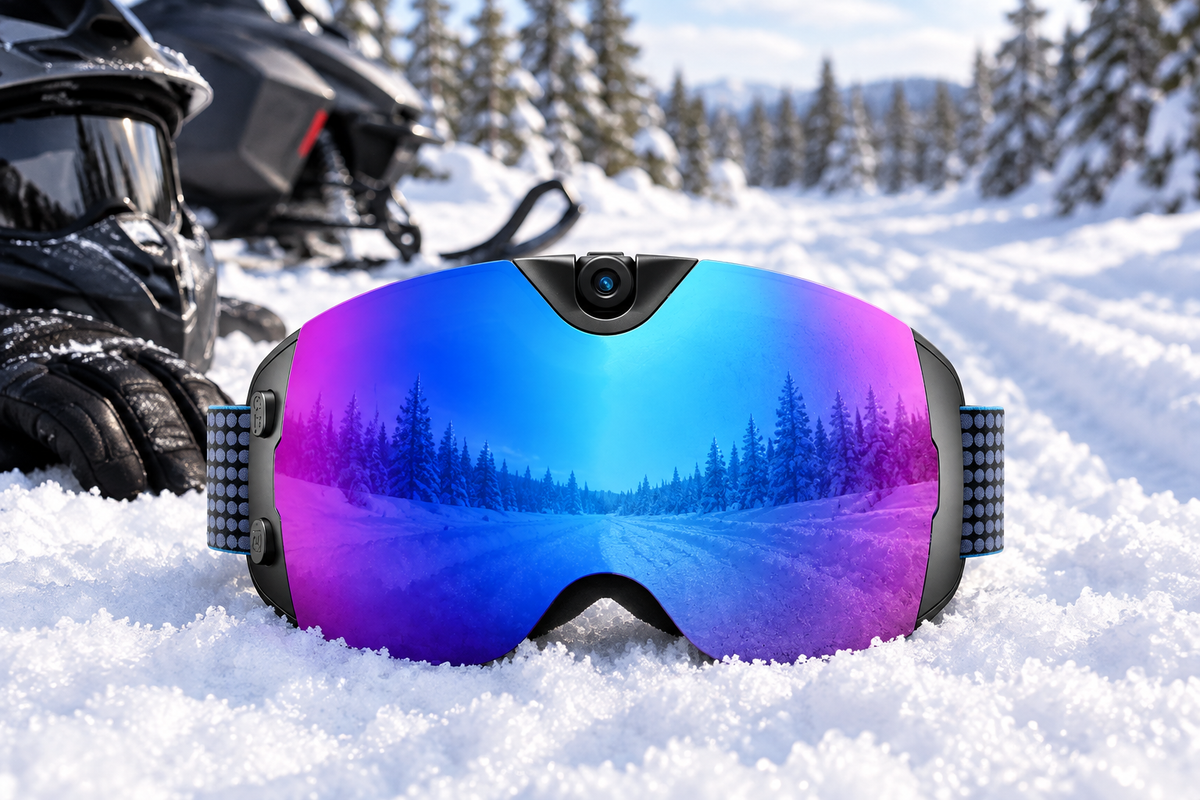
Skyshot lists a polarized lens with UV400 protection and an anti-fog lens, along with a 213-gram item weight and a TPU frame, which gives you a concrete comfort benchmark to compare against goggles you already own. For controls, it lists both a physical button and app control over Wi-Fi, so a skier who wants a manual option isn't limited to a phone app alone, though the listing doesn't describe the button as tactile or glove-specific. On the camera side, it records 4K video at 30 fps with 24-megapixel photos, a 140-degree field of view, built-in memory, USB-C charging, and MP4/JPG output, and it's built for skiing, snowboarding, and general winter outdoor use.

What Remains a Buying Gate
Three areas stay open until the current listing or seller fills them in. First, the lens listing covers polarization and UV400 but not an amber tint or VLT figure, so a skier who specifically needs flat-light or cloudy-day contrast should treat that as unresolved rather than assumed. Second, there's no stated frame dimension, OTG clearance, or helmet-interface detail, which matters for glasses wearers and anyone pairing the goggle with a specific helmet. Third, the listed battery life is 90 minutes, and memory capacity isn't specified, so longer recording plans need a direct check on both before you count on a full day of footage.
Make the Conditional Product Decision
Skyshot is a reasonable fit for a buyer who wants documented 4K recording, a physical-control option alongside app control, and a concrete weight for comparison, and who plans recording sessions within roughly 90 minutes at a time. It isn't a confirmed fit yet for a buyer who specifically needs amber or high-contrast performance, or who needs OTG or helmet compatibility confirmed before ordering. In either case, the next step is the same: check the current listing for the missing detail before buying.
Before You Order
Place the order only when four things are true: the listing states a tint or VLT that matches your usual skiing light, the frame fits your face, helmet, and glasses (or you've confirmed it with the seller), the control can be operated with your gloves, and the recording length and storage match your plans. If even one of these is still unresolved, pause and either ask the seller directly or use the stated return window as your fit check rather than treating the purchase itself as the test. Review the current Skyshot listing against these four points before adding it to your cart.
FAQs
Can a polarized lens replace an amber lens for cloudy skiing?
Not necessarily. Polarization mainly cuts glare from flat, reflective light, while amber or other lighter tints address light transmission on cloudy or low-visibility days through a separate VLT specification. A goggle can be polarized without being suited to flat light, so check the listing's stated tint or VLT before assuming it covers overcast conditions.
What should prescription-glasses wearers verify before ordering camera goggles?
Ask for frame dimensions or an explicit OTG (over-the-glasses) confirmation, and check whether the listing states helmet compatibility as well. If none of that is available, use the seller's return policy to allow a try-on check once the goggles arrive, rather than assuming a general "adult" fit will clear your glasses.
Is a 90-minute battery rating enough for a full ski day?
A listed 90-minute figure is a continuous-recording benchmark, not a promise of all-day coverage. Compare it against how long you actually plan to record at a time, factor in that cold temperatures can shorten battery life, and confirm memory capacity before relying on it for anything longer than short, planned clips throughout the day.



Laat een reactie achter
Deze site wordt beschermd door hCaptcha en het privacybeleid en de servicevoorwaarden van hCaptcha zijn van toepassing.