

























Prima di approvare la registrazione del lavoro con gli occhiali smart, considera l'acquisto una decisione relativa al flusso di lavoro e al ciclo di vita, non un confronto tra specifiche delle fotocamere. Verifica se lo stato della registrazione è chiaro, se l'audio può essere controllato separatamente, se ogni percorso di copia e trasferimento è documentato, se i responsabili dell'accesso e della conservazione sono nominati e se gli utenti possono seguire il processo approvato. Esegui quindi un progetto pilota rappresentativo e decidi se estendere, limitare o rifiutare l'implementazione in base ai risultati. Un indicatore visibile o la capacità di archiviazione dichiarata possono orientare i test, ma nessuno dei due dimostra la sufficienza legale, la sicurezza o l'idoneità come prova.

Imposta controlli trasparenti per la registrazione del lavoro con gli occhiali smart
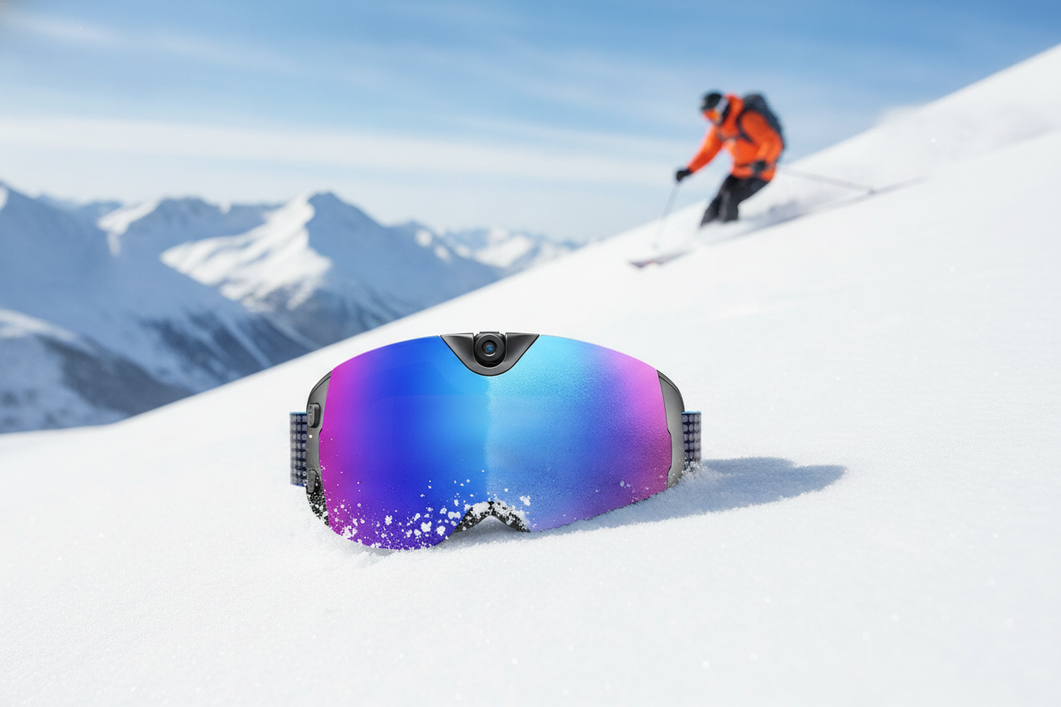
Richiedi un funzionamento deliberato e osservabile: chi indossa il dispositivo deve sapere quando il video o l'audio sono attivi e l'organizzazione deve testare tale comportamento in condizioni di lavoro reali. Le indicazioni sull'acquisizione sul luogo di lavoro descrivono gli occhiali smart come strumenti audio, fotografici e video a mani libere. Definisci i limiti della registrazione prima del progetto pilota, invece di dedurli dalla scheda del prodotto.
Rendi visibile lo stato della registrazione
Un segnale di registrazione è una verifica di approvvigionamento, non un avviso universale né una soluzione di conformità. Testa il modello esatto dalla normale posizione di chi lo indossa, in presenza di colleghi o clienti nelle vicinanze ove consentito e nelle condizioni di illuminazione e movimento previste durante il lavoro.
- Verifica se la spia di registrazione o altro segnale di stato è visibile e comprensibile.
- Testa i comandi previsti per avviare e interrompere la registrazione, inclusa la conferma dell'arresto.
- Prova gli scenari comuni di attivazione accidentale, come il contatto con il pulsante mentre si regolano gli occhiali o si maneggiano apparecchiature.
- Conferma che lo stato resti chiaro durante l'uso a mani libere, gli spostamenti, l'uso di dispositivi di protezione e il normale rumore sul luogo di lavoro.
Se il fornitore non documenta il posizionamento o il comportamento dell'indicatore, richiedi una dimostrazione e considera il risultato un elemento irrisolto del progetto pilota. Un indicatore tecnicamente presente può comunque essere difficile da vedere o interpretare. La discussione sui rischi per la privacy segnala l'acquisizione discreta di audio e video come una criticità sul luogo di lavoro; trasforma tale criticità in un test di visibilità, invece di sostenere che un qualsiasi indicatore soddisfi ogni requisito applicabile.

Separa i controlli audio da quelli video
L'approvazione del video non risponde automaticamente alla questione dell'audio. Valuta il microfono come modalità di acquisizione separata, con attivazione, disattivazione, feedback e valutazione secondo le policy propri.
Chiedi se l'audio può essere disabilitato mentre il video resta disponibile, come chi indossa il dispositivo sa che l'audio è attivo, se i comandi vocali possono avviare l'acquisizione e cosa accade quando il dispositivo si connette a un telefono o a un'app. Testa l'attivazione audio intenzionale e involontaria, il comportamento all'interruzione e il feedback sullo stato in un ambiente rappresentativo. Sottoponi i risultati al processo di valutazione previsto dalle policy dell'organizzazione e condotto da personale qualificato; non prescrivere una regola unica per la registrazione audio in ogni ambiente di lavoro o luogo. Gli acquirenti possono consultare queste considerazioni sulla registrazione audio per ulteriori informazioni, ma un articolo informativo non sostituisce una valutazione specifica dell'organizzazione.
Controlla dove vengono archiviate e trasferite le registrazioni
Una registrazione non è sotto controllo semplicemente perché inizia sugli occhiali. L'approvazione dovrebbe attendere finché il team non riesce a mappare ogni posizione, dall'acquisizione ai dispositivi associati, alle destinazioni del trasferimento, ai backup, alle copie per la revisione e all'eliminazione, e a testare cosa accade quando la connettività o una fase del trasferimento non riescono.
Verifica la memoria locale e le copie temporanee
Distingui la capacità dichiarata dalla possibilità di controllo. I materiali relativi a un modello selezionato possono indicare la memoria integrata e il trasferimento diretto a un computer o telefono, ma queste caratteristiche non dimostrano la presenza di crittografia, autorizzazioni, comportamento del cloud, ambito di eliminazione o gestione sicura nella tua configurazione. Verifica il modello esatto, il firmware, l'app associata, la configurazione dell'account e la destinazione.
| Posizione di archiviazione | Cosa verificare | Implicazioni per l'approvvigionamento |
|---|---|---|
| Occhiali | Posizione dei file, comportamento della capacità, denominazione, rimozione, ripristino e acquisizione offline | Conferma chi può recuperare o rimuovere i file di origine e cosa rimane dopo la riassegnazione. |
| Telefono o computer associato | Cartelle dell'app, anteprime, download, cache e associazione all'account | Identifica le copie locali e verifica se il ruolo approvato può controllarle. |
| Supporti rimovibili, se supportati | Metodo di esportazione, gestione fisica e processo di riutilizzo o smaltimento | Tratta le copie rimovibili come risorse separate con un responsabile assegnato. |
| Archiviazione temporanea o per trasferimenti non riusciti | File ritentati, file parziali, code offline e ripristino dagli errori | Non approvare finché non sia possibile individuare e gestire le copie non riuscite e residue. |
Documenta anche il sistema di destinazione, i backup, i file esportati e i percorsi di revisione condivisi, anche quando si trovano al di fuori degli occhiali stessi. Se il percorso esatto dei dati non è documentato, considera il comportamento dell'archiviazione e delle copie temporanee un ostacolo irrisolto all'approvvigionamento, invece di definire sicuro il flusso di lavoro.
Traccia il flusso di trasferimento
Usa una registrazione di prova e seguila dall'acquisizione alla ricezione approvata. L'obiettivo è verificare il passaggio e gli stati di errore, non semplicemente dimostrare che un file può essere spostato una volta.
- Acquisisci un file di prova chiaramente etichettato nell'ambiente di lavoro previsto.
- Trasferiscilo attraverso il percorso manuale o automatico pianificato e identifica l'account o il ruolo che esegue il trasferimento.
- Conferma la destinazione approvata, l'identità del file, il controllo di integrità utilizzato dal team e il segnale di completamento.
- Ripeti la prova senza connettività, con un trasferimento interrotto e con un nuovo tentativo; registra dove compaiono file parziali o duplicati.
- Controlla gli occhiali, il dispositivo associato, le cartelle temporanee, la destinazione e i backup per individuare copie residue. Documenta chi può rimuovere o limitare ciascuna di esse.
La funzionalità pubblicizzata di trasferimento diretto di un modello può essere un utile input di prova, ma non dimostra che l'intero percorso sia sotto controllo. Usa la raccolta occhiali per la registrazione del lavoro solo come percorso di consultazione; verifica il comportamento tecnico nella documentazione aggiornata del modello e durante il progetto pilota.
Definisci l'accesso e la conservazione prima dell'approvazione
L'organizzazione dovrebbe decidere chi può visualizzare, esportare, condividere, modificare o eliminare una registrazione prima di iniziare l'acquisizione ordinaria. La conservazione dovrebbe seguire lo scopo aziendale documentato, i requisiti interni applicabili e la responsabilità per ogni singola copia, non un numero universale di giorni o il comportamento predefinito di archiviazione del dispositivo.
Limita l'accesso per ruolo e azione
Considera l'accesso come un insieme di autorizzazioni separate. Chi può esaminare un file potrebbe non aver bisogno dell'autorizzazione per esportarlo, modificarne i metadati, condividerlo, eliminarlo o amministrare il software connesso.
| Azione | Ruolo approvato da prendere in considerazione | Domanda di verifica |
|---|---|---|
| Visualizza | Revisore assegnato o responsabile del team | È possibile limitare la visualizzazione alla destinazione e agli utenti previsti? |
| Trasferisci o esporta | Responsabile dell'acquisizione o dei record | Quale account sposta il file e il passaggio è registrato? |
| Condividi | Revisore designato o responsabile del caso | È possibile limitare e approvare la condivisione esterna o più ampia? |
| Modifica i metadati | Amministratore dei record o del sistema | È possibile identificare le modifiche e chi può apportarle? |
| Elimina | Responsabile autorizzato del ciclo di vita | L'eliminazione copre l'origine, la destinazione, le esportazioni e le copie? |
| Amministrare le impostazioni | Amministratore IT o della sicurezza | È possibile modificare impostazioni e autorizzazioni senza revisione? |
Verifica cosa espongono effettivamente l'app connessa e la destinazione: ruoli degli account, controlli delle autorizzazioni, cronologia delle attività, limitazioni all'esportazione, gestione dei metadati e amministrazione. Se tali controlli sono assenti o poco chiari, registra la lacuna e limita il progetto pilota invece di presumere che il dispositivo erediti la sicurezza di un altro sistema.
Imposta gli eventi di conservazione e di eliminazione
Non partire da un'impostazione predefinita del dispositivo. Parti dallo scopo lavorativo e definisci l'evento che modifica lo stato della registrazione, come il completamento di una revisione del servizio, una decisione operativa documentata o il trasferimento a un sistema di archiviazione approvato. Il responsabile della policy deve determinare la regola applicabile e le eccezioni.
- Definisci lo scopo aziendale di ogni tipo di registrazione.
- Identifica l'evento che attiva la conservazione e il responsabile che lo conferma.
- Elenca ogni copia, inclusi file di origine, trasferimenti, backup, esportazioni, copie per la revisione e residui di trasferimenti non riusciti.
- Testa la scadenza ordinaria, l'eliminazione manuale, il ripristino o la riassegnazione del dispositivo e l'eliminazione dopo un trasferimento non riuscito.
- Documenta le eccezioni, incluse contestazioni, richieste di revisione, conservazioni interne o un risultato di eliminazione non risolto.
Un comando di eliminazione su un dispositivo potrebbe non rimuovere le copie presenti altrove. Non affermare che la sola eliminazione risolva gli obblighi legali, normativi, contrattuali o di e-discovery; sottoponi tali questioni ai revisori qualificati dell'organizzazione e documenta la decisione.
Allinea il progetto pilota a policy, formazione e revisione
Un progetto pilota controllato richiede un caso d'uso definito, limiti approvati, utenti formati, registri del flusso di lavoro conservati e un responsabile designato che possa sospendere l'implementazione quando un controllo ad alto rischio non funziona. Il contesto delle policy sul luogo di lavoro raccomanda standard chiari per le registrazioni, allineati alle policy esistenti, ma ogni organizzazione deve definire il proprio iter di revisione.
Mappa le funzionalità del dispositivo rispetto al caso d'uso
Mantieni una funzionalità nel progetto pilota solo quando soddisfa un'esigenza lavorativa documentata. Confronta le impostazioni esatte e il flusso di lavoro in ambienti rappresentativi invece di affidarti a una scheda tecnica.
- Controlli di registrazione e comportamento dell'audio
- Archiviazione locale, trasferimento e ripristino
- Controlli di accesso, condivisione e amministrazione
- Timestamp e altri metadati
- Vincoli relativi a batteria, calore, connettività e uso offline
- Procedure per dispositivi smarriti, ripristinati, riassegnati e per la gestione degli incidenti
Ad esempio, un team di assistenza sul campo potrebbe aver bisogno di immagini a mani libere ma non dell'audio; un team di manutenzione potrebbe aver bisogno della cattura offline e di un trasferimento successivo definito; un flusso di lavoro presso la sede del cliente potrebbe richiedere una decisione separata sulle aree soggette a restrizioni. Si tratta di condizioni diverse per il progetto pilota, anche quando si prendono in considerazione gli stessi occhiali.
Forma gli utenti e assegna la responsabilità della revisione
La formazione dovrebbe riguardare lo scopo approvato della registrazione e le azioni che gli utenti devono intraprendere quando il flusso di lavoro cambia. Includi i controlli dello stato prima della cattura, la registrazione accidentale, i dispositivi smarriti o danneggiati, la conferma del trasferimento, le richieste di condivisione e l'escalation quando il dispositivo si comporta diversamente dal risultato del test.
Assegna un responsabile del completamento della formazione, un revisore dei risultati e delle eccezioni del progetto pilota e un chiaro percorso di escalation per le questioni relative a IT, sicurezza, operations e policy. Stabilisci una condizione di arresto, ad esempio una copia residua non spiegata, uno stato di registrazione poco chiaro o un test di accesso fallito, in modo che gli utenti non improvvisino una soluzione alternativa durante il lavoro dal vivo.
Documenta i controlli dei timestamp e della catena di custodia
Considera i timestamp e i registri dei passaggi come questioni di tracciabilità del flusso di lavoro, non come prova automatica della validità legale delle evidenze. Decidi cosa richiede lo scopo aziendale dichiarato: l'identità del dispositivo o dell'utente, l'ora della cattura, l'ora del trasferimento, l'identificativo del file, la destinazione e ogni passaggio documentato possono essere rilevanti, ma l'organizzazione deve scegliere cosa conservare e come proteggerlo.
Testa se i timestamp e i metadati possono essere conservati, esportati, modificati o persi durante il trasferimento, la conversione, il ripristino o la modifica. Registra il risultato, il responsabile e qualsiasi limitazione. Se l'uso previsto comporta la gestione formale delle prove, sottoponi la decisione all'appropriata revisione interna o professionale, invece di promettere che gli occhiali smart stabiliscano autonomamente la catena di custodia.
Esegui un gate di approvvigionamento prima dell'approvazione
Usa un gate documentato e basato sullo scenario, non una classifica della risoluzione della fotocamera o del numero di funzioni. Separa il comportamento verificato, le dichiarazioni del fornitore, le decisioni di policy interne e le questioni irrisolte, quindi richiedi l'approvazione degli stakeholder prima di estendere l'uso oltre il progetto pilota.
- Definisci lo scenario di lavoro, i luoghi, gli utenti, lo scopo e i limiti approvati per la cattura.
- Testa gli indicatori di registrazione, il comportamento all'avvio e all'arresto, l'attivazione accidentale e i controlli audio separati.
- Mappa l'archiviazione locale, le copie sui dispositivi associati, i file temporanei, le destinazioni, i backup e gli errori di trasferimento.
- Verifica i ruoli di accesso, le azioni di esportazione e condivisione, i criteri di conservazione, l'ambito della cancellazione e la responsabilità delle eccezioni.
- Controlla i timestamp, gli identificativi dei file, i registri dei trasferimenti, il comportamento dei metadati e qualsiasi documentazione sul passaggio di consegne richiesta dal caso d'uso.
- Forma gli utenti del progetto pilota e registra il completamento, gli incidenti, le deviazioni e i risultati delle escalation.
- Contrassegna ogni controllo come superato, non superato o irrisolto, indicando un responsabile, il risultato del test a supporto e l'azione successiva.
- Ottieni l'approvazione formale dai responsabili delle operazioni, dell'IT o della sicurezza e delle policy.
- Decidi se espandere, limitare o rifiutare l'implementazione. Se un controllo ad alto rischio rimane non verificato, sospendi l'approvazione o limita il progetto pilota finché il responsabile non risolve la lacuna.
Quando il controllo è completato, gli acquirenti possono confrontare le opzioni per la sicurezza e la raccolta di prove con i requisiti documentati. Possiamo aiutarti a esaminare le opzioni pertinenti per la registrazione lavorativa o orientate alla sicurezza, ma nessun modello collegato dovrebbe essere considerato sicuro, conforme o legalmente idoneo finché la tua revisione della documentazione e il progetto pilota non supportano tale decisione. Per la registrazione lavorativa con smart glass, la decisione di acquisto dovrebbe seguire questo controllo documentato, non basarsi soltanto sulle specifiche del prodotto.
Domande frequenti
Le domande seguenti riguardano i confini delle aree, i metadati del flusso di lavoro, i test pilota e la revisione degli aggiornamenti. Aggiungono verifiche che integrano le sezioni precedenti sull'approvvigionamento.
È possibile usare gli smart glass nelle aree di lavoro soggette a restrizioni?
Possibilmente. Esamina ogni luogo e caso d'uso, inclusi gli spazi controllati dai clienti e le operazioni sensibili, quindi definisci esclusioni, formazione e approvazione interna prima dell'ingresso.
Quali metadati dovrebbe conservare un flusso di lavoro per la registrazione lavorativa?
Individua i campi necessari allo scopo lavorativo, come utente o dispositivo, ora di acquisizione, identificativo del file, destinazione e passaggio di consegne. Verifica se la configurazione li conserva e se consente di modificarli.
Come dovrebbe testare un team gli smart glass prima di un progetto pilota sul posto di lavoro?
Usa scenari rappresentativi normali, accidentali, offline, di trasferimento non riuscito, di accesso, cancellazione e dispositivo smarrito. Assegna un responsabile a ogni risultato irrisolto e registra una decisione di espandere, limitare o rifiutare.
Cosa dovrebbero chiedere gli acquirenti sugli aggiornamenti delle app e del firmware?
Chiedi se gli aggiornamenti possono essere preparati o ripristinati e quali test di acquisizione, trasferimento, autorizzazioni, metadati, ripristino e cancellazione debbano essere ripetuti in seguito.



Lascia un commento
Questo sito è protetto da hCaptcha e applica le Norme sulla privacy e i Termini di servizio di hCaptcha.