
























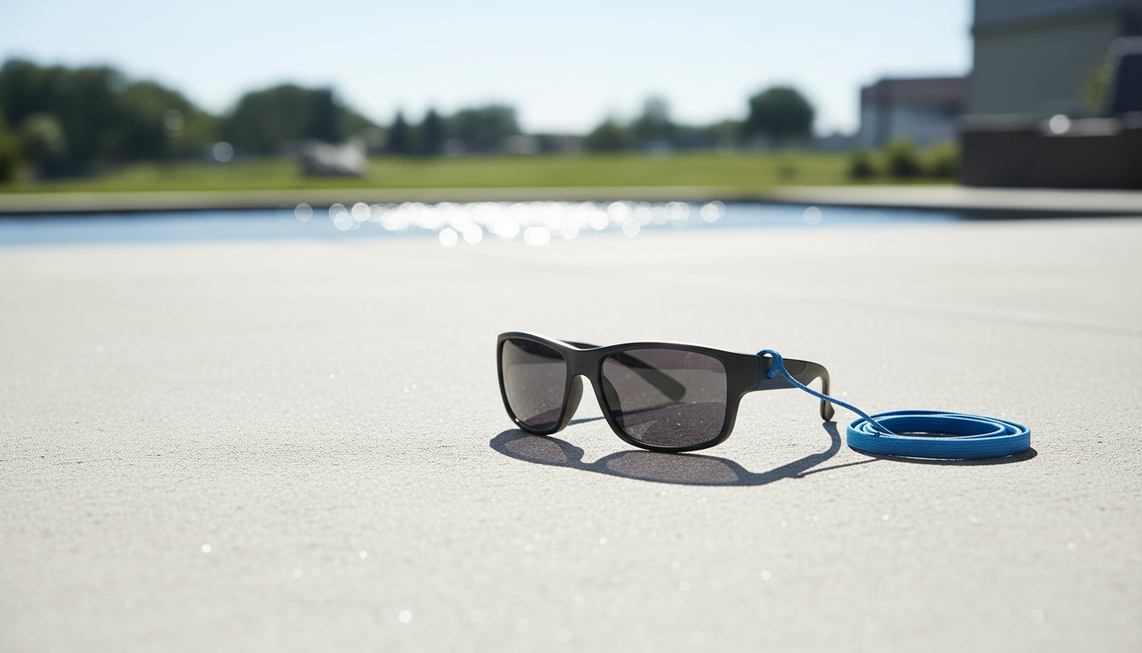
Les lunettes caméra polarisées peuvent réduire certains reflets perçus par le porteur, notamment autour de l’eau, de la neige, du verre ou des surfaces claires. Elles ne garantissent pas une vidéo correctement exposée ni moins délavée. Commencez par modifier un seul angle ou une seule position, enregistrez une courte séquence comparative, puis examinez le fichier enregistré. La comparaison peut montrer si la position de la scène joue un rôle, mais elle ne permet pas à elle seule de distinguer toutes les causes possibles.
Commencez par un court test d’angle et de position
Si la vidéo de vos lunettes caméra paraît délavée en plein soleil, gardez les lunettes, le sujet et l’activité identiques. Modifiez uniquement votre angle ou votre position afin que les reflets directs et la partie la plus lumineuse du ciel soient moins présents dans la vue vers l’avant. Lorsque c’est possible, déplacez-vous légèrement, tournez le sujet à l’écart d’une surface réfléchissante ou incluez moins de ciel lumineux dans le cadre.
Enregistrez une courte séquence depuis la position d’origine, puis une autre depuis la nouvelle position. Examinez les deux séquences enregistrées au lieu de vous fier uniquement à l’aspect de la scène à travers les verres. La comparaison des fichiers montre si le cadrage de la caméra a changé lorsque la géométrie de la scène a changé.

Les conseils d’Adobe sur l’histogramme recommandent de vérifier si les zones claires sont écrêtées et de recadrer lorsqu’une scène incontrôlée affecte l’image. Dans ce cas, utilisez la comparaison comme indice pratique, et non comme garantie de correction de l’exposition.
Si la deuxième séquence est meilleure, gardez cette position comme solution temporaire. Ne concluez pas uniquement à partir de ce test que l’objectif a échoué ou fonctionné. Si la séquence semble essentiellement identique, passez à la question suivante : la gêne est-elle visible uniquement à travers les verres, ou apparaît-elle également dans le fichier enregistré ?
Distinguez les reflets perçus par le porteur de la surexposition de la caméra
Une première étape utile consiste à comparer ce que vous voyez à travers les lunettes avec la vidéo enregistrée. La comparaison peut indiquer des reflets du côté du porteur, des reflets enregistrés, des hautes lumières écrêtées, un contre-jour ou un faible contraste, mais elle ne constitue pas à elle seule un diagnostic définitif.
Les verres polarisés peuvent réduire certains reflets perçus par le porteur dans les scènes réfléchissantes, mais l’effet varie selon la surface, l’angle de vue et la position du soleil. Cette explication des verres polarisés confirme uniquement un avantage contre les reflets du côté des verres. Elle n’établit pas une meilleure exposition ni un meilleur contraste dans la vidéo enregistrée par la caméra.
Utilisez le fichier enregistré pour classer ce que vous voyez :
| Observation | Commencez par | Vérification suivante |
|---|---|---|
| Les reflets apparaissent uniquement à travers les verres | Reflets perçus par le porteur | Vérifiez la surface réfléchissante, l’angle de vue et la position du soleil avant de juger l’enregistrement. |
| Les reflets apparaissent dans le fichier enregistré | Reflet enregistré | Recadrez ou changez de position pour réduire le reflet ; la polarisation seule ne prouve pas qu’il disparaîtra du fichier. |
| Les zones claires paraissent blanches et ont perdu leurs détails | Écrêtage des hautes lumières ou exposition | Arrêtez-vous sur la zone claire. Les conseils d’Adobe sur les hautes lumières et les ombres distinguent la perte de détails dans les hautes lumières d’une image généralement plate. |
| Le sujet est sombre sur un ciel lumineux | Contre-jour ou cadrage | Testez une position avec un arrière-plan moins lumineux ou un éclairage plus uniforme sur le sujet. |
| L’image paraît plate, mais les zones claires conservent leurs détails | Faible contraste | Considérez le résultat comme un problème de contraste plutôt que de qualifier la séquence de surexposée. |
La transmission des verres constitue une autre vérification du côté du porteur. Un verre peut modifier la lumière et les reflets qui atteignent vos yeux, tandis que la caméra enregistre en fonction de la lumière et de la scène qui atteignent son capteur. La définition de l’exposition par Adobe décrit l’exposition comme la quantité de lumière qui atteint le capteur de la caméra. Ne considérez pas les lunettes de soleil comme un contrôle automatique de l’exposition pour une caméra intégrée distincte.
Corrigez le cadrage et la lumière avant de changer les verres
Après le test d’angle, ajustez la scène avant de remplacer les verres. Commencez par réduire la quantité de ciel lumineux, d’eau, de neige, de verre ou de surface claire qui remplit le cadre. Si un reflet ou une zone lumineuse domine le fichier enregistré, une petite modification du cadrage peut avoir plus d’importance qu’une autre désignation de verre.
Ensuite, testez une séquence comparable à l’ombre ouverte ou avec une autre relation entre le soleil et le sujet. Gardez le sujet et l’activité aussi similaires que possible afin que la modification de la lumière reste utile. Si le sujet est sombre sur un arrière-plan lumineux, essayez de lui fournir un éclairage plus uniforme avant de décider que les lunettes caméra ne conviennent pas.
Effectuez une seule modification à la fois, puis examinez la séquence enregistrée. Arrêtez-vous sur les zones claires et vérifiez si elles conservent leurs détails. Cela aide à distinguer un reflet, une haute lumière écrêtée ou une image plate, au lieu de considérer chaque résultat pâle comme une surexposition. Un changement de position peut isoler une condition contributive de la scène, mais il ne constitue pas une solution garantie pour tous les modèles de lunettes caméra.
Si le modèle documente des réglages liés à l’exposition, utilisez uniquement ces réglages et suivez les instructions du modèle. Ne déduisez pas un réglage de la teinte des verres, de la mention de polarisation ou de la résolution. La polarisation peut modifier la vision du porteur dans certaines conditions réfléchissantes, mais elle ne permet pas de contrôler l’exposition de la caméra.
Si aucune modification contrôlée n’améliore le fichier enregistré, capturez un échantillon représentatif pendant l’activité où le problème se produit. Comparez-le aux séquences précédentes avant de changer les verres.
Choisissez des lunettes caméra polarisées pour le bon usage extérieur
Les lunettes caméra polarisées peuvent être pertinentes lorsque les reflets dans le champ de vision du porteur sont gênants pendant des activités près de l’eau, de la neige, du verre ou d’une surface claire, et lorsque la monture convient à l’activité mains libres. Elles ne constituent pas une solution garantie contre les vidéos délavées. Choisissez les verres en fonction des besoins du porteur, puis évaluez séparément les fonctionnalités de la caméra et son comportement documenté.
Avant l’achat, vérifiez la désignation exacte des verres, les commandes de la caméra documentées pour ce modèle, la manière dont les fichiers sont consultés ou transférés, ainsi que l’adaptation aux activités de cyclisme, de randonnée, de pêche, de voyage ou à toute autre activité prévue. Lorsque c’est possible, recherchez des séquences d’exemple tournées dans des scènes comparables en plein soleil ou avec des surfaces réfléchissantes. Une mention de résolution ou de polarisation décrit une fonctionnalité ; ce n’est pas un test des performances en plein soleil.
La fiche du modèle Brave mentionne des verres polarisés UV400, des vidéos en 4K/30 fps et des photos de 24 MP. Il s’agit de caractéristiques produit indiquées, et non d’une preuve que les séquences sont correctement exposées, sans reflets, plus contrastées ou moins délavées. Si ces caractéristiques de verres et d’enregistrement correspondent à votre usage, consultez les détails des lunettes caméra polarisées Brave. Lorsque c’est possible, enregistrez votre propre courte séquence dans une scène extérieure comparable avant de vous fier aux lunettes pour un usage précis. Si des séquences d’exemple comparables sont disponibles, considérez-les comme une référence supplémentaire, et non comme une garantie de performances.
La décision pratique est simple : choisissez la polarisation lorsque la réduction des reflets du côté du porteur est importante, mais exigez un comportement de caméra propre au modèle et des tests adaptés à la scène pour évaluer le résultat enregistré. Si vous dépannez une paire existante, répétez le test d’angle avec une seule modification pendant l’activité où les séquences échouent, avant d’acheter un autre modèle.
Questions fréquentes
Pourquoi la vidéo de mes lunettes caméra paraît-elle délavée au soleil ?
Arrêtez la séquence enregistrée sur sa zone la plus lumineuse. La perte de détails indique des hautes lumières écrêtées, tandis que des détails conservés dans une image d’aspect plat indiquent un faible contraste. Utilisez cette observation pour choisir la prochaine modification de scène ou de cadrage.
Les lunettes caméra polarisées fonctionnent-elles en plein soleil ?
Elles peuvent convenir lorsque les reflets gênent le porteur autour de l’eau, de la neige, du verre ou des surfaces pavées. Cet avantage des verres n’établit pas que la vidéo sera correctement exposée ou moins délavée ; évaluez donc séparément une séquence enregistrée représentative.
Les lunettes de soleil influencent-elles l’exposition de la caméra ?
Pas automatiquement. Les lunettes de soleil peuvent modifier ce que voit le porteur, tandis que la caméra intégrée enregistre la lumière qui atteint son capteur. Comparez le fichier enregistré avec la vue à travers les verres avant d’attribuer la cause aux verres.
Les lunettes caméra sont-elles adaptées aux enregistrements en extérieur ?
Elles peuvent convenir aux enregistrements extérieurs mains libres lorsque la monture s’adapte à l’activité et que le fonctionnement de la caméra correspond à la manière dont vous prévoyez d’utiliser les fichiers. Pour les scènes lumineuses ou réfléchissantes, utilisez des séquences d’exemple comparables lorsqu’elles sont disponibles, ou enregistrez vous-même un court échantillon avant de vous fier à la paire.


Laisser un commentaire
Ce site est protégé par hCaptcha, et la Politique de confidentialité et les Conditions de service de hCaptcha s’appliquent.