
























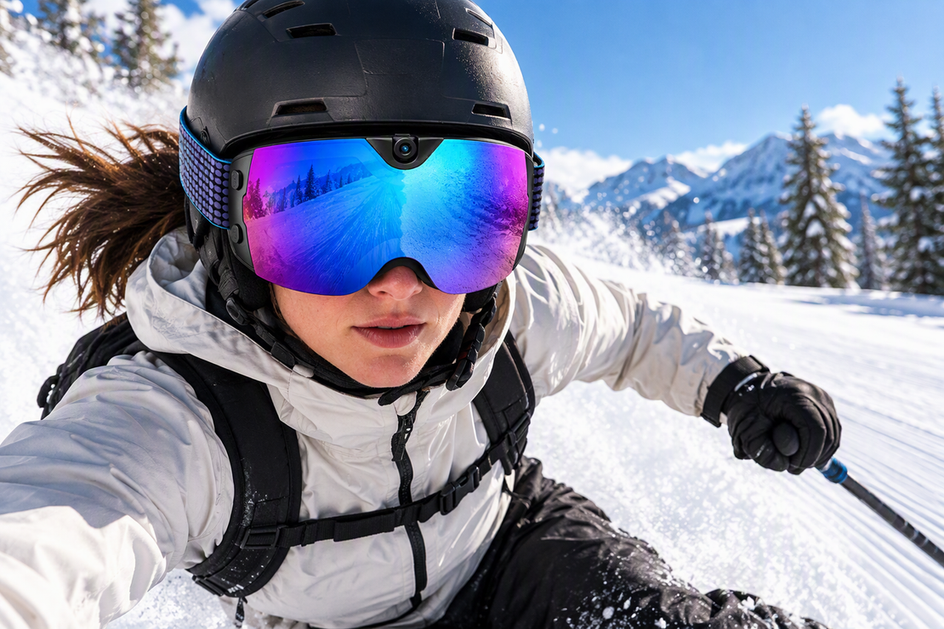
If your goggles with camera turn every fast run into a wall of rumble, start by finding the microphone opening and checking the airflow around it instead of taping over anything. Fix your helmet, strap, and face-covering fit first, since a loose edge can redirect wind straight at the mic. Then apply only the wind protection or recording settings your exact model documents, and test one change at a time before committing to a full-speed run.
This sequence reduces wind buffeting on camera-equipped ski goggles; it does not promise studio-clean dialogue once you're carving at full speed.
Use a Model-Compatible Wind-Noise Workflow Before a High-Speed Run
The safest sequence moves from diagnosis to protection to testing, and equipment safety stays non-negotiable at every step. Reviewing verified smart snow goggles specs before buying or riding helps you confirm microphone placement and supported accessories, so skip any step you can't verify for your exact model and treat covering an unknown opening as the wrong shortcut.
Find the Microphone and Trace the Airflow
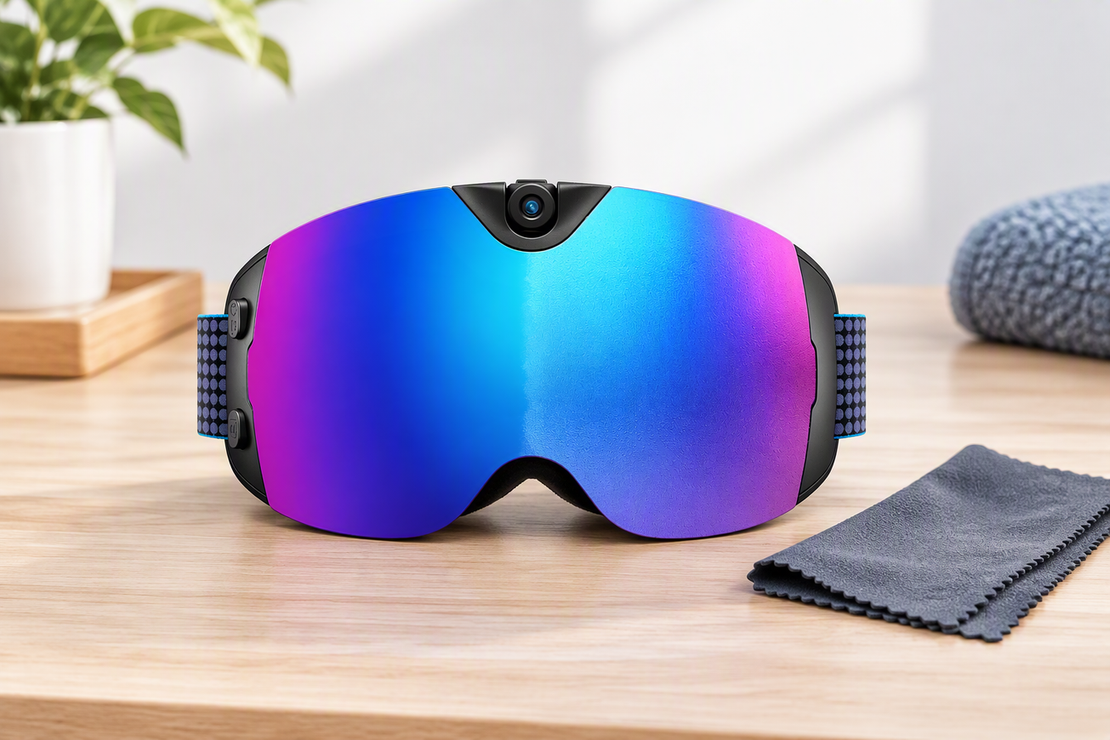
Microphone placement differs by model, so check your manual, companion app, or support page before you touch anything near the lens or frame. With the goggles off your face, look closely at the opening and the surface around it: is it a flush port, a small grille, or a recessed slot? Note which direction wind would naturally hit it when you're leaning into a downhill line.

Don't mistake a vent, indicator light, or button for the microphone. Camera-equipped ski goggles and snow goggles with camera features often pack several small openings close together, and covering the wrong one can block airflow, a control, or your field of view without touching the noise problem at all.
Fix Fit and Surrounding Gear First
Test the complete setup you actually ride in, not the goggles alone. Put on your helmet, goggles, strap, and any balaclava or face mask together, since that worn combination is what creates the airflow the microphone picks up. A loose strap, a helmet edge sitting slightly off the goggle frame, or a folded face covering can funnel extra turbulence directly at the mic even when the goggles themselves are fine.
Make any fit adjustment while you're standing still, off the lift line and off the run. According to NSAA helmet safety guidance, responsible riding and correctly fitted safety gear come first, so return your helmet and goggles to their normal, secure fit before you head back out to test audio changes.
Add Only Documented Wind Protection or Audio Filtering
Wind hitting a microphone usually registers as a low, rumbling bass sound rather than a sharp noise, and that rumble is what wind protection is built to tame. Shure's technical guidance on how wind creates rumble explains that cutting extreme low frequencies electronically, or adding an aerodynamic open-cell foam or soft artificial-fur cover, can reduce the turbulence noise reaching a mic when the shape and material suit that specific microphone.
None of that means any foam or fur scrap will work on your goggles. Only use a cover the goggle maker documents as compatible, sized, and placed for your exact microphone opening; skip improvised packaging foam or adhesive patches on an opening you haven't confirmed. If your model lists a low-cut or wind-reduction recording setting, that's worth testing too, but don't assume every camera-equipped pair has one just because it records audio.
Test One Change Before a Representative Run
Record a short clip at low speed using the exact helmet, face covering, and camera orientation you plan to ride with, then repeat the same clip at a speed closer to your usual downhill pace. Judge the two clips on two separate questions: can you still understand speech, and do you still hear the skis or board carving through snow? A quieter recording that flattens both isn't automatically the better one.

Change only one variable between tests, whether that's a strap adjustment, a documented cover, or a settings toggle, so you know what actually helped. Before you press record, it also helps to confirm your goggles are actually in the mode you think they're in; our camera controls with gloves routine walks through checking recording status with gloved hands so a false start doesn't waste your test run. Once you have a clip you're happy with, keep that change. If the same setup still distorts speech at representative speed, revert the change and treat it as a limit of that microphone rather than a reason to keep stacking material on the goggles.
FAQs
Can I cover the microphone on my camera ski goggles with foam or fur?
Only when your exact goggle model's manual or support documentation permits a windscreen and specifies where it goes. A properly sized, aerodynamic open-cell foam or short artificial-fur cover can reduce turbulence noise, but an improvised or oversized cover can block the opening entirely or interfere with fit. Check the manual before you cover anything.
Can a recording setting reduce wind noise without covering the microphone?
If your model documents a low-cut or wind-reduction recording control, you can test it as an alternative to a physical cover. Record comparable clips with the setting off and on, and judge speech clarity and snow sounds separately rather than just checking whether the clip sounds quieter. Not every camera-equipped goggle offers this control, so confirm it exists for your model before relying on it.
Why is my goggle audio still distorted during fast runs after I make adjustments?
If a documented, one-change-at-a-time adjustment still leaves dialogue distorted at your normal downhill speed, that likely reflects the built-in microphone's practical limit for your setup rather than a problem more foam or filtering will fix. Revert any change that didn't help, and contact the goggle manufacturer's support for model-specific options instead of continuing to add unverified materials.
Wrapping Up
Cutting wind noise on camera-equipped ski goggles comes down to a sequence: locate the microphone, fix your fit and surrounding gear, add only documented protection or settings, and test at real speed before you trust the result. Treat persistent distortion at full speed as a signal to stop modifying and check with the manufacturer, not as proof you need a bigger cover. Used this way, the workflow gets you closer to usable dialogue and snow sound without compromising your helmet fit or safe riding.



Dejar un comentario
Este sitio está protegido por hCaptcha y se aplican la Política de privacidad de hCaptcha y los Términos del servicio.