
























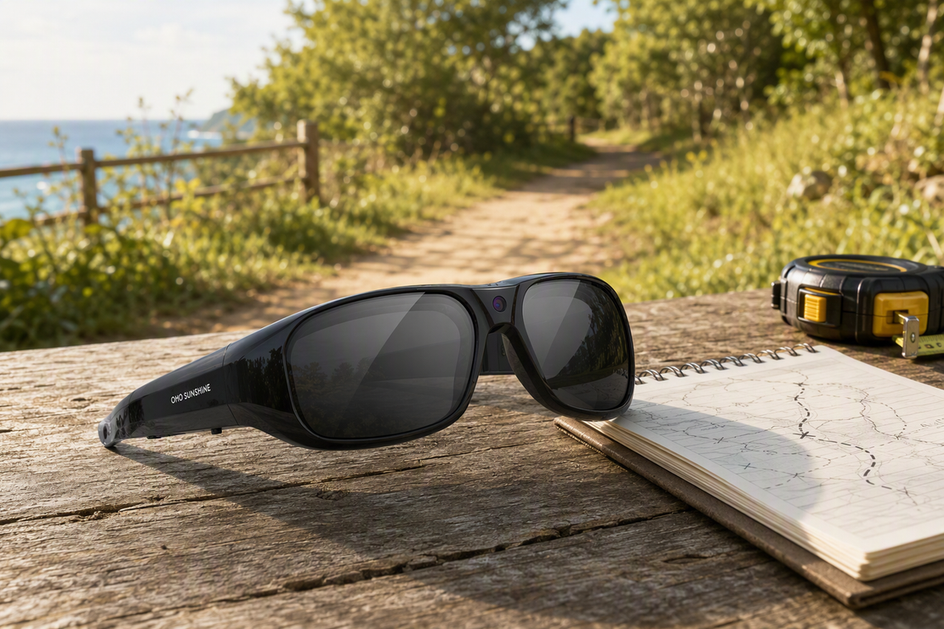
Camera glasses often advertise electronic image stabilization, or EIS, as a way to smooth footage during walking, head turns, or casual recording. But the label alone does not tell you how a specific pair will actually perform. This guide explains what EIS does, where it helps, and where it falls short. You will also find a simple, repeatable test you can run before buying, so your decision is based on real footage rather than marketing claims.
What EIS Does in Camera Glasses
Electronic image stabilization, or EIS, works by watching for small camera movements and then electronically shifting the image content to cancel them out. The result can be a steadier-looking clip, especially during ordinary walking or casual movement. This is a mechanism explanation, not a performance claim about any specific pair of camera glasses.

EIS does not move a lens or sensor. It processes the image after the camera captures it, using motion data to figure out how much the frame shifted and then correcting for that shift in the saved or previewed video. EIS detects small camera movements and shifts image content to reduce visible shake, which is why it can help with the kind of shake that comes from a moving head or body rather than a shaking optical assembly.
That mechanism explains what EIS is built to do, but it does not tell you how well a particular product performs. An EIS label does not guarantee identical results across devices and camera configurations, because implementations vary in sensor quality, correction strength, and how they handle different kinds of motion. Two products can both say "EIS" and still produce noticeably different footage. That gap is exactly why the tests later in this article matter more than the spec sheet.
What EIS Can Smooth—and What It Cannot Correct
EIS can help with small, everyday camera movement, but it is not a universal fix. Knowing where the line falls keeps you from judging a pair of camera glasses on the label alone.
Where EIS May Help
EIS is built for small, unintentional movement: the bounce of a walking stride, minor hand shake, or the slight sway of your head while standing still. In these cases, electronic correction can reduce visible shake enough to make the clip easier to watch straight through, instead of feeling jerky. How much it helps still depends on the specific model, how fast you are moving, and the lighting and recording settings at the time. A model that looks smooth in bright daylight at a slow walk is not automatically smooth in dim light or at a faster pace.
Where EIS Is Not a Guarantee
EIS should not be treated as a promise of a perfectly level horizon, zero shake, or artifact-free footage. Sudden movement, quick direction changes, or high-frequency shake, such as jogging or a bumpy ride, may be harder to smooth than ordinary movement. EIS can help with small, ordinary movement, but sudden or extreme movement may still produce visible shake or artifacts. Because correction can also crop or shift the frame, treat cropping, edge behavior, and any warping near the borders as things to inspect in the saved file, not outcomes you can assume in advance. A useful EIS cropping-effect diagram would show the original frame beside a corrected frame, without implying a fixed crop amount.
EIS vs. Unstabilized Footage: What to Compare
The real choice is not "EIS or no EIS" in the abstract. It is whether smoother playback matters more to you than an unprocessed, wide baseline view. EIS footage may trade some framing margin for reduced shake; unstabilized footage keeps the original framing but leaves the camera's real movement visible.
| What to compare | EIS camera glasses | Unstabilized footage |
|---|---|---|
| Motion handling | Reduces visible shake from small, ordinary movement during walking or casual POV capture | Preserves the camera's actual movement, including shake and bounce |
| Framing and edges | May shift or crop the frame to correct motion, so field of view and edges can change | Keeps the original framing with no electronic adjustment |
| Best use in your test | Judge for ordinary walking, hands-free recording, or casual POV use | Use as a control clip to see what the camera captures before correction |
Electronic stabilization may shift or crop image content, so inspect framing as well as smoothness, which is the main reason a side-by-side comparison beats reading a spec sheet. If reducing distracting shake during normal movement is your priority, EIS footage is the more useful clip to judge. If you need to see the camera's true, unprocessed movement first, whether as a baseline or because a wide, unaltered view matters more to you, the unstabilized clip is the better reference. A useful comparison shot would show stabilized and unstabilized footage from the same scene and viewpoint. Our guide on image stabilization for walking video walks through when this distinction changes the buying decision the most.
Set Up a Fair Camera-Glasses Stabilization Test
A fair test starts with matched conditions, not a single uncontrolled clip. If the route, lighting, or pace changes between clips, you cannot tell whether a difference in the footage came from stabilization or from the environment.
Pick a short, repeatable route, about 20 feet is enough, and walk it at your normal pace every time you record. Keep the camera position, recording mode, resolution, and lighting the same across every clip you compare. If you can record an EIS-off or unstabilized clip under the same conditions, do that; otherwise compare two candidate models on the identical route and movement. Save each file rather than judging from a live preview, and review them on a laptop or TV screen instead of a small phone display, since larger screens make jitter and framing changes easier to spot.

How to Test Camera-Glasses Stabilization Before You Buy
Once your conditions are matched, run three separate checks. Each one exposes a different kind of motion, so a model that looks smooth in one test can still struggle in another.
Walking Test
- Start from the same point and walk your marked route at your normal, natural pace.
- Keep the camera glasses level and let your arms move naturally, without deliberately holding your head still.
- Save the clip, then repeat with an unstabilized or alternate clip under the same conditions if you have one.
- Review the saved file for body bounce, small jitter, and whether the footage stays comfortable to watch for its full length.
Head-Turn Test
- Pick a fixed person, object, or point in the scene to follow.
- Turn your head left and then right toward that target, repeating the same motion two or three times at a controlled pace.
- Review the saved clip for how the view settles: a natural transition looks different from wobble, a visible delay, or an abrupt jump as the system corrects.
Horizon and Framing Test
- Frame a level reference, such as a doorframe, a shelf edge, or a straight building line, in the shot.
- Move and turn the way your intended use actually requires, whether that is a slow pan or a quicker glance.
- Inspect the center, the horizon line, and the edges of the frame for tilt, warping, delayed correction, or any noticeable loss of the view you expected to keep.
Our stable first-person video tips cover additional pacing and framing habits that make these three tests easier to judge consistently.
Use the table below as a simple way to log what you actually see, not a scored benchmark. Fill in your own notes for each scenario, then decide whether to keep testing, accept the result for ordinary POV use, or look elsewhere if your movement is more demanding than what you observed.
| Scenario | Observation to record | Next action |
|---|---|---|
| Walking | Note whether bounce and jitter are reduced and whether the clip remains comfortable to watch | Accept for ordinary POV use if the result suits your viewing needs; otherwise keep comparing |
| Head turns | Note whether the view settles naturally or shows wobble, delay, or abrupt transitions | Compare another clip or model if correction distracts from the subject |
| Horizon and framing | Note tilt, warping, edge behavior, and any framing change you did not expect | Choose only if the recorded composition still fits your intended use |
How to Use the Test Results to Choose Camera Glasses
Let your own footage, not the EIS label, make the final call. What you saw in the three tests should point you toward one of a few clear paths.
Match the Result to the Movement
For ordinary walking and casual POV recording, prioritize a clip that visibly cuts down distracting shake without an unacceptable loss of framing. For deliberate head turns, look for a natural, settled transition rather than wobble or a hard jump partway through the motion. If your recording need is more demanding, such as running, cycling on rough terrain, or fast action, do not assume the EIS label covers that use case just because it handled your walking test well. For extreme motion, choose only after reviewing footage from the actual model under matched conditions.
Where the Primex EIS Model Fits
If your priorities line up with ordinary walking, hands-free recording, or casual POV footage, our OHO SUNSHINE Primex EIS Camera Glasses-Ultra HD with Image Stabilizer & Photochromic Lenses combines Electronic Image Stabilization with a 2K Ultra HD built-in camera, a built-in microphone, photochromic lenses, and IPX4 water resistance. That feature match suits buyers seeking an EIS-labeled option for ordinary POV recording, but it does not show how well stabilization performs. Before buying, ask whether the seller can provide a sample clip recorded with the actual model under matched conditions. If no sample is available, treat the listing as a feature match and plan the three-part test only if you later have access to the glasses. If your priority is proven performance in extreme motion or a specific framing outcome, review actual recorded clips under matched conditions before you decide, rather than relying on the feature name alone.
FAQs
What is the difference between EIS and OIS in camera glasses?
EIS corrects shake electronically by detecting movement and shifting or cropping the image. OIS uses a different approach by physically moving a lens element or sensor to counter movement. They are different correction methods, so the label alone does not show which approach a particular model uses.
Can EIS fix extreme motion in camera glasses?
You should not depend on EIS to reliably correct extreme motion. It may handle some movement, but sudden or demanding motion can still leave shake, delay, or artifacts. If your use involves demanding movement, judge the actual recorded file from the walking, head-turn, and horizon tests rather than assuming the EIS label covers it.
Does EIS affect battery life in camera glasses?
There is no fixed, universal battery penalty tied to EIS across all camera glasses. If runtime matters for your use, check the specific model's documentation or compare matched recording sessions with and without stabilization enabled, where that option exists. We cannot attribute a specific battery effect to the Primex EIS model's stabilization feature from the facts we have.


Zostaw komentarz
Ta strona jest chroniona przez hCaptcha i obowiązują na niej Polityka prywatności i Warunki korzystania z usługi serwisu hCaptcha.