
























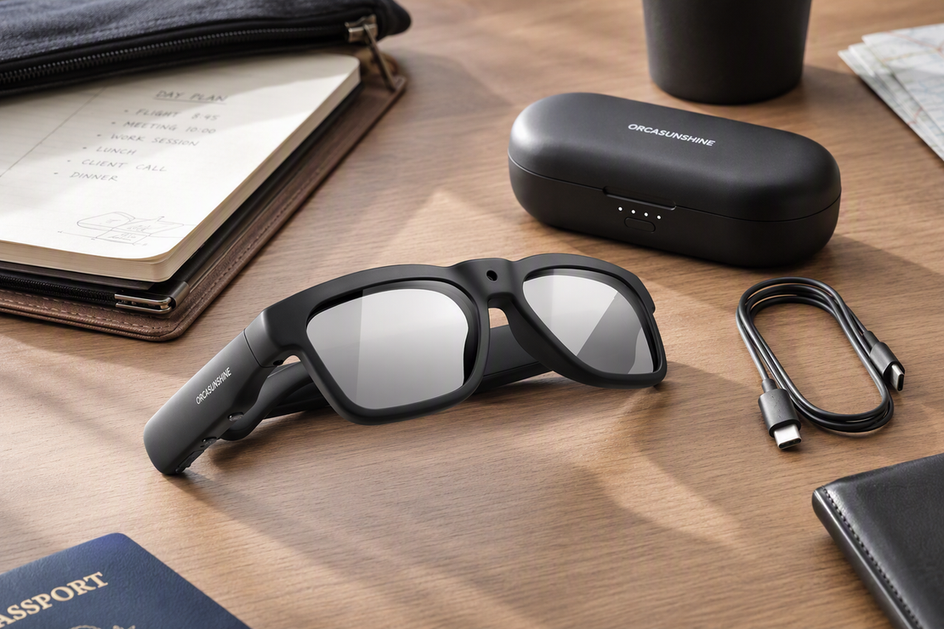
Smart glasses batteries behave differently across camera, audio, and translation modes, and a single advertised runtime rarely reflects real use. This guide offers a practical worksheet for estimating battery demand across mixed sessions, plus clear criteria for deciding when a charging case, a cable, or a backup device best fits your day. Rather than trusting a marketing headline, you calculate exact needs from verified evidence tied to your specific model and mode, then match that estimate to a realistic charging plan you can actually follow.
When a Charging Case Actually Helps
A charging case earns its place in your bag when your day splits into separate smart glasses sessions and you cannot count on a nearby outlet between them. If your camera clips, calls, or translation moments are short and you return to a dependable charging spot between sessions, a cable will usually solve the problem with less bulk and less to remember.

- Carry a charging case when your day has multiple separated sessions away from a dependable outlet and the case has a verified usable top-up capacity for your exact device. Skip it if the case's real capacity is unknown or too small to matter.
- Carry a compatible cable instead when charging access is predictable, such as a desk, car charger, or bedside outlet, and you can top up between sessions on a normal schedule. A cable adds friction only if you regularly move locations without power.
- Carry a backup device or change your workflow when a single session runs longer than your case or cable can realistically restore. In that case, a second device, a shorter recording plan, or fewer connected features protects the day better than more hardware.
Treat the case as a continuity tool, not proof that your smart glasses will last longer overall. It buys you time between charges; it does not add total battery capacity to the glasses themselves.
Build a Mixed-Mode Battery Estimate
A reliable smart glasses battery plan starts with a simple worksheet, not a single advertised number. Break your day into blocks and log what mode the glasses are actually in during each one before you calculate anything.
List Every Session and Idle Gap
Write down every activity block, including the quiet stretches when the glasses sit on standby or stay connected to your phone.
| Time block | Mode | Planned minutes | Model evidence available? | Outlet access | Planned top-up |
|---|---|---|---|---|---|
| 9:00–9:15 | Camera clip | 15 | Yes/No | Yes/No | Yes/No |
| 9:15–11:00 | Standby + Bluetooth audio | 105 | Yes/No | Yes/No | Yes/No |
| 11:00–11:20 | Translation | 20 | Yes/No | Yes/No | Yes/No |
Separate short camera clips from long or repeated recording blocks, and note the gaps in between. Those gaps matter because standby and connected features, such as a paired phone app, may continue using power even when you are not actively recording or talking.
Use Only Matching Model and Mode Evidence
A published battery figure applies only within the mode and test conditions the manufacturer actually measured. Do not assume a camera runtime tells you anything about Bluetooth audio, translation, or standby use for the same pair of smart glasses.
For example, a published battery-working-time range like 1.5 to 20 hours is not usable for mixed-mode scheduling unless the source specifies which mode, resolution, or feature combination produced each end of that range. A separate 60-minute battery-life field on another camera glasses model is specific to that product's stated test and should not be applied to a different device.
Compare Demand With Your Charging Windows
Once your rows are filled in, convert each supported row into the same battery unit before comparing demand with available power:
- For evidence that reports battery percentage used over a tested duration, calculate mode demand rate = battery percentage used ÷ tested minutes, then session demand = mode demand rate × planned minutes. Use this only when the evidence matches the exact model, mode, and relevant test conditions. If the source gives a percentage used for the session directly, record that value instead.
- Add the separate session demands and any documented standby or connected-feature demand: total evidenced demand = camera demand + audio demand + translation demand + standby or connected demand. Keep each workload separate until the evidence supports a shared rate.
- Calculate the available plan in the same unit: available plan = initial usable battery + verified cable top-ups + verified case top-ups - planned reserve. A top-up listed only as charging time cannot be converted into battery percentage without model-specific charging data.
- Compare the two results. If available power covers evidenced demand and the reserve, the schedule is supported. If demand exceeds available power, choose a verified top-up, a cable, a backup device, or shorter sessions. If any mode, standby period, top-up, or reserve lacks a matching input, mark the result unresolved instead of treating the missing value as zero.
This worksheet keeps the final estimate tied to your exact model and its documented test conditions instead of a marketing headline.
Match the Plan to Your Day
The right charging strategy changes with how your smart glasses use is shaped, not just how many hours you are awake. Match the pattern below to your actual day before deciding what to carry.
Short Clips With Mostly Standby
Budget each clip on its own instead of relying on a continuous-recording headline number. If the clips are spread across a period with no outlet access, lean toward a case or backup; if you return to a charging spot within a predictable window, a scheduled charge may cover the next block.
Repeated Camera Sessions Across a Workday
Treat every recording session as its own checkpoint rather than one long estimate. Some camera glasses support recording while plugged in, which can turn a desk or car outlet into a working charging station between sessions. Confirm that your exact model and charging setup support that before relying on it, and switch to a backup device or shorter sessions if a verified top-up cannot cover the next checkpoint.
Audio, Translation, and Connected Use
Do not carry a camera runtime number over to Bluetooth audio or AI translation use; these are separate workloads and need their own evidence. Also factor in your phone connection and any translation app that stays active in the background. A case is useful here mainly because it removes the interruption between conversations or listening blocks, not because it guarantees a fixed all-day runtime.
A Full Day Away From an Outlet
Before you promise yourself uninterrupted availability, require a verified usable top-up from your case or a confirmed backup plan. Also plan for heat: a warm bag or car interior can affect both the glasses and any charging case sitting inside it. If your evidence is incomplete for the full day, plan shorter feature windows and keep a phone or second workflow ready as a fallback. Our charging and care guide covers daily habits that support this kind of stretched-out schedule.
Schedule Top-Ups Without Creating Heat or Cable Problems
Good scheduling only works if the charging path itself is solid. Verify these three things before you build a top-up plan around a case or cable: the glasses' actual charging port or docking method, whether a case is required, optional, or unavailable for your model, and whether your planned cable and adapter are actually listed as compatible with that port.
Once the path is confirmed, top up in the gaps between sessions instead of waiting for the battery to run out. Lithium-ion batteries can be topped up whenever it is convenient rather than fully discharged first, so a quick charge during a lunch break or commute is a legitimate part of the plan. This is useful only if you have verified both the next session's length and the charging duration for your exact model. Keep one backup path ready for any session you genuinely cannot interrupt.
Temperature affects this schedule too. Charging may slow or pause when a device sits outside its recommended temperature range, and Apple's lithium-ion battery guidance notes that charging may be limited when battery temperatures are too high. Charge your glasses and case in a cool, dry spot, and move them out of a hot car, direct sun, or a closed bag if charging slows down or stalls. Give the device a cooler spot first and follow your model's specific guidance.
Cable choice matters here as well. USB-C connectors do not all support the same charging or data capabilities, as USB-IF's cable guidance explains. A compatible USB-C cable still needs to match your exact glasses' port and charging requirements rather than just fitting physically.
Apply the Criteria to Supported Store Options
After the worksheet and charging checks, match a product to the scenario rather than to a headline battery figure. Use this decision table for the supported options.
| Reader scenario | Supported product fit | Battery/charging evidence boundary | Practical choice |
|---|---|---|---|
| You need camera capture plus Bluetooth audio or real-time translation in one device | Our Edge Pro camera translation glasses list 4K video, built-in Bluetooth, and two-way translation in 165 languages | Its 1.5 to 20 hour battery-working-time field has no listed mode conditions, so it cannot complete your mixed-mode math alone | Verify your own mode mix with the worksheet before relying on all-day availability |
| You record repeated or extended clips near a desk, car, or other power source | Our Primex EIS camera glasses list a record-while-charging feature alongside 2K video and image stabilization | The 60-minute battery-life field is specific to that product record and should not be treated as a universal camera runtime | Good fit when you can confirm your charging setup supports recording while plugged in |
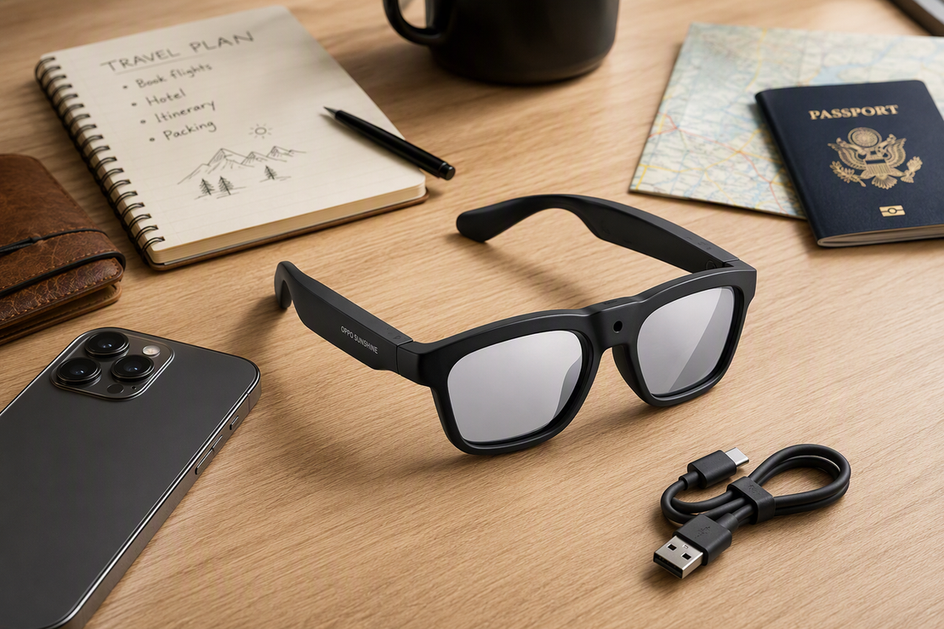
| You want a simple charging backup instead of a case | A USB-C charging cable offers charging and data transfer for USB Type-C devices | Compatibility depends on your exact glasses' port and charging requirements, not the connector shape alone | Use it once you have confirmed your model accepts USB Type-C charging this way |
Do not count a charging case for these options unless the current product record or manufacturer confirms one. If your scenario depends on a case, verify its usable capacity and compatibility before relying on it.
Before adding an option to your cart, complete the mode rows and confirm the charging path. If either remains unresolved, choose shorter sessions or a backup workflow instead of counting on unverified top-ups.
FAQ
How Long Do Smart Glasses Last on a Charge?
There is no runtime that applies across every model or mode. For an illustrative calculation only, if exact-model evidence records 20 percentage points used in 30 minutes, a planned 45-minute session would be estimated as 20 ÷ 30 × 45 = 30 percentage points; this is not a typical-runtime claim.
Does Camera Use Drain Smart Glasses Batteries Faster Than Audio?
Do not assume a fixed ranking between modes. Compare same-model evidence for camera and audio separately, since one device's camera figure will not tell you anything reliable about another mode or another product.
Do Smart Glasses Need a Charging Case?
A case helps mainly when it removes repeated outlet friction during separated sessions and has a verified usable top-up capacity for your model. Short sessions or predictable desk charging usually do not justify carrying one.
Can I Charge Smart Glasses With a USB-C Cable?
Only when your exact glasses accept that connector and meet its charging requirements. You also need a suitable power source, such as an outlet, laptop, or power bank, and a USB-C label alone does not guarantee full compatibility with every device.
What Is the Best Way to Charge and Store Smart Glasses?
Top up between sessions when it is convenient instead of waiting for a full discharge, and keep charging and storage within your model's stated temperature range. Move the glasses or case to a cooler spot if charging slows down or stops.


コメントを書く
このサイトはhCaptchaによって保護されており、hCaptchaプライバシーポリシーおよび利用規約が適用されます。