
























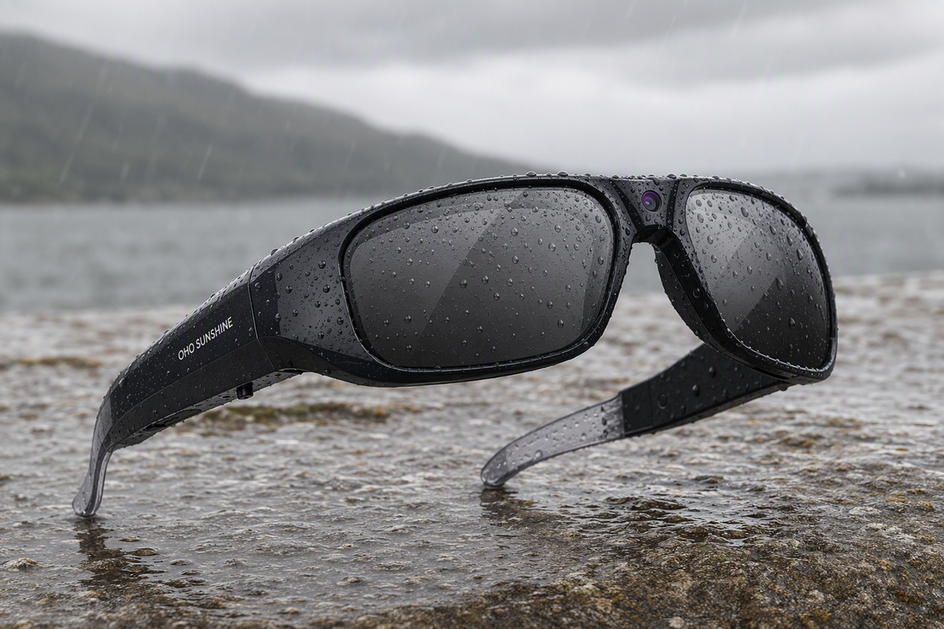
Camera glasses are not automatically waterproof, so “waterproof camera glasses” is a model-specific claim, not a category label. Whether a pair can handle rain, sweat, or a splash depends on the exact model you own, not on labels like 4K, smart, Bluetooth, or AI. Those terms describe cameras, wireless connections, and processing, not sealed housings. Before wearing camera glasses in any wet condition, check that specific model's ingress rating and printed manual. Protect the glasses, dry them off, or leave them off until you confirm what the manufacturer actually verified.
Are Camera Glasses Waterproof?
Do not assume water protection from a smart, Bluetooth-enabled, or AI-powered label. The safest framework has three outcomes: wear the glasses only within what the manufacturer documents, protect or remove them when the documentation is unclear, and stop using them the moment moisture reaches an opening or the device behaves oddly.

How to Check an IP Rating and the Exact Model Manual
An IP rating for camera glasses is the best evidence you can check, but only when you read the exact code for your exact model. The code is standardized, so learning its structure once lets you evaluate any camera glasses, headphones, or phone.
Read the IP Code Without Overreading It
An IP code has two parts after the letters IP: a first number for solid objects and a second number for water. The IEC's IP Code standard defines these tests and separates the classification itself from a general promise of waterproofing; the exact product manual still governs which activities are approved.
| Part of the Code | What It Measures | What It Doesn't Cover |
|---|---|---|
| IP prefix | Confirms the number that follows is a standardized ingress rating | Doesn't rate battery life, camera quality, or any other spec |
| First numeral (0-6, or X) | Protection against dust and solid objects | Doesn't describe water exposure at all |
| Second numeral (0-9, or X) | Protection against specific water tests, such as splashing or spraying | Doesn't guarantee performance in showers, pools, or exposure longer than what was tested |
An X in either position means that characteristic was not specified or rated, not that it passed or failed. Treat a missing digit the same way you would treat a missing rating: as undocumented.
Use This Four-Check Verification Sequence
- Match the listing to your exact model name and version.
- Record the IP code that model states, or confirm none is listed.
- Read the manual's specific wording on rain, sweat, splashes, charging, and prohibited uses.
- Compare that documented scope with the activity you actually plan to do.
If the online listing and the printed manual disagree, follow the stricter one. Never treat a missing IP code as permission for wet use.
Rain, Sweat, Humidity, and Splash: Match the Exposure to the Evidence
Use the scenarios below to choose the next action for each type of moisture.
Sweat During Exercise
Sweat is moisture, and moisture near openings or controls is a documentation question, not a guess. Check whether your exact model lists sweat protection for camera glasses, and watch for salt or moisture collecting around hinges, buttons, or lens seams. If the manual is silent on exercise use, or you notice moisture building near seams, protect the glasses with a cover or take them off. Runners and cyclists who want more setup guidance can also review this look at running with smart glasses for fit and stability during sweaty sessions.
Drizzle and Ordinary Rain
Whether you can wear camera glasses in the rain depends on what the manual documents, not on how light the drizzle feels. Check the manual for wording about rain, splashing, or outdoor weather, and stop wearing the glasses in rain once the exposure goes beyond what's described. No safe number of minutes exists for undocumented rain exposure, so don't estimate one; use the manual's language instead.
Humidity, Fog, and Condensation
Humidity and condensation can form without any visible splashing, especially when you move between hot and air-conditioned spaces. Humidity limits for camera glasses aren't standardized the same way rain ratings are, so treat fogging or moisture beads on the lens as a signal to protect the glasses and check them, not as harmless cosmetic fog. No universal humidity percentage or temperature threshold applies here; rely on visible signs and the manual's guidance instead of a number.
Splashes, Showers, and Immersion
An accidental splash is not the same as an approved use case, and showering, running water, swimming, and submersion sit outside ordinary outdoor use unless the exact manual says otherwise. If a splash reaches an opening or the charging area, move directly to the wet-device response instead of continuing to wear the glasses. Treat shower steam and pool splashes the same way: as undocumented exposure until the manual proves otherwise.
Charging Camera Glasses When They Are Damp
Use the exact camera-glasses manual first. As general guidance for wet electronic connectors, Apple's wet-connector guidance warns that charging while a connector is wet can corrode pins. Disconnect any damp glasses, cable, or charging accessory from power, let the connector area dry fully, and follow the model manual before reconnecting.
- Do disconnect the glasses and cable from power immediately if either is damp.
- Do let the connector and port air-dry fully before reconnecting.
- Do follow the exact manual's instructions once everything is dry.
- Don't charge the glasses while any part feels damp or looks wet.
- Don't use a hair dryer, heater, or other external heat source to speed drying.
- Don't use compressed air or insert a cotton swab, pin, or other object into the port.
When to Stop Using Wet Camera Glasses
Stop normal use the moment moisture crosses from the frame surface into an opening, a contact, or the device's behavior. Follow this sequence when that happens:
- Remove the glasses from the wet exposure and disconnect them from any power source.
- Stop normal use if you see moisture at a seam, button, lens edge, or charging contact, or if the glasses behave abnormally, such as failing to power on, recording erratically, or overheating.
- Dry the glasses only using the method the exact manual describes; do not improvise with heat or compressed air.
- Reconnect power or resume use only once everything is completely dry and the manual permits it; otherwise, contact the manufacturer's support before continuing.
What the Supplied Product Evidence Shows
The supplied product records create two different starting points for a moisture-focused buying decision.
When a Documented IP Code Matters
For a buyer who requires a documented IP code, OHO SUNSHINE Primex EIS Camera Glasses-Ultra HD with Image Stabilizer & Photochromic Lenses is the clearer starting point in the supplied records. Its product record states IPX4 and explicitly excludes swimming and submersion. That record does not by itself decide rain or sweat use, so compare those conditions with the exact manual. It also does not establish shower use, immersion, or any duration claim.
When a Listing Uses Water-Resistant Wording
For a buyer considering Edge Pro, OHO SUNSHINE Edge Pro Smart AI Glasses with Camera - 4K & Real-Time Translation has supplied wording about sweat, rain, and splashes, but the supplied facts do not include a numbered IP code. Its real-time translation features are separate from its moisture evidence. Verify the exact manual for the intended wet condition before relying on that wording.
Choose Primex EIS first if a documented IP code is your priority. Choose Edge Pro only after the exact manual confirms that its supplied sweat, rain, or splash wording covers the condition you plan to face.
FAQs
Can I Wear My Camera Glasses in the Shower?
Not by default. Showering involves running water and steam. Without an exact manual that explicitly names shower or running-water use, keep the glasses out of the shower.
What Should I Do If My Glasses Get Wet?
First disconnect the glasses and any cable from power, and separate damp accessories so their contacts can dry. Apple's wet-connector guidance is general guidance for another electronic device, so follow the exact camera-glasses manual before reconnecting. Avoid compressed air, heat sources, and objects in the port.
Does Sweat Damage Smart Glasses?
There is no universal yes-or-no answer. Sweat resistance depends on the exact model's documentation, so check whether your model lists it and protect the glasses if moisture collects near hinges, buttons, or seams during a workout.
Weather-Use Decision Routine
Use this sequence when weather changes: first verify the exact model's IP code and manual, then classify the condition as documented, unclear, or beyond the stated limit. Follow the documented condition; if it is unclear, keep the glasses protected rather than testing them. If moisture reaches an opening or contact, or the device behaves abnormally, disconnect power and stop normal use.


コメントを書く
このサイトはhCaptchaによって保護されており、hCaptchaプライバシーポリシーおよび利用規約が適用されます。