
























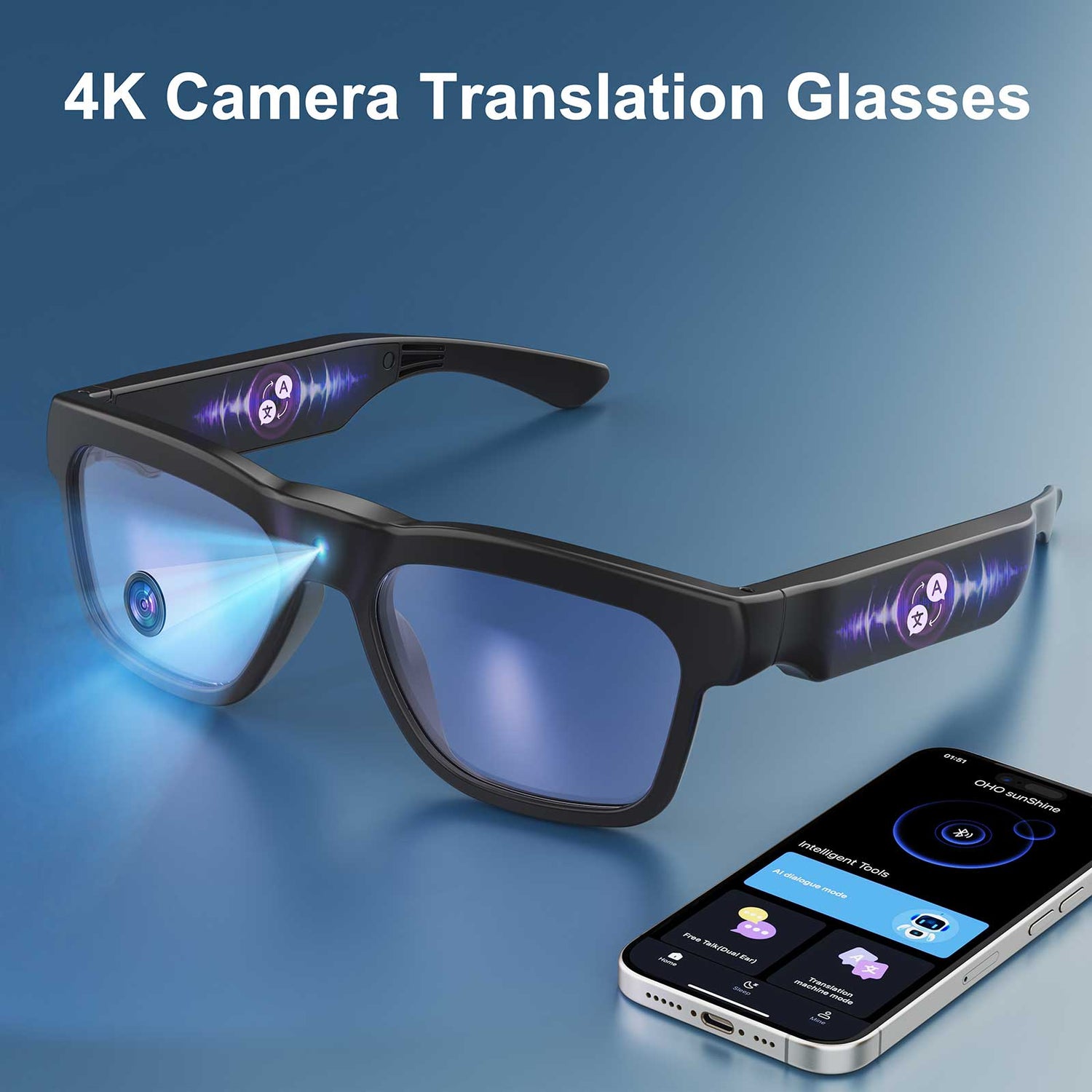
L'accuratezza degli occhiali per la traduzione è reale, ma non è un numero fisso. In genere sono più affidabili per testi brevi e chiari e per attività di viaggio semplici, mentre il parlato dal vivo, gli accenti, il rumore e la modalità offline rendono i risultati meno prevedibili. Se vuoi usarli per i menu o i cartelli durante un viaggio, possono essere utili. Se vuoi usarli per riunioni di lavoro, considerali uno strumento di supporto, a meno che tu non abbia testato la combinazione linguistica e il contesto esatti.

Cosa influenza l'accuratezza della traduzione
L'accuratezza cambia perché gli occhiali per la traduzione svolgono due compiti diversi: leggere il testo e comprendere il parlato. Di solito leggere il testo è il compito più semplice. Il parlato diventa più difficile non appena le persone parlano velocemente, si sovrappongono o hanno accenti marcati. In altre parole, l'accuratezza degli occhiali per la traduzione dipende soprattutto dal contesto, non dal marchio.
Combinazione linguistica e scrittura
Alcune combinazioni linguistiche sono semplicemente più facili da gestire per il sistema rispetto ad altre. Lo schema di accuratezza dipendente dalla scena mostra che l'accuratezza varia in base al livello di disponibilità delle risorse linguistiche, quindi le combinazioni meglio supportate tendono a offrire risultati più affidabili rispetto a quelle con meno risorse. Per questo giapponese e cinese meritano verifiche aggiuntive: non sono impossibili, ma presentano un rischio maggiore quando fai affidamento su di essi per un viaggio o una riunione.
Per chi acquista, il test pratico è semplice: conferma il modello esatto che ti serve, poi verifica se hai bisogno della traduzione vocale, della traduzione tramite fotocamera o di entrambe. Un dispositivo che sembra adatto nella pagina del prodotto può comunque non soddisfare le tue esigenze se gestisce bene una sola direzione o se il tipo di scrittura è più complesso del previsto.

Accento, velocità e rumore
La traduzione vocale è il contesto in cui i problemi del mondo reale emergono più rapidamente. Lo studio sul riconoscimento vocale in condizioni avverse ha rilevato che il design del microfono è importante in presenza di rumore, mentre il benchmark sul parlato con accento mostra quanto rapidamente il riconoscimento possa peggiorare quando un sistema non è ottimizzato per gestirlo. In parole semplici, una conversazione tranquilla a tu per tu è un test molto più valido di una stazione affollata, di un padiglione fieristico o di un ristorante.
Ecco anche perché la qualità della ricezione del microfono è importante. Se gli occhiali non sentono chiaramente l’interlocutore, il processo di traduzione parte da una trascrizione errata. In viaggio, questo significa che di solito si ottengono risultati migliori alla reception di un hotel o in taxi che in un ambiente rumoroso e affollato. In ambito lavorativo, significa che gli occhiali sono più affidabili per brevi presentazioni che per discussioni rapide e serrate.
Traduzione del testo e traduzione del parlato
Il testo stampato e il parlato dal vivo presentano problemi diversi. Una fotocamera può aiutare con menu, cartelli, etichette e brevi avvisi, perché il testo rimane fermo abbastanza a lungo da poter essere acquisito. La traduzione del parlato deve gestire contemporaneamente tempi, pronuncia e alternanza degli interlocutori.
Questa differenza è il motivo principale per cui lo stesso dispositivo può sembrare efficace davanti a un cartello stradale e poco efficace in una riunione. Se il tuo caso d’uso consiste soprattutto nella lettura, gli occhiali per la traduzione possono sembrare più precisi rispetto a quando ti aspetti che tengano il passo con una conversazione dal vivo. Per una panoramica in linguaggio semplice dell’hardware alla base di questa differenza, come funzionano gli occhiali intelligenti spiega perché l’audio Bluetooth, le fotocamere e le funzioni di intelligenza artificiale svolgono compiti diversi.
Dove gli occhiali per la traduzione sono più adatti
Il modo più semplice per valutare la compatibilità è confrontare l’attività, non la categoria. Gli occhiali per la traduzione funzionano meglio quando la lingua è breve, prevedibile e usata faccia a faccia. Sono meno efficaci in ambienti rumorosi, con più interlocutori o caratterizzati da movimenti rapidi. La tabella seguente mostra chiaramente la differenza.
| Scenario | Probabile compatibilità | Perché funziona o presenta difficoltà | Conclusioni per il lettore |
|---|---|---|---|
| Menu del ristorante | Buono | Il testo statico è più facile da acquisire rispetto al parlato | Caso d’uso ideale per i viaggi |
| Cartello stradale o etichetta | Buono | Un testo breve stampato offre al sistema un obiettivo più chiaro | Ideale quando ti serve soprattutto una comprensione rapida |
| Check-in in aeroporto o in hotel | Misto | Gli scambi brevi e cortesi possono funzionare; la velocità e gli accenti restano importanti | Utile per domande di base, non per scambi complessi |
| Taxi o servizio di ride sharing | Misto | La conversazione a tu per tu può funzionare se l’ambiente è silenzioso | Meglio che in mezzo alla folla, ma serve comunque un audio nitido |
| Padiglione di una fiera | Debole | Il rumore, la distanza e le voci sovrapposte compromettono l’affidabilità | Non aspettarti una traduzione dal vivo stabile |
| Riunione di una piccola impresa | Da misto a debole | Le brevi presentazioni possono funzionare, ma le discussioni rapide diventano problematiche | Solo supporto assistivo |
| Discussione con più interlocutori | Debole | L’alternanza degli interlocutori e le sovrapposizioni rendono più difficile l’acquisizione vocale | Non adatto |
| Testo giapponese o cinese fitto | Misto | La complessità del copione e l’impaginazione possono rendere più difficile l’acquisizione | Verifica l’uso specifico prima di acquistare |
La panoramica degli scenari di traduzione nel mondo reale è un approfondimento utile quando devi scegliere tra l’uso in viaggio e quello professionale. Il punto fondamentale è questo: se l’attività dipende da uno scambio tranquillo e individuale, gli occhiali traduttori possono essere d’aiuto; se invece dipende dalla velocità, dalla precisione o da una discussione di gruppo, mostrano prima i loro limiti.
Quando gli occhiali traduttori sono più affidabili
Usa questa matrice per valutare se l’attività è adatta, al limite o poco adatta agli occhiali traduttori.
Mostra matrice decisionale
| Scenario | Adeguatezza | In sintesi |
|---|---|---|
| Testo | Utilizzabile | Ideale per menu, cartelli ed etichette |
| Voce | Al limite | Dipende dall’accento, dalla velocità e dalla capacità di captazione del microfono |
| Rumore | Fragile | La folla e le voci sovrapposte riducono l’affidabilità |
| Accento | Al limite | Richiede una cattura dell’audio pulita e un modello ottimizzato |
| Offline | Al limite | Spesso più limitato rispetto alla modalità connessa |
| Online | Utilizzabile | Di solito offre una copertura e prestazioni migliori |
| Viaggio | Utilizzabile | Particolarmente efficace per attività brevi, statiche e faccia a faccia |
| Lavoro | Al limite | Ideale per brevi scambi, non per riunioni in cui ogni dettaglio conta |
| Giapponese/cinese | Al limite | Verifica la combinazione linguistica e il sistema di scrittura esatti prima dell’acquisto |
Come valutare la precisione prima dell’acquisto
Il controllo migliore prima dell’acquisto consiste nell’abbinare il dispositivo all’attività reale, non alla promessa del marketing. Inizia dall’esatta combinazione linguistica, poi verifica se la modalità necessaria è la traduzione vocale, la traduzione tramite fotocamera o entrambe. Dopodiché, prova il livello di rumore, la dipendenza dall’app e l’autonomia nello stesso tipo di utilizzo che prevedi durante il viaggio o al lavoro.
- Verifica l’esatta combinazione linguistica e il sistema di scrittura che ti servono, non solo un numero elevato di lingue.
- Verifica se la funzione che ti interessa riguarda la voce, il testo acquisito dalla fotocamera o entrambi.
- Controlla se il dispositivo continua a funzionare quando la connessione si interrompe, perché la modalità offline può comportare dei compromessi.
- Verifica come il microfono gestisce la distanza, il rumore di fondo e l’alternanza degli interlocutori.
- Assicurati che l’app o la connessione con il telefono non svolgano una parte del lavoro maggiore rispetto agli occhiali stessi.
- Confronta l’autonomia con la tua giornata reale, non con una demo nelle condizioni ideali.
- Se possibile, prova l’esatta combinazione linguistica nello stesso ambiente in cui prevedi di utilizzarla.
Quella prova finale conta perché le demo dei fornitori spesso ottimizzano illuminazione, formulazione e allestimento dell’ambiente. Una demo impeccabile può nascondere proprio le condizioni più importanti durante i viaggi o al lavoro. Se ti serve un punto di partenza rapido per gli acquisti, dai un’occhiata alla collezione di occhiali traduttori dopo aver verificato il supporto linguistico e le esigenze di utilizzo offline. Per una spiegazione più ampia della categoria, le basi degli smart glasses aiutano a distinguere fotocamere, audio e traduzione prima della scelta.
Precisione in giapponese e cinese
Il giapponese e il cinese sono le combinazioni linguistiche che gli acquirenti dovrebbero verificare con maggiore attenzione. Questo non significa che siano inutilizzabili. Significa che non dovresti considerare il numero di lingue dichiarato come prova che l'esperienza sarà fluida nella vita reale. L'approccio più sicuro consiste nel confermare la combinazione esatta, il tipo di scrittura e l'ambiente che ti interessano prima dell'acquisto.
Anche la traduzione vocale e quella testuale possono comportarsi in modo diverso. Un dispositivo può gestire bene una breve frase stampata e avere comunque difficoltà quando la stessa lingua viene pronunciata rapidamente o in una stanza affollata. Se il tuo caso d'uso principale riguarda il giapponese o il cinese, fai una prova il più possibile simile al viaggio o alla riunione reali invece di affidarti a un video dimostrativo ben curato. Il confronto tra occhiali per la traduzione e traduttore tascabile è utile quando devi decidere se gli occhiali siano davvero il formato giusto.
Scegli il modello giusto per il tuo caso d'uso
Chi acquista pensando prima di tutto ai viaggi e chi acquista pensando prima di tutto al lavoro non dovrebbe scegliere allo stesso modo. Per i viaggi, la soluzione più adatta è in genere un modello che gestisca rapidamente la cattura del testo e gli scambi brevi senza risultare scomodo da indossare tutto il giorno. Per il lavoro, la scelta migliore è quella che mantiene l'audio nitido e non crea problemi di privacy o di configurazione durante le riunioni.
Se prevedi di leggere menu, cartelli ed etichette più spesso di quanto prevedi di seguire conversazioni lunghe, dai priorità alla traduzione assistita dalla fotocamera e alla semplicità d'uso quotidiano. Se ti interessano di più presentazioni, conversazioni con i clienti o riunioni ristrette, concentrati sulla qualità dell'audio e sul rapido recupero quando la traduzione non è corretta. Il comfort è importante, perché un dispositivo che lasci nella custodia non contribuisce affatto alla precisione.
Un modo pratico per restringere la scelta è confrontare le opzioni Edge Pro se ti serve l'acquisizione assistita dalla fotocamera, le opzioni Elingo se contano di più l'uso quotidiano e un utilizzo incentrato sull'audio, e gli occhiali per la traduzione GlobeEar se vuoi un profilo più adatto all'uso quotidiano da valutare in base alle tue esigenze. Per gli acquirenti aziendali, questo significa anche verificare se il luogo di lavoro può accettare uno strumento di traduzione connesso al cloud prima di farvi affidamento durante una riunione.
Conclusioni
La precisione degli occhiali traduttori è sufficiente per alcune attività, ma troppo instabile per altre. Danno i risultati migliori con testi brevi e chiari e per semplici situazioni di viaggio, sono meno efficaci con il parlato in ambienti rumorosi e più discutibili quando ti aspetti un’affidabilità di livello professionale o un supporto non testato per il giapponese e il cinese. La scelta giusta consiste nell’abbinare il dispositivo alla situazione, quindi verificare la combinazione linguistica esatta e il funzionamento offline prima di farci affidamento. Se sei pronto a confrontare i modelli, inizia dalla raccolta e procedi a ritroso partendo dal tuo caso d’uso reale.
Domande frequenti
Quanto sono accurati gli occhiali traduttori nelle conversazioni reali?
Possono essere utili per conversazioni semplici, ma non sono abbastanza accurati e costanti da potervi fare affidamento ciecamente. La precisione diminuisce quando il parlato diventa più veloce, meno chiaro o più affollato. Il test rapido migliore è una breve conversazione individuale in una stanza tranquilla, perché offre l’indicazione più chiara sulla capacità del dispositivo di stare al passo.
Gli occhiali traduttori funzionano meglio con il giapponese o con il cinese?
Non dovresti presumere che uno sia automaticamente migliore senza verificare il modello specifico e la combinazione linguistica. Il giapponese e il cinese richiedono un approccio basato prima di tutto sulla prova, perché scrittura, layout e condizioni audio possono cambiare il risultato. Se entrambe le lingue sono importanti per te, prova separatamente la traduzione vocale e quella tramite fotocamera prima di acquistare.
Gli occhiali traduttori sono adatti alle riunioni di lavoro?
Possono aiutare nelle brevi presentazioni o nelle conversazioni ristrette, ma non sono un sostituto affidabile per una traduzione accurata durante le riunioni. Il rischio aumenta quando parlano più persone contemporaneamente, l’ambiente è rumoroso o la discussione usa termini specialistici. In ambito professionale, considerali uno strumento di supporto, a meno che tu non abbia già testato esattamente quel flusso di lavoro.
Gli occhiali traduttori funzionano offline?
A volte, ma in genere la modalità offline offre una copertura ridotta o un insieme di funzioni più limitato. La verifica importante non consiste solo nel controllare se esiste una modalità offline, ma anche se supporta la combinazione linguistica e la modalità di cui hai bisogno. Se durante il viaggio potresti avere un Wi-Fi debole o limiti sul roaming, prova il funzionamento offline prima di partire.
Cosa dovrei testare prima di affidarmi agli occhiali traduttori all’estero?
Testa l’esatta combinazione linguistica, la modalità specifica e l’ambiente reale in cui prevedi di utilizzarli. Un menu in un bar tranquillo è una prova molto diversa da una stazione rumorosa o da una riunione dal vivo. Se il dispositivo riesce a gestire la tua situazione reale per qualche minuto senza correzioni frequenti, è molto più probabile che possa aiutarti sul campo.


Lascia un commento
Questo sito è protetto da hCaptcha e applica le Norme sulla privacy e i Termini di servizio di hCaptcha.