
























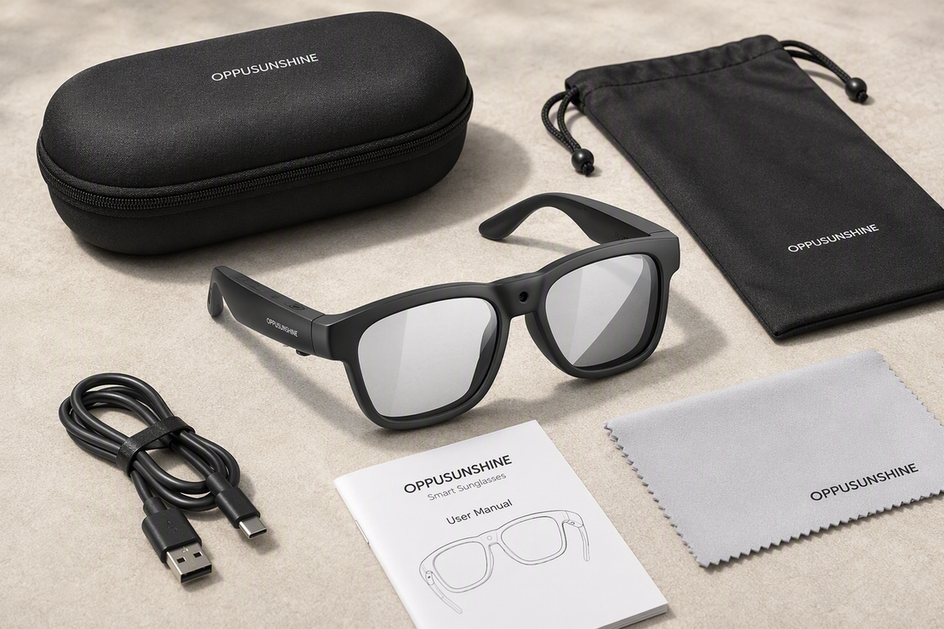
Budget camera glasses can be worth buying, but only when you test them against your own recording workflow instead of trusting the headline resolution on the box. A 4K sensor number by itself says nothing about whether footage stays steady, audio stays clear, the battery survives your session, or the glasses actually pair with your phone. This guide walks through the checks that separate a smart purchase from a stylish paperweight: recording quality, runtime and heat, storage, app and phone compatibility, and the safeguards that can override an otherwise good test result. Run through each check with your own use case in mind, then use the final buy, postpone, or reject test at the end to make the call.
Define "Worth It" by Workflow Before Comparing Specs
"Worth it" is not about price. It is about whether a pair of camera glasses can finish the specific hands-free recording job you have in mind.

A quick clip at a concert needs a different set of pass conditions than a two-hour hike, and a model you plan to control through a phone app needs checks that a simple button-controlled pair does not. Before you compare specs, name one primary scene, how long you expect to record, how much you will move, the lighting you expect, and whether you need an app or just a button.
Once you have that workflow in mind, the decision rule is simple. Buy when the workflow passes the recording, session, compatibility, and safeguard checks below. Postpone when one decision-critical fact, like exact battery behavior or app support, is still unverified. Reject when a must-have condition fails outright, no matter how good the resolution number looks.
Test Recording Quality Beyond the Resolution Number
A resolution and frame rate spec describes what the sensor can capture, not whether the footage will be usable; stabilization, exposure, audio, and file handling decide that. Our internal breakdown of what to check before buying 4K camera glasses walks through the same tradeoff: compare the advertised feature against stabilization, frame rate, battery, storage, transfer, fit, and lenses rather than resolution alone.
The fastest way to find out is to record a short clip in your actual scene and watch it back before you trust the spec sheet.

Test the View, Movement, and Lighting
- Put the glasses on and record a few seconds while looking naturally at your usual scene. Check whether the frame matches where you were actually looking.
- Walk, turn your head, or move through the activity you plan to record. Watch for distracting shake or blur.
- Repeat the clip indoors, outdoors, or in bright and changing light if your use case involves that. Lens tint and exposure are part of the recording result, not a separate cosmetic choice.
Review Audio and the Finished File
- Listen for clear speech and check how much wind or background noise bleeds into the recording.
- Open the file, transfer it to your phone or computer, and try the edit or share step you actually plan to use.
- Call the result usable, borderline, or unusable for your specific scene. A model that is usable for a stationary vlog might be borderline for a bike ride, and that difference matters more than the megapixel count.
Check Runtime, Heat, and Storage Against Session Length
Battery and storage numbers only mean something once you match them to how long you plan to record. A quick clip tolerates limits that a longer session cannot.
Match the Battery Claim to the Session
- A brief-clip workflow, like a few short recordings across a day, can often work even with a limited runtime, as long as you can recharge between clips.
- A longer activity, like a hike or a full workout, needs a runtime figure that actually reflects camera recording, not general standby or working time. Our guide on how long camera glasses can record notes that runtime depends on battery, resolution, frame rate, and heat together.
- If a listed battery field is broad or unclear about which mode it covers, treat that as something to verify, not as bonus endurance.
Check Heat, Storage, and Offload Friction
- Wear the glasses through a session close to your real use and note any discomfort or unexpected shutdowns.
- Confirm the available storage and how footage actually reaches your phone or computer.
- Decide whether charging or offloading mid-session would interrupt your workflow, and treat that as a real cost, not a minor inconvenience.
Verify App, Phone, Bluetooth, and File-Transfer Compatibility
Bluetooth pairing only proves the glasses can connect to a phone, not that the camera app, permissions, or file-transfer path will work as needed. Confirm the exact phone model, operating system, and required app before you check out, not after.
Separate Bluetooth from App Support
- Identify which functions you actually need: recording, playback, settings, or firmware updates.
- Check whether those functions run through buttons, voice, or a dedicated app.
- Note the result for each required function. If a required dependency is undocumented, mark that path unverified and postpone the purchase.
Run the Capture-to-Share Path
- Pair the glasses with your exact phone and grant only the permissions the workflow needs.
- Record a test file, then open it on the paired phone.
- Transfer the file to wherever you actually edit or share footage, and try that edit or share step.
- Note any step that only works with a specific phone or app version. That dependency should factor into your decision.
Check the Buying Safeguards That Can Change the Value Call
A technically solid pair of glasses can still be a bad purchase if the return terms, lens choice, or recording rules do not fit your situation. Confirm these before you commit, not after the return window closes.
Confirm the Lens and Purchase Exit
- Match a polarized or photochromic lens to the lighting and daily-wear conditions you actually expect.
- Read the current return window, any exclusions, and the warranty scope before ordering, since these terms can change.
- Treat an unclear return path as a real purchase risk rather than assuming a headline claim covers it.
Apply the Recording Privacy Stop
In the United States, recording rules vary by state, and some situations require consent from every party to a conversation, while hidden-camera use in private places carries its own separate restrictions, according to the Reporter's Recording Guide. Our overview of audio recording consent laws for smart glasses covers the same one-party versus all-party distinction in more detail.
- Check the applicable state law and the specific venue's policy before recording other people.
- Get consent where it is required, and use a visible recording indicator if the glasses have one.
- Stop and do not record if the rule or venue policy does not allow your intended use.
Use One Buy, Postpone, or Reject Decision Test
Buy when every must-have gate passes, postpone when a decision-critical fact remains unresolved, and reject when a must-have recording, session, compatibility, or permitted-use condition fails.
Read the Result as a Decision, Not a Score
Treat the checks above as gates, not points to add up. Record each result as pass, unresolved, or fail so the final choice reflects a must-have condition rather than a score.
Run the Final Five-Step Check
- Name your scene and the one must-have outcome for it.
- Review a captured file for framing, movement, lighting, and audio.
- Confirm the session length is covered by verified runtime, heat comfort, and storage.
- Confirm your exact phone, app, and file-transfer path if your workflow needs one.
- Confirm the lens fit, return terms, and applicable privacy and venue rules, then choose buy, postpone, or reject.
Which OHO SUNSHINE Camera Glasses Fit the Tested Workflow?
Once your workflow passes the checks above, the documented facts on a specific model decide whether it fits. We only introduce our own camera glasses here, after the neutral criteria, because a listed spec should support your decision, not replace it.
Match the Documented Model Differences to the Scene
| Model | Documented Camera and Battery Facts | Lens and Control Path | Fit, Verification, and Decision Branch |
|---|---|---|---|
| Edge Pro camera glasses | 4K/30 fps video, 24MP photos, Bluetooth 5.3, listed 1.5-20 H battery working time, and listed 64GB/128GB/256GB storage options | Photochromic lenses, app, button, and voice control, open-ear audio | Fits a connected workflow with translation and hands-free audio. Confirm exact runtime, app support, phone pairing, and file transfer before buying. Consider it only if those dependencies pass. |
| Primex EIS camera glasses | 2K Ultra HD video, electronic image stabilization, listed 60-minute battery life, and built-in microphone | Photochromic lenses and button control | Fits moving footage where documented stabilization matters more than resolution. Verify camera-recording duration in the intended mode and the offload path. Consider it when stabilization is the priority and session fit is verified. |
| Brave 4K camera glasses | 4K/30 fps video, 24MP photos, listed 30-minute battery life, and built-in storage | Polarized or photochromic lens choice and button control | Fits brief hands-free 4K clips where the listed 30-minute battery is enough. Verify available storage, file transfer, and scene or lens fit. Reject it for a longer activity if that battery field does not cover the session. |
Keep the Recommendation Conditional
Choose the model whose documented facts match the tests you already passed, not the one with the biggest headline number. If you need translation and connected controls, confirm Edge Pro's app and runtime fit your phone first. If moving footage is your priority, Primex EIS's documented stabilization and 60-minute field are worth weighing against your session length. If you only need brief 4K clips, Brave's 30-minute figure may be enough. All three currently list a one-year warranty and a 14-day return window, so confirm those terms are still current before you check out.
FAQs
Are Budget Camera Glasses Legal?
There is no single yes-or-no answer for the whole country. Recording rules vary by state, and some situations require consent from every party to a conversation, while hidden-camera use in private places carries separate restrictions, according to the Reporter's Recording Guide. Check the applicable law and venue policy before you record, and get consent when you are unsure.
How Do I Know if the Video Quality Is Actually Good?
Record a clip in your real scene and review it, rather than trusting the spec sheet. Check framing, head-movement shake, exposure in your actual lighting, speech clarity, background noise, and whether the file opens and transfers cleanly. Call the result usable, borderline, or unusable for that specific use, since the same glasses can pass one workflow and fail another.
What Should I Look for in an App?
Confirm the exact phone model and operating system the glasses support, along with the required app, permissions, pairing steps, and update process. Bluetooth pairing alone does not prove the app or file-transfer path will work. Complete one full pair, record, transfer, and share test before you rely on the glasses for a connected workflow.
When Should I Postpone Buying Budget Camera Glasses?
Postpone when a decision-critical fact for your workflow is still unverified, such as exact recording runtime, real app compatibility, or how storage and offloading fit your session. A budget pair usually fits a defined short-clip use better than an unverified long-session one, so confirm battery, heat, storage, and current return terms for the specific model before you buy.




Commenta
Questo sito è protetto da hCaptcha e applica le Norme sulla privacy e i Termini di servizio di hCaptcha.