
























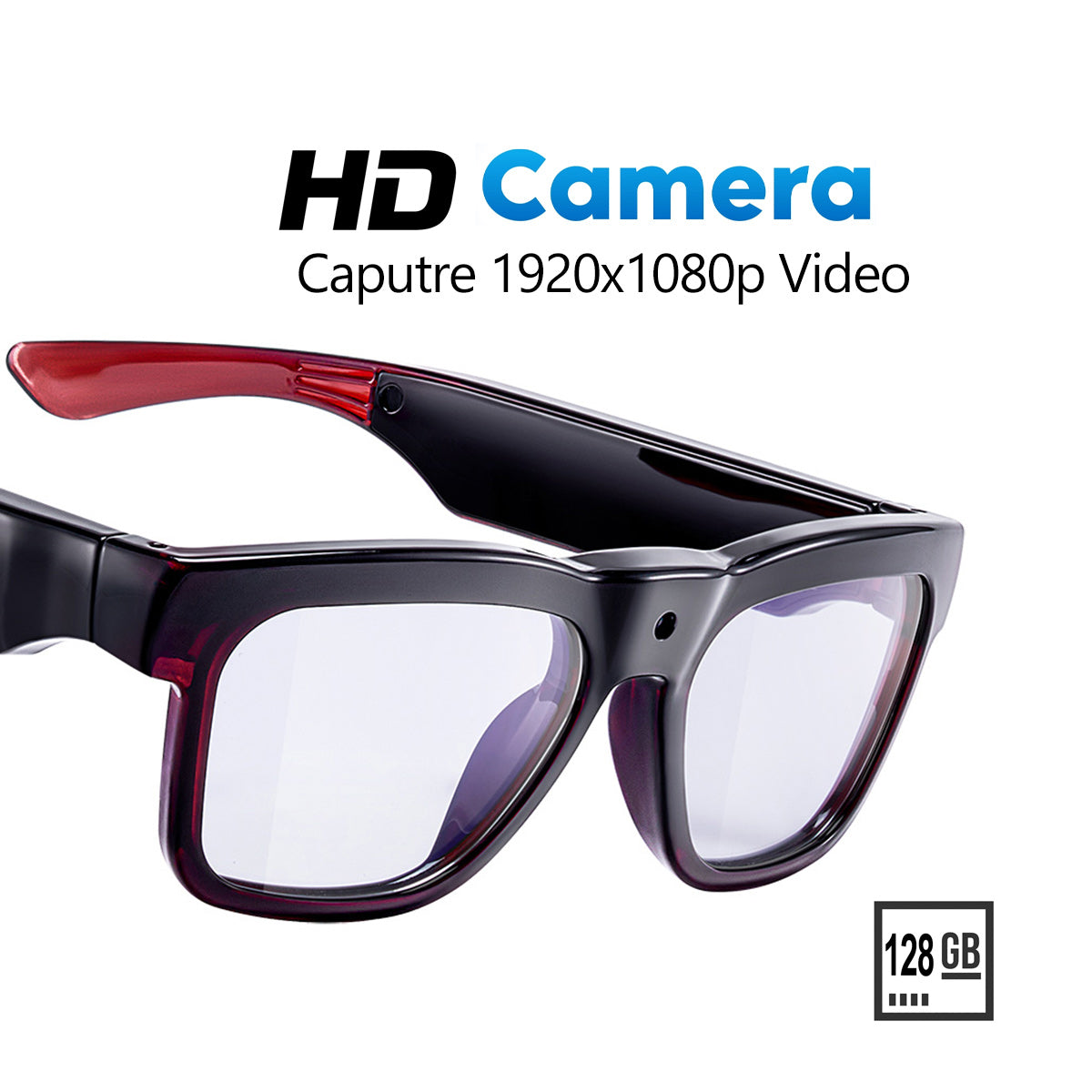
Les lunettes intelligentes peuvent être une option technologique pratique pour les familles, mais elles ne conviennent pas automatiquement aux enfants ou aux adolescents. La véritable question est de savoir si l’enfant est prêt, si les paramètres de confidentialité sont faciles à gérer et si les fonctionnalités de l’appareil correspondent à l’usage prévu. Pour de nombreuses familles, les lunettes intelligentes concernent moins les lunettes elles-mêmes que l’âge, la supervision et le risque évitable créé par les fonctions de caméra ou audio.

Les lunettes intelligentes sont-elles sans danger pour les enfants ?
Pour la plupart des familles, les lunettes intelligentes sont plus sûres lorsqu’elles sont considérées comme un achat soumis à certaines conditions plutôt que comme un achat par défaut. Un enfant qui a seulement besoin d’écouter des contenus audio ou de filtrer la lumière bleue présente un cas d’utilisation moins risqué qu’un enfant portant des lunettes équipées d’une caméra en public. L’American Academy of Pediatrics recommande une gestion personnalisée du temps d’écran plutôt qu’une limite fixe pour chaque enfant, ce qui constitue une meilleure façon d’évaluer la maturité qu’une recherche d’un âge universel.
Pour les lunettes intelligentes destinées aux adolescents, la maturité compte autant que les fonctionnalités. Un adolescent capable de respecter les règles interdisant l’enregistrement, de garder l’appareil chargé et de l’utiliser uniquement dans les contextes autorisés est un meilleur candidat qu’un adolescent qui a encore besoin de rappels fréquents. Si cela vous semble incertain, commencez par un appareil plus simple et une utilisation supervisée à la maison.

Qu’est-ce qui rend une paire plus ou moins adaptée aux enfants ?
Le confort et la simplicité sont prioritaires. Une monture légère avec des commandes de base est plus facile à porter correctement pour un enfant qu’un appareil encombrant qui glisse, serre ou nécessite des réglages constants. Les fonctions de caméra et audio rendent la décision plus exigeante, car elles changent les enjeux liés à la confidentialité et au comportement. Une paire sans caméra, ou utilisée uniquement dans un but précis, est généralement plus facile à gérer pour les familles.
Comment les parents peuvent-ils déterminer si leur enfant est prêt ?
La préparation repose sur la responsabilité, pas sur la nouveauté. Un enfant qui peut reformuler les règles de la maison avec ses propres mots, accepter l’interdiction d’enregistrer et porter les lunettes sans aide constante est plus près d’être prêt. Pour les plus jeunes, une surveillance étroite par un adulte reste l’option la plus sûre. Avant d’offrir quoi que ce soit, déterminez qui gérera la configuration, la recharge, les autorisations et le moment où l’appareil devra être retiré.
Risques pour la vie privée à surveiller
La protection de la vie privée liée aux lunettes équipées d'une caméra est importante pour les familles, car l'enregistrement peut se faire discrètement et passer facilement inaperçu. Cela peut créer des situations gênantes à la maison, lors de goûters entre enfants, dans les magasins ou en présence de camarades de classe. Une caméra fixée sur des lunettes peut sembler plus discrète qu'un téléphone, ce qui explique précisément pourquoi elle nécessite des règles familiales plus strictes.
Pour les enfants de moins de 13 ans, les règles fédérales en matière de vie privée constituent une condition incontournable. La Children's Online Privacy Protection Rule de la FTC s'applique lorsqu'un service en ligne concerné recueille des informations personnelles auprès d'un enfant de moins de 13 ans. Si une paire de lunettes intelligentes utilise une application, un compte cloud ou un service associé, les parents devraient vérifier quelles données sont recueillies, stockées, synchronisées ou supprimées.
Les règles du foyer contribuent à réduire les utilisations abusives. Les familles devraient définir des zones claires où l'enregistrement est interdit, notamment les chambres, les salles de bains et autres espaces privés, puis décider quand les lunettes peuvent être portées à l'extérieur de la maison. Si l'appareil nécessite une application de configuration, vérifiez les autorisations et désactivez la localisation, l'accès aux contacts ou les téléversements, sauf si la fonctionnalité est réellement nécessaire.
| Situation | Risque réduit pour la vie privée | Risque accru pour la vie privée |
|---|---|---|
| Utilisation à la maison | Aucun enregistrement, parent informé | Enregistrement discret dans des espaces privés |
| École | Autorisé uniquement par le règlement | Interdictions, plaintes ou distractions |
| Lieux publics | Supervision d'un adulte, règles claires | Enregistrement non clairement indiqué ou espaces partagés |
| Gestion des données | Utilisation locale limitée | Synchronisation avec une application, stockage dans le cloud ou autorisations étendues |
Confort, ajustement et durée de port
Le confort n'est pas un détail secondaire. Si un enfant touche sans cesse la monture, la tire vers l'avant ou demande à l'enlever, l'appareil ne sera probablement pas utilisé régulièrement. L'American Academy of Ophthalmology indique que les lunettes pour enfants doivent être légères et correctement ajustées afin de rester stables et d'éviter les points de pression. Ce type de vérification de l'ajustement est plus utile que n'importe quelle liste de fonctionnalités.
Pour des lunettes anti-lumière bleue destinées aux élèves, une paire plus simple peut être le meilleur choix familial lorsque l'objectif est la lecture, les devoirs ou un port quotidien de courte durée. Les fonctionnalités intelligentes ne sont pas automatiquement préférables si elles ajoutent du volume, la gestion d'une batterie ou des distractions. La durée de port compte également : un enfant qui supporte un court essai à la maison peut tout de même ne pas apprécier de les porter plus longtemps à l'école, en voyage ou lors de sorties.
Si la monture semble instable ou fatigante après un court essai, passez à autre chose. L'option la plus pratique est celle que l'enfant peut porter confortablement dans le cadre de sa routine réelle, et non celle qui présente la fiche technique la plus longue.
Ce que les familles doivent vérifier avant d'acheter
Avant d'acheter ou d'offrir des lunettes connectées, vérifiez les contrôles, la gestion des données et la personne qui gérera l'appareil une fois celui-ci déballé. Les recommandations de l'AAP sur les enfants et les médias préconisent l'implication d'un adulte lors de la configuration et de l'utilisation, ce qui est particulièrement important lorsqu'un appareil peut enregistrer ou se connecter à un compte. Si la configuration semble trop compliquée à gérer pour le parent, elle est probablement trop exigeante pour l'enfant.
Effectuez cette vérification rapide avant l'achat : l'enfant a-t-il réellement besoin de lunettes connectées, ou une option sans caméra conviendrait-elle ? Un adulte peut-il contrôler les autorisations, la recharge et le stockage ? L'école autorise-t-elle les technologies portables dotées de fonctionnalités audio ou d'enregistrement ? Si la réponse est mitigée, envisagez d'abord une solution présentant moins de risques. Le guide d'achat des lunettes connectées constitue un bon point de départ pour comparer les cas d'utilisation avant de faire votre choix.
Si votre famille a uniquement besoin d'un appareil portable axé sur l'audio, consultez plutôt les lunettes Bluetooth au lieu de commencer par des options principalement équipées d'une caméra. Si l'enregistrement est le véritable besoin, consultez les lunettes avec caméra et audio uniquement comme piste de recherche, puis vérifiez les contrôles de confidentialité actuels et les exigences de l'application avant d'acheter.
Une liste de contrôle pratique pour les décisions familiales
Utilisez cette liste de contrôle avant d'acheter des lunettes connectées ou de laisser un enfant en porter régulièrement :
- Confirmez la véritable raison de l'achat, comme écouter, apprendre ou profiter d'une commodité occasionnelle.
- Déterminez si les fonctionnalités de caméra ou de microphone sont réellement nécessaires.
- Si l'appareil ou le service recueille des données auprès d'un enfant de moins de 13 ans, vérifiez le consentement parental et les paramètres gérés par un adulte.
- Vérifiez le règlement de l’école avant de supposer que les lunettes peuvent être utilisées en classe ou sur le campus.
- Testez l’ajustement, la stabilité et le confort pendant des mouvements normaux, et pas seulement en restant assis.
- Définissez des zones sans enregistrement et expliquez où les lunettes doivent rester éteintes.
- Choisissez l’appareil le plus simple qui répond au besoin et évitez les fonctionnalités qui ajoutent un risque pour la vie privée sans valeur clairement établie.
Si l’appareil reste difficile à expliquer, à superviser ou à limiter à certains contextes, attendez ou choisissez une option plus simple.
FAQ
Les lunettes intelligentes peuvent-elles être utilisées à l’école ?
Parfois, mais uniquement si l’école les autorise. De nombreuses écoles limitent les objets connectés portables permettant d’enregistrer ou les appareils qui distraient les élèves. Consultez le règlement des élèves et renseignez-vous sur les règles applicables en classe, dans les couloirs et pendant les évaluations avant une utilisation régulière.
Les lunettes intelligentes sont-elles sûres pour les enfants si elles n’ont pas de caméra ?
Elles présentent généralement moins de risques, mais ne sont pas sans risque. Les fonctionnalités audio, les autorisations de l’application, l’ajustement et la gestion de la batterie restent importants. Si les lunettes servent principalement à écouter ou à filtrer la lumière bleue, les parents doivent tout de même fixer des limites d’utilisation et superviser le premier essai.
Quelle est l’alternative présentant le moins de risques pour un enfant qui a seulement besoin d’aide pour lire ?
Une paire basique de lunettes anti-lumière bleue pour les élèves ou un outil d’assistance non connecté est généralement plus simple que des lunettes intelligentes. Plus les contraintes liées à la vie privée et à la configuration sont faibles, plus il est facile pour les familles de les gérer de manière cohérente.
Comment les parents peuvent-ils réduire les risques pour la vie privée liés aux lunettes équipées d’une caméra à la maison ?
Désactivez l’enregistrement, sauf s’il est réellement nécessaire, limitez les endroits où les lunettes peuvent être portées et assurez-vous que les membres de la famille savent quand l’appareil peut capturer des vidéos ou de l’audio. Si un compte cloud est utilisé, vérifiez ce qui est stocké et qui peut le supprimer.
Les lunettes intelligentes doivent-elles se connecter à une application ?
Pas toujours, mais beaucoup le peuvent. Si une application est nécessaire, examinez attentivement les autorisations et désactivez la localisation, l’accès aux contacts et les téléversements, sauf si la fonctionnalité en a réellement besoin. Plus la dépendance à l’application est importante, plus les parents doivent assumer de responsabilités liées à la configuration.
Les adolescents devraient-ils avoir les mêmes lunettes intelligentes que les adultes ?
Pas automatiquement. Les adolescents peuvent être prêts à assumer davantage de responsabilités, mais le règlement scolaire, les attentes en matière de vie privée et le degré de maturité influencent encore la décision. Un modèle plus simple convient souvent mieux lorsque l’objectif est la commodité plutôt que l’enregistrement ou des fonctionnalités connectées avancées.



Laisser un commentaire
Ce site est protégé par hCaptcha, et la Politique de confidentialité et les Conditions de service de hCaptcha s’appliquent.