
























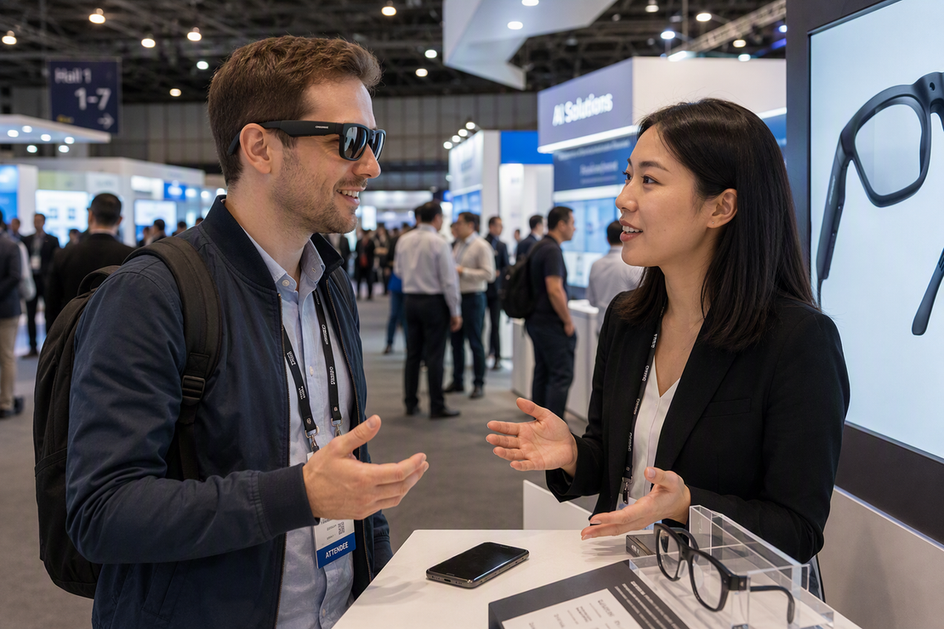
Translation-enabled smart glasses can ease short, one-to-one exchanges at an international trade show, but real-time performance depends on speech recognition, translation delay, background noise, and your phone's connection. A quiet product demo does not predict how the glasses handle a crowded convention hall, overlapping voices, or a technical negotiation. This guide walks through a repeatable conversation test, explains what changes accuracy and latency, and separates translation capability from camera hardware so you can judge fit before you rely on smart glasses at your next show.
How Do AI Translation Glasses Work at a Trade Show?
Translation glasses generally follow the same basic sequence: a microphone picks up speech, software recognizes and translates it, and the device returns translated audio or text. The exact hardware and software behind each step vary by model, so treat this as a general pattern rather than a fixed spec.

The Capture and Translation Path
A microphone on the frame captures the speaker's voice first. From there, speech recognition and translation may run on the glasses themselves, on a paired smartphone app, or on a remote cloud service, depending on the product. Processing location matters because it affects speed, offline availability, and how much the glasses depend on a working phone connection. The translated result then returns through one of a few common paths: an open-ear speaker plays translated audio, text appears on a lens display, or translated text shows up on the connected phone screen. Because output mode differs by model, do not assume your glasses will show lens text just because another pair does.
Why Camera Hardware Is a Separate Feature
A built-in camera, microphone, or 4K video recording capability tells you the glasses can capture images or sound. None of that proves the device can recognize speech in a second language or translate it accurately. Keep the translation decision focused on the speech-processing pipeline and confirmed language support, not on camera specs.
What Should a Real-Time Conversation Test Measure?
A real-time conversation test should check translation path, latency, noise handling, speaker separation, language accuracy, and phone stability, not just one scripted phrase. Researchers who study speech-recognition testing recommend evaluating realistic conversational speech in realistic background noise rather than quiet, scripted sentences, because everyday speech patterns and everyday noise change recognition results.
| Criterion | How to test it | What to record | Trade-Show Decision |
|---|---|---|---|
| Translation path | Speak a full sentence and watch how it returns | Output mode and any missed steps | Confirms what to expect mid-conversation |
| Latency | Time the pause between your sentence and the translated response | Seconds of delay and repeated speech | Long pauses signal a poor fit for fast exchanges |
| Noise handling | Repeat the test with background chatter or music playing | Errors that appear only with noise | Shows whether a quiet demo was misleading |
| Speaker separation | Have two people talk near the microphone at once | Whether words get attributed to the wrong speaker | Reveals risk in group booth conversations |
| Language and terminology | Use your exact language pair and trade-show vocabulary | Missed names, numbers, or technical terms | Confirms the language library covers your real conversation |
| Phone or network stability | Lock the phone, walk a short distance, or switch networks | Dropped connections or app timeouts | Confirms setup reliability before the event |
Run the sequence below with the same language pair, phone, app, and network conditions you expect to use at the event:
- Baseline: hold one calm exchange in a quiet room using your target language pair.
- Booth-noise trial: repeat the same exchange with background chatter or music playing nearby.
- Two-way conversation: hold a natural back-and-forth conversation, not scripted phrases, with a partner who is not a native speaker of your language.
- Decision record: write down delay, error count, and whether names, numbers, and next actions survived, then call a go, conditional-go, or no-go for your planned scene.
How Accurate and Fast Are Translation Glasses in Business Conversations?
Accuracy and latency are decision points, not marketing scores. Judge them against the specific conversation you plan to have, not a generic accuracy percentage.
Accuracy Is a Chain, Not One Score
Speech recognition errors can happen before translation even starts, especially with unfamiliar accents or fast speech. Once a word is misheard, the translation that follows is also wrong, even when the output sounds fluent. Proper names, numbers, and technical terms deserve a separate check, because a smooth-sounding translated sentence does not prove the source meaning survived intact. Test these categories directly instead of trusting overall fluency.
Latency Changes the Conversation
Time the pause between when someone finishes speaking and when the translation arrives, and note whether either speaker starts repeating themselves. A short greeting can tolerate a longer pause than a negotiation over pricing or specifications. When delay or errors make it hard to confirm what was said, use a phone, written confirmation, or a human interpreter for names, numbers, specifications, prices, or commitments, since a translation error there could change the deal. For a closer look at typical delay and error patterns, see our translation-glasses accuracy guide.
What Happens in Crowded Trade-Show Audio?
Crowded exhibition halls test speech recognition before translation even begins. Background speech and unfamiliar accents can reduce speech recognition, a pattern documented in research on foreign-accented speech understood in noise.
The Booth Is Not the Laboratory
A quiet, scripted demo at home does not reveal how smart glasses perform beside a booth speaker, a nearby demo reel, or overlapping conversations. Build real booth noise into your test, including announcements and nearby chatter, before trusting the glasses for an actual meeting. Moving closer to the speaker and taking turns instead of talking over each other can help, but these adjustments do not prove the glasses will hold up across every hall you visit.
When to Switch to a Fallback
High ambient noise or a distant microphone can reduce recognition performance because low signal-to-noise conditions strain automatic speech recognition, as research on noise-robust speech recognition explains. When several people speak at once, treat that as a harder test condition rather than assume the system can separate every speaker. Technical discussions and unfamiliar accents need stricter conditions than a simple greeting. If the glasses repeatedly miss or distort key words, switch to a phone, a written exchange, or a human interpreter rather than continue guessing at the translation. For a step-by-step walkthrough of this scenario, run our noisy-place translation test before you travel.
What Phone, App, Battery, and Language Support Do You Need?
Before you pack the glasses, confirm the exact phone, app, and connectivity setup you plan to use, not just whether the box says Bluetooth. Translation depends on more than pairing: the language pack, network access, and active-translation battery life all need separate checks.
Pairing and Network Checks
Bluetooth pairing links the glasses to your phone, but it does not by itself prove translation will work. Confirm each of these before your trip:
- Your phone's operating system matches the supported requirement listed on the AI translation glasses collection or the manufacturer's app page.
- Pair and test the glasses at home, including reconnecting after the phone locks or the app closes.
- Verify whether your intended language pair needs cellular data, Wi-Fi, or works offline, since the translation path may use a working internet connection routed through the phone.
Battery and Language Checks
Run this list alongside the pairing checks above so nothing is missed on travel day:
- Test active translation time directly rather than relying on a general standby or video-recording battery figure.
- Confirm the exact language pair and direction you need, since a large total language count does not guarantee support for every pair or output mode.
- Pack a charging cable, a charged phone, and a backup translation method, such as a phone app or phrasebook, for meetings where communication really matters.
How Are Translation Glasses Different From Camera Glasses?
Translation-enabled smart glasses and camera-only glasses solve different jobs, even when both come with a built-in microphone or a camera. Confirm which task you actually need before you choose.
| Reader Task | Translation-Enabled Glasses | Camera-Only Glasses, Such as Brave | Trade-Show Choice |
|---|---|---|---|
| Live multilingual conversation | Built to recognize and translate speech; output varies by model | No supplied translation feature | Choose translation-enabled glasses |
| Translated audio or text | Open-ear speaker, lens text, or phone screen, depending on model | No supplied translation feature | Choose translation-enabled glasses |
| First-person recording | Not the primary function | Records video and photos hands-free | Choose camera glasses for permitted recording |
| Microphone use | Captures speech for translation | Captures audio to accompany recorded video | Confirm the purpose before buying |
| Storage and privacy | Processing may rely on the phone or cloud | Footage stores on-device or on an SD card | Get consent before recording people or booths |
Choose translation capability when your goal is a multilingual conversation with a supplier or buyer. Choose camera capability, such as our Brave camera glasses, only when you need hands-free recording of a permitted demonstration. A 4K camera glasses model with a built-in microphone can capture clear footage, but none of those specs turn it into a translation device. Get consent and check venue rules before you record any meeting or booth conversation with camera glasses or any glasses with a built-in camera.

Which Verified Store Products Fit Specific Trade-Show Scenarios?
Two of our products map to different trade-show jobs: one for short multilingual conversation, the other for permitted hands-free recording. Neither should be treated as proven for every scene without testing your own setup first.
Conditional Fit for Short Multilingual Conversations
Our Edge Pro translation glasses are a smart glasses with camera model that also lists two-way, real-time translation, a listed 165-language library, Bluetooth 5.3, an open-ear speaker, and a built-in microphone on the product page. That combination makes Edge Pro a conditional candidate for a short, one-to-one booth introduction, once you confirm your exact language pair, phone compatibility, and setup using the test protocol above. Its fit for long technical discussions, group conversations, or all-day use remains unestablished because the supplied evidence does not resolve latency, crowded-hall noise tolerance, offline behavior, or active-translation battery life.
Recording-Only Fit for Permitted Demonstrations
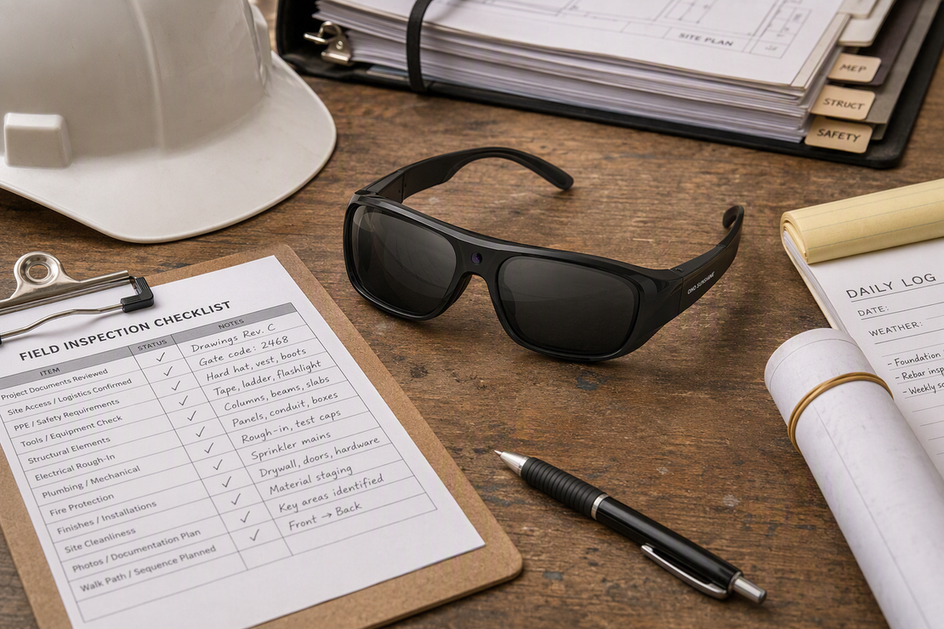
Our Brave camera glasses are built for hands-free recording, not translation. The listed 4K/30 fps video, 24MP photos, built-in microphone, built-in SD-card storage, and a 30-minute battery life fit a short, permitted capture of a product demonstration or a walk through your booth. A higher resolution or a built-in microphone on Brave does not add translation capability, and using it to record any conversation still requires the other person's consent and the venue's permission.
If your test passes for a short, one-to-one exchange, choose Edge Pro conditionally. We recommend running that test with your intended language pair before you travel, then choosing Edge Pro only if that scenario meets your needs.
FAQ
How Much Latency Is Acceptable for Translation Glasses at a Trade Show?
There is no universal delay figure that fits every device or language pair. Time the pause after each turn during your own test and judge it against your conversation: a longer pause is more tolerable for a quick introduction than for a fast back-and-forth negotiation. Illustrative test calculation: if five measured pauses are 1.2, 1.5, 1.1, 1.4, and 1.3 seconds, the average is (1.2 + 1.5 + 1.1 + 1.4 + 1.3) ÷ 5 = 1.3 seconds. Use your measured result, not this example, to make the choice.
How Long Will Translation Glasses Last During a Trade-Show Day?
Do not use a camera model's video battery life as a stand-in for translation runtime. Test active translation time directly, then verify the charging time and whether the supplied cable or charging case can restore enough power between conversations. Illustrative runtime calculation: a 4-hour event contains 240 minutes, and a test records 90 minutes of active translation, so 240 ÷ 90 = 2.67, meaning you would plan for at least three equivalent runtime blocks or a charging plan. The example is not a product-runtime claim.
Do Translation Glasses Need a Phone or Internet Connection at a Trade Show?
Phone and internet needs vary by model. Edge Pro lists Bluetooth 5.3, but that fact does not establish phone-free or offline translation. Confirm whether the product's translation path uses a paired app and cellular data or Wi-Fi before the event.
Can Translation Glasses Work Offline With Every Supported Language?
Check the exact language pair, direction, and offline availability in the product's current documentation rather than trusting a large total language count. A language may appear on the list without full offline support in both directions.
References
- National Library of Medicine (n.d.). Recognition of foreign-accented speech in noise: The interplay between talker intelligibility and linguistic structure.
- National Library of Medicine (n.d.). Development of the Everyday Conversational Sentences in Noise test.
- National Library of Medicine (n.d.). Cluster-Based Pairwise Contrastive Loss for Noise-Robust Speech Recognition.



Dejar un comentario
Este sitio está protegido por hCaptcha y se aplican la Política de privacidad de hCaptcha y los Términos del servicio.