

























Traveling with camera glasses adds a few extra steps to your packing routine, from charging and testing the device to protecting the lens and backing up footage before storage runs out. This checklist walks through what to verify before you leave, how to manage power and storage while you are moving, when recording is appropriate, and how to transfer files safely without losing anything. Whether you are choosing a stabilized pair for active days or a higher resolution model for detail and translation, this guide helps you plan power, privacy, and backups so your trip footage survives the whole journey.
Before You Leave: Verify and Pack Your Camera Glasses
Start by checking the exact model requirements. Then charge and test the glasses, pack a protective case, and prepare a backup destination before leaving home. Skip assumptions based on a connector shape or the general term "smart glasses," since capacity and transfer behavior vary by model.

Work through this pre-trip checklist before you close your suitcase:
- Verify the model, not the category. Check your camera glasses' manual or product page for the exact storage type, capacity, charging connector, and required app or phone pairing.
- Charge fully and test once. Record a short clip, then transfer it to your phone or laptop and open it. If it plays correctly, the exact transfer path you plan to use works. This test covers an app only when that path uses one.
- Pack protection. Bring the supplied case, a microfiber lens cloth, and any charging cable and adapter your model needs. Keep them together in one pouch so nothing gets left behind.
- Bring the right power accessory. If you're carrying a lithium-ion power bank, note that TSA requires portable chargers with lithium-ion batteries to go in carry-on bags, not checked luggage, under the TSA power-bank rule.
- Stage your backup destination. Free up space on your phone or cloud app now, before your first transfer, so a full glasses drive doesn't become your only backup plan mid-trip.
Complete one full test recording and transfer with the exact glasses, cable, adapter, and phone or app you're bringing. Don't leave home until that copied file opens correctly.
In Transit: Protect Power, Storage, and the Lens
Once you're moving, keep your camera glasses protected and accessible, and treat battery level and free storage as ongoing checks, not a one-time packing task. A shaky charge plan or a scratched lens can end a recording day early.

Cover these points once you're on the move:
- Keep the glasses accessible, not buried. Store them in a padded pocket separate from keys, coins, or anything that could scratch the lens or press against the frame.
- Place batteries and power banks correctly. The FAA advises keeping devices with installed lithium batteries in accessible carry-on baggage, and any spare batteries or power banks must also travel in carry-on bags rather than checked luggage, per FAA carry-on battery guidance. Airline rules can vary, so confirm before you fly.
- Set a charging trigger. Charge or swap power before a long recording block, not after your battery is already low.
- Watch storage in real time. Check remaining capacity before a landmark stop or activity you don't want to miss recording.
- Clean the lens properly. Wipe it with the supplied cloth only. Clothing and paper towels can leave scratches that show up in every clip afterward.
Privacy and Etiquette: Know When Not to Record
Record with camera glasses only when the venue allows it, the practice is visible and respectful, and you have confirmed the current rules for that location. If restrictions, privacy expectations, or uncertainty apply, stop, ask first, or leave the glasses off. Being in a public place doesn't automatically mean recording is welcome.
Public-area access is not the same as recording permission. National Park Service guidance shows that even casual, hand-carried filming in public park areas can still be subject to permits, fees, visitor-impact limits, and other applicable rules, according to National Park Service recording guidance. For museums, transit systems, private businesses, and tour operators, check posted signage or ask staff before recording.
Default to not recording around private conversations, security-sensitive areas, changing rooms, medical settings, or anywhere people would reasonably expect privacy. If someone objects or a posted rule says no, stop immediately rather than arguing that hands-free capture is somehow less intrusive. Keeping your recording light visible, when your model has one, and asking before you film identifiable strangers up close keeps the etiquette side simple even when the legal side needs a quick local check.
File Backup While Traveling: Transfer, Verify, Then Clear Space
Back up camera-glasses footage by transferring files through your tested phone, adapter, or app, confirming the copies open correctly, and only then clearing space on the glasses. Never delete source footage based on a transfer that hasn't been checked.
Follow this sequence after each significant recording session:
- Finish the recording block rather than interrupting a clip mid-transfer, which can corrupt the file on some models.
- Connect through your verified method, the exact cable, adapter, or app combination you tested before the trip.
- Copy the files to your backup destination, whether that's your phone, a cloud app, or (when a laptop is available) a folder you already track.
- Open a few of the transferred files to confirm they play and that the set matches what you expected to capture.
- Clear space on the glasses only after verification, and only if your specific model supports deleting or formatting from the device.
For storage capacity itself, there's no single trip-wide number that fits every traveler. Match the model's listed capacity to your recording resolution, how much footage you expect to capture, and how often you'll realistically get a transfer opportunity. Our camera-glasses storage guide walks through built-in memory limits and microSD compatibility if you want to plan capacity before you buy.
Choose Camera Glasses for the Trip You Actually Have
Pick a motion-first, short-session setup when stabilized footage matters more than resolution, and pick a 4K or translation-first setup when detail or real-time language help outweighs stabilization, but confirm runtime for your intended use either way. Neither option is a universal fit; the right pick depends on your itinerary.
| Travel Priority | Primex EIS Camera Glasses | Edge Pro AI Smart Glasses | Best Fit |
|---|---|---|---|
| Power planning for the day | Lists 60 minutes of battery life, with record-while-charging support | Lists a 1.5–20 hour working-time range; confirm the runtime for your specific mode before relying on it | Primex EIS for planned charging stops; Edge Pro only after you verify actual runtime for recording or translation |
| Capture priority during movement | Electronic image stabilization with 2K Ultra HD video | 4K/30fps video plus real-time translation in 165 languages | Primex EIS for walking, cycling, or active sightseeing; Edge Pro for detail-focused shots or language barriers |
| Built-in storage headroom | Up to 512GB listed capacity | Up to 256GB listed capacity | Primex EIS when you want fewer transfer sessions on a long trip |
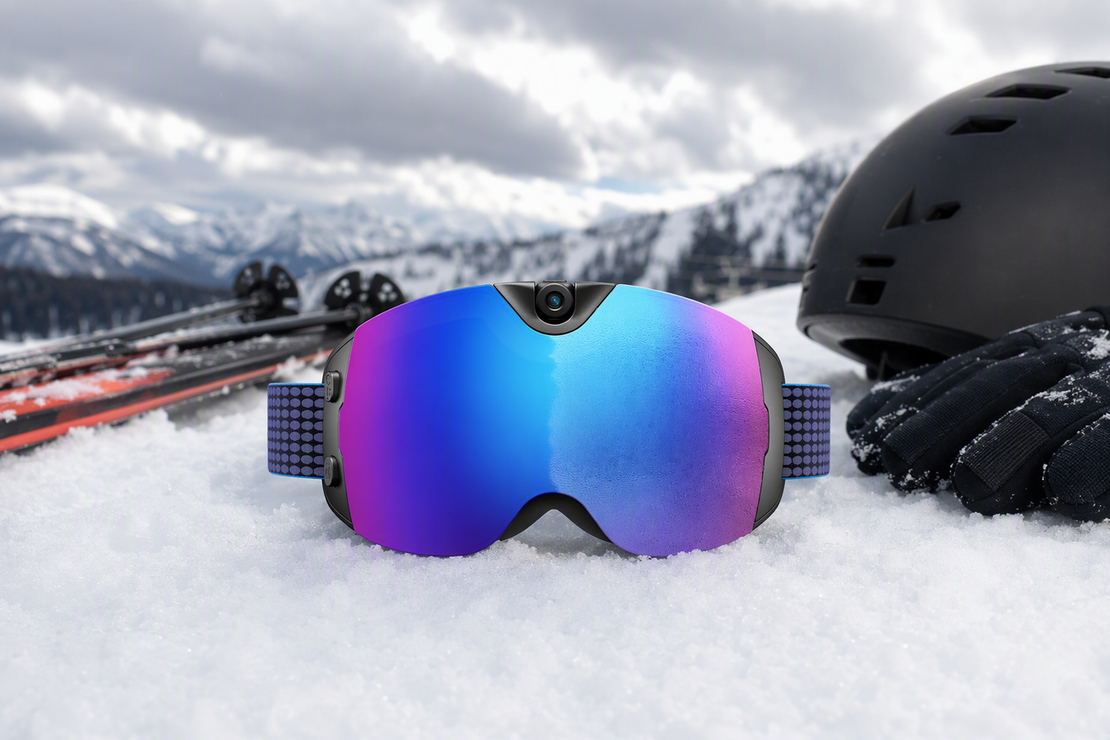
If shaky hands-free footage is your main worry on walking tours or cycling routes, the Primex EIS camera glasses pair electronic image stabilization with a higher listed storage ceiling, which fits a plan built around short sessions and regular charging breaks. If your trip depends more on sharper 4K detail or getting through a language barrier, the Edge Pro AI smart glasses list 4K/30fps capture and real-time translation across 165 languages, though we'd confirm the runtime for your exact mode before counting on it for a full day out. Either way, we recommend matching the pick to the trip's limiting need rather than the longest number on a spec sheet.
FAQs
How do I back up camera-glasses files while traveling?
Transfer files after a recording block or before storage gets tight, using the phone, adapter, or app you already tested. Open a few transferred clips to confirm they play, and only clear space on the glasses after that check passes.
How much storage do camera glasses need for a trip?
There's no single GB number that covers every trip. Match your model's listed capacity to your recording resolution, how much you expect to capture, and how often you'll realistically get a transfer window. Frequent recorders with limited transfer access should lean toward a higher listed capacity option.
Illustrative calculation: If your exact model and settings show a verified recording rate of 0.1 GB per minute, and you plan to record for 30 minutes, the estimate is 0.1 GB/minute × 30 minutes = 3 GB. This is a labeled planning example, not a typical rate or a promise of usable capacity. Compare the result with the model's listed capacity and leave room for your transfer schedule.
How should I pack camera glasses in luggage?
Use the supplied or a rigid protective case, keep a lens cloth on hand, and separate the glasses from keys, coins, or anything else that could scratch or crush them. When flying, keep the case accessible in your carry-on rather than buried in checked luggage.
What cables or adapters should I pack with camera glasses?
Bring the supplied or a verified data cable and adapter, and test both charging and file transfer with the exact phone or app you plan to use before you leave. A USB-C or OTG label alone doesn't guarantee full compatibility with every model.


Dejar un comentario
Este sitio está protegido por hCaptcha y se aplican la Política de privacidad de hCaptcha y los Términos del servicio.