
























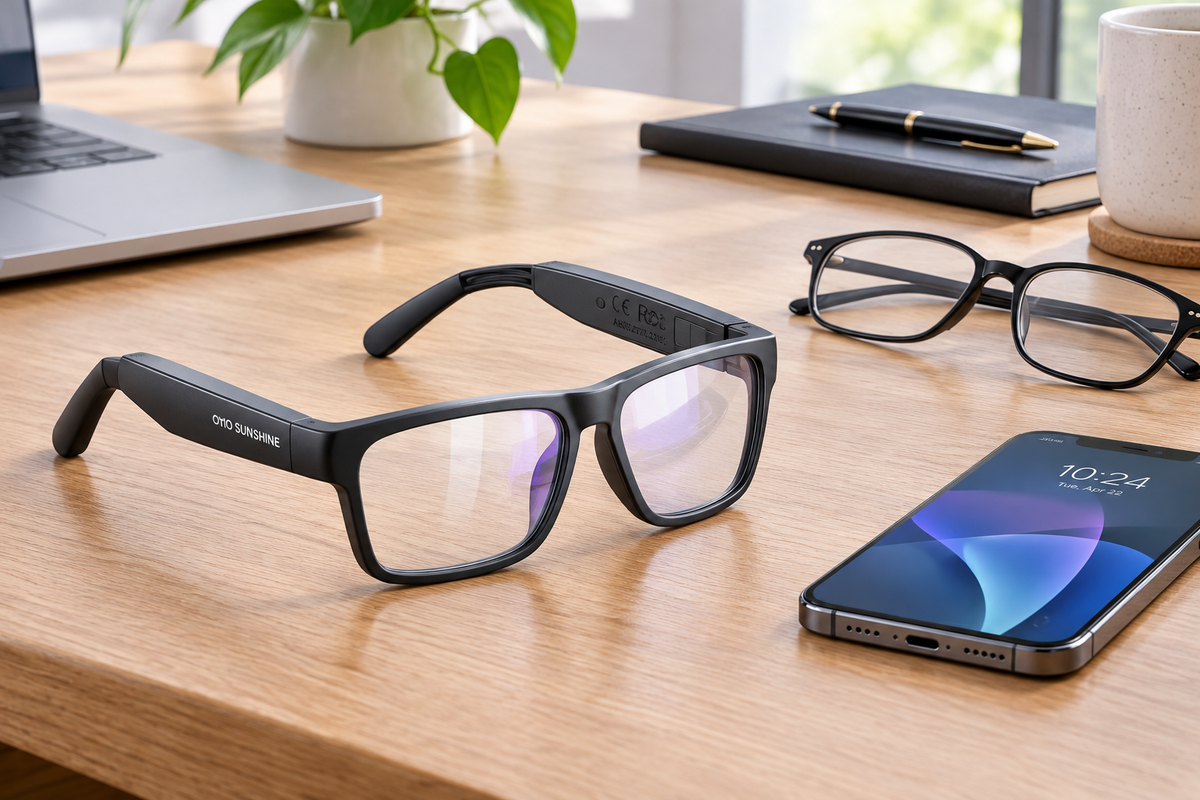
Blue-light glasses with built-in audio are worth the extra cost mainly when you'll actually use the hands-free calling, music, or voice-assistant features often enough to replace a separate earbud routine. If screens are your main concern and audio is just a nice-to-have, regular screen glasses are usually the simpler, lower-maintenance value.
This comparison walks through what the audio premium actually buys, a cost-per-use method you can run with your own numbers, the weight and comfort tradeoffs, and the battery-care routine that comes with owning connected eyewear.
Audio vs. Regular Screen Glasses: What Are You Actually Paying For?
It helps to separate what the extra money buys from what it doesn't. Audio-enabled frames add electronics and convenience; they don't add a proven vision benefit over standard lenses.
Start With the Actual Upgrade: Hands-Free Audio, Not a Proven Lens Benefit
Open-ear speakers, hands-free calling, and voice-assistant access are the real functional upgrade in Bluetooth smart glasses with audio. They let you take a call, play a podcast, or ask a voice assistant a question without pulling out your phone or swapping in earbuds. That convenience is the actual thing you're paying for.

What you are not paying for, at least not on current evidence, is a meaningful eye-health advantage from the blue-light filter itself. The American Academy of Ophthalmology does not recommend special eyewear for routine computer use and notes that several studies found blue-light-blocking lenses did not improve digital eye-strain symptoms. A 2023 systematic review of blue-light filtering lenses reached a similar conclusion, finding little short-term eye-strain benefit and uncertain effects on sleep compared with non-filtering lenses. Our review of blue light glasses evidence details these findings further. So if a seller's pitch leans on the lens alone, treat that as marketing, not medical proof. The audio features are where the real ownership decision lives.
Calculate Value With Your Own Inputs
A cost-per-use comparison turns a vague "is it worth it" question into a number you control. Plug in your own prices and habits rather than relying on assumed averages.
- List the audio frame's purchase price plus any incremental ownership costs, such as a charging cable or case you wouldn't otherwise need.
- Estimate how many times you expect to actually use the audio features (calls, music, navigation, or voice commands) over a realistic ownership period.
- Divide: audio cost per use = (audio-frame price + incremental ownership costs) ÷ expected audio-frame uses.
- Do the same for a regular pair: regular cost per use = regular-frame price ÷ expected regular-frame uses.
- Compare the two results. A lower cost per use for the audio frame means the feature is earning its premium; a much higher one signals you'd be paying for convenience you rarely tap into.
This model can't hand you a universal payback period, since current prices and personal usage vary, but it gives you a decision you can trust because it's built from your own numbers.
Treat 36 Grams as One Data Point, Not a Comfort Verdict
Our Elite Bluetooth glasses are listed at 36 grams, which is useful context but not a finished comparison. No verified weight figure exists for a "typical" pair of regular screen glasses, so this article can't claim a specific gram difference either way.
What actually predicts comfort is your longest intended wear session, how the bridge and temples feel under that frame's weight, and whether the added electronics make you less likely to reach for the glasses at all. If you already know you abandon slightly heavier frames after a few hours, weigh that pattern more than any spec sheet.
Plan Charging as Part of Ownership
Charging and storage are real ownership costs, not an afterthought, once you add electronics to eyewear.
- Plan around the battery working time listed for your specific model; our Elite is rated for up to 10 hours on a charge and uses a Type-C connection.
- Follow the manufacturer's manual for charging instructions and charge times rather than guessing at a routine; exact intervals are model-specific.
- For general long-term storage, avoid high heat and store a powered-down device around half-charged in a cool, dry place, following the manufacturer's battery-care guidance as a general rechargeable-device principle rather than a model-specific instruction.
- Respect the listed water-resistance rating. IPX4 covers light rain or sweat, not submersion or heavy water exposure.
Which Pair Fits Your Routine and Ownership Tolerance?
The threshold above becomes a practical choice once you match it to your actual routine. Here's how the two categories split by common use cases.
Choose Audio Frames if Hands-Free Listening Is a Repeated Part of Your Day
Frequent callers, commuters, and multitaskers are the strongest fit for audio-enabled frames. If you regularly take calls, listen to podcasts or music, use turn-by-turn navigation, or lean on a voice assistant while keeping your hands free, that repeated use is what justifies the added cost and charging routine. Open-ear audio keeps you aware of your surroundings, which is useful for walking or driving, but it isn't fully private. In a quiet room, someone nearby may hear part of a call or your music at moderate volume.
Choose Regular Screen Glasses if Screens Are the Main Job
Screen-first users are usually better served by regular blue-light or non-filtering screen glasses. If your day is mostly computer work and you'd rarely touch the audio features, you're paying for hardware you won't use and taking on a charging habit you don't need. Regular glasses skip pairing, battery checks, and water-resistance limits entirely, which is a real simplicity advantage. And as covered above, the blue-light lens itself isn't a proven reason to pay more, whichever frame style you choose.
Keep Camera Features Separate From the Audio Decision
Bluetooth is a connection method, not a camera specification, so don't assume every Bluetooth-enabled pair records video. Our Elite frames are documented as an audio-focused model: speakers, microphone, and voice-assistant access, with no camera hardware. A separate model in our lineup, the Edge, is built around 1080p recording alongside its Bluetooth audio, so camera capability there comes from its own listed specifications, not from the word "Bluetooth." If you're specifically shopping for smart glasses with a camera, check that spec directly rather than assuming it from audio or connectivity features alone.
Where the Elite Fits
If frequent hands-free listening or calling describes your day, our Elite Bluetooth glasses pair open-ear audio, hands-free calling, and voice-assistant access with blue-light lenses in a 36-gram frame rated for up to 10 hours of battery working time. For readers who want to compare more styles before deciding, our Bluetooth glasses collection lays out the current lineup. If your priority is quiet, low-maintenance screen wear instead, a standard pair without electronics remains the simpler purchase, and no product in this comparison changes that recommendation.
FAQs
Can Bluetooth audio glasses work without a camera?
Yes. Bluetooth describes the wireless connection used for audio and calls, not video recording. A model needs its own documented camera hardware to record video; our Elite is an audio-focused pair with no camera, while a separate model, the Edge, is built specifically around camera recording. Check the camera specification directly if that feature matters to you.
Can people nearby hear audio from open-ear glasses?
Sometimes. Open-ear designs are built to keep you aware of your surroundings, which also means sound can carry to people close by, especially in a quiet room or at higher volume. If privacy for calls or music matters more than situational awareness, factor that into your choice of listening environment and volume level.
How should I store rechargeable smart glasses when I won't use them for a while?
Follow your eyewear maker's manual first for any model-specific instructions. As a general rechargeable-device principle, power the device down, avoid high heat, and store it in a cool, dry place at around half charge rather than fully charged or fully drained. This reduces avoidable battery stress during longer breaks between uses.
Can audio smart glasses replace my prescription glasses?
It depends on the model's documented lens path. Our Elite supports replaceable lenses designed for the frame itself rather than being built to wear over an existing pair of prescription glasses. If you need corrective lenses, confirm your prescription and lens options with the specific product before buying rather than assuming universal compatibility.
If you mostly use screens and rarely need hands-free audio, a regular pair of screen glasses is the lower-cost, lower-maintenance choice. If calls, podcasts, or voice commands are a repeated part of your day and you're comfortable with a charging routine, audio-enabled frames like our Elite can earn their premium. Run the cost-per-use numbers from your own habits before deciding, since no single answer fits every reader.



Leave a comment
This site is protected by hCaptcha and the hCaptcha Privacy Policy and Terms of Service apply.