
























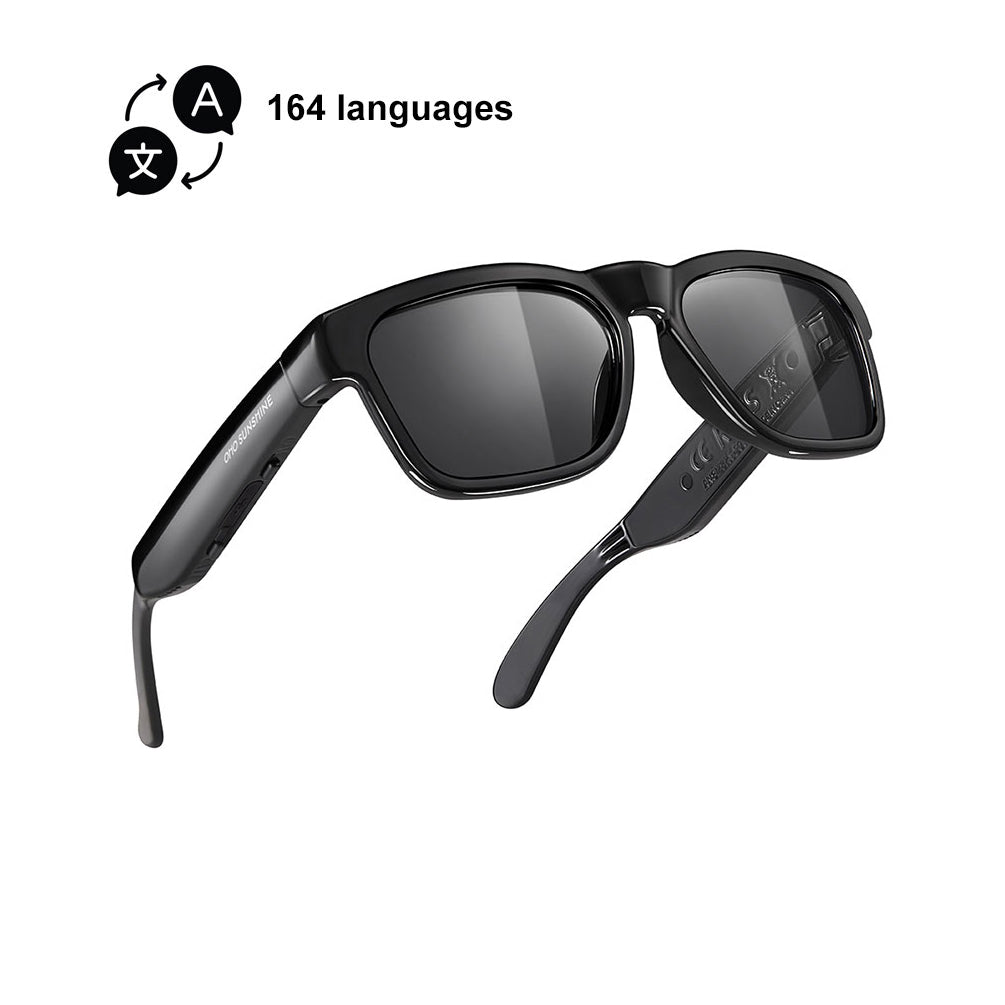
Una política sobre gafas inteligentes en el trabajo suele ser una cuestión normativa, no una cuestión del dispositivo. El mismo par puede ser adecuado para un puesto, estar limitado en otro y no permitirse en un área sensible. La forma más rápida de evaluarlas es comprobar primero las funciones de captura, luego la sala y después las funciones del puesto, porque las reuniones, los espacios compartidos, las labores de seguridad y la atención sanitaria activan normas diferentes.

Cuándo se permiten las gafas inteligentes en el trabajo
Que las gafas inteligentes estén permitidas en el trabajo depende de la política del empleador, el puesto, el espacio y las funciones de captura implicadas. No existe una única ley federal sobre gafas inteligentes que responda a la pregunta en todas partes; el marco legal es un conjunto de normas de privacidad, intervención de comunicaciones, laborales y sanitarias, como se resume en el análisis jurídico de los dispositivos portátiles en el trabajo. Los empleadores también deben redactar las normas con cuidado, porque las prohibiciones generales de grabación pueden entrar en conflicto con los límites del derecho laboral si no están adaptadas específicamente a un interés empresarial legítimo.
Una política práctica sobre gafas inteligentes en el trabajo suele basarse en cuatro comprobaciones: ¿El cargo justifica la captura? ¿Está permitido en ese espacio? ¿Las gafas pueden grabar audio, vídeo o transcribir? ¿Y quién puede acceder después a los archivos? Si la respuesta cambia según la zona, la política también debería cambiar. Por eso una zona administrativa, una sala de reuniones con clientes, un muelle de carga y un área de pacientes no deberían regirse por el mismo conjunto de normas.

Una frase útil para tomar decisiones es esta: si el dispositivo puede capturar o transcribir, el permiso debe basarse en el cargo y el espacio, no en el dispositivo. Otra: si el entorno incluye reuniones u otras conversaciones privadas, la política debe exigir que se informe o desactivar la captura de forma predeterminada. Y una tercera: si el área gestiona información protegida, confidencial o sensible para el sindicato, la norma debe ser más específica que una prohibición general y estar vinculada al motivo empresarial concreto.
Para obtener una visión más amplia de las opciones de dispositivos portátiles orientados al trabajo, la categoría de gafas inteligentes para el trabajo solo sirve aquí como ruta de navegación, no como prueba de que un dispositivo cumpla tu política.
Funciones que aumentan el riesgo de incumplimiento
Las funciones de mayor riesgo son las que convierten un momento en un registro. La grabación de audio es evidente, la captura de vídeo es evidente y la transcripción en directo se convierte en un problema propio, porque el habla puede transformarse en un archivo consultable que luego es más fácil de copiar, revisar o reenviar. En otras palabras, la pregunta de la política no es solo «¿puede capturar?», sino «¿qué ocurre después de que captura?».
Funciones de audio y grabación
Los micrófonos y las funciones de grabación merecen la primera revisión, porque pueden captar conversaciones privadas, intercambios con clientes o comentarios espontáneos que nunca debieron convertirse en un archivo. En entornos de oficina, esto es importante en salas de conferencias, salas de descanso y llamadas con clientes. En la práctica, una función de audio manos libres puede ser inofensiva para las llamadas, pero arriesgada si el mismo dispositivo puede grabar la sala silenciosamente. La política debe distinguir entre «escuchar» y «grabar».
Vídeo, fotografías y captura visible
Las cámaras plantean problemas de privacidad incluso cuando quien las lleva dice que no las está usando activamente. Las áreas de trabajo compartidas, los espacios orientados al público y las salas restringidas normalmente deberían tener los límites más estrictos. Si en un lugar de trabajo ya se utilizan credenciales de visitante, señalización o aprobación de un gerente para tomar fotografías, esas mismas prácticas también pueden ayudar a establecer las reglas para las gafas inteligentes. La cuestión no es prohibir todas las cámaras, sino evitar que la captura casual se extienda a lugares donde las personas no esperaban ser grabadas.
Transcripción y toma de notas con IA
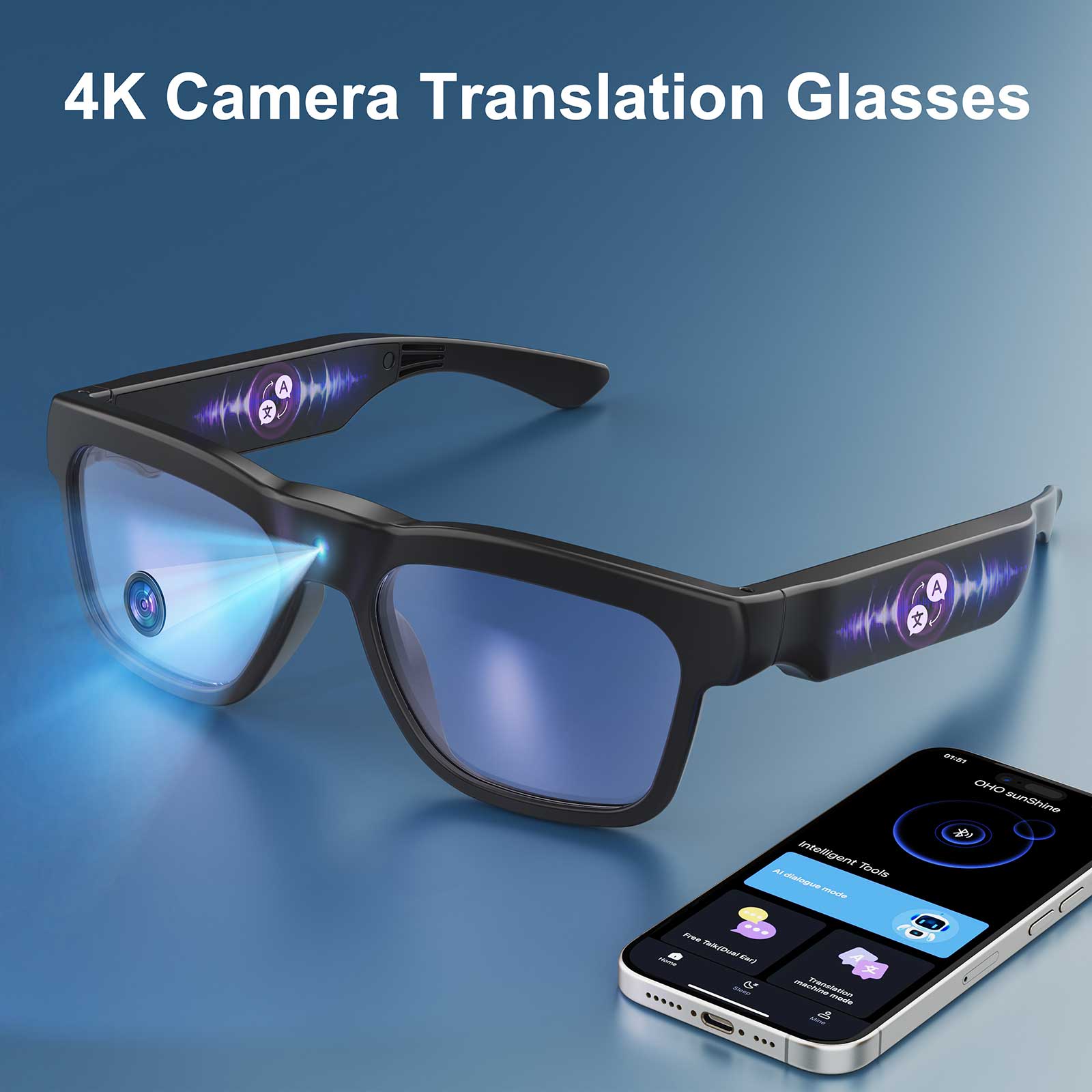
El consentimiento para la transcripción de reuniones con gafas de IA merece una revisión propia, porque la transcripción puede crear un registro de trabajo duradero, no solo un momento temporal de escuchar y olvidar. Esto es especialmente importante cuando en las reuniones participan clientes, proveedores, pacientes o se tratan asuntos relacionados con las relaciones laborales. El riesgo legal no es idéntico en todos los estados o lugares de trabajo, pero el problema de gobernanza es similar: ¿a quién se informó, quién puede acceder a la transcripción y durante cuánto tiempo seguirá disponible? La encuesta de Justia sobre los 50 estados es el punto de partida adecuado para conocer las variaciones en materia de consentimiento, mientras que el aviso de monitoreo del empleador también puede ser importante en los estados que exigen un aviso previo por escrito.
Controles de almacenamiento, sincronización y acceso
Un dispositivo se vuelve más sensible cuando se sincroniza automáticamente con una cuenta en la nube, comparte archivos ampliamente o conserva las grabaciones durante más tiempo del necesario para el trabajo. Por lo tanto, la política de inspecciones de campo con gafas inteligentes debe incluir límites de conservación, eliminación y acceso, no solo una regla sobre el uso del dispositivo. Si la empresa no puede explicar dónde se almacena una grabación después de capturarla, la política está incompleta. La opción predeterminada más segura es desactivar la captura y activarla únicamente por un motivo de trabajo específico.
Consentimiento, avisos y reglas para reuniones
Las salas de reuniones, las llamadas con clientes y las conversaciones de equipo a menudo requieren un aviso explícito antes de activar cualquier función de captura. Esto es cierto incluso cuando el dispositivo se utiliza por comodidad y no para vigilancia. Un gerente que considera la transcripción como una toma de notas inofensiva puede pasar por alto que algunas conversaciones pueden estar sujetas a las leyes estatales sobre grabaciones o a normas independientes de aviso sobre la supervisión por parte del empleador.
La opción predeterminada más clara en el lugar de trabajo es dar un aviso verbal al inicio de la reunión, respaldado por el texto de la política escrita y, cuando sea necesario, por carteles en la entrada de la sala. En algunos estados, generalmente se exige el consentimiento de todas las partes para las conversaciones privadas, mientras que en otros la regla es diferente. La encuesta de Justia de los 50 estados también muestra que Connecticut, Delaware y Nueva York exigen un aviso previo por escrito de la supervisión electrónica en algunos entornos laborales, por lo que el aviso puede ser una cuestión independiente del consentimiento. El resumen de avisos de Recording Law es una referencia útil para verificar ese punto.
Eso significa que la respuesta del gerente debe ser procedimental, no improvisada. Si alguien se opone, la reunión debe cambiar al modo sin captura o el dispositivo debe guardarse. Si la reunión es demasiado delicada para grabarla, la política debe indicarlo antes de que comience. Y si la sala es una zona sin captura, la regla debe aplicarse siempre de la misma manera, independientemente de si el dispositivo es un teléfono, una tableta o unas gafas inteligentes.
Una regla práctica: si a los participantes les importaría razonablemente saber si una transcripción sobrevive a la reunión, considera las gafas inteligentes primero como un asunto de aviso y aprobación, antes que como una herramienta de productividad.
Seguridad, trabajo de campo y entornos regulados
Los distintos entornos de trabajo justifican controles diferentes. Los equipos de seguridad pueden necesitar capturar pruebas. Los equipos de campo pueden necesitar acceso manos libres mientras se desplazan por varios sitios. Los equipos relacionados con la atención médica afrontan las restricciones más estrictas porque la información protegida, la privacidad de los pacientes y la gobernanza de los dispositivos pueden entrar rápidamente en conflicto.
| Entorno | Controles principales | Enfoque de la política |
|---|---|---|
| Reuniones de oficina y llamadas con clientes | Aviso, consentimiento, conservación, control de acceso | Solo uso limitado |
| Personal de seguridad y captura de pruebas | Permisos, cadena de custodia, conservación, acceso para revisión | Mayor control |
| Inspecciones y mantenimiento en campo | Sitios aprobados, zonas sin captura, límites de sincronización | Uso condicionado |
| Trabajo sanitario o relacionado con entornos clínicos | Medidas de protección de la privacidad, revisión del BAA, acceso restringido y vía de escalamiento | Límite más estricto |
| Dispositivos de consumo no compatibles con los flujos de trabajo clínicos | No las permitas hasta que se apruebe su gobernanza | No las implementes de forma predeterminada |
Personal de seguridad y captura de pruebas
El personal de seguridad puede tener una razón legítima para usar gafas inteligentes, especialmente cuando la documentación es importante. Pero ese rol no elimina las reglas de notificación, privacidad o conservación. Una política de seguridad debe definir dónde se permite grabar, quién revisa las grabaciones, cuánto tiempo se almacenan y qué ocurre cuando se captura a personas presentes. Si el dispositivo se utiliza para documentar incidentes, la cadena de custodia y las reglas de conservación importan más que la comodidad de la captura manos libres.
Inspecciones y mantenimiento en campo
El trabajo de campo suele ser el caso intermedio. El trabajo puede beneficiarse de la captura manos libres o de la orientación en tiempo real, pero los trabajadores se desplazan por espacios públicos, privados y, a veces, confidenciales durante el mismo día. Por eso, la política debe identificar los sitios aprobados, las zonas sin captura y qué datos pueden sincronizarse fuera del dispositivo. Si el trabajo solo necesita una referencia visual y no grabación, mantén la grabación desactivada.
Trabajo sanitario o relacionado con entornos clínicos
La atención médica es el caso límite más estricto. Un dispositivo wearable que parece inofensivo en una oficina puede seguir siendo problemático si captura nombres de pacientes, diagnósticos, pantallas o audio en un área clínica. La guía de UW Medicine sobre tecnología wearable indica que las gafas inteligentes de consumo deben mantenerse fuera de los flujos de trabajo clínicos si el fabricante no firma un BAA, lo que es una señal práctica de que el flujo de trabajo aún no está preparado para el dispositivo. Si tu caso de uso involucra información de pacientes, la cuestión de compra pasa de las funciones a la preparación para el cumplimiento normativo.
Crea una política para gafas inteligentes en el lugar de trabajo
- Define primero los roles permitidos. Empieza por los trabajos que realmente necesitan el dispositivo y luego especifica los roles que no pueden usarlo. Así evitarás una política demasiado vaga o demasiado permisiva.
- Define espacios aprobados y zonas sin captura. Las salas de reuniones, los baños, los vestuarios, las áreas de pacientes y las salas seguras no deben tratarse igual que las áreas de trabajo abiertas. Si el espacio es sensible, la regla para el dispositivo debe ser explícita.
- Limita la captura de forma predeterminada. El audio, el video y la transcripción deben estar desactivados, a menos que una tarea los requiera. Si el trabajo solo necesita acceso manos libres, no permitas silenciosamente funciones de grabación.
- Redacta reglas de conservación y eliminación. Decide dónde se almacenan los archivos, quién puede verlos, cuánto tiempo permanecen y quién los elimina. Si la respuesta es «la aplicación se encarga», la política es demasiado débil.
- Canalice las solicitudes de adaptación a través del proceso interactivo. Es posible que los empleadores deban participar en el proceso interactivo de la ADA cuando se soliciten gafas inteligentes como adaptación por discapacidad, por lo que una prohibición general no pone fin al análisis. Información de Fisher Phillips sobre las gafas con IA es un recordatorio útil para evaluar la solicitud, las funciones del puesto y cualquier alternativa eficaz.
- Añada avisos, capacitación y medidas disciplinarias. Si los empleados y visitantes no saben cuándo está activa la captura, la política fracasará en la práctica. Si la regla no tiene consecuencias, se aplicará de manera desigual. Y si los gerentes no pueden explicar la regla en una sola frase, no están preparados para hacerla cumplir.
Una política sobre el uso de gafas inteligentes en el lugar de trabajo está lista cuando puede responder rápidamente a tres preguntas: quién puede usarlas, dónde pueden usarse y qué ocurre con los datos después de la captura. Si esas respuestas aún no están claras, mantenga la implementación en fase piloto y envíe el borrador a RR. HH., el departamento legal, privacidad o seguridad antes de realizar la compra.
Preguntas frecuentes
¿Se permiten las gafas inteligentes en el trabajo?
A veces, pero solo de acuerdo con las reglas del empleador y las condiciones del lugar de trabajo. La principal comprobación es si el dispositivo puede grabar, transcribir o almacenar datos en un lugar donde las personas esperan privacidad. Si la respuesta es sí, normalmente el permiso debe limitarse según el cargo, la ubicación y los requisitos de aviso.
¿Puede el personal de seguridad usar gafas inteligentes?
Sí, pero el uso en seguridad necesita controles más estrictos que el uso habitual en la oficina, porque el objetivo suele ser capturar pruebas. La política debe especificar dónde se permite grabar, cuánto tiempo se conserva el material y quién puede revisarlo. Si pueden captarse transeúntes o empleados, las reglas de aviso y conservación deben redactarse antes de la implementación.
¿Se necesita consentimiento para usar gafas inteligentes en reuniones?
A menudo, sí, o al menos se necesita un aviso claro antes de que comience la captura. Una transcripción o grabación puede convertir una reunión en un registro duradero, por lo que los gerentes deben tratar el dispositivo como una cuestión de consentimiento y aviso, no solo como una herramienta práctica para tomar notas. Si una reunión es delicada, la opción predeterminada debe ser no capturar, salvo que el asesor legal o la política indiquen lo contrario.
¿Qué funciones crean el mayor riesgo de incumplimiento?
Los micrófonos, las cámaras, la transcripción en directo, la sincronización con la nube y la captura permanente son los principales puntos de revisión. La razón es sencilla: estas funciones pueden crear registros duraderos y ampliar el acceso más allá de la persona que lleva las gafas. Si un dispositivo puede capturar contenido y además cargarlo automáticamente, la política debe centrarse en el almacenamiento y el uso compartido, no solo en el botón de captura.
¿Pueden los empleadores prohibir por completo las gafas inteligentes?
A menudo pueden restringirse considerablemente, pero una prohibición general no siempre es la opción más segura al redactar la política, porque las cuestiones de adaptación y de derecho laboral pueden limitar la amplitud de la regla. Por lo general, una política mejor limita la prohibición a espacios, tareas o funciones de captura específicos y luego canaliza las excepciones a través de RR. HH., el departamento legal, privacidad o seguridad.


Deja un comentario
Este sitio está protegido por hCaptcha y se aplican la Política de privacidad de hCaptcha y los Términos del servicio.