
























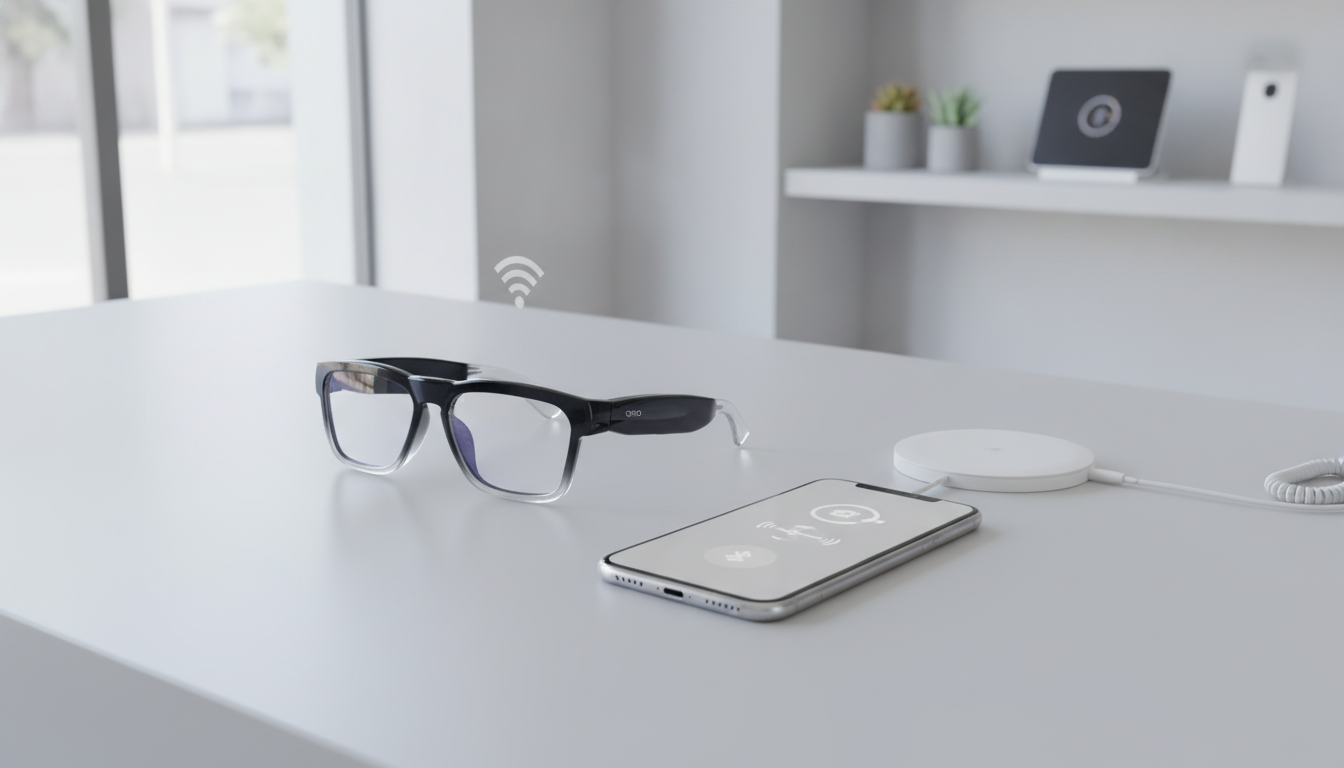
Smart Glasses mit Bluetooth sind nicht automatisch mit jedem Telefon, jeder App, jeder Funktion oder jedem Übertragungsworkflow kompatibel. Ordne vor dem Kauf eine vorgesehene Aufgabe einer Gerätekette zu: Brille, Telefon und Betriebssystem, Begleit-App, Bluetooth, WLAN oder mobile Daten bei Bedarf, Ladezubehör sowie die Art und Weise, wie Fotos, Audio oder Übersetzungsergebnisse ein anderes Gerät erreichen. Am schnellsten triffst du eine Entscheidung, indem du mit der Aufgabe beginnst. Für Audio und Anrufe können ein Telefon, Bluetooth und eine Aufladung erforderlich sein. Die Kameranutzung erfordert zusätzlich Speicher und Dateizugriff. Für Übersetzung oder KI können außerdem eine App, Berechtigungen, ein Konto und Internetzugang erforderlich sein. Da die genaue Verbindungskette modellspezifisch ist, nutze die folgende Matrix als Checkliste vor dem Kauf, statt anzunehmen, dass jedes Paar Bluetooth-Smart-Glasses auf die gleiche Weise funktioniert.

Welche Smart Glasses mit Bluetooth-Verbindung passen zu deiner Aufgabe?
Wähle die Funktion aus, die du am häufigsten nutzen wirst, und überprüfe anschließend jedes Gerät und jede Verbindung in dieser Zeile. Bluetooth kann ein Teil des Ablaufs sein, während die App-Steuerung, Netzwerkfunktionen oder Dateiübertragung eine andere Verbindung nutzen. Beispielsweise trennt eine technische Integration die Bluetooth-Kommunikation von der WLAN-Dateiverwaltung, einschließlich des Hoch- und Herunterladens von Dateien über getrennte Bluetooth- und WLAN-Verbindungspfade.
| Vorgesehene Aufgabe | Zu überprüfende Geräte und Verbindungen | Kaufvoraussetzung oder nächster Prüfschritt |
|---|---|---|
| Bluetooth-Audio und Anrufe | Brille, Telefon, Bluetooth-Kopplung, Mikrofon- und Anrufsteuerung, gegebenenfalls Begleit-App sowie Ladegerät | Stimme das genaue Telefonmodell und Betriebssystem auf die Kopplungs- und Anrufanweisungen des Modells ab. Prüfe, ob die App für Bedienelemente über die grundlegenden Audiofunktionen hinaus erforderlich ist. |
| Kameraaufnahme | Brille, Kamera, Telefon oder anderes Empfangsgerät, Speicherort, Ladevorrichtung sowie Kabel, OTG-Adapter, App, WLAN oder ein anderer Übertragungsweg | Prüfe für das genaue Modell, wo Aufnahmen gespeichert werden, wie die Aufnahme gestartet wird, welches Gerät Dateien empfängt und wie der Export funktioniert. Eine Aufnahmefunktion allein belegt noch keinen zugänglichen Date workflow. |
| Übersetzung oder KI | Brille, Telefon, Begleit-App, Bluetooth, Berechtigungen, gegebenenfalls Konto sowie mobile Daten oder WLAN des Telefons, wenn die Funktion einen Onlinedienst nutzt | Prüfe die App- und Telefonunterstützung des genannten Modells, die Netzwerkanforderungen, den unterstützten Funktionsumfang und jeden dokumentierten Offline-Modus. Übersetzungsinformationen auf Kategorieebene sind kein Beleg für die Architektur eines bestimmten Modells. |
| Eingeschränkte Nutzung ausschließlich mit der Brille | Brille, integrierte Bedienelemente, Akku sowie vom Modell dokumentierter lokaler Speicher oder lokale Verarbeitung | Behandle den Betrieb ausschließlich mit der Brille als modellspezifische Funktion. Prüfe, welche Funktion ohne Telefon, App, Internetverbindung oder Übertragungstool funktioniert, statt anzunehmen, dass Bluetooth-Brillen eigenständig arbeiten. |
Für die Suche innerhalb der Kategorie können Bluetooth-Brillenoptionen Ihnen helfen, audioorientierte Modelle zu vergleichen, während Kamerabrillen und KI-Übersetzungsbrillen unterschiedliche Nutzungspfade bedienen. Diese Kollektionen beschreiben Produktkategorien und nicht für jedes Modell eine identische Kompatibilität.
Benötigen Smart Glasses ein Smartphone und eine Begleit-App?
In der Regel hängt die Smartphone-Anforderung von der Funktion ab, nicht nur davon, ob die Brille Bluetooth unterstützt. Ein Smartphone kann die Kopplung, App-Steuerung, den Kamerazugriff, die Übersetzungsverarbeitung, die Dateiverwaltung oder den Netzwerkzugriff ermöglichen. Einfaches Audio kann über einen anderen Weg laufen als erweiterte Steuerungen oder KI. Fahren Sie daher nur fort, wenn das genannte Modell die gewünschte Aufgabe auf Ihrem Smartphone unterstützt.
Was übernimmt Bluetooth?
Bluetooth kann Audio oder Gerätekommunikation übertragen, aber seine Verfügbarkeit beweist nicht, dass es jede Steuerung, KI-Funktion, Übersetzungsfunktion oder Videoübertragung übernimmt. Prüfen Sie, ob die Kopplung direkt oder app-gestützt erfolgt, und ermitteln Sie anschließend, welche Funktion die Bluetooth-Verbindung in der Nähe nutzt. Diese Unterscheidung ist für Käufer wichtig, die verstehen möchten, wie Smart Glasses funktionieren, und sie nicht nur für Audio verwenden möchten.
Bei Anrufen sind die entscheidenden Fragen, ob das Smartphone mit der Brille gekoppelt werden kann, ob das integrierte Mikrofon die gewünschte Anruffunktion unterstützt und ob die Brille oder die App die entsprechenden Steuerelemente bereitstellt. Bei der Kamera- und Übersetzungsnutzung sollten Sie separat ermitteln, wie Aufnahme, Verarbeitung und Dateizugriff funktionieren.

Funktioniert die App auf meinem Smartphone?
Notieren Sie sich vor dem Vergleich der App-Funktionen Ihr genaues Smartphone-Modell und Betriebssystem. Führen Sie anschließend diese dreiteilige Prüfung durch:
- App-Verfügbarkeit: Suchen Sie die Begleit-App des genannten Modells und die darin angegebenen Anforderungen für iPhone oder Android. Die Verfügbarkeit der App ist eine separate Frage davon, ob Ihr Smartphone über Bluetooth verfügt.
- Berechtigungen: Die App kann Berechtigungen für die Bluetooth-Suche, die Geräteverbindung oder WLAN- und Dateisynchronisierungsfunktionen anfordern. Die genauen Berechtigungen hängen von der App und dem Betriebssystem des Smartphones ab, wie die separat dokumentierten Anforderungen für Bluetooth- und WLAN-Berechtigungen in einer technischen Integration zeigen.
- Unterstützung der gewünschten Funktion: Vergewissern Sie sich, dass die App die gewünschte Funktion in Ihrer Region und auf Ihrem Smartphone unterstützt. Übersetzung, KI, Kamerasteuerung, Audioeinstellungen und Dateizugriff können unterschiedliche Voraussetzungen haben.
Halten Sie den Kauf zurück, wenn Ihr Smartphone zwar gekoppelt werden kann, die App oder die gewünschte Funktion jedoch nicht unterstützt wird. Bluetooth auf dem Smartphone allein reicht nicht aus, wenn das gewünschte Ergebnis von einer App oder einem Betriebssystem abhängt, die bzw. das das Modell nicht unterstützt.
Benötigen smarte Brillen WLAN, mobile Daten oder ein Ladegerät?
Behandeln Sie Bluetooth, Internetzugriff, WLAN und Akkuleistung als getrennte Prüfpunkte. Für die grundlegende Kopplung ist möglicherweise nur Bluetooth erforderlich, während Übersetzungen, KI, Updates oder Dateiübertragungen die mobilen Daten Ihres Telefons, WLAN oder einen modellspezifischen Netzwerkweg nutzen können. Die genaue Anforderung hängt von der genannten Funktion und dem Modell ab.
Verwenden Sie vor dem Kauf diese kompakte Aufteilung:
- Bluetooth: Bestätigen Sie die Kopplungsreichweite und die Funktion, die die Verbindung nutzt, etwa Audio, Anrufe, Steuerung oder die Kommunikation mit der App.
- Telefondaten oder WLAN: Fragen Sie, ob die Übersetzung oder KI mobile Daten des Telefons, WLAN, ein Konto oder eine dokumentierte lokale Verarbeitung nutzt. Gehen Sie nicht davon aus, dass ein Modell einen sinnvollen Offline-Betrieb ermöglicht. Eine netzwerkabhängige Funktion kann ausfallen, selbst wenn die Bluetooth-Kopplung erfolgreich ist.
- Ladegerät und Stromversorgung: Bestätigen Sie den Ladeanschluss, das mitgelieferte Ladezubehör, die Akkuinformationen und jede dokumentierte Einschränkung für die von Ihnen geplante Nutzung. Akkulaufzeit und Ladeverhalten sind modellspezifisch. Ersetzen Sie diese Fakten daher nicht durch Informationen auf Kategorieebene.
Käufer, die Übersetzungsfunktionen benötigen, sollten den Netzwerkzugriff als zentrale Kaufentscheidung betrachten, da Übersetzungskategorien möglicherweise über Bluetooth die Internetverbindung eines Smartphones nutzen und eine Begleit-App erfordern. Das ist ein Signal auf Kategorieebene und keine Bestätigung dafür, dass jedes Modell mobile Daten oder WLAN auf dieselbe Weise nutzt. Vergleichen Sie smarte Brillen ohne Internet als Hintergrundinformation und wenden Sie anschließend den dokumentierten Funktionsweg des jeweiligen Modells an.
Wie werden Fotos, Audio und Übersetzungsergebnisse übertragen?
Trennen Sie den Zeitpunkt, zu dem eine Funktion funktioniert, von dem Zeitpunkt, zu dem ihr Ergebnis an anderer Stelle nutzbar wird. Eine Kamera kann Videos aufnehmen, während der Übertragungsweg unklar bleibt. Audio kann nur live verfügbar sein, während eine Übersetzung über eine Telefon-App oder einen vernetzten Dienst verarbeitet wird. Bluetooth allein sollte nicht als Beleg dafür gelten, dass Aufnahmen auf Ihr Telefon übertragen werden.
Arbeiten Sie den Übertragungsweg in dieser Reihenfolge durch:
- Ermitteln Sie, was gespeichert oder verarbeitet wird. Stellen Sie fest, ob das Ergebnis auf der Brille bleibt, sofort über eine Telefon-App übertragen wird oder von einem Telefon, einem Konto oder einem Onlinedienst verarbeitet wird.
- Nennen Sie das empfangende Gerät oder die empfangende App. Entscheiden Sie, ob Sie ein iPhone, ein Android-Telefon, ein Tablet, einen Computer, eine spezielle App oder ein anderes Tool benötigen.
- Bestätigen Sie die Verbindung. Der dokumentierte Übertragungsweg kann ein Kabel, einen OTG-Adapter, eine App, WLAN, Bluetooth oder mehrere dieser Optionen umfassen. Belege aus der Kategorie der Kamerabrillen zeigen, dass die Übertragungsmethoden variieren können. Weisen Sie daher einem bestimmten Modell keine kategoriespezifische Methode zu, wenn diese nicht in dessen Dokumentation bestätigt wird.
- Kontrollieren Sie die Konto- und Netzwerkabhängigkeit. Fragen Sie, ob für die Übertragung oder die Übersetzungsergebnisse eine Anmeldung, mobile Daten, WLAN oder eine Cloud-Verarbeitung erforderlich ist.
- Prüfen Sie Zugriffs- und Exportverhalten. Bestätigen Sie, wie Sie das Ergebnis öffnen, speichern, teilen oder exportieren und ob auf der Produktseite unterstützte Geräte oder Formate angegeben sind.
Dieser Ablauf ist besonders für Kamerakäufer wichtig. Die für die Primex EIS angegebenen Fakten umfassen Foto- und Videoaufnahmen, ein integriertes Mikrofon, elektronische Bildstabilisierung, 2K-Ultra-HD-Video, photochrome Gläser und eine Akkulaufzeit von 60 Minuten, legen jedoch weder das genaue Smartphone, die App, das WLAN, den Speicherzugriff noch den Exportweg fest. Der Übertragungsweg ist Teil der Produkteignung und kein nachträglicher Nebenaspekt. Sie können auch allgemeine Kamera-, Audio- und KI-Funktionen vergleichen, ohne einen allgemeinen Funktionsleitfaden als modellspezifische Dokumentation zu betrachten.
Was sollten Sie vor dem Checkout beim genauen Modell bestätigen?
Verwenden Sie für die abschließende Prüfung ein genanntes Modell und ein vorgesehenes Ergebnis. Ein kamerafokussiertes Modell kann sich für freihändige Aufnahmen eignen, während ein übersetzungsorientiertes Modell für Käufer geeignet sein kann, die App- und netzwerkabhängige Sprachfunktionen benötigen. Keine der beiden Rollen bestätigt die genaue Kompatibilität mit Smartphone, App, WLAN, Berechtigungen, Aufladung, Speicher oder Übertragung.
- Benennen Sie das Ergebnis. Schreiben Sie „Bluetooth-Anrufe“, „Video aufnehmen und abrufen“, „Live-Übersetzung“ oder eine andere konkrete Aufgabe auf.
- Notieren Sie Ihr Smartphone und Betriebssystem. Verwenden Sie das genaue Smartphone-Modell und das aktuelle Betriebssystem, nicht nur „iPhone“ oder „Android“.
- Bestätigen Sie den App- und Bluetooth-Weg. Ermitteln Sie die zugehörige App, die Kopplungsmethode, die Berechtigungen und welche vorgesehenen Funktionen über die Verbindung funktionieren.
- Prüfen Sie die Netzwerkanforderungen. Klären Sie, ob die genannte Funktion mobile Daten, WLAN, ein Konto oder einen Onlinedienst erfordert und ob ein dokumentierter Offline-Modus verfügbar ist.
- Bestätigen Sie Stromversorgung und Verhalten. Stimmen Sie den Ladeanschluss und das mitgelieferte Kabel oder Ladegerät auf Ihre Einrichtung ab und prüfen Sie anschließend die Akkuinformationen des Modells im Hinblick auf Ihre geplante Nutzung.
- Bestätigen Sie Speicher und Übertragung. Ermitteln Sie, wohin Aufnahmen oder Ergebnisse gehen, welches Gerät sie empfängt und wie Sie sie exportieren oder teilen.
- Wenden Sie die Regel „Fortfahren oder pausieren“ an. Fahren Sie fort, wenn die dokumentierte Gerätekette des genannten Modells Ihre Aufgabe abdeckt. Pausieren Sie, wenn ein erforderliches Verbindungselement, etwa App-Unterstützung, Netzwerkzugang, Aufladung oder Dateizugriff, noch nicht angegeben ist.
Für ein Beispiel mit Fokus auf Kameras nennt die OHO SUNSHINE Primex EIS Camera Glasses Video- und Fotoaufnahmen, elektronische Bildstabilisierung, ein integriertes Mikrofon, 2K-Ultra-HD-Video, photochrome Gläser und eine Akkulaufzeit von 60 Minuten. Diese Angaben machen sie zu einem relevanten Beispiel für Käufer, die Kamerabrillen für Outdoor-Aktivitäten vergleichen, bestätigen jedoch nicht die Kompatibilität mit einem bestimmten Smartphone, einer bestimmten App, Übertragungsmethode oder WLAN-Konfiguration. Gleichen Sie diese fehlenden Details vor der Bestellung mit Ihrer Gerätekette ab.
Als Beispiel mit Schwerpunkt auf Übersetzungen passen die OHO SUNSHINE GlobeEar Smart Bluetooth AI Translation Glasses zur allgemeinen Bluetooth-Übersetzungsfunktion, die in der Produktpositionierung genannt wird. Betrachten Sie sie als bedingte Option für Käufer, deren Priorität auf Übersetzungen liegt, und fragen Sie vor dem Kauf nach den genauen Anforderungen an App, Telefon, Berechtigungen, Netzwerk, Aufladen und Offline-Nutzung, da hier kein vollständiger, verifizierter Datensatz zur Kompatibilität vorliegt.
Der nächste praktische Schritt besteht darin, dem Support Ihr genaues Telefonmodell und Betriebssystem, Ihre geplante Aufgabe, die Frage zur App, das erwartete Bluetooth-Verhalten, den Netzwerkzustand, das Lade-Setup sowie Ihre Frage zur Speicherung oder Übertragung zu senden. Wenn die Antwort diese genannte Kette abdeckt, ist das Modell für eine fundiertere Kaufentscheidung bereit. Falls nicht, vergleichen Sie weiter, bis die fehlende Abhängigkeit dokumentiert ist.
Häufig gestellte Fragen
Kann eine Smart-Brille mit einem Telefon funktionieren, das die Begleit-App nicht unterstützt?
Sie unterstützt möglicherweise eine eingeschränkte Funktion wie direktes Bluetooth-Audio, doch dadurch ist der Zugriff auf appabhängige Steuerungen, KI, Übersetzung, Kameraverwaltung oder Dateiübertragung nicht gewährleistet. Fragen Sie, ob Ihre geplante Aufgabe beim genauen Modell ohne die Begleit-App funktioniert. Wenn die Aufgabe von der App abhängt, ist ein nicht unterstütztes Telefon ein Grund zum Abwarten, selbst wenn eine Bluetooth-Kopplung möglich ist.
Kann ich eine Kamerabrille zum Aufnehmen ohne WLAN verwenden?
Möglicherweise, aber Aufnahme, Speicherung und Übertragung sind separate Fragen. Bestätigen Sie, wie die Aufnahme gestartet wird, wo die Dateien gespeichert werden und ob der spätere Zugriff über ein Kabel, einen OTG-Adapter, eine App, WLAN oder einen anderen Weg erfolgt. Die Antwort reicht für den Kauf nur dann aus, wenn der dokumentierte Ablauf des Modells zu dem von Ihnen geplanten Telefon oder Computer passt.
Verwenden Übersetzungsbrillen die mobilen Daten meines Telefons?
Das hängt von der Übersetzungsarchitektur ab. Das genannte Modell verwendet möglicherweise mobile Daten, WLAN, eine App, ein Konto oder einen dokumentierten Offline-Prozess. Prüfen Sie, welcher Weg für die Übersetzungsfunktion gilt, die Sie verwenden möchten, insbesondere wenn Sie die Funktion abseits eines zuverlässigen WLANs benötigen.
Was sollte ich dem Support schicken, um die Kompatibilität mit einer Smart-Brille zu bestätigen?
Senden Sie das genaue Telefonmodell und Betriebssystem, Ihre geplante Aufgabe, die Frage zur Begleit-App, die erwartete Bluetooth-Funktion, den Netzwerkzustand, das Lade-Setup sowie Ihre Frage zur Speicherung oder Übertragung. Die Angaben zu einem bestimmten Modell und einem konkreten Ergebnis geben dem Support genügend Kontext, um die tatsächliche Verbindungskette zu prüfen, statt eine allgemeine Bluetooth-Antwort zu geben.



Kommentar hinterlassen
Diese Website ist durch hCaptcha geschützt und es gelten die allgemeinen Geschäftsbedingungen und Datenschutzbestimmungen von hCaptcha.