
























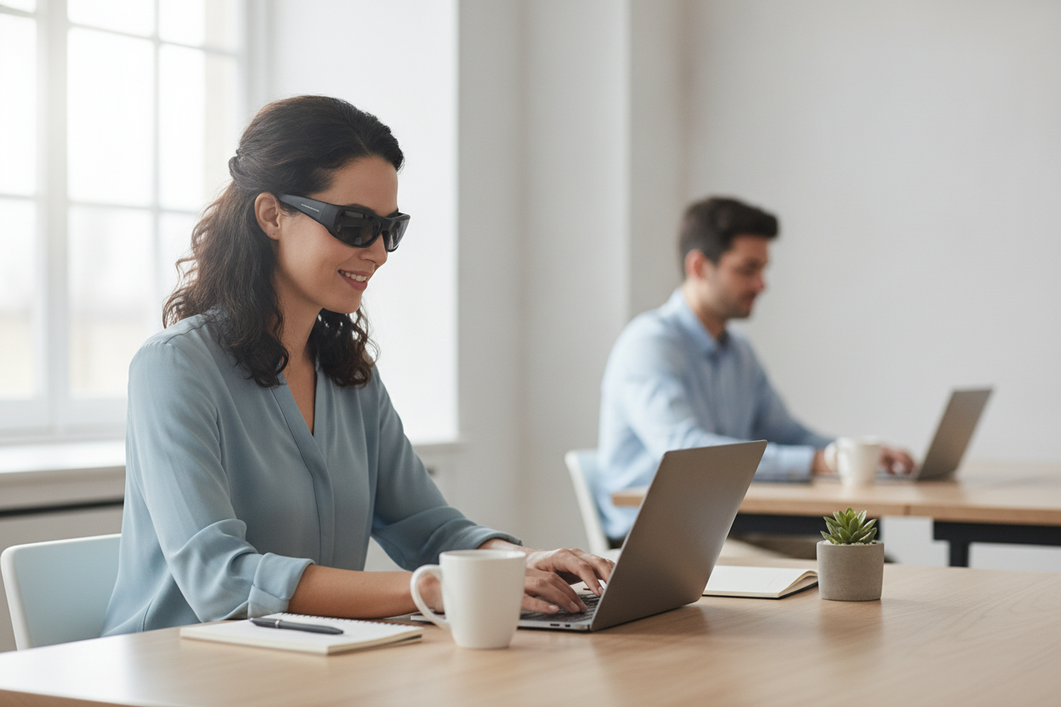
Open-Ear-Smart-Glasses können für Personen in der Nähe hörbar sein, insbesondere in einem ruhigen Raum, bei höherer Lautstärke oder wenn jemand dicht daneben steht. Sie sind besser als diskrete Hörgeräte denn als vollständig private Kopfhörer zu verstehen. Für alltägliche Navigation oder Audioinhalte mit geringer Empfindlichkeit kann dieser Kompromiss bei der Audio-Privatsphäre von Smart Glasses akzeptabel sein; für vertrauliche Anrufe oder sensible Medien sollten Sie eine privatere Hörmöglichkeit bereithalten.

Was die Audio-Privatsphäre bei Smart Glasses in der Praxis bedeutet
Die Privatsphäre bei der Audioausgabe von Smart Glasses bedeutet, zu begrenzen, wie gut Personen in der Nähe den Ton erkennen können - nicht davon auszugehen, dass ihn niemand hören kann. Open-Ear-Lautsprecher geben Ton wieder, ohne den Gehörgang abzudichten, und bieten daher nicht dieselbe Isolation wie geschlossene Kopfhörer. Das Design kann Aufmerksamkeit für die Umgebung und Komfort unterstützen, bietet jedoch keine allgemeingültige Garantie für Privatsphäre; die akustische Privatsphäre bei Audiobrillen hängt vom Design und den Hörbedingungen ab.
Eine hilfreiche Kaufregel lautet, die Brille in der ruhigsten und nächstgelegenen Situation zu beurteilen, die für Sie relevant ist. Wenn leise hörbare Navigationsansagen beim Spaziergang oder Pendeln akzeptabel sind, können Open-Ear-Audiogeräte geeignet sein. Wenn Personen in der Nähe keine Wörter aus einem Anruf, einer Nachricht, einem Podcast oder Video erkennen dürfen, wählen Sie stattdessen eine privatere Hörmethode. Fragen Sie sich praktisch, ob gelegentliches Hören ein Ärgernis oder ein Vertraulichkeitsproblem wäre.

Die Antwort auf die Frage „Können andere Personen Smart Glasses hören?“ hängt von den Umständen ab. Lautstärke, Audioinhalte, Sitz des Rahmens, Lautsprecherposition, Umgebungsgeräusche und Abstand zur zuhörenden Person beeinflussen das Ergebnis. Ein Paar, das im Freien unauffällig wirkt, muss möglicherweise an einem nahe gelegenen Schreibtisch strenger getestet werden.
Wenn Sie Open-Ear-Audiobrillen vergleichen, betrachten Sie die Kollektion als Ausgangspunkt für die Prüfung einzelner Modelle - nicht als Beleg dafür, dass jedes Paar dasselbe akustische Verhalten aufweist.
Was den Schallaustritt bei Bluetooth-Brillen beeinflusst
Das Austreten von Ton bei Bluetooth-Brillen wird nicht durch eine einzige Spezifikation bestimmt. Die Lautstärke, die Art des Tons, der Sitz des Rahmens, das Lautsprecherdesign, die Umgebungsgeräusche und die Position der zuhörenden Person können beeinflussen, wie auffällig der Ton wird. Technische Arbeiten zu Open-Ear-Hardware beschreiben die Verringerung von Schallaustritt als Designproblem und nicht als allgemeingültiges Ergebnis, das sich von einem Produkt auf ein anderes übertragen lässt. Forschung zu Open-Ear-Gehäusen kann dieses Prinzip verdeutlichen, misst jedoch nicht diese Smart Glasses.
Lautstärke und Audioinhalte
Beginnen Sie mit der niedrigsten Lautstärke, bei der Sie die Audioinhalte verstehen. Eine Erhöhung der Lautstärke kann dazu führen, dass nach außen dringender Ton leichter wahrgenommen wird. Sprache und Gesang können außerdem verständlicher sein als ein kurzer Ton oder eine Navigationsansage, selbst wenn beides für die tragende Person angenehm klingt.
Führen Sie diese Prüfungen in der angegebenen Reihenfolge durch:
- Verringern Sie die Lautstärke, bis die Wörter oder Ansagen für Sie gerade noch klar verständlich sind.
- Vergleichen Sie eine kurze Navigationsanweisung mit gesprochenen Inhalten, Musik und einer Gesprächssimulation.
- Wenn eine Person in der Nähe Wörter, eine Melodie oder Gesprächsinhalte erkennen kann, betrachten Sie diese Einstellung als ungeeignet für sensible Audioinhalte.
- Pausieren Sie die Wiedergabe oder wechseln Sie bei vertraulichen Inhalten das Gerät, anstatt das Problem nur durch Anpassen der Lautstärke der Brille lösen zu wollen.
Sitz und Lautsprecherposition
Ein Rahmen, der in der vorgesehenen Position sitzt, kann der tragenden Person einen klareren Klang liefern, wodurch die Versuchung, die Lautstärke zu erhöhen, abnehmen kann. Ein verrutschter, lockerer oder schlecht positionierter Rahmen kann verändern, was Sie hören und wie viel Lautstärke Sie verwenden. Der Sitz ist dennoch keine garantierte Kontrolle der Schallabstrahlung: Lautsprecherposition und Gehäusekonstruktion unterscheiden sich je nach Bluetooth-Brille.
Testen Sie nach dem Anpassen des Rahmens bei derselben Lautstärke erneut. Gehen Sie nicht davon aus, dass ein bequemer Sitz die Audioinhalte vertraulich macht, und vergleichen Sie das Ergebnis eines Rahmens nicht mit dem eines anderen, ohne beide im selben Raum und von derselben Position der zuhörenden Person aus zu testen.
Umgebungsgeräusche und Hörabstand
Unter ruhigen Bedingungen ist leise nach außen dringende Tonwiedergabe leichter wahrnehmbar. Hintergrundgeräusche können den Ton während des Pendelns überdecken, doch Überdecken ist nicht dasselbe wie das Verhindern von Schallabstrahlung. Eine Person in der Nähe kann verständliche Audioinhalte möglicherweise weiterhin hören, wenn sie näher kommt oder sich die Umgebung verändert.
| Bedingung | Wahrscheinliche Auswirkung auf den Datenschutz |
|---|---|
| Höhere Lautstärke | Macht nach außen dringenden Ton auffälliger; testen Sie erneut bei der niedrigsten klar verständlichen Lautstärke. |
| Ruhiger Raum | Macht leise Geräusche leichter wahrnehmbar, daher sollten Sie einen strengeren Test durchführen. |
| Laute Straße oder öffentliche Verkehrsmittel | Kann manche Geräusche überdecken, garantiert jedoch keinen Datenschutz. |
| Zuhörende Person in der Nähe | Erhöht die Notwendigkeit, verständliche Wörter und Melodien zu testen. |
| Weiter entfernte zuhörende Person | Kann die Hörbarkeit verringern, aber es gibt keinen allgemein sicheren Abstand. |
Einen umfassenderen Vergleich zwischen dem Bewusstsein für die Umgebung bei offenen Ohrhörern und stärker abgeschottetem Hören finden Sie unter Bluetooth-Brillen und Kopfhörer. Nutzen Sie diesen Vergleich als Orientierung beim Kauf, nicht als modellbezogene Bewertung der Schallabstrahlung.
Wie sich der Datenschutz je nach Nutzung verändert
Nicht jede Audioaufgabe bringt dasselbe Datenschutzrisiko mit sich. Kurze Navigationsansagen lassen sich in der Regel leichter handhaben als längere Sprachwiedergabe, Musik oder ein Telefonat, doch die ruhigste Umgebung und die sensibelsten Inhalte in Ihrem Alltag sollten die Entscheidung bestimmen. Bei Telefonaten ist besondere Vorsicht geboten, da Personen in der Nähe den Ton des Gesprächs hören können, während das Mikrofon der Brille möglicherweise auch mehr von der Umgebung der tragenden Person aufnimmt.
| Anwendungsfall | Bedenken hinsichtlich der Privatsphäre | Praktische Wahl |
|---|---|---|
| Navigationsansagen | Geringeres Risiko, wenn Ansagen kurz und gelegentlich sind. | Verwenden Sie die niedrigste klare Lautstärke und testen Sie in der Nähe der nächstgelegenen erwarteten zuhörenden Person. |
| Musik oder Podcasts | Variabel, da Gesang, Sprache oder erkennbare Inhalte hörbar sein können. | Akzeptieren Sie dies nur, wenn gelegentliche Hörbarkeit akzeptabel ist; verringern Sie die Lautstärke in gemeinsam genutzten Bereichen. |
| Telefongespräche | Höheres Risiko, da sowohl der Ton des Gesprächs als auch das Mikrofonverhalten eine Rolle spielen. | Testen Sie ein echtes oder simuliertes Gespräch und vermeiden Sie vertrauliche Unterhaltungen in der Nähe zuhörender Personen, sofern Ihr Test dies nicht unterstützt. |
| Vertrauliche Inhalte | Höheres Risiko, unabhängig davon, ob der Raum laut ist. | Verwenden Sie eine privatere Hörmethode, statt sich auf Open-Ear-Brillen zu verlassen. |
Während des Arbeitswegs ist man möglicherweise weniger empfindlich als in einem ruhigen Büro, doch das macht die Nutzung nicht für jede Umgebung zu einem Privatsphäretest. Verwenden Sie in einem gemeinsam genutzten Arbeitsbereich Open-Ear-Audio nur für Inhalte, bei denen es für Sie akzeptabel wäre, wenn jemand sie erkennen könnte. Wenn Sie freihändig telefonieren müssen, können Sie Brillen für freihändiges Telefonieren durchsuchen und anschließend dieselbe Datenschutzprüfung für das jeweilige Paar und die Anordnung Ihres Schreibtischs durchführen. Die Kategorie der Kollektion belegt nicht die Eignung für Besprechungen.
So testen Sie die Audio-Privatsphäre von Smart Glasses zu Hause
Ein Test zu Hause kann abschätzen, wie gut Ihr Setup hörbar ist, aber keine allgemein gültige Entfernung für Bestehen oder Nichtbestehen festlegen. Verwenden Sie den tatsächlichen Sitz der Fassung, die voraussichtlich verwendete Lautstärke, realistische Audioinhalte und die nächstgelegene relevante Position einer zuhörenden Person. Ein einheitlicher Aufbau für die Position der zuhörenden Person ist wichtig, da der Abstand zum Lautsprecher den wahrgenommenen Klang verändert; NTTs Testbeispiel zeigt, warum Messungen außerhalb des Geräts nicht mit dem Klang am Ohr des Trägers gleichgesetzt werden sollten. Die gerätespezifischen Werte sind kein Maßstab für Smart Glasses.
- \Legen Sie Sitz und Lautstärke fest. Tragen Sie die Brille wie vorgesehen und beginnen Sie mit der niedrigsten klar verständlichen Lautstärke. Testen Sie nicht ausschließlich mit einem ungewöhnlich lockeren Sitz oder einer ungewöhnlich hohen Lautstärke.
- \Verwenden Sie realistische Audioinhalte. Probieren Sie eine Navigationsansage, gesprochene Inhalte, Musik mit Gesang und eine simulierte Unterhaltung aus. Achten Sie darauf, ob die zuhörende Person Wörter, Melodien oder Gesprächsinhalte erkennen kann – nicht nur darauf, ob sie ein leises Geräusch wahrnimmt.
- \Platzieren Sie eine zuhörende Person an der tatsächlichen Position. Lassen Sie eine andere Person dort sitzen oder stehen, wo sich ein Kollege, Fahrgast oder Familienmitglied tatsächlich befinden würde. Wiederholen Sie den Test in einem ruhigen Raum und bei gewöhnlichen Hintergrundgeräuschen und beziehen Sie die nächstgelegene Position ein, die Sie im Alltag erwarten.
- Erstellen Sie eine persönliche Nutzungsregel. Wenn die zuhörende Person Wörter an der relevanten Position erkennt, reservieren Sie die Brille für weniger sensible Audiosignale oder eine weniger belebte Umgebung. Wenn Ihre Routine vertrauliche Gespräche umfasst, halten Sie auch dann eine andere Hörmethode bereit, wenn beiläufiges Audio diskret zu sein scheint.
Den Test mit realistischem Audio durchführen
Verwenden Sie separate Eingaben, da ein Ergebnis mit einer leisen Navigationsansage keine Aussage darüber zulässt, was bei einem Gespräch passiert. Lassen Sie die zuhörende Person berichten, was sie erkennen kann, ohne sie zuvor durch die erwarteten Wörter zu beeinflussen.
- Navigation: Kann die zuhörende Person erkennen, dass Sprache wiedergegeben wird, oder die Anweisung identifizieren?
- Gesprochene Inhalte: Kann die Person Wörter erkennen oder dem Thema folgen?
- Musik: Kann die Person Gesang, Liedtexte oder eine Melodie erkennen?
- Gesprächssimulation: Kann die andere Person ihre Sprache erkennen, und können Sie sie bei der getesteten Lautstärke weiterhin klar hören?
Wiederholen Sie den Test nach jeder Anpassung der Fassung. Raumakustik, Hörvermögen der zuhörenden Person und die genaue Audioaufnahme können das Ergebnis verändern. Betrachten Sie die Beobachtungen daher als praktische Einschätzung und nicht als Labormessung.
Das Ergebnis in eine Nutzungsregel umwandeln
Das Ergebnis sollte Ihr Verhalten ändern und nicht zu der Aussage führen, dass die Brille überall privat ist. Verständliche Sprache an Ihrem Schreibtisch kann beispielsweise bedeuten: „Im Büro nur für die Navigation“, während leise Musik bei einem Spaziergang für Ihre Routine weiterhin akzeptabel sein kann. Wenn das sensibelste Szenario nicht funktioniert, lassen Sie sich nicht durch ein besseres Ergebnis im Freien davon abbringen.
Bevor Sie sich auf die Brille verlassen, sehen Sie sich Open-Ear-Audiobrillen erst an, nachdem Sie entschieden haben, welches Audio und welche Umgebung Sie testen möchten. Der sinnvolle Vergleich bezieht sich auf Ihre tatsächliche Nutzungsregel, nicht auf eine allgemeine Datenschutzkennzeichnung.
Wann Open-Ear-Brillen zu Ihren Datenschutzanforderungen passen
Open-Ear-Brillen sind eine vernünftige Wahl, wenn Komfort, Aufmerksamkeit für die Umgebung und bequemes Audio im Alltag wichtiger sind als Abschirmung. Sie sind keine gute Standardwahl für vertrauliche Gespräche, sensible Medieninhalte oder Besprechungen, bei denen Richtlinien oder Zuhörer in der Nähe eine hörbare Wiedergabe unzulässig machen. Wählen Sie die Brille anhand des sensibelsten regelmäßigen Nutzungsszenarios, das Sie erwarten, überprüfen Sie anschließend die Produktdetails und wiederholen Sie den Test nach der Lieferung.
Das Gerät an die Umgebung anpassen
Verwenden Sie diese Matrix als vorsichtigen Ausgangspunkt, nicht als Leistungsbewertung eines Modells.
| Umgebung | Vorsichtige Wahl zum Anhören |
|---|---|
| Arbeitsweg im Freien | Für die Navigation oder Audiosignale mit geringer Sensibilität ist die Umgebung oft toleranter, aber halten Sie die Lautstärke unter Kontrolle. |
| Gemeinsam genutzter Arbeitsbereich | Verwenden Sie die Brille nur für Inhalte, bei denen es für Sie akzeptabel wäre, wenn ein Kollege in der Nähe sie erkennen könnte; testen Sie den tatsächlichen Abstand zwischen den Schreibtischen. |
| Ruhiges Büro | Wenden Sie einen strengeren Maßstab an, da leise Audiosignale möglicherweise leichter wahrzunehmen sind. |
| Besprechung | Befolgen Sie die Regeln am Arbeitsplatz und verlassen Sie sich bei sensiblen Inhalten nicht auf Open-Ear-Audio. |
| Vertrauliches Gespräch | Verwenden Sie eine privatere Option, sofern Ihre konkrete Einrichtung nicht getestet wurde und das Risiko für die Inhalte nicht akzeptabel ist. |
Wenn die Brille zu Ihrem Alltag passt, vergleichen Sie überprüfte Angaben zu Optionen wie Pulse Bluetooth-Brillen, Elingo AI-Smart-Glasses oder Elite Bluetooth-Sonnenbrillen. Diese Produktseiten können Ihnen dabei helfen, das angegebene Audiodesign und andere aufgeführte Spezifikationen zu prüfen. Sie belegen jedoch nicht, wie stark Ton nach außen dringt oder ob das Produkt für Ihre Privatsphäre geeignet ist.
Produktdetails vor der Bestellung prüfen
Überprüfen Sie vor der Bestellung die Produktseite auf:
- Das angegebene Open-Ear-Audiodesign und alle genannten Anruf- oder Bluetooth-Funktionen.
- Rahmenmaße, Informationen zur Passform und Brillenglasdetails, anhand derer Sie beurteilen können, wie die Brille auf Ihrem Gesicht sitzen könnte.
- Angegebene Akkuinformationen, Garantiebedingungen, Versanddetails und Rückgabebedingungen.
- Ob Sie den Privatsphärentest nach der Lieferung wiederholen können, bevor Sie die Brille bei der Arbeit oder für vertrauliche Gespräche verwenden.
Wir können Produktdetails und Unterstützung beim Einkauf anbieten, aber nicht versprechen, dass ein aufgeführtes Modell in Ihrem Raum, an Ihrem Schreibtisch oder während eines Anrufs privat bleibt. Überprüfen Sie vor der Bestellung die aktuellen Informationen auf der Seite und halten Sie für Inhalte, die nicht mitgehört werden dürfen, eine privatere Hörmöglichkeit bereit.
Häufig gestellte Fragen
Verwenden Sie die ruhigste und nächstgelegene realistische Umgebung als Entscheidungshilfe. Wählen Sie für vertrauliche Inhalte eine privatere Hörmöglichkeit, statt sich auf Open-Ear-Brillen zu verlassen.
Können andere Personen Smart Glasses während eines Telefonats hören?
Andere Personen können den Ton eines Anrufs hören, wenn die Lautstärke hoch ist, der Raum ruhig ist oder jemand in der Nähe sitzt. Testen Sie sowohl, ob der Anrufton hörbar ist, als auch, ob die andere Person Sie klar hören kann, bevor Sie die Brille für ein vertrauliches Gespräch verwenden.
Sind Open-Ear-Brillen für ein ruhiges Büro geeignet?
Sie können für Audioinhalte mit geringer Empfindlichkeit geeignet sein, wenn Abstand am Schreibtisch, Büroregeln, Lautstärke und Inhalte diese Wahl unterstützen. Testen Sie an der Position des nächstgelegenen Kollegen. Wenn Wörter verständlich sind, beschränken Sie die Nutzung auf weniger sensible Audioinhalte oder wählen Sie eine privatere Option.
Wie kann ich den Austritt von Ton testen, ohne eine zweite Person?
Platzieren Sie ein Aufnahmegerät an der vorgesehenen Zuhörerposition und verwenden Sie dieselbe Passform, Lautstärke und denselben Ton, die Sie voraussichtlich in der Praxis nutzen. Betrachten Sie das Ergebnis als Schätzung, da sich Mikrofonempfindlichkeit und menschliches Hörvermögen unterscheiden, und bitten Sie anschließend eine zweite Person um eine Überprüfung, bevor Sie sich auf die Brille verlassen.
Sind Open-Ear-Brillen bei höherer Lautstärke weniger privat?
Eine höhere Lautstärke kann nach außen dringenden Ton wahrnehmbarer machen. Testen Sie erneut bei der niedrigsten klar verständlichen Lautstärke in der ruhigsten relevanten Umgebung. Wenn der Ton schwer verständlich wird, verwenden Sie stattdessen eine privatere Hörmethode.
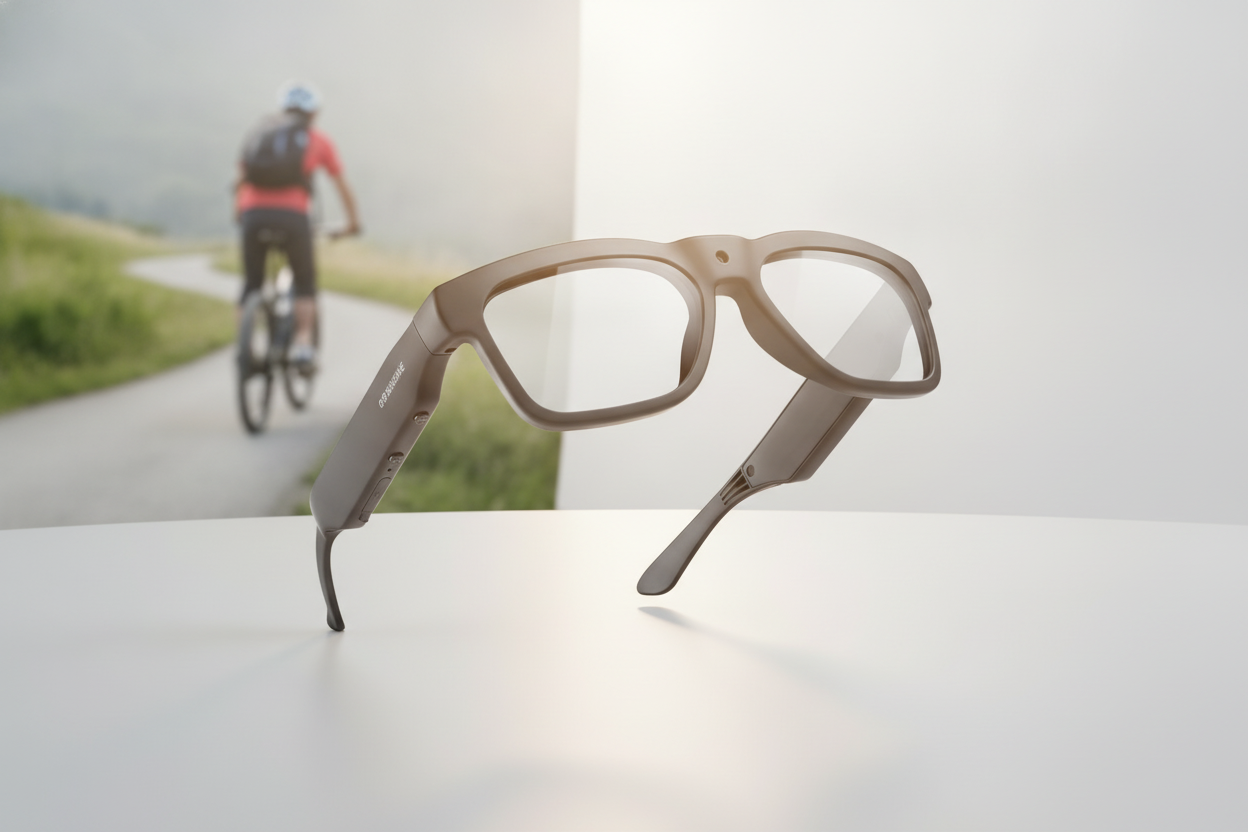



Kommentar hinterlassen
Diese Website ist durch hCaptcha geschützt und es gelten die allgemeinen Geschäftsbedingungen und Datenschutzbestimmungen von hCaptcha.