
























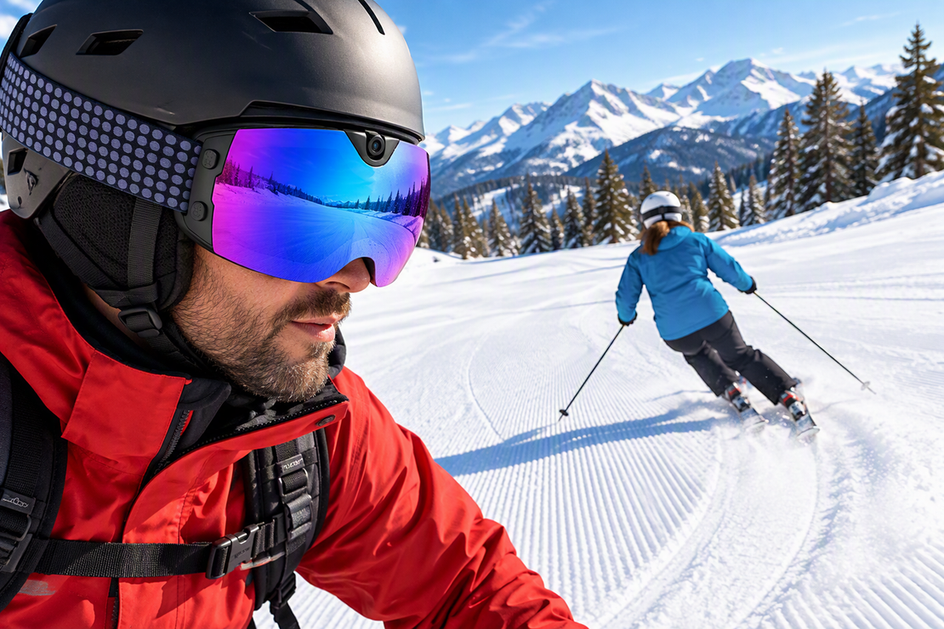
Ski instructors use 4K camera goggles the same way they'd use any other camera: to capture one representative carve run, isolate the exact turn that matters, and turn what's visible into a single coaching cue. The camera goggles add a hands-free, eye-level view that a handheld phone or pole mount can't easily match, but that viewpoint only helps if the clip actually shows the transition, edge angle, or line the coach needs to see. This article walks through that review workflow, then compares camera goggles with handheld smartphones and pole-mounted cameras so you can pick the setup that fits your coaching question.
How to use eye-level footage for a carve review
The goal of any carve-review clip is one usable coaching cue, not a highlight reel. A short, well-framed segment of linked turns beats a long recording that never isolates the movement you're trying to fix.
Capture a representative linked-carve run
Before the student pushes off, decide what the clip needs to prove. Then follow a simple three-step sequence:

- Set the coaching question first, such as edge-to-edge transition timing, line choice through a pitch change, or upper-body rotation, so the run has a defined visual target.
- Follow the student through enough linked turns to reveal the transition and the resulting line, without recording an entire run that you'll never fully review.
- Confirm the camera stays centered and that the student's skis and the relevant body segment remain in frame throughout the segment.
A quick framing check before the first real run, similar to the process described in our camera goggle framing test, keeps you from burning limited recording time and battery on footage that turns out to be unusable.
Review edge-to-edge movement and line
Start the review at the exact moment the skier releases one edge and begins establishing the next. That transition is where most technique issues become visible, whether it's late edge engagement, a stalled pole plant, or an early upper-body rotation.
Separate what the footage actually shows from what you're inferring about why it happened. The eye-level view gives you the operator's travel line and the student's movement inside that frame, but it doesn't automatically explain cause and effect. That interpretation step is still the coach's job, and it's easier to get right when you've isolated a short, specific segment instead of scanning a long clip.
Turn one observation into the next coaching cue
Professional ski-instruction standards support a simple feedback loop: describe what the skis and body did, connect that movement to its effect on performance, and prescribe one change for the next attempt. The PSIA-AASI video-analysis standards outline this observe-describe-prescribe sequence for cross-country coaching, and the same structure works well for reviewing carve footage even though the source itself is not an alpine-specific standard.
In practice, that means naming one visible result, such as the tail skidding through the second half of the turn, linking it to one likely cause like late weight transfer, and giving the student a single, concrete cue for the next run. Avoid trying to fix three things from one camera angle. Repeat the capture-review-cue cycle on the next run to confirm the change actually happened. If you want to sanity-check image quality, motion blur, or file size before relying on this workflow all day, our 4K camera testing checks cover the practical tests worth running first.
When camera goggles fit the coaching setup
Camera goggles are the better hands-free choice when eye-level follow footage and fast access to a usable clip matter more than a deliberately framed outside angle. A handheld phone or pole-mounted camera can still be the right call when the coaching question needs that external, operator-controlled view.
Choose the camera position by coaching question
No available evidence establishes a clear winner among camera goggles, handheld smartphones, and pole-mounted cameras for stability, edge tracking, or playback speed. The right choice depends on what you need the footage to show and whether a short test clip actually delivers it.
| Setup | Strongest conditional use | Unresolved condition before choosing |
|---|---|---|
| Camera goggles | Hands-free, eye-level follow footage when you need both hands free during the run | Confirm the angle passes a representative-run framing test |
| Handheld smartphone | An existing stable, wide, quickly reviewable workflow with no new device needed | Confirm actual field of view and hand-held stability at speed |
| Pole-mounted camera | A deliberate external angle showing whole-body movement or line | Confirm the mount keeps the student framed through the full turn |
The practical rule is simple: test a representative linked-carve run with whichever setup you're considering, then keep the one that shows the targeted movement clearly enough to produce one specific next-run cue.

Verify the recording and playback workflow
Before you commit to any camera as a coaching tool, check the basics that actually determine whether the footage is usable between runs. That means confirming camera position and field of view, making sure the recording indicator is easy to see, and knowing the file format and battery plan going into the day.
Wireless connectivity and app or button controls are listed features, not proof that playback will feel instant on the hill. Pair the device with your phone and pull a short test clip before your first coaching session, checking transfer time, file access, and whether you can jump directly to the turn transition you need to review. A slow or clunky transfer process undercuts the whole point of reviewing footage between runs.
Apply the conditional product-fit decision
Once those workflow checks are settled, a camera-goggle model can earn a place in your kit if its listed specs actually match what you need. Our Skyshot camera ski goggles are built around that hands-free use case, with a listed 4K/30 fps recording mode, a 140-degree wide-angle camera, an anti-fog lens, and Wi-Fi with app or button control for pulling clips to a phone.
Those are the manufacturer's listed capabilities, and they support a hands-free follow-cam workflow, but they don't prove faster playback, better stabilization, or clearer edge visibility than a handheld phone or pole mount. For session planning, use the listed 90-minute battery figure as the conservative number rather than assuming a longer runtime, and plan to capture the representative run early in the session while battery and attention are both fresh. If your coaching question genuinely needs a controlled outside angle instead of an eye-level view, a handheld or pole-mounted setup remains the better tool for that specific job.
FAQs
Can camera-goggle footage replace an outside view of a carved turn?
Not automatically. An eye-level clip shows the operator's line and the student's movement from that vantage point, but it doesn't replace a deliberate outside angle when the coaching question depends on seeing the whole body or the ski-snow relationship from outside the run. Test both setups on a representative turn and keep whichever one makes the target movement clearest.
Does Wi-Fi mean a coach can instantly review a clip on a phone?
Wi-Fi and app or button control mean the device can connect to a phone, not that playback happens instantly. Before relying on this for between-run coaching, pair the goggles with your phone and pull a short test clip to check transfer time, file access, and whether you can scrub directly to the turn you want to review.
How should an instructor plan recording time around the Skyshot battery?
Plan around the listed 90-minute specification rather than longer figures you may see referenced elsewhere, since that's the conservative number tied directly to the product listing. Reserve that recording time for representative runs instead of continuous filming, and confirm current runtime with product support if you need a firm number for a full day of lessons.


Leave a comment
This site is protected by hCaptcha and the hCaptcha Privacy Policy and Terms of Service apply.