
























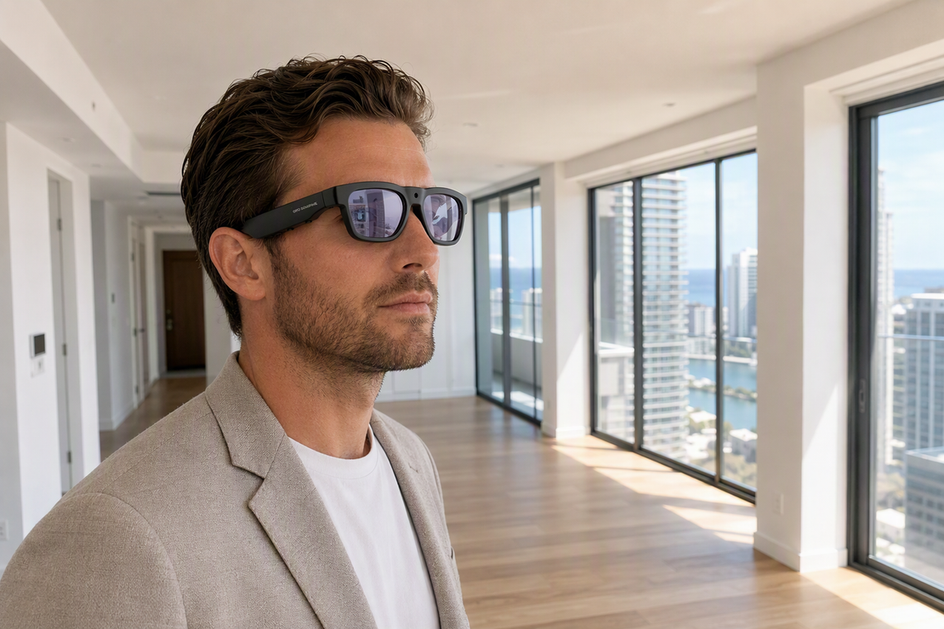
Smart AI glasses with camera and translation features can give an overseas property investor a hands-free video record and live language help during a walk-through, but they cannot confirm zoning, title, condition, or contract terms on their own. Treat the eyewear as a documentation and communication aid by recording visual details and using live translation for routine questions. The right choice among camera-first, translation-first, or combined glasses depends on which task is the actual bottleneck on your trip.
What Smart Eyewear Can and Cannot Establish on an Overseas Property Tour
Smart glasses with camera and Bluetooth connectivity work best as an observation and communication tool, not as a survey, inspection, or certified translation service. When using smart camera translation glasses for international real estate property tours, the footage shows what a room looked like and what was said, but it does not carry the weight of a title search, a licensed inspection, or a zoning determination.
A 4K video claim only applies to a specific model whose product record actually lists 4K capture, and live translation quality still depends on the language pair, background noise, and network conditions during your visit. Before you rely on either feature, separate four kinds of information: what the camera recorded, what the translation conveyed, what written documents say, and what a local authority or professional has independently confirmed. A useful observation is "the kitchen has a water stain on the ceiling"; a fact requiring confirmation is "the agent said this unit is zoned for short-term rental." Decide first whether your trip's primary deliverable is footage, translated conversation, or both, since that choice drives which eyewear and workflow fit the visit.
Prepare a Reliable Overseas Property Tour Workflow
Before you leave, run a short pilot so the workflow performs the same way in the actual property as it did at home. Testing each component beforehand prevents technical surprises during your scheduled walk-through.

- Decide whether documentation, communication, or both is the priority for this specific trip, since that decision shapes which glasses and settings you pack.
- Test the exact phone, app, language pair, and network you will use abroad under similar lighting, background noise, and distance conditions, checking that recording, audio, translation, and file export all work together rather than trusting spec sheets alone.
- Charge every device fully and carry a backup battery or a phone-based note app, since a documented battery figure is a planning input, not a guarantee for a full-day itinerary.
- Build a simple capture template that lists the property address, room, visible condition, measurements to verify later, agent statements, open questions, and requested follow-up documents.
- Agree on a consent plan with your agent before the visit so recording never becomes a surprise once you arrive.
For a broader walkthrough of pilot testing, file review, and live sharing, our field inspection workflow guide covers the same groundwork in more depth. Reviewing those steps helps ensure your hardware and storage settings stay synchronized.
Capture the Property and Handle Agent Translation in Real Time
During the walk-through, start each room or exterior area with a steady establishing view, then capture fixed features, visible condition, and access points before moving to the next space. Keep translated conversation tied to the specific question you asked; when the agent mentions zoning, permits, title, boundaries, repairs, or price terms, mark that moment clearly so you can revisit it with the original wording later.
A practical way to do this is to pause briefly after each translated answer and restate the topic aloud, such as "confirming: permitted use." That verbal marker separates a routine observation from a statement that needs a document or a professional's confirmation. Translation accuracy also varies by language pair, accent, and background noise, so treat any single translated sentence as a starting point for a follow-up question rather than a final answer; our translation accuracy guide walks through those variables in more detail. After the visit, review your footage the same day while the context is fresh, and match every unresolved item to a specific document request or professional call.
Set the Buyer Criteria Before Comparing Products
Score any glasses with camera and Bluetooth against your actual tour, not a generic feature list. Camera-first buyers should weigh resolution, storage, and controls; translation-first buyers should weigh language support and connected reliability.
When 4K Walk-Through Video Is the Priority
Treat 4K/30 fps as a named-model specification, not a category default, and confirm it directly on the product you are considering. Check first-person framing, built-in audio, storage capacity, recording controls, and clip length, then plan enough tested battery life for the rooms and exterior areas you intend to cover. Keep the visual record separate from measurements, inspection findings, or legal conclusions; the footage documents what a space looked like, not what it means for zoning or condition.
When Translation and Tour Continuity Are the Priority
Check two-way conversation support, microphone quality, open-ear audio, the specific language pair you need, and how much the workflow depends on your phone and network. Compare your scheduled visit length against a tested runtime rather than a headline battery figure, and carry a fallback communication method in case the connection drops. Use translation to clarify routine questions on the spot, but keep original-language documents and statements for anything tied to price, permits, or ownership. Browse the AI translation glasses category if this communication path is your main bottleneck.
Match the Three Selected Glasses to the Tour
Match your eyewear choice to the main bottleneck of your property visit: pick a combined 4K-and-translation frame for dual-purpose scoping, a dedicated camera model for visual property logs, or lightweight translation eyewear for extended agent discussions. Each option satisfies a different tour requirement and operational constraint.
| Tour priority | Documented capabilities | Best fit and boundary |
|---|---|---|
| Combined documentation and translation | 4K/30 fps video, 165-language real-time and two-way translation, Bluetooth 5.3, 1.5-20 hour listed working-time range | Fits one frame covering both jobs; test actual camera-plus-translation runtime before the trip |
| Camera-first, short segments | 4K/30 fps video, 24MP photos, built-in microphone, 30-minute listed battery life | Fits planned clips and photo capture; not documented for continuous all-day recording |
| Translation-first, long visits | Real-time AI chat translation, Bluetooth 5.2, 10-hour listed battery life; no camera or video-resolution fact listed | Fits long agent conversations when another device records the property |
We built our Edge Pro camera translation glasses for the combined path, since its product record lists both 4K/30 fps video and real-time translation in one frame, though the wide working-time range makes a pre-tour test worthwhile. If your deliverable is simply a property log and someone else handles the conversation, our Brave 4K camera glasses give you 4K/30 fps footage and 24MP photos for planned, shorter segments rather than a continuous walk-through. When the agent conversation is the real bottleneck and video will come from another device, our GlobeEar translation glasses offer the longest listed battery life of the three for a communication-heavy visit; their supplied facts do not include a camera or 4K video capability, so pair them with a separate recording plan when footage is also needed.
Protect Privacy and Complete Independent Verification
Before you rely on any footage or translated conversation, confirm that recording and sharing were actually permitted and that your files are stored where you expect them to be. Consent rules for recording conversations and private spaces differ by country and by U.S. state, and recording requirements vary by jurisdiction, so disclosing the recording and getting the agent's agreement is the safer default rather than an assumption. If the required permission is not given, stop recording conversations or private spaces immediately and switch to an agreed non-recording method, such as note-taking.
Connected features can send audio or video to a manufacturer's servers, so review the app's permissions, storage settings, and deletion options before your trip, since connected voice privacy controls determine how long your recordings are kept and who can access them. Footage and translated audio that show identifiable people count as sensitive files; limit who can view or receive them, and treat any translation or recognition output the same way regulators treat other biometric-adjacent claims, since sensitive recordings and accuracy claims should never substitute for verified identity, legal, or transaction evidence. Build a simple follow-up list that pairs each open question from the tour with the local record, inspection, or professional confirmation it needs. Do not act on translated statements about zoning, title, contracts, boundaries, or condition until you have the original wording and an authoritative local confirmation in hand.
Conclusion
Choose combined, camera-first, or translation-first glasses based on your trip's real bottleneck, then test that exact setup before you travel. Confirm recording consent on-site, and route every zoning, title, condition, or contract detail to an independent local source. We are glad to help you match your next overseas tour to the right setup from our lineup.
FAQs
Do I still need my phone during a smart-glasses property tour?
Most translation and file-sharing features depend on a paired phone and app, so confirm your specific model's requirements before departure and pack a charging backup. Carry a separate note-taking method as a fallback in case the connected workflow fails partway through the visit.
What should I do if the agent or property representative does not consent to recording?
Stop recording right away and ask whether note-taking or a limited, room-only capture is acceptable instead. Document the visit through agreed methods only, and check the specific rules that apply to your destination before your next tour.
Can translated audio prove a property's zoning or contract terms?
No. Keep the original-language recording or document, request the written version from the agent, and confirm the details with the relevant local authority or a qualified real estate or legal professional before you rely on them.


Lämna en kommentar
Denna webbplats är skyddad av hCaptcha och hCaptchas integritetspolicy . Användarvillkor gäller.