
























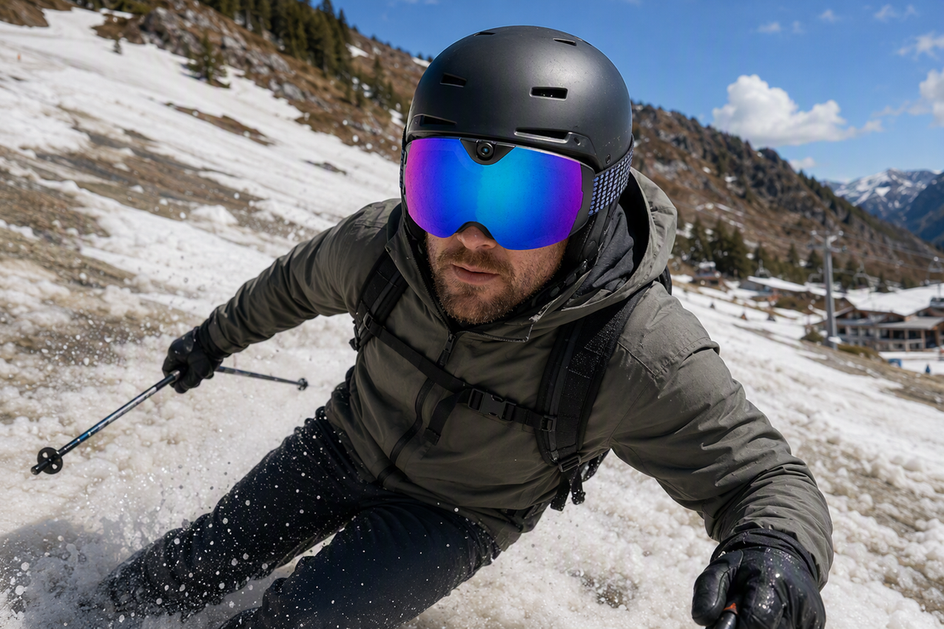
Melting spring snow and slush are not the same as immersion. Whether your camera ski goggles can handle a wet resort day depends on the manufacturer's documented water-resistance scope and sealed access points, not on a generic "water-resistant" label. If that documentation is unclear or missing, treat the goggles conservatively and keep them away from directed water, pooling, and immersion.
What Water-Resistance Wording Actually Tells You
An exact water-resistance rating only covers the test it names. A vague adjective on a product page tells you almost nothing about whether slush, spray, or a soaked glove can safely touch the camera housing.

Manufacturers that test to the IP Code standard can choose from several distinct water-ingress tests, including spray, jets, temporary immersion, and continuous immersion by agreement. Those categories are not interchangeable, so an exact code plus its stated scope is the only wording that defines a real boundary.
| Wording you see | What it establishes | Spring-use action |
|---|---|---|
| Exact IP code with stated test scope (for example, spray or temporary immersion) | The specific condition the product passed | Stay within that exact scope; do not extend it to heavier exposure |
| Generic "water-resistant" claim with no code | Some tolerance for light moisture | Not sufficient evidence for slush, spray, or lift-line puddles |
| No water-protection documentation at all | Nothing about water protection | Keep exposure conservative and avoid directed water or pooling |
No IP rating or water threshold is published for the Skyshot camera ski goggles in this article's product record, so this table is a general framework, not a Skyshot-specific rating.
Before the First Run: Inspect Ports, Seams, and Closures
Run a two-minute check before you clip in for a wet spring day. Confirm the USB-C charging cover is fully seated and dry, then look along the seam where the lens frame meets the camera housing for gaps, cracks, or trapped grit.

Make sure no cable, strap clip, or accessory is holding a cover slightly open, and never start a run with a damp port or a damp charging cable plugged in. If your manual gives an exact closure or care instruction, follow it exactly. If the sealing information is unclear or a cover will not close flush, treat the goggles as unsealed for that run and keep them away from immersion or directed spray rather than guessing at a safe limit.
On the Slopes: Manage Slush Exposure Without Guessing a Limit
Ordinary contact with falling or blowing snow is different from directed water, standing meltwater, or full immersion, and no generic label tells you which one your goggles can tolerate. Keep every access cover closed for the whole run and avoid letting slush pool against a seam or charging port, especially during warm afternoon runs when snow is actively melting.
If snow or droplets build up on the outside, clear them gently with a soft cloth instead of scrubbing or pressing moisture toward a seam, which can push water where it does not belong. Continuing to record is not proof that water has stayed out. If you see water reach an opening, pool inside the frame, or appear inside the housing, stop using the camera function until you have dried and inspected the goggles.
Warm Lifts and Lodge Transitions: Separate Lens Fog from Electronics Moisture
Fogging on a chairlift and moisture near your camera port are two separate problems with two separate fixes. Confusing them is the most common way spring skiers either misjudge a foggy lens as a hardware failure or, worse, assume a clear lens means the electronics are dry.
Manage Lens Fog with Airflow and Careful Lens Care
Warm body heat meeting cold outside air is what fogs a lens, and it has nothing to do with waterproofing. Cooling down on the lift, loosening a layer, or using the goggles' vents lets warm air escape instead of condensing on the inner lens. If the lens does mist over, wipe it with a dry microfiber cloth rather than a glove, sleeve, or tissue, since abrasive wiping can wear down an anti-fog coating faster on a wet surface.
Treat Damp Electronics and Charging Access Separately
Clearing lens fog does not tell you anything about the USB-C port or camera housing. Keep the charging cover fully closed during every lift ride and lodge stop, and do not plug in a charger or zip the goggles into a case if there is any chance moisture remains near that access point. If you want more detail on how camera eyewear brands document rain, sweat, and humidity limits, our related guide on camera glasses waterproof limits walks through how to read those claims model by model.
After a Wet Run: Dry, Inspect, Then Store
Drying and inspection come before anything else once you are back at the lodge or in the car, in this order:
- Wipe surface snow and droplets from the lens and frame with a soft cloth, blotting rather than scrubbing.
- Let the goggles air-dry somewhere warm but not hot; skip a hot vent, a radiator, or direct sunlight through a car window.
- Recheck the USB-C cover, the seam around the camera housing, and any strap clips for trapped moisture once the exterior looks dry.
- Charge and store the goggles in a closed case only after every checked point is dry.
If you see moisture inside the housing or around the charging area at any point in this sequence, stop charging and recording, let the unit sit open in a controlled drying spot, and follow your manual or the manufacturer's support instructions before using it again.
When Skyshot Is a Fit—and When the Evidence Is Not Enough
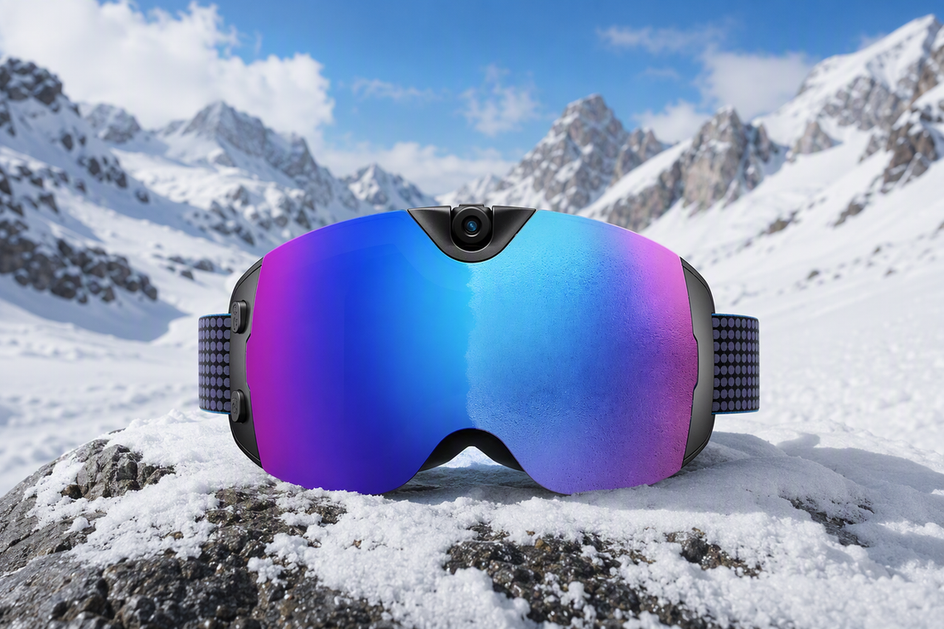
Skyshot fits a skier who wants a 4K, 140-degree camera and an anti-fog lens built into a ski goggle for ordinary snow days, but it is not documented as a waterproof solution for slush exposure. Our supplied product record lists a 4K wide-angle camera, an anti-fog lens, Wi-Fi transfer, and USB-C charging designed for skiing, snowboarding, and general snow travel, which covers the recording and lens-fog side of a spring day well.
What that record does not include matters just as much: there is no published IP rating, no description of the USB-C port's sealing, and no stated immersion, spray, or operating-temperature limit. That gap means we can recommend the OHO SUNSHINE 4K Camera Smart Ski Goggles, 24M Photo, Anti-Fog - Skyshot for capturing runs and fighting lens fog, but not for a defined wet-slush exposure claim. If documented water-resistance and port-sealing detail matter most to your decision, browse our full lineup of smart snow goggles and compare what each model's manual actually states before a wet spring trip.
Conclusion
Use camera ski goggles in melting spring snow only within the water-resistance and port-sealing scope the manufacturer actually documents. When documentation is missing or vague, keep exposure conservative, close every access point, dry the goggles fully before charging, and verify official manufacturer guidance before taking them onto wet slush.
FAQs
How do I tell if moisture in my goggles is just lens fog or something more serious?
Fog clears from the inside of the lens as the goggles cool and dry out, usually within a few minutes once you're off the slope. If you see moisture beading on the outside of the camera housing, near the USB-C cover, or inside the frame itself after the lens has cleared, treat that as a separate signal and dry and inspect the unit before charging it.
Is it safe to store wet camera ski goggles in their case right after skiing?
No. Sealing damp goggles into a closed case traps moisture against the seams and the charging port instead of letting it evaporate. Let them air-dry in a warm, not hot, spot first, and only move them into a case once the exterior and access points feel dry.
How soon can I charge my goggles after a wet spring run?
Only once you've checked the USB-C cover and surrounding seam and confirmed they're dry to the touch. Charging over residual moisture is one of the more avoidable ways to damage the port, so treat a fully dry check as the condition for plugging in, not a fixed waiting time.
What should I do if my camera goggles stop recording or won't charge after a wet run?
Stop trying to charge or power on the camera function and let the goggles finish drying completely in a controlled, room-temperature space first. If the problem continues after they're fully dry, follow the manufacturer's manual or contact support rather than continuing to test the unit while any moisture risk remains.



コメントを書く
このサイトはhCaptchaによって保護されており、hCaptchaプライバシーポリシーおよび利用規約が適用されます。