
























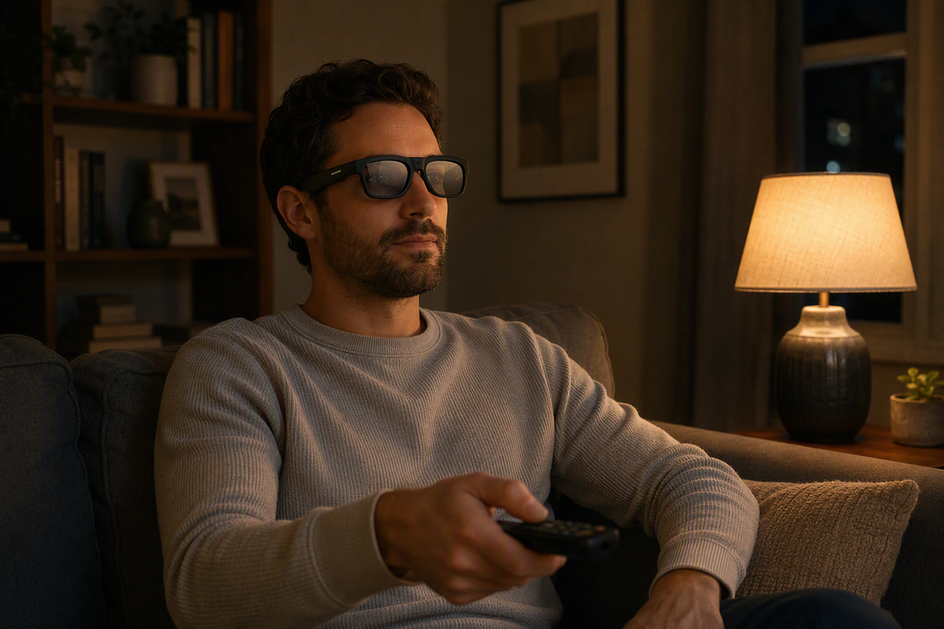
Yes, camera glasses in low light can sometimes capture usable video when ambient light is present, but very dark scenes and moving subjects need comparable sample-footage checks. Whether a clip is usable depends on the light, movement, exposure behavior, and visible noise in the scene.
Recording and usability are two different decisions. A clip can technically exist and still fail the job you needed it for, like showing a recognizable face across a dim room or a clear view while walking after sunset. No evidence here supports night vision or a fixed minimum light level that guarantees a good result. Treat "it records" and "the footage looks right" as separate checks, and judge the actual clip against the detail and motion sharpness you need, not against a spec sheet.
Why Low-Light Footage Gets Difficult
Five separate variables decide whether a dim clip turns out clear or messy: available light, exposure behavior, noise, autofocus, and battery life.

Available Light Sets the Starting Point
More ambient light simply gives the camera more information to work with. A living room with a lamp on, a porch with a light fixture, and a street with no nearby lighting are three different starting points, not variations on the same "low light" label. Treat "night" as a range of conditions rather than a single guaranteed performance level; a dim hallway and a dark trail are not the same test.
Exposure and Motion Trade Brightness for Sharpness
Cameras brighten a dark scene by holding the shutter open longer, which lets in more light but also gives moving subjects more time to blur across the frame. A faster exposure keeps a walking person or a moving hand sharper, but it needs more available light to avoid an underexposed, muddy image. As Sony's shutter-speed guidance explains, slower exposure can brighten a dim scene but make movement blurrier, while a faster setting needs more light to preserve that same motion detail. This is general imaging behavior, not a stated camera-glasses spec, so confirm it in your own footage rather than assuming a specific setting.
Noise and Autofocus Need Separate Checks
When a camera boosts sensitivity to brighten a dark scene, grain and speckling, known as noise, often become more visible, especially in shadowed corners and fine detail. Check dark areas of a sample clip specifically for this, since a bright overall image can still look grainy up close. Autofocus is its own checkpoint too: no supplied documentation establishes how either listed model focuses in dim conditions, so treat that as something to verify with your own test clip rather than something a spec sheet confirms.
Battery Is a Separate Night-Use Constraint
A longer evening or nighttime session needs enough charge to finish, and some models let you record while plugged in and others don't. Check the stated battery-working-time range and any charging limitation before you plan a long dusk walk or event. This is a separate practical constraint from image quality; nothing here indicates that dim-light processing changes how long a battery lasts, so don't assume runtime shifts based on lighting alone.
What to Expect Indoors, at Dusk, and at Night
Expectations should shift with the scene, not stay fixed at one universal answer. Indoor rooms are the easiest to judge from comparable footage, dusk needs a closer look at the brightness-versus-motion tradeoff, and very dark night scenes stay unproven until you've tested them directly.

Indoor spaces with ordinary lighting are the most useful starting point because you can check quickly whether faces, nearby objects, and normal movement stay recognizable in a sample clip. Dusk and evening scenes need more scrutiny since the available light keeps changing and moving subjects, like a person walking beside you, make the brightness-versus-sharpness tradeoff more visible. Very dark night use should be treated as unverified until you've recorded a comparable clip in a similarly dim location. A dark scene can reveal both visible noise and blur, so a night-use limitations check should inspect stationary details and moving subjects separately rather than judging the whole clip at a glance.
What to Verify Before Buying Camera Glasses
A product page, a manual, and sample footage each answer a different question. Use the page for stated specs, the manual for documented controls, and real clips for the actual dim-light behavior; our 4K camera-glasses buying checks guide walks through this same comparison in more depth.
Read the Product Page as a Specification, Not a Night Test
- Note the stated resolution and frame rate, such as 4K or 2K, but don't treat either number as proof of a brighter or cleaner image; resolution describes recorded detail, not low-light behavior.
- Record the lens type, stated battery life, and any charging feature as separate purchase inputs rather than clues about dim-light quality.
- Look for disclosed recording conditions on any sample clip; a daytime marketing video tells you little about an evening walk or a dim living room.
Use the Manual to Find Model-Specific Limits
- Check whether the manual documents focus behavior, exposure or recording modes, charging-while-recording support, clip-length limits, and any status-light behavior.
- If a control or limit isn't documented in the material you have, treat it as an open verification point instead of assuming it works a certain way.
Reject Mismatched Sample Footage
Favor original or lightly processed clips filmed in lighting and movement conditions close to your own use case over a polished daytime highlight reel. Compare subject recognizability, brightness, blur, and visible noise side by side rather than judging sharpness from a resolution number alone. Before treating any low-light claim as convincing, require either comparable original footage or your own test opportunity in the scene you actually plan to use; a spec line by itself is not a night-use result.
Which OHO SUNSHINE Camera Glasses Fit a Dim-Light Buyer Scenario?
Choose between these models by feature priority, not presumed night performance: Edge Pro matches the listed 4K/30 fps and battery-working-time priorities, while Primex EIS matches the listed EIS and record-while-charging priorities. Neither listing proves low-light image quality.
- If your priority is the highest stated resolution and a flexible battery window, our Edge Pro 4K camera glasses list 4K/30 fps video and a 1.5-20 hour battery-working-time range. That fits a shopper who wants those specific specs, but the listing doesn't establish brightness, noise, or night performance, so plan to test dim-scene footage yourself before relying on it after dark.
- If your priority is electronic image stabilization or the ability to keep recording while charging, our Primex EIS camera glasses list electronic image stabilization, 2K Ultra HD video, a 60-minute battery life, and record-while-charging support. That fits a buyer with a stabilization or session-length priority, but those features don't prove a brighter or cleaner low-light image either.
How to Run a Low-Light Sample-Footage Test
Start by recording comparable footage in the actual room, route, or nighttime location where you plan to use the glasses. Review stationary and moving subjects for brightness, recognizability, blur, and visible noise, then decide against your own tolerance and check battery or charging separately.
- Pick the actual room, route, or nighttime location where you plan to use the glasses, not a generic well-lit stand-in.
- Keep framing, distance, and movement as consistent as you can across clips so you're comparing like with like.
- Record both a mostly stationary subject, like a person standing still, and normal walking or moving footage in the same location.
- Play back the original, unedited files and check brightness, subject recognizability, motion blur, and visible noise for the stationary and moving clips separately. As Nikon's low-light guidance notes, it helps to test sample footage in the actual scene where you plan to record and weigh sharpness against brightness and noise together rather than judging one setting in isolation.
- Decide against your own acceptable level of blur and noise, and check battery or charging behavior as a separate step from image quality. Apply the result only to the lighting and movement you actually tested; a pass in one room doesn't confirm performance in a darker or faster scene.
FAQ
Can camera glasses record at night?
They may, if some ambient light is present, such as streetlights or indoor lamps. Whether the footage looks usable depends on brightness, motion sharpness, and noise, not just whether a file was created. No evidence here supports true night vision in complete darkness.
What limits camera-glasses quality in low light?
Available light, exposure timing, motion, visible noise, autofocus behavior, and battery endurance all play separate roles. A product's stated specifications don't settle all of these on their own, so a dim clip can still fail even when recording starts normally.
Does 4K make camera glasses better at night?
Not by itself. A 4K label describes recorded resolution, meaning how much detail the file can hold, but it says nothing about brightness, noise, autofocus, or overall night performance. Check actual sample footage instead of relying on the resolution number.
How should I test camera glasses indoors or after dark?
Record a short clip in the actual room or route you plan to use, capture both a stationary and a moving subject, and review the original files for brightness, subject clarity, blur, and noise. Judge battery or charging behavior separately from image quality.


コメントを書く
このサイトはhCaptchaによって保護されており、hCaptchaプライバシーポリシーおよび利用規約が適用されます。