


















How to identify the right and left eye on a glasses prescription
On a glasses prescription, the right eye is labeled OD and the left eye is labeled OS. Getting this right is the first step in reading a prescription for online lenses, because every later value (sphere, cylinder, axis, and more) belongs to one specific eye.
What OD, OS, and OU mean on your prescription
These abbreviations come from Latin and appear on most prescriptions in the United States and many other countries:
- OD (oculus dexter) means the right eye.
- OS (oculus sinister) means the left eye.
- OU (oculus uterque) means both eyes.
Prescriptions are usually laid out as a grid. The OD row is typically listed first, above OS, with columns for values such as SPH, CYL, and AXIS. Some prescriptions use "R" and "L" instead, and some print the eyes in the opposite order, so read the labels rather than relying on row position.
OU appears when one instruction applies to both eyes. For example, "OU" next to a distance pupillary distance or a lens note means the entry covers both eyes rather than each one separately.
The OD line describes your right eye, which sits on the left side of the page when you look at the prescription facing you. Do not match it to the left lens just because it appears on the left.
How to match each eye’s values to the correct online order fields
Enter the OD row in the retailer's "Right Eye" or "OD" fields and the OS row in the "Left Eye" or "OS" fields. Most online lens forms use the same two-column or two-row structure as the prescription, which makes a side-by-side comparison straightforward.
A reliable process helps prevent swapped values:
- Place your prescription next to the order form, or zoom in on a clear photo of it.
- Find the OD label and confirm every number in that row belongs to the right eye.
- Fill in the right-eye fields completely before moving to the left eye.
- Repeat the process for the OS row.
- Review both columns once more, comparing each number and its plus or minus sign to the original.
Swapped eyes are an easy mistake to make, especially when your two eyes have similar but not identical numbers. For example, if your right eye is -2.25 and your left is -1.75, reversing them gives each eye the wrong correction and may cause blurry vision or eye strain. Checking the order summary page before you pay is the best time to catch this.
If a retailer's fields use different wording than your prescription, such as "Right (OD)" and "Left (OS)," the eye labels still correspond one to one. When anything looks unclear or inconsistent, contact the retailer or your eye-care provider before submitting.
How to Read SPH, CYL, and AXIS Before Ordering Lenses Online
Once you know which row belongs to your right eye (OD) and which to your left (OS), the next step is reading the three core values: SPH, CYL, and AXIS. SPH corrects nearsightedness or farsightedness, while CYL and AXIS work together to correct astigmatism.
How sphere power and plus or minus signs describe your vision correction
SPH (sphere) is the main lens power, measured in diopters (D). A minus sign (−) means you are nearsighted, so distant objects look blurry. A plus sign (+) means you are farsighted, so close-up tasks may strain your eyes. The larger the number, the stronger the correction.
- −2.00 means moderate nearsightedness.
- +1.50 means mild to moderate farsightedness.
- Plano, PL, or 0.00 means no sphere correction is needed in that eye.
Your eyes can have different SPH values, such as −2.25 on the right and −1.75 on the left. That is normal. Enter each number exactly as written, with its sign, because a missing minus sign changes the lens from corrective to the opposite power.
Most prescriptions use steps of 0.25, so check any value that does not follow that pattern. If you see a number like −2.30, confirm it with your eye-care provider before submitting the order.
How cylinder power and axis work together to correct astigmatism
CYL (cylinder) shows how much extra power your eye needs to correct astigmatism, which happens when the front surface of the eye is shaped more like a rugby ball than a sphere. AXIS tells the lab where on the lens to place that power. The two values only work as a pair.
For example, a line reading SPH −2.00, CYL −0.75, AXIS 180 means the lens has −2.00 D of base power plus −0.75 D of astigmatism correction, oriented along the horizontal meridian at 180 degrees.
- CYL can be written with a minus or plus sign. Keep whichever sign appears on your prescription.
- AXIS is a whole number from 1 to 180 and never has a plus or minus sign.
- If CYL is blank, DS, or SPH, you likely have no astigmatism correction, and AXIS will usually be blank as well.
- If CYL has a value but AXIS is missing, do not guess. Ask your provider for the complete prescription.
Never enter a CYL value without its matching AXIS value. The pair defines the lens correction; either one alone cannot.
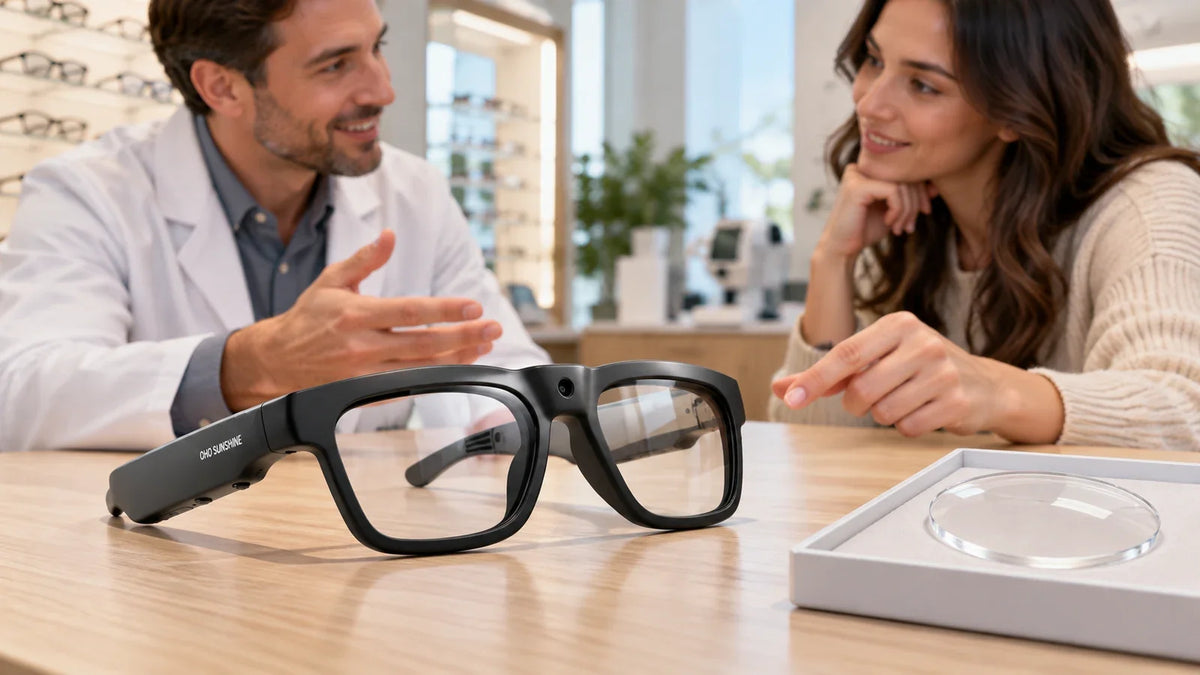
If you want prescription lenses in connected eyewear, you can enter these same values when choosing prescription lenses for smart glasses. This lets you keep your camera, audio, and translation features while seeing clearly through lenses made to your SPH, CYL, and AXIS.
Before checkout, compare each SPH, CYL, and AXIS value on your order summary with your written prescription, one eye at a time, to confirm the numbers and signs match.
What ADD, prism, and other prescription values mean for your lenses
Once you understand SPH, CYL, and AXIS, the remaining entries on your prescription fine-tune how those lenses work for specific tasks. ADD, prism, and a few other notations appear less often, but entering them incorrectly can change how your glasses perform.
When an ADD value is needed for bifocal or progressive lenses
An ADD value is the extra magnifying power added to the lower part of a lens to help you see up close. You need to enter it only when ordering bifocal, trifocal, or progressive lenses. For single-vision distance or single-vision reading glasses, the ADD field is usually left empty.
ADD is typically written as a positive number, such as +1.00 to +3.00, and it often appears once in the middle of the prescription or separately for each eye. The two eyes usually share the same value. Many people begin needing an ADD in their early to mid-40s because of presbyopia, the natural loss of focusing flexibility.
A practical example: if your right eye reads SPH −2.00 with ADD +1.75, your near-vision power is roughly −0.25 (−2.00 plus +1.75). Online retailers calculate this for you, so you should not combine the numbers yourself. Follow these checks instead:
- Select the lens type that matches your ADD: progressive, bifocal, or a dedicated reading option.
- Enter the ADD exactly as written, including the plus sign and decimal places.
- If only one ADD number is listed, apply it to both eyes unless your prescription says otherwise.
- Check whether the prescription labels it "NV" (near vision) or "Near Add," which means the same thing.
How to handle prism, blank fields, and other less common entries
Prism corrects eye alignment problems, such as double vision, by shifting where light lands on your retina. It is measured in prism diopters (Δ) and paired with a base direction: BU (base up), BD (base down), BI (base in), or BO (base out). If your prescription includes prism, you need a retailer that offers a prism field. Many standard online order forms do not, and in that case you should not attempt to approximate it.
Blank fields are normal. A dash, "DS" (diopter sphere), "SPH," or "PL" (plano) in the CYL column generally means you have no astigmatism correction. Leave optional fields empty or select "none" rather than inventing a value.
You may also see these entries:
- PD: Pupillary distance, the space between your pupils in millimeters, which is sometimes recorded separately from the lens values.
- Seg height: The placement height for bifocal segments, rarely needed for online orders.
- Notes: Remarks such as "polycarbonate" or "photochromic," which are clinician suggestions rather than required values.
If you see prism, handwritten notes you cannot decipher, or any entry you do not recognize, confirm it with your eye-care professional before placing the order.
How to enter your prescription accurately in an online lens order
To enter a prescription accurately, copy each value exactly as written, put it in the matching field for the correct eye, and keep every plus or minus sign. Once you understand what each abbreviation means, ordering is mostly careful transcription, and small errors at this stage are among the most common causes of lenses that feel wrong.
Match every prescription value to the retailer’s fields and preserve its sign
Most online forms use a grid with one row for the right eye (OD) and one for the left eye (OS). Work across one row at a time so values from different eyes never get mixed up.
- Enter SPH for the right eye, then CYL, AXIS, ADD, and any prism values.
- Repeat the same sequence for the left eye.
- Compare each field against your paper or digital prescription before moving on.
The sign matters as much as the number. A sphere of -2.00 corrects nearsightedness, while +2.00 corrects farsightedness, and the two are not interchangeable. If your prescription shows no sign next to a value, it is usually positive, but confirm this with your eye-care professional rather than guessing. Cylinder is often written as a negative number, though some prescriptions use plus cylinder format, so enter it exactly as shown.
Here is an example of how a prescription maps to the form:
| Eye | SPH | CYL | AXIS |
|---|---|---|---|
| OD (right) | -2.25 | -0.75 | 90 |
| OS (left) | -1.75 | -0.50 | 85 |
If a field is blank on your prescription, such as CYL or AXIS, leave it blank or select “none” or “0.00,” depending on what the retailer offers. Do not invent a value to fill the space.
Check prescription dates, lens type, and pupillary distance requirements
Before you submit, confirm that your prescription is current. Eyeglass prescriptions commonly expire after one to two years, depending on local rules and your practitioner’s recommendation, and many retailers will ask for the exam date or the prescriber’s details. The expiration date is often printed on the document itself. If it has passed, book a new exam instead of ordering from the old numbers.
Next, choose a lens type that matches your prescription:
- Single vision lenses suit prescriptions with only SPH, CYL, and AXIS values.
- Progressive or bifocal lenses require an ADD value and are chosen only when the prescription lists one.
- Prescription sunglasses or tech eyewear use the same values, but check that the frame supports your power range.
Finally, look for pupillary distance (PD), the measurement in millimeters between your pupils. Many forms require it, and it may appear as a single number, such as 63, or as two numbers, such as 31.5/31.5, for each eye. If your prescription does not list it, the retailer may offer a measuring tool or ask you to get it from your optician. Enter the PD in the right field, and use dual PD values only when the form provides separate boxes for each eye.
Before you pay, read the order summary aloud against your prescription, one value at a time. This final check takes about a minute and catches most entry mistakes.
Which details your glasses prescription does not provide
A glasses prescription describes the optical power your eyes need, but it does not include every measurement required to make finished glasses. Two items are commonly missing: pupillary distance and frame fit data. A glasses prescription also cannot be used to order contact lenses.
Why pupillary distance and frame measurements may need separate checks
Pupillary distance (PD) is the distance in millimeters between the centers of your pupils. It tells the lab where to position the optical center of each lens. Many prescriptions leave it out because it is not a measure of vision correction, and some clinics record it only on request. If the optical center sits in the wrong place, you may notice eye strain, headaches, or blurred edges, especially with higher powers.
Frame measurements are also separate from your prescription. These typically appear on the inner temple arm or bridge of an existing frame:
- Lens width, the horizontal size of each lens.
- Bridge width, the gap over your nose.
- Temple length, the arm length from hinge to tip.
Progressive lenses add another requirement: seg height, the vertical position of the reading zone, which depends on the frame you choose. For these lenses, ask your eye-care professional for a fitting measurement rather than guessing.
To fill the gaps, you can do the following:
- Ask your optician to write your PD on the prescription at your next visit.
- Check whether the retailer provides a PD guide or an on-screen measuring tool.
- Record your PD as a single number (for example, 63) or as two numbers (for example, 31.5/31.5) if the form asks for each eye separately.
- Compare the size of a frame you already wear well with the listed dimensions of the new one.
Why a glasses prescription cannot be used to order contact lenses
A glasses prescription cannot be used to order contact lenses because contacts rest directly on the surface of your eye, while glasses sit roughly 12 millimeters away. That distance changes how much power you need, particularly when your sphere value is stronger than about ±4.00. A contact lens prescription is therefore calculated separately.
Contact lens prescriptions also include details that glasses prescriptions never list:
- Base curve, which matches the lens curvature to your cornea.
- Diameter, which sets the lens size on the eye.
- Brand or material, since fit and oxygen permeability differ between products.
- Expiration date, which is set by the prescriber.
Fitting requires an exam that measures your cornea and checks that the lens moves and settles properly. Even if the numbers look similar, do not copy SPH, CYL, and AXIS into a contact lens order. Request a dedicated contact lens fitting and prescription from your eye-care professional first.
Treat your glasses prescription as one part of a complete order. Pupillary distance, frame fit, and contact lens data each need their own source.
Frequently asked questions about reading a glasses prescription for online lenses
Yes, in most cases you can, but you will need to supply a pupillary distance (PD) measurement yourself. PD is the distance in millimeters between the centers of your pupils, and online retailers use it to position the optical center of each lens in front of your eyes. Many prescriptions leave it out because it is a measurement, not a vision correction value.
You can ask your eye-care office to provide it, since they can usually measure it quickly and often at no charge. Alternatively, many retailers offer a PD tool that uses a ruler or a webcam. Typical adult PD falls between about 54 and 74 mm. If your prescription is strong or includes a progressive lens, ask for a professional measurement, because small PD errors matter more with higher powers.
Do not guess. A blank field often has a meaning: an empty CYL and AXIS usually means no astigmatism correction, and an empty ADD means no near-vision addition. Notations such as "DS" (diopter sphere), "SPH" or "plano" are common ways to write zero or to show that no cylinder is needed.
If handwriting is unclear or you cannot tell whether a number is positive or negative, contact the clinic that issued the prescription and ask for a printed or digital copy. Enter values only after you have confirmed each one, including every plus or minus sign, because a missing sign changes the correction entirely.
Check the issue date and the expiration date, if one is printed. Glasses prescriptions are commonly valid for one to two years, though the exact period depends on your location and your eye-care provider. Some prescriptions state no expiration at all, and a few regions set the limit by law.
- Look for an "exam date" or "expires" line near the top or bottom of the document.
- Consider a new exam if your vision has changed, you have headaches or eye strain, or your current glasses no longer feel right.
- Ask the clinic directly if you cannot find a date.
Many online retailers will ask for the prescription date during checkout, so have it ready.
Yes. If a value looks surprising, ask before you order. This applies when your prescription has changed sharply since the last exam, when the two eyes differ greatly, or when you see a prism value, a high CYL, or an unfamiliar abbreviation. Online order forms accept almost any number, so they will not warn you about a transcription error.
A short call or message can confirm that the figures are correct and that your chosen lens type, such as single vision or progressive, suits them. High prescriptions may also affect lens thickness, frame choice, and coatings, so a professional's advice helps you avoid an expensive remake. When in doubt, a quick confirmation is far cheaper than replacing lenses that do not work for you.


Hagyj megjegyzést
Minden hozzászólást moderálunk a közzététel előtt.
Ezt a webhelyet a hCaptcha rendszer védi, és a hCaptcha adatvédelmi szabályzata, valamint szolgáltatási feltételei vonatkoznak rá.