
























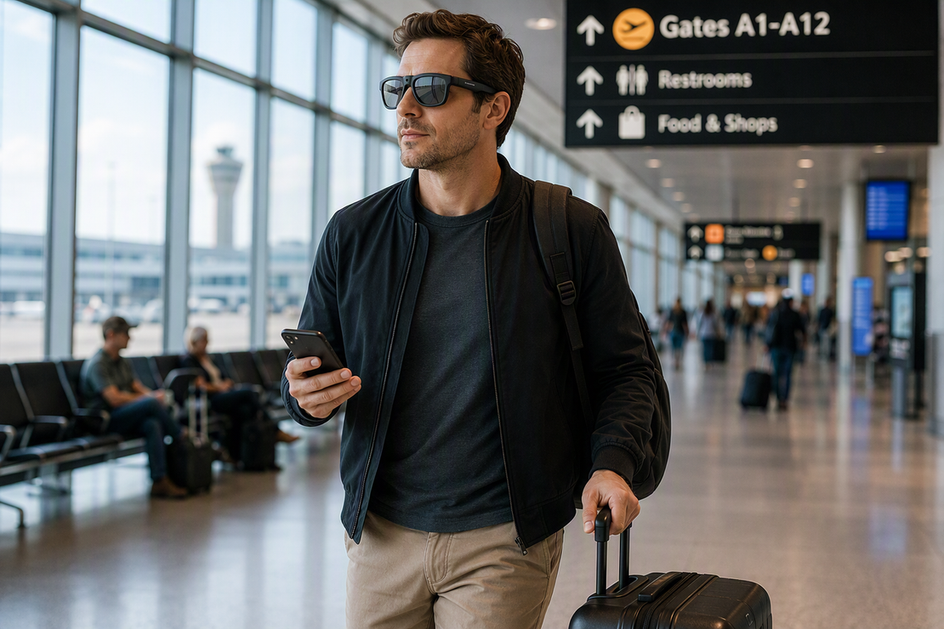
Test your smart glasses, phone, app, charging setup, and storage before you leave for the airport. Pack the glasses and any power bank in accessible carry-on baggage. Follow the airline's and TSA's current instructions at each step. Use only the functions the aircraft operator allows once you're on the plane. Most important: never let the glasses be your only way to communicate, navigate, or reach key travel details. If losing power, Bluetooth, or a Wi-Fi connection would strand you, keep a phone or paper backup ready.
Before You Leave: Complete the Travel-Day Checklist
A short pre-departure test catches most travel-day problems before they happen. Run through this checklist the night before or morning of your flight.

- Fully charge the glasses, your phone, and any approved power bank.
- Open the companion app and confirm Bluetooth pairing still connects on the first try.
- Test the camera, microphone, and recording indicator with a short clip.
- Transfer that clip to your phone or computer to confirm the storage and transfer path works.
- Download and test any offline language files the phone app supports, using our phone and app checklist as a guide.
- Write down your destination address, key phrases, and itinerary details as a non-glasses fallback.
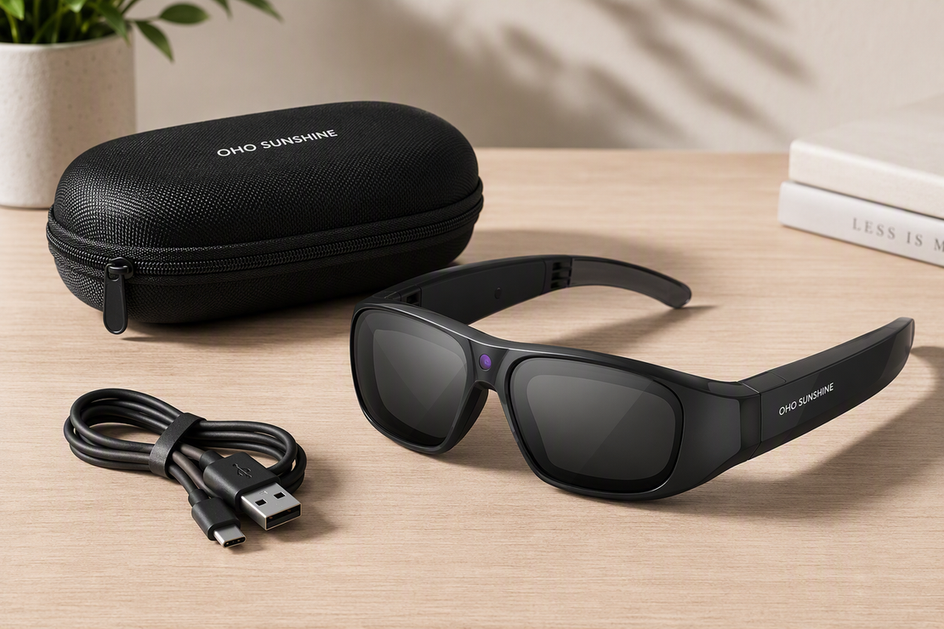
- Pack the case, charging cable, any transfer adapter required by your exact model, and power bank together in your carry-on.
- Ask yourself the recoverability question: if the glasses stopped working right now, could you still get where you're going and talk to someone who helps? If not, fix that gap before you leave.
At the Airport: Carry, Screen, and Protect the Glasses
Keep the glasses, case, cable, and any power bank in your carry-on bag, not checked luggage, and protect them from crushing or accidental button presses.

- Keep power banks and spare lithium batteries in your carry-on, not checked baggage. FAA battery guidance notes that battery size limits apply. Airlines may impose stricter rules, so check your carrier's policy before you fly.
- At the checkpoint, follow the officer's instructions about removing, presenting, or submitting the device for inspection.
- If you record while going through security, know that TSA does not categorically prohibit checkpoint filming as long as you don't interfere with screening, reveal sensitive information, or film shielded monitors. Stop or reposition the recording the moment an officer tells you to.
- At the gate, keep the glasses in their case when you're not actively using them so they don't get lost or damaged in a bag.
Online vs. Offline: Separate Local Features From Cloud Features
Not every feature needs Wi-Fi, and not every feature works without it. Sorting functions by what they actually depend on tells you what to test before you leave and what to treat as a convenience only.
| Function | Typical dependency | Travel action |
|---|---|---|
| Local capture and on-device controls | Often works locally, but varies by model | Test buttons and voice commands offline before departure |
| Bluetooth audio or phone link | Needs the phone nearby and paired | Confirm the phone stays nearby and Bluetooth pairing remains stable |
| Companion app features | Needs the phone and the app installed | Update the app and test it before you travel |
| Cloud AI and real-time translation | Usually needs the phone's internet connection through Bluetooth | Assume no signal, no cloud translation, unless proven otherwise |
| Google Translate offline translation on iPhone or iPad | Available after supported language files are downloaded in advance | Download language files before departure and test a phrase with airplane mode on |
| File transfer and backup | Depends on the model's storage and transfer method | Copy a test file before your trip, not after you need it |
A downloaded phone-app language pack is a separate, testable fallback. It doesn't prove that a specific pair of translation glasses works without internet, so treat the glasses as phone-dependent until you've verified otherwise for your exact model and app.
On the Flight: Use the Glasses Without Losing Access to Essentials
Use the glasses only in ways the airline and crew allow, and keep your phone reachable for anything essential.
Before Takeoff
Confirm your phone and key travel details are within reach before boarding. Check that the function you plan to use, camera, audio, or translation, doesn't conflict with the crew's electronics announcement.
During the Flight
The aircraft operator, not the device maker, decides which portable electronics it permits in the cabin. FAA guidance on portable electronic devices links permitted use to the operator's determination. Check the airline's instructions and follow the crew's directions.
Don't count on onboard Wi-Fi or in-seat power being available or fast enough for cloud translation. Keep your phone accessible even while wearing the glasses for audio or capture. When you're not using the glasses, put them back in their case instead of leaving them loose in a seat pocket or bag. Pause use immediately if the crew changes the device rules mid-flight.
Recording and Translation Etiquette: Stop Before You Capture
Ask before you record and stop when asked. That single habit covers most airport, cabin, and destination situations.
- In shared spaces like gates, lounges, and the cabin, avoid capturing other passengers, private conversations, or sensitive documents without asking first.
- At your destination, tell the other person when you're using an AI-assisted translation device. Check local venue or facility rules before recording in sensitive settings, because destination-specific requirements may vary.
When Something Fails: Follow the Shortest Backup Sequence
Don't spend your layover troubleshooting the glasses. Work through this order instead.
- Switch from the glasses to your phone's translation or camera app the moment the glasses connection drops.
- Use the downloaded offline language files in the phone app if you tested them beforehand, following our offline smart glasses guide for what stays available without a signal.
- If the phone or app is also unreachable, fall back to your written destination notes, phrasebook, or paper itinerary.
- Restore power or connectivity when you can, using your permitted power bank or a charging outlet, then reconnect the glasses.
- Before you resume recording, verify that earlier files transferred and saved correctly, and don't erase originals until a copy is confirmed.
For essential tasks like finding your gate or asking for help, use the phone or paper fallback first and only return to the glasses once it's convenient.
Choose the Right Travel Role for Camera or Translation Glasses
Pick a travel role based on what you'd lose if the glasses failed, not on how many features they list.
Choose by Travel Role, Not Feature Count
- Camera-first: you mainly want hands-free video or photos. Prioritize capture quality, image stabilization, storage capacity, and a tested transfer method.
- Translation-first or combined use: you need real-time translation along with capture. Confirm the phone and app pairing works before you travel, and accept that cloud translation depends on that connection.
- Backup-only or not a fit: you can't tolerate a dead battery or dropped connection during an important task. In that case, treat the glasses as a nice-to-have and keep your phone as the primary tool.
Supported Store Options
For travelers who want capture and real-time translation in one device, our Edge Pro travel option supports 4K video recording at 30 fps, 24MP photos, Bluetooth 5.3, and two-way translation. It fits travelers who accept phone and app dependence for the translation feature and want one device for both jobs.
If capture quality matters more than translation, our Primex EIS camera option supports 2K video, electronic image stabilization, and a built-in microphone. It fits a camera-first trip; pair it with your phone's translation app if you also need translation. Either way, keep your phone charged and your fallback notes packed, since neither device replaces a working phone connection for essential tasks.
FAQs
Can I wear smart glasses through TSA?
TSA does not categorically prohibit checkpoint filming, but you must not interfere with the screening process, reveal sensitive information, or record shielded monitors. Follow the officer's instructions and submit the device for screening if asked.
Do translation glasses work without Wi-Fi?
Offline behavior varies by model and app, so don't assume glasses-only translation works without internet. A downloaded phone-app language pack can translate offline once tested, and that phone-based fallback is the more reliable path to verify before you travel.
How do I store my glasses during a flight?
Turn off or pause the glasses and place them in their protective case rather than a seat pocket or loose bag. Keep the case within reach so you can retrieve it quickly, and check with the crew if you're unsure about their in-flight device policy.
What should I do if my smart glasses lose Bluetooth or battery?
Switch to your phone's translation or camera app first, then use downloaded offline language files if you tested them in advance. Restore power with your permitted power bank once you can, and fall back to written notes if the phone path isn't available.
Can I use camera glasses on an airplane?
Camera use on a plane depends on the airline's and crew's instructions, since the aircraft operator controls which portable devices are permitted. Stop recording immediately if directed, and avoid capturing other passengers or crew without appropriate permission.


Hinterlasse einen Kommentar
Diese Website ist durch hCaptcha geschützt und es gelten die allgemeinen Geschäftsbedingungen und Datenschutzbestimmungen von hCaptcha.