
























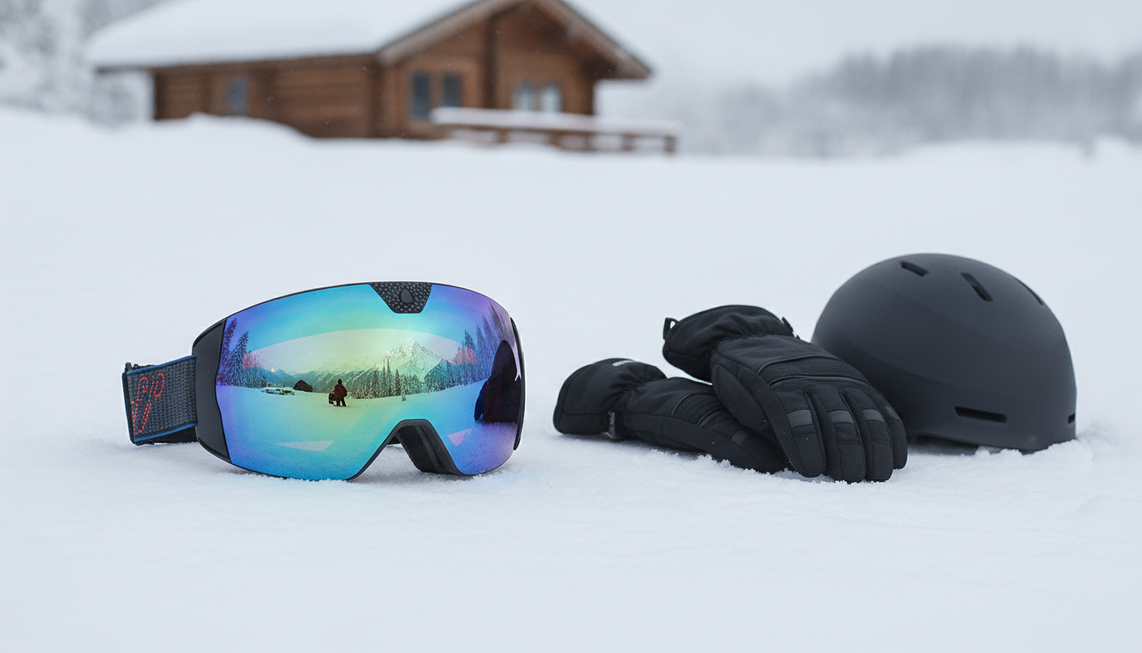
Eine sicherere Routine für die Bedienelemente einer Kamera-Skibrille beginnt, wenn du angehalten hast und die Handschuhe trägst, mit denen du tatsächlich fahren wirst. Bestimme die modellspezifischen Aktionen zum Ein-/Ausschalten und Aufnehmen, übe sie durch Ertasten und bestätige die Aufnahmereaktion, bevor du dich bewegst. Die Anordnung der Bedienelemente variiert je nach Kamera-Skibrille. Übernimm daher nicht die Tastenposition, Druckdauer, Anzeige, den Ton oder die Vibration eines anderen Modells.
Wie übt man vor einer Abfahrt die Bedienelemente einer Kamera-Skibrille mit Handschuhen?
Beginne zu Hause oder neben der Hütte, während du stillstehst. Ziehe genau die Innen- oder Isolierhandschuhe an, die du beim Fahren tragen möchtest, und verwende dann die Anleitung oder das Gerät des ausgewählten Modells, um die Bedienelemente für Ein/Aus, Start/Stopp und Status zu bestimmen. Dies ist der erste Schritt, um zu lernen, wie man Kamera-Skibrillen mit Handschuhen verwendet, ohne dass dein erster Lauf zu einem Ratespiel wird.
Führe eine kurze taktile Übung mit bestanden/nicht bestanden durch:

- Finde jedes erforderliche Bedienelement durch Ertasten, ohne lange nach unten zu schauen.
- Führe die vom Modell angegebene Druck-, Halte- oder Gestenaktion aus.
- Bestimme die visuelle, akustische, taktile oder App-Reaktion, die das Modell liefert.
- Wiederhole den Test mit dünneren Innenhandschuhen und dickeren Handschuhen, wenn beide zu deiner üblichen Ausrüstung gehören.
Die Bedienelemente sind geeignet, wenn du sie lokalisieren, die Aktion ausführen und die Reaktion im Stillstand erkennen kannst. Wenn sich die Kamera-Skibrillen-Tasten undeutlich anfühlen oder du wiederholt raten musst, ändere die Einrichtung oder sieh in den Anweisungen des Modells nach, bevor du fährst. Eine Praxisbesprechung der Zeal HD2 zeigt, wie sich handschuhtaugliche physische Bedienelemente je nach Modell unterscheiden können; die Position und Funktionsweise ihrer Taste geben keinen Aufschluss darüber, wie eine andere Skibrille funktioniert.
Schließe die körperliche Vorbereitung während dieser Übung ab. Passe Sitz, Riemen, Linse und Position der Handschuhe an, bevor du den sicheren Bereich verlässt, damit dein erster Einsatz am Hang nicht zugleich eine Anpassungssitzung ist.
Wie sieht die kürzeste handschuhtaugliche Routine zum Starten oder Stoppen eines Clips aus?
Verwende dieselbe kurze Routine mit drei Schritten sowohl zum Starten als auch zum Stoppen der Aufnahme. Führe sie im Stillstand durch und brich sie ab, wenn die Aktion oder die Reaktion unklar ist.
- Bereite dich im Stillstand vor. Halte an einem sicheren Ort an, stabilisiere deinen Stand, stelle sicher, dass Brille und Handschuhe sicher sitzen, und habe die Abfolge des Modells bereit, bevor du die Bedienelemente berührst.
- Führen Sie die Aktion des Modells aus. Aktivieren Sie bei Bedarf die Stromversorgung und verwenden Sie anschließend die angegebene Aktion, um die Aufnahme zu starten oder zu beenden. Gehen Sie nicht von einer universellen Taste, Druckdauer, Haltefunktion oder Geste aus. So lässt sich eine Aufnahme mit einer Skibrille mit Kamera starten und auf ein bestimmtes Modell anwenden.
- Überprüfen Sie dies vor der Weiterfahrt. Verwenden Sie die bei der stationären Probe ermittelte Reaktion. Sobald der Status eindeutig ist, richten Sie Ihre Aufmerksamkeit wieder auf die Piste.
Halten Sie am Ende einer Abfahrt an einem sicheren, stabilen Ort an, verwenden Sie die Stoppaktion des Modells und führen Sie dieselbe kurze Prüfung durch, bevor Sie die Brille weiter bedienen. Die kurze, geübte Aktion kann während eines angehaltenen Moments am Pistenrand funktionieren; längere Einstellungen, wiederholtes Drücken oder die Fehlerbehebung gehören abseits der Fahrt erledigt.
Wie können Sie bestätigen, dass eine Skibrille mit Kamera aufnimmt?
Die Aufnahme gilt nur dann als bestätigt, wenn ein stationärer Test die eigene Bestätigungsreaktion des ausgewählten Modells ermittelt hat. Gehen Sie nicht davon aus, dass ein bestimmtes Licht, Tonsignal, eine Vibration, eine Displayreaktion oder eine Tastenreaktion bei allen Skibrillen mit Kamera gilt.
Nehmen Sie vor Ihrer ersten Abfahrt einen kurzen stationären Clip auf. Verwenden Sie die Stoppaktion und vergleichen Sie anschließend das Ergebnis mit der bei der Probe ermittelten Reaktion. Lernen Sie diese Reaktion kennen, bevor Sie sich im Freien darauf verlassen. Stille, ein einzelner Tastendruck oder eine nicht erkannte Reaktion bestätigt nicht, dass die Aufnahme gestartet wurde.

Wenn die Reaktion unklar ist, sich die Aktion unerwartet verhält oder Sie nicht erkennen können, ob der Clip gestartet wurde, behandeln Sie den Status als unbekannt. Halten Sie an einem sicheren, stabilen Ort an, konsultieren Sie nach dem Abgleich mit Ihrem Modell die aktuelle Bedienungsanleitung und testen Sie erneut, anstatt wiederholt Bedienelemente zu drücken. Halten Sie die abschließende Prüfung am Pistenrand kurz: Machen Sie sich mit der Position des Bedienelements vertraut, führen Sie die Aktion aus, prüfen Sie die Reaktion und richten Sie Ihre Aufmerksamkeit wieder nach vorn.
Das Skyshot-Angebot gibt keinen Aufschluss darüber, wie genau der Aufnahmestatus angezeigt wird. Verlassen Sie sich nicht auf ein Licht, eine Vibration, ein Geräusch, eine Anzeige oder einen App-Status, sofern diese Reaktion nicht durch modellbezogene Anweisungen oder einen stationären Praxistest bestätigt wurde.
Wann sollten Sie anhalten und eine Skibrille mit Kamera an einem sicheren, stabilen Ort bedienen?
Halten Sie am Pistenrand, an einer Hütte, in einem geeigneten Liftbereich oder an einem anderen sicheren, stabilen Ort an, bevor Sie längere Einstellungen vornehmen, Fehler beheben, Handschuhe ausziehen oder unklare Bedienelemente betätigen. Einen Clip zu verpassen ist besser, als während der Fahrt nach unten zu schauen oder etwas auszuprobieren.
Wenn sperrige Handschuhe die Unterscheidung eines Bedienelements erschweren, ändere im Stillstand jeweils nur eine Variable, etwa die Dicke der Handschuhe oder die Art, wie du die Brille hältst. Wenn Kälte, Wind, Schnee, Feuchtigkeit, Beschlag oder schlechte Sicht die Bedienelemente oder die Statusanzeige unklar machen, gehe nicht davon aus, dass das Gerät funktioniert, und versuche nicht, während der Fahrt weiter nach der Ursache zu suchen. Befolge nach dem Anhalten die Pflege- und Bedienhinweise des ausgewählten Modells.
Für eine umfassendere Planung zu Akku, Beschlag, Feuchtigkeit und Scheibenpflege findest du hier Hinweise zur Pflege bei kaltem Wetter. Dies ist eine ergänzende Lektüre und kein Beleg für eine bestimmte Betriebsgrenze der Skyshot. Halte dich für diese Grenzen an die Pflegehinweise des jeweiligen Modells.
Dieselbe Abgrenzung dient als praktischer Passformtest. Wenn du nach Beginn einer Abfahrt wiederholt experimentieren musst, ist die Ausstattung für diese Fahrweise noch nicht geeignet. Überprüfe die Bedienelemente an einem sicheren, ruhigen Ort, bevor du dich wieder auf die Brille verlässt.
Was solltest du vor dem Kauf einer Schneebrille mit Kamera für die Bedienung mit Handschuhen überprüfen?
Wähle Schneebrillen mit Kamera nur dann, wenn das genaue Modell deinen Praxistest zur Bedienung und Statusanzeige mit Handschuhen besteht. Du solltest die benötigten Bedienelemente erkennen, das Ein- und Ausschalten sowie das Starten und Stoppen der Aufnahme ausführen, die Rückmeldung zur Aufnahme erkennen und deine Aufmerksamkeit anschließend wieder der Piste widmen können, ohne dich lange mit der Bedienung zu beschäftigen.
Überprüfe vor dem Kauf die Position der Bedienelemente, das Verhalten beim Drücken oder Gedrückthalten, die Rückmeldung zur Aufnahme, Hinweise zum Laden und zum Akku, Anweisungen zu Feuchtigkeit und kaltem Wetter sowie die Passform mit deinem Helm und deinen Handschuhen. Ein Drittanbieter-Handbuch für ein OhO-Kamera-Brillenset ist lediglich ein Anhaltspunkt, da die Übereinstimmung mit dem aktuellen Produkt ungeklärt ist. Vergleiche die Modellnummer, bevor du dich auf die dortigen Anweisungen verlässt.
Bei der Bedienung von Skibrillen mit Kamera hängt die Kaufentscheidung eher von der Handhabung als von den hervorgehobenen technischen Daten ab. Die Skyshot-Skibrille mit Kamera ist ein bedingt passendes Beispiel für Käufer, die eine Schneebrille mit Kamera zum Skifahren oder Snowboarden suchen. Laut Angebot unterstützt sie 4K-Videoaufnahmen mit 30 fps, Fotos mit 24 MP, eine Weitwinkelkamera mit 140 Grad, WLAN, USB-C-Laden, eine Antibeschlagbeschichtung und eine polarisierte Scheibe. Diese Funktionen ermöglichen Aufnahmen und Konnektivität, geben aber keinen Aufschluss über die Tastenfolge, die Rückmeldung zum Aufnahmestatus, die Bedienbarkeit mit Handschuhen oder die Betriebsgrenzen bei kaltem Wetter. Die Beschreibung der Tasten- und App-Steuerung im Angebot reicht nicht aus, um die Bedienung als handschuhtauglich zu bezeichnen.
Verwenden Sie diese Matrix, bevor Sie ein Produkt in Ihren Warenkorb legen oder sich bei einer Abfahrt darauf verlassen:
| Prüfen | Bestanden | Vor dem Kauf oder der Fahrt überprüfen |
|---|---|---|
| Position und Haptik des Bedienelements | Sie können das benötigte Bedienelement mit Ihren tatsächlichen Fahrhandschuhen finden. | Das Bedienelement ist schwer zu unterscheiden oder erfordert wiederholtes Raten. |
| Start-/Stopp-Aktion | Die Anleitung oder das Gerät des Modells legt die Aktion fest. | Das Drücken, Halten oder die Geste ist unbekannt. |
| Rückmeldung zur Aufnahme | Ein kurzer stationärer Test zeigt, wie der Aufnahmestatus bestätigt wird. | Sie können nicht feststellen, ob die Aufnahme gestartet oder beendet wurde. |
| Ausweichlösung an einem stabilen Standort | Sie können die ausführliche Bedienung verschieben, bis Sie sicher angehalten haben. | Die Konfiguration würde eine Fehlersuche während der Fahrt erfordern. |
Eine Skibrille mit Kamera ist nur dann eine praktische Option, wenn alle vier Prüfungen bestanden sind. Wenn ein Punkt unbekannt ist, gleichen Sie die Modelldokumentation ab oder führen Sie vor dem Kauf oder der Fahrt den stationären Dreiteiletest mit Handschuhen durch. Lassen Sie Auflösung, WLAN, Sichtfeld oder App-Funktionen nicht an die Stelle einer verifizierten Bedienung treten. Wenn Sie die Prüfungen weiterhin nicht abschließen können, lassen Sie die Konfiguration aus Ihrem Warenkorb, bis die Anweisungen für das exakte Modell oder das Gerät die fehlenden Angaben zu Bedienung und Status klären.
Häufig gestellte Fragen
Kann die Handschuhdicke das Ergebnis verändern?
Ja. Testen Sie jede Handschuhkombination, die Sie voraussichtlich verwenden werden, denn eine mit einem dünnen Innenhandschuh leicht auffindbare Taste kann mit einem isolierten Handschuh undeutlich sein. Wenn eine Konfiguration den Tasttest nicht besteht, betrachten Sie das nicht als Beleg dafür, dass beide einsatzbereit sind.
Was ist, wenn die Anleitung nicht zur Brille passt?
Verwenden Sie weder die Tastenfolge noch die Statusinformationen. Vergleichen Sie die Modellnummer auf der Brille oder Verpackung mit der Anleitung und dem Produkteintrag. Stimmen sie nicht überein, treffen Sie noch keine Kauf- oder Fahrentscheidung, bis Ihnen Anweisungen für das exakte Modell vorliegen.
Reichen 4K und WLAN aus, um eine Skibrille mit Kamera auszuwählen?
Nein. Sie beschreiben Aufnahme- und Verbindungsfunktionen, nicht, ob Sie die Bedienelemente mit Handschuhen bedienen oder den Aufnahmestatus erkennen können. Führen Sie die Prüfungen zu Handschuhen, Status und stabilem Standort durch, bevor Sie diese Spezifikationen als geeignet betrachten.


Kommentar hinterlassen
Diese Website ist durch hCaptcha geschützt und es gelten die allgemeinen Geschäftsbedingungen und Datenschutzbestimmungen von hCaptcha.