
























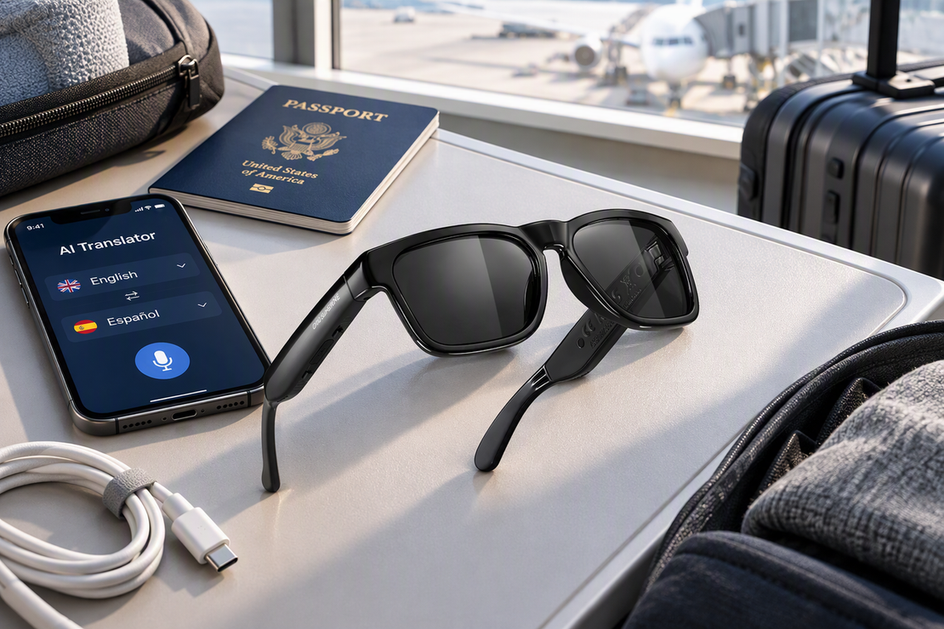
You get the best chance of AI translation glasses working when you land by starting with the model's documented battery rating instead of assuming all-day power. Check the exact translation-mode runtime, charging case, and phone-connection requirements for your model, then charge fully before departure, top off at any reliable outlet along the way, and protect the connection your glasses need to keep translating.
If the battery runs low, preserve translation first, since no AI translation glasses can be assumed to survive a full long-haul trip without a documented runtime and a backup plan.
Build a realistic battery baseline before departure
Every pair of AI smart glasses has its own tested or listed battery behavior, so the first step is building a fact record for the exact model you own or are considering. That record, not a category-wide promise, tells you whether the device is ready for a long-haul trip.
Measure the mode that matters
Start by separating the manufacturer's headline battery number from what happens during live translation. Many spec sheets list a single "battery working time"—for example, 10 hours—without stating whether that figure includes translation, audio, camera use, or standby, so treat it as a reference point rather than a guarantee.
| Fact to verify | Why it matters for the trip |
|---|---|
| Translation runtime | Shows how long live translation lasts in the mode you'll actually use |
| Audio | Continuous audio playback drains faster than idle standby |
| Camera | Recording or streaming from a built-in camera can shorten runtime noticeably |
| Bluetooth/phone connection | Cloud translation usually needs a paired phone and a steady Bluetooth link |
| Standby | Shows how much charge is lost even when you're not actively translating |
| Charging time | Determines how much charge you can realistically add during a gate wait or layover |
| Case capacity | Determines whether a charging case adds extra charges beyond one full battery |
If your model's manual doesn't separate these conditions, run a short, representative translation test at home before you pack, using the language pair and volume you'll actually rely on abroad.
Map the phone, connection, and charging equipment
Confirm whether your glasses need a paired phone, mobile data or Wi-Fi, a companion app, and a continuous Bluetooth link to translate, since many AI translation glasses route cloud translation through a smartphone's internet connection over Bluetooth. Check the exact charging cable, the charging input, whether there's a battery indicator, and whether a charging case ships with the device, because a case can add extra charges only if it actually exists and has a known capacity. Don't assume offline language packs or reserve power in a case unless your model's own documentation confirms it, because that assumption can leave you with a charged phone and glasses that still can't translate, since the connection they depend on isn't ready.
Make the trip-fit decision
Compare your verified or tested translation window against the itinerary's likely translation moments, layovers, and charging access, and only call the fit "documented" once runtime, case, and connection facts are all confirmed. If key fields, like case capacity or translation-mode runtime, remain unknown, treat the device as conditionally usable with charging access and a backup, or as unverified for anything arrival-critical. Once these criteria are clear, you can browse the AI translation glasses collection to compare how different models document translation, audio, and connectivity, or check a specific spec sheet, such as our Elingo translation glasses page, for its listed working-time rating before deciding whether it fits a long-haul flight.
Use a stage-by-stage power plan
Once you know your model's battery behavior, assign one action to each stage of the trip instead of relying on a single full charge to last the whole journey. The stages below cover home, the airport, the flight, a layover, and arrival, each with one concrete step.
Before leaving home
Charge the glasses, your phone, and any documented case using the exact cable and charger listed in the manual, and note the starting battery percentage before you leave. Pair the glasses, open the translation app, and test the language pair you'll actually need, since a failed connection at home is easier to fix than one discovered at the gate. Pack the glasses, phone, cable, and case together where you can reach them, and put any lithium-ion power bank in your carry-on bag rather than checked luggage. Before you pack a high-capacity power bank, check IATA battery watt-hour guidance, since general guidance treats batteries up to 100 Wh differently from 100–160 Wh units that may need airline approval, though the operating airline's current policy still controls what you can bring. If you want a broader packing routine for a mixed day of tasks, our task-based battery worksheet walks through budgeting battery and charging by activity.
At the airport and onboard
Use a gate or airport outlet before boarding whenever one is free, but don't plan the whole flight around finding one, since outlet availability varies by airport and terminal. Keep your phone on and connected to the glasses over Bluetooth if translation depends on that link, rather than switching off connectivity to save power, since that would disable the exact function you're trying to preserve. Between conversations, pause camera recording, music, or voice-assistant use if your model's controls support it, since idle active features add drain without adding translation value. Pack portable chargers in carry-on power bank bags rather than checked baggage, protect loose battery contacts and check the operating airline's rules before you fly, and tell a flight attendant right away if any device becomes hot, damaged, or starts smoking rather than continuing to charge it in flight. Our airport connectivity plan covers backup options if Wi-Fi or Bluetooth drops mid-trip.
During a layover
Recharge the glasses and phone first if arrival-ready translation matters most, then move to a documented case or other accessories once those two are topped off. Use the layover's charging window for whichever device has the least practical backup, since a phone can often borrow a public charger later but bluetooth smart glasses usually can't. After charging, reconnect and run a short translation check rather than assuming a battery percentage alone means the function is ready.
At arrival with limited power
If you land with limited battery, work through one priority order instead of guessing at what to save.

- Preserve live translation for the conversation or task that matters most right now.
- Keep the phone connection running if translation depends on it, even if that means pausing other phone activity.
- Pause optional camera, music, or assistant functions when your model's controls allow it.
- Look for the next safe charging opportunity instead of stretching an unverified runtime further.
- If the glasses can't maintain the connection or charge, shift translation to your phone or another prepared backup so you're not stranded without communication.
FAQs
Does a smart-glasses battery rating tell me how long translation will last?
Not by itself. A listed "battery working time," such as 10 hours, is a manufacturer specification, and it usually doesn't state whether translation, audio, camera use, or standby were part of the test. Use your model's documented mode-specific figure if one exists, or run a short, representative translation test before your trip instead of converting the headline number into an expected runtime.
How can I check whether offline translation is real before a trip?
Look for official language-pack or offline-mode documentation for your exact model and app, since marketing language like "AI" or "translation" doesn't confirm offline support on its own. Then test the language pair you need with your phone's data and Wi-Fi turned off, so you can see whether the glasses actually keep working without a live connection.
What should I pack if the glasses need a phone connection to translate?
Pack the paired phone, the correct charging cable, a permitted power bank, and, if you'll be abroad, a confirmed data or roaming plan, since cloud-based translation depends on that connection as much as on the glasses' own battery. Confirm the app and Bluetooth pairing before you leave home, and treat the phone's battery as part of the same travel plan as the glasses' battery, not a separate concern.




Hinterlasse einen Kommentar
Diese Website ist durch hCaptcha geschützt und es gelten die allgemeinen Geschäftsbedingungen und Datenschutzbestimmungen von hCaptcha.