

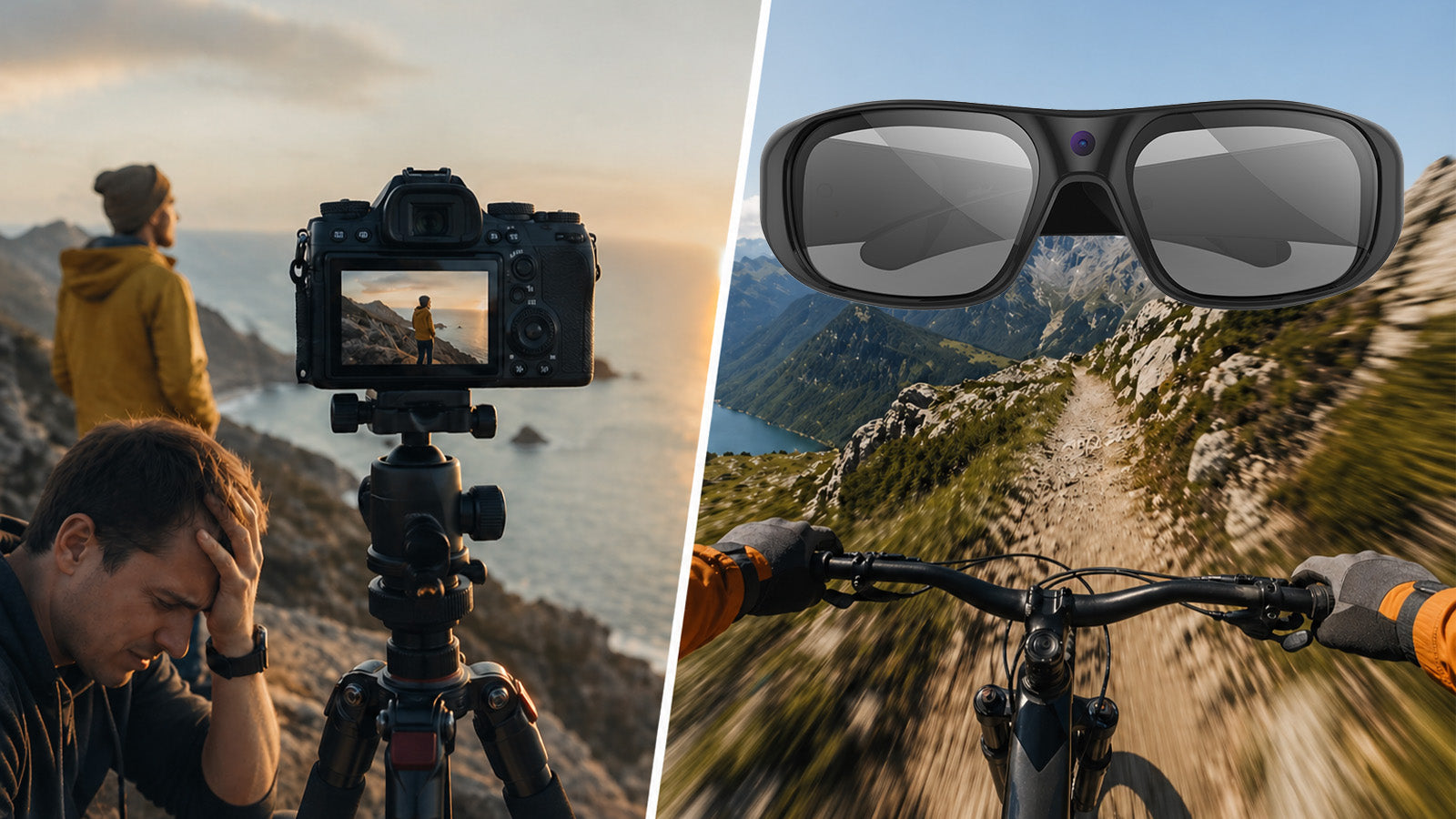
Setting up a tripod, checking the frame, adjusting exposure, then hitting record, only to realize the moment already passed. That gap between gear and reality is exactly what holds most vlog creations back. Camera glasses remove that gap entirely. They sit on your face, start recording with one button, and capture life from the angle your eyes actually see. Here is why more creators are making the switch.
Why Traditional Vlogging Gear Slows You Down
Traditional cameras do a lot well, but for creators producing vlog creations in real life, the workflow gets in the way more often than most people admit.
Setup takes time, and by the time everything is ready, the spontaneous energy is often already gone. Walking around with a camera pointed outward also signals to everyone around you that filming is happening, which changes how people interact and how natural the footage actually looks.
A few things that consistently get in the way with traditional vlog creations setups:
- Gear weight adds up quickly, especially on travel days
- Handheld shooting creates arm fatigue and inconsistent framing over long sessions
- Eye contact with the lens rarely matches where your eyes are actually looking
- Missing moments while adjusting settings is a common frustration
Camera glasses address all of these at the source, making them one of the most practical tools for vlog creations today.
Vlogging Glasses Deliver the First-Person View Cameras Never Can
Traditional cameras approximate first-person shooting, but they cannot fully replicate it. A camera held out in front of you is still a camera held out in front of you. The angle is slightly off, the framing is conscious, and the footage looks like someone filmed themselves rather than shared what they actually saw.
Vlogging glasses sit at eye level on the bridge of the frame. Here is what that positioning actually delivers for vlog creations:
- The camera records from exactly where your eyes are, not from arm's length or below
- When you look at something, the camera captures precisely that
- Conversations are filmed from the angle you genuinely see the other person at
- The viewing experience feels less like watching a vlog and more like being there
This difference is subtle in description but significant on screen.
Video Recording Glasses Keep Your Hands Free and Your Content Real
hands-free recording is one of the most practical advantages video recording glasses offer over traditional setups. It changes not just how you film, but what kind of vlog creations you can actually produce.
Cooking, Unboxing, and Skill-Based Content
Any activity that requires both hands becomes dramatically easier to capture with video recording glasses. Cooking vlogs, unboxing segments, DIY tutorials, and craft content all share the same problem: the moment your hands are needed, traditional filming requires either a fixed camera angle or someone else holding the device.
With video recording glasses, your hands stay where they need to be throughout the entire session. The footage captures exactly what you are doing from your natural working perspective, without awkward camera placement or interruption to the activity itself.
Travel, Street, and Real-Time Content
On the move, the difference becomes even more noticeable. Street content, city walks, market visits, and travel vlog creations involve constant movement and unexpected moments. Traditional gear requires conscious framing decisions at every step.
Video recording glasses remove that mental overhead entirely. You move, the camera moves with you. You react to something, the camera captures your natural reaction angle. The content stays spontaneous because filming stops being a separate task from living the experience.
Travel Light With the Best Camera Glasses Instead of a Full Kit
Packing for a content-heavy trip has always meant compromises. The best camera glasses consolidate the recording function into a single lightweight item you are already bringing. Here is what that eliminates from your vlog creations kit:
- Extra camera bodies, lenses, and mounting accessories
- Gimbals (motorized stabilizers used to keep footage smooth) and tripods
- Multiple batteries, chargers, and memory cards to track
- Visible camera equipment that draws attention in public spaces
A discreet pair of glasses draws no attention and moves through crowded airports and transit systems without friction. Lighter travel also means more consistent vlog creations. When filming requires no setup, creators record more often, across more situations, and with far less resistance.

Smart Camera Glasses Are Ready Before Traditional Gear Even Powers On
Content happens in seconds. A street performer, an unexpected encounter, a landscape shifting in the light. These moments do not wait for a camera to boot up and find focus.
Smart camera glasses are already on your face. Recording starts with a single button press, and an LED (light-emitting diode) indicator confirms the camera is running without any screen check required. On top of that, built-in vibration alerts provide a quiet physical confirmation of every command, so you always know the camera responded even in loud or distracting environments. Models equipped with EIS (Electronic Image Stabilization) go a step further, actively compensating for movement during recording so the footage stays smooth even while you are walking, cycling, or moving through a crowd. The gap between seeing something worth capturing and actually capturing it collapses to near zero.
For creators who need a steady stream of authentic vlog creations, that combination of instant access, reliable feedback, and stable output is one of the most practical daily advantages smart camera glasses offer over any traditional setup.
FAQs about Vlogging with Camera Glasses
Q1. Do Video Camera Glasses Produce Good Enough Quality for Vlog Creations?
Current models record at 2K resolution and above, delivering sharp, detail-rich footage that suits social media platforms, online video, and larger screens well. For authentic, first-person vlog creations, the output quality is well matched to the format and the viewing habits of most audiences.
Q2. How Do Vlogging Glasses Handle File Transfer After Recording?
Most vlogging glasses use USB-C connections for straightforward file transfer to a computer or mobile device. Some models also include an OTG (On-The-Go) connector that allows direct playback on a smartphone without needing a computer. This makes reviewing and sharing footage quick, even on the go.
Q3. What Does Every Vlogger Need to Get Started?
At minimum, a vlogger needs a reliable way to capture footage, a method to transfer and edit it, and a consistent posting habit. For creators focused on authentic, everyday content, a pair of vlogging glasses covers the recording side without adding bulk or complexity to the workflow. Starting simple tends to produce more consistent vlog creations than waiting for a full gear setup.
Q4. How Do Beginners Start Vlogging?
The easiest starting point is to document something you already do regularly, whether that is cooking, commuting, traveling, or a hobby. Keeping the gear minimal helps beginners focus on storytelling rather than technical setup. Video recording glasses are a practical first tool because they remove most of the friction between an idea and actually capturing it.
Film More, Carry Less, Create Better
Camera glasses are not a replacement for every type of video production. They are the right tool for vlog creations that feel real, move fast, and do not let gear get between you and the moment. If you are building a content habit or looking for a more natural way to document what you do, smart camera glasses are worth serious consideration. Explore the full range of video recording glasses at OHO Sunshine and find the pair that fits how you create.
Share:
What Features Matter Most When Buying Smart Glasses for the First Time?
What Makes Blue Light Glasses with Camera Perfect for Remote Work?